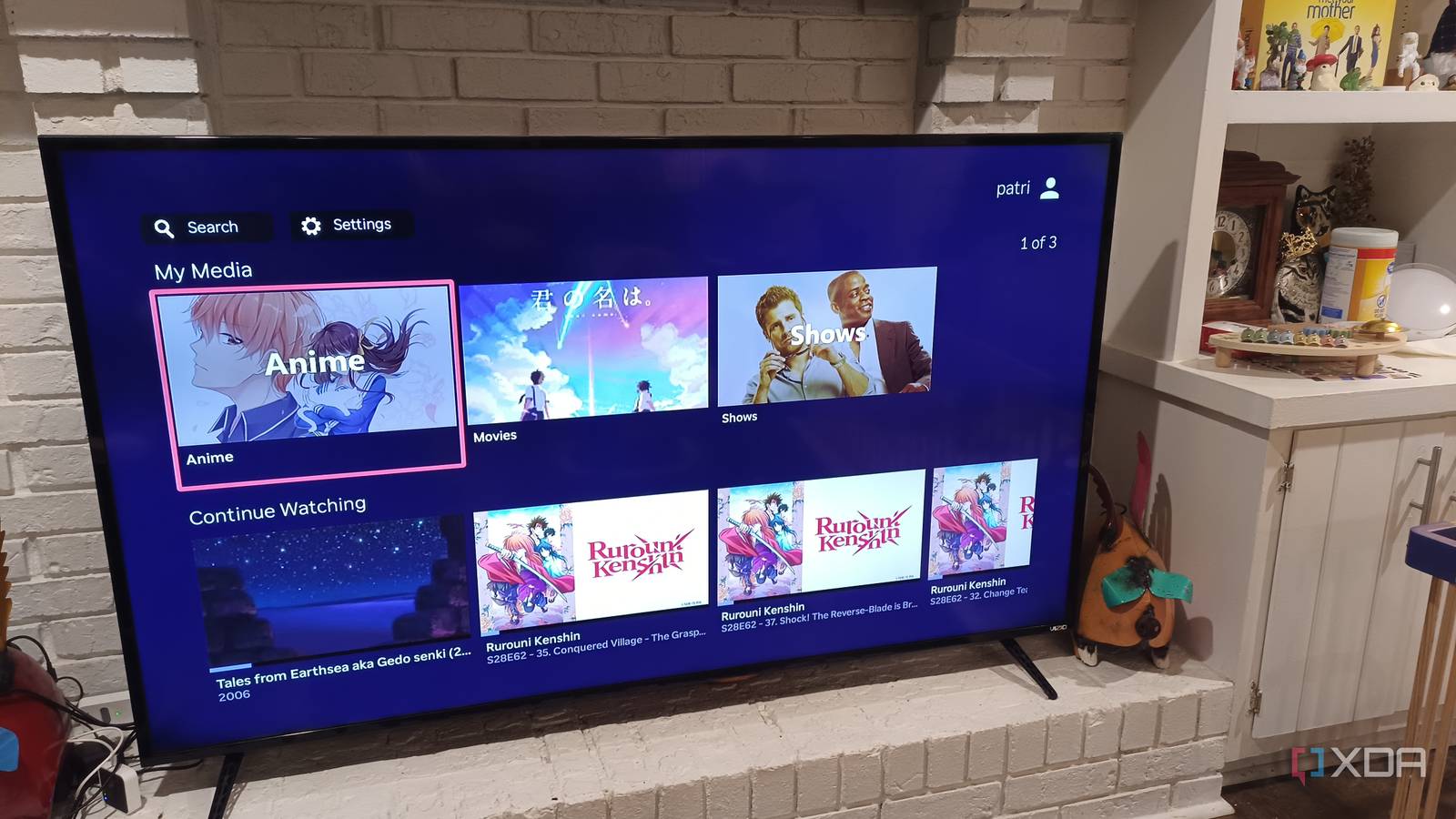
Published Aug 15, 2026, 9:15 AM EDT Based in rural Minnesota, Brian Burgess worked in IT for 10 years before finding his passion for writing about consumer technology. Brian earned his degree in computer and network technology in 2000. He held various IT positions, including help desk support, router installations for IBM, database administration, and other associate network administration roles. He's been a personal technology journalist for 18 years and has written thousands of articles about Microsoft products and services, Android, iOS, streaming, and more. He has written for notable tech sites including XDA, InformationWeek, How-To Geek, Byte, groovyPost, and others. When he is away from the keyboard, you will hear him playing guitar, working outdoors, and watching Star Trek. I have been reading many articles praising Jellyfin as a solid choice for self-hosted media setups. After using Plex, I finally got around to setting it up, and it was easier than I thought. Jellyfin is a more straightforward way to get media playing on my devices from my Jellyfin server. Plus, I don't need to pay for the extras of a Plex Pass, which is also a bonus. I got the official Jellyfin client installed on all my devices, including my Roku. The Roku home screen is annoying with all its ads, and with Fox buying Roku, finding the right Jellyfin client let me bypass the home screen — other than a single click — so I can access my media without a messy UI. Find the right Jellyfin client There are many options While you can use the official Jellyfin client, there are plenty of alternatives for watching on your smart TV, streaming device, or mobile. Some of the clients you can choose from include Moonfin, Jellyrock, Swiftfin, Wholphin, Fladder, and others. I have tried many of them, and it was a trial-and-error process until I settled on one. The "best" client is in the eye of the beholder, but the one specifically built for Roku devices is called JellyRock, which I recommend trying first. It provides simple remote navigation, a TV-like experience, good performance, quick direct play, and more from the comfort of your couch. It has a modern streaming device home screen experience. The client is Roku-only and specifically designed for the platform. Once I got my Jellyfin server set up and ready to go, I used the official client on Roku and other streaming and mobile devices. It does a fine job, and I can consume my content. However, I wanted to find something else that made the experience more enjoyable. One I found was Findroid, which lets me bypass Roku entirely by watching movies and shows on my Pixel. Client tile placement on Roku Where to put it While it's not possible to replace the Roku home screen with a Jellyfin client, you can follow proper tile placement so you don't have to deal with the rest of the Roku mess. For instance, I put the Jellyfin client tiles on the top row of the screen — with my favorite in the top-left corner for easy access. This is a good solution if the only device you have is a Roku stick or box. I also delete or hide all the other app and channel tiles that I can on the home screen. For instance, I don't need all of the "Recommendations" rows, and I get rid of the channels I never use. It doesn't provide a completely blank canvas, but it does make the screen feel much cleaner with fast access to Jellyfin clients at the top. Set up the Jellyfin server correctly Clean up your server When logged in as an admin, I can manage my server settings directly from the client. When I first set up my server, I may have added a bunch of folders with music, movies, shows, or audiobooks willy-nilly. However, I then went in and fine-tuned the content to ensure the server was well-organized. The media on the client will only look as good as the server settings — regardless of the client used. I make sure to have clean posters, seasons, titles, metadata, and a proper folder-naming convention. It also helps to enable hardware transcoding if the server supports it. Once I came up with a solid filing convention for my media folders, it was much easier to navigate what I wanted to watch. A properly organized server provides better playback quality, reduced buffering, and a more polished overall appearance. It also provided me with faster navigation. For instance, I might put only a couple of episodes in a season folder or only one with different artwork for each. Using different streaming devices It can be run on any device In addition to using alternative clients and placing them at the top of the Roku home screen, I decided to run it on my other devices, including my phones, Fire TV Stick, Mac, PC, and an Apple TV. I also have various clients installed on my phones for when I go mobile. I use Findroid, as mentioned earlier, on my Pixel and Moonfin or Swiftfin on my iPhone. Since there are so many clients to choose from, I also avoid the Roku home screen by using the Jellyfin experience on different devices around the house. Since Fox bought Roku, I finally got an Apple TV 4K, which has the cleanest home screen experience — fewer alternative clients than on Fire TV, Roku, or other devices, though. It's also possible to turn an old phone into a dedicated streaming box. Once I got Jellyfin running, I'm too busy to deal with the Roku home screen Ever since I got my Jellyfin server up and running, I have been too busy with it to even think about the Roku home screen. I am testing out different clients, adding new media to the server and setting it up so it displays correctly, trying different plugins, and, of course, enjoying my local media collection from my couch or while mobile. The Jellyfin client is what's on my TV the most, since I can listen to my FLAC file collection of burned CDs on a decent sound system again. Life is good. Findroid
I finally set up the Jellyfin server I'd been putting off, and I'm done with the Roku home screen
Full Article
Original Source
Read the full article at Xda-developers →KhanList aggregates and links to publicly available news content. We do not host full articles from third-party sources. Always verify important information with original sources.