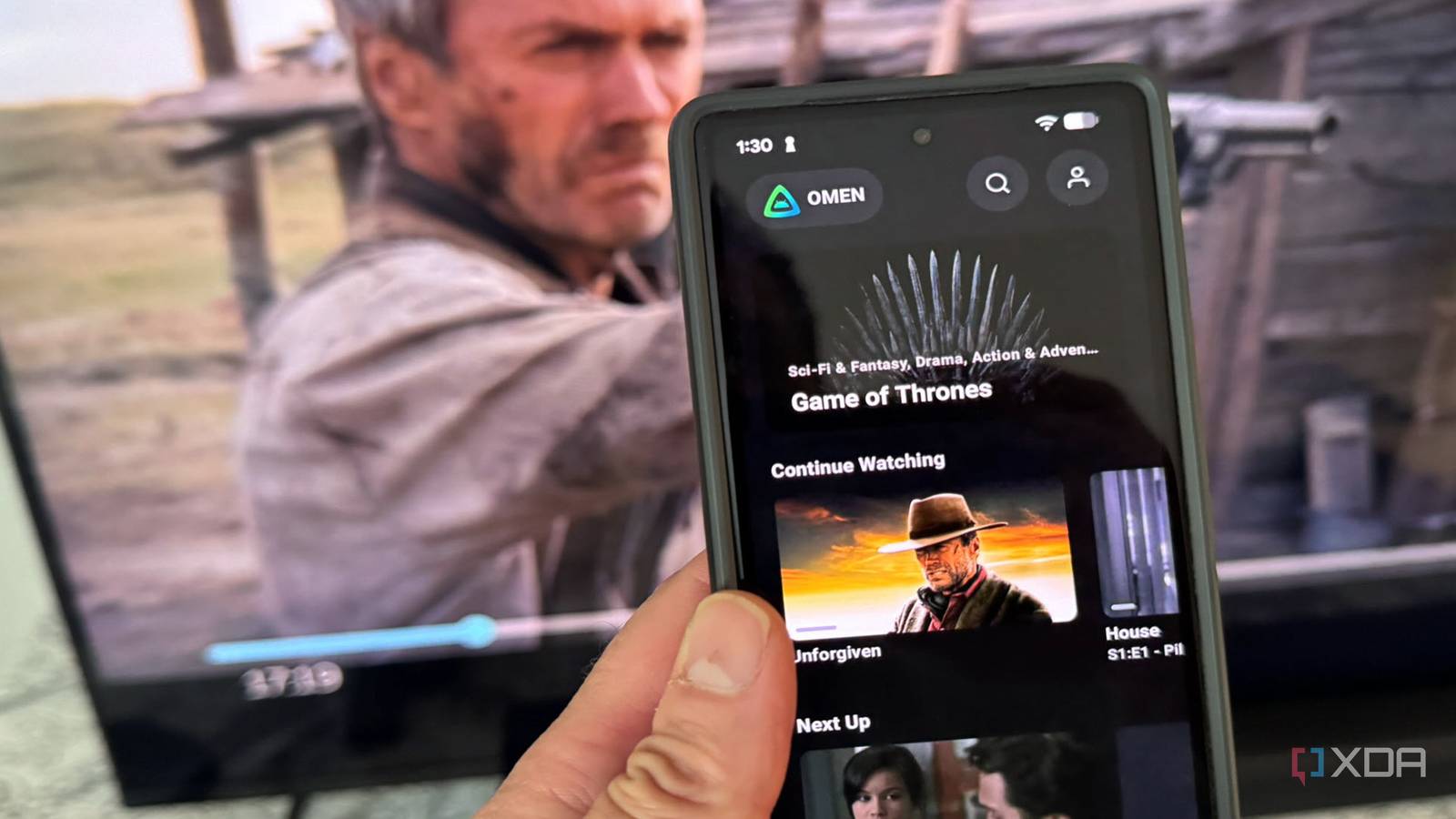
Published Jul 26, 2026, 11:30 AM EDT Based in rural Minnesota, Brian Burgess worked in IT for 10 years before finding his passion for writing about consumer technology. Brian earned his degree in computer and network technology in 2000. He held various IT positions, including help desk support, router installations for IBM, database administration, and other associate network administration roles. He's been a personal technology journalist for 18 years and has written thousands of articles about Microsoft products and services, Android, iOS, streaming, and more. He has written for notable tech sites including XDA, InformationWeek, How-To Geek, Byte, groovyPost, and others. When he is away from the keyboard, you will hear him playing guitar, working outdoors, and watching Star Trek. When it comes to self-hosted media streaming to devices throughout the house, there are plenty of options available these days. However, the grandfather of them all is Plex. In fact, I was a Plex user for years until the features included in the ridiculous Plex Pass became common. So, Plex looked less and less attractive, and once I tried Jellyfin and Emby, I decided to ditch Plex. Not only that, but I found a Jellyfin client for Android that works better than the official Jellyfin or Plex clients that work on my Android phone and TV. Getting started with Findroid It's a cinch to get going Once I had my Jellyfin server set up, I grabbed the Jellyfin client on various devices throughout my house and on my Pixel. It works fine on Android devices, but I was looking for something different and discovered Findroid. It's a third-party client for Jellyfin that is actually nice and much nicer than Plex clients for its server. Setting it up is simple enough: install the app, allow permissions, connect to your server, and start playing media on your phone or TV. It includes cool features like picture-in-picture, easy navigation, and great connectivity. There isn't currently an ability to manage media on the server side from the client when signed in as an admin, but hopefully that will be added in the future. A cleaner client UI for Jellyfin Findroid is less clunky The Findroid app really makes my phone or TV feel like a typical Netflix experience by allowing me to easily select the content I want to consume. With offline downloads that go directly into the app. It provides one-tap playback when offline. Even on my home network, I find playback smoother, with less buffering and greater reliability — including with HDR or high-bitrate files. So, those in the self-hosted media space will appreciate a Netflix-like experience without paying a subscription fee. It also stopped me from missing Plex, thanks to the bundled mpv/ExoPlayer engine that handles multiple codecs and supports styled subtitles when I need them. It feels much more like a dedicated video app player than the official Jellyfin client, and it's more reliable than the Plex Android client. The developers even say that if a video plays in VLC or MPV, it will play on Findroid. Now, it's important to note that this app focuses primarily on video, so if you are a music hoarder or have many audiobooks on the Jellyfin server, you will find a less cluttered UI experience. Since I have a large collection of lossless music files, I am not fond of that. However, I can switch to the official client when I want to listen to tunes. Using Findroid daily It's not perfect I've sung the praises of the Findroid client for Android, but that's not to say there aren't things I wish were included or that it could do better. For instance, while I love the simplified interface for watching videos and switching between them easily — it really feels like a native video player app — I could use more options for music. Even a button or tab that would take me to my music list on my Jellyfin server would be preferable for use on my phone or TV. Luckily, as a music collector, I've ripped most of my live performance DVDs and Blu-rays and added them. Still, I don't like having to switch apps when I only want to listen to my music collection. Also, other media in my Jellyfin client are missing from Findroid, such as photos, audiobooks, podcasts, and other recorded audio. Again, having to switch to the official app to enjoy that content can be irksome. However, it isn't a deal-breaker, and when my goal is to get straight native-feeling video playback, Findroid is the app I prefer. Another important point to note about Findroid is that the app doesn't transcode itself. It relies on direct play, and the official app still wins when watching over the internet. A good reminder to download content, so the app can play what you want to watch with ease. Also, unlike Plex and the official Jellyfin app, there is server-side transcoding, which offers smooth playback when you have shoddy Wi-Fi connectivity. Findroid Findroid is a simplified Jellyfin Android client for video If you use Jellyfin to stream media on your home network, or want an easy way to control it while on the go, Findroid is a must-try. If you can get past the music and audiobook grievances, and only care about video, it might become your primary Jellyfin client app on an Android device. Still, there are the audio content shortfalls I described, and switching between apps might be too much of a pain. Regardless, Findroid is free, so there's nothing to lose — unlike Plex Pass.
I finally found a Jellyfin app that doesn't make me miss Plex
Full Article
Original Source
Read the full article at Xda-developers →KhanList aggregates and links to publicly available news content. We do not host full articles from third-party sources. Always verify important information with original sources.