
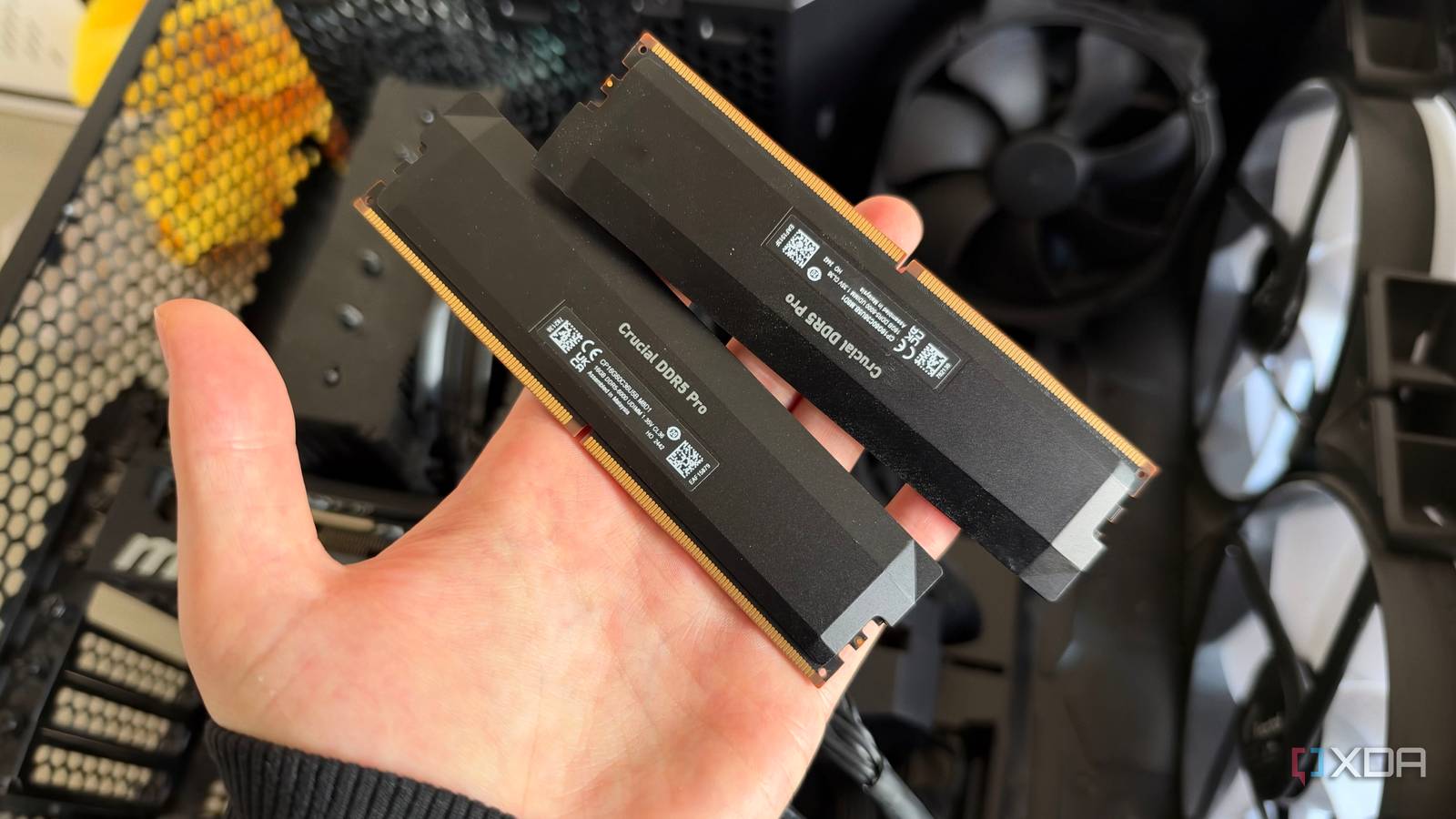
Published Nov 11, 2026, 7:00 AM EST His love of PCs and their components was born out of trying to squeeze every ounce of performance out of the family computer. Tinkering with his own build at age 10 turned into building PCs for friends and family, fostering a passion that would ultimately take shape as a career path. Besides being the first call for tech support for those close to him, Ty is a computer science student, with his focus being cloud computing and networking. He also competed in semi-pro Counter-Strike for 8 years, making him intimately familiar with everything to do with peripherals. I'm not someone who has their PC running with a configuration that puts it on a knife's edge, but I do run my systems with a preference for performance. Amongst these configuration decisions are what I thought were some pretty mild choices, like having EXPO enabled on my four 16GB sticks of DDR5-6000. The games I play do enjoy the extra RAM speed, especially when paired with my Ryzen 7 7800X3D. What I didn't realize was what might've been a mild choice for a two-stick DDR5 configuration ended up being a tall ask of the rest of my system. Running four sticks of DDR5 at the 6000MT/s that I wanted caused instability that came and went for months and caused GPU crashes on cards from two entirely different vendors. I pulled one kit, and both cards have been stable since. On DDR5, filling every slot isn’t the free upgrade it looks like, and it cost me months of blaming the wrong parts. Four slots doesn't mean quad-channel memory DDR5 works a little differently Four slots on a consumer board don’t give you quad-channel memory, at least not with DDR5. AM5 and Intel’s current desktop platforms are dual-channel, so four sticks means two DIMMs sharing each channel. DDR5 does split every stick into two independent 32-bit subchannels, but that happens inside the module itself rather than on the board. Past two sticks, you're just adding capacity, not channels. Most consumer boards wire their slots in a daisy chain, with traces running from the CPU to one slot and on to the next. They’re tuned for one stick per channel in A2 and B2, and adding a second DIMM on each channel adds load and a messier signal path for the memory controller to drive. AMD rates Ryzen 7000 chips like mine for DDR5-5200 with one DIMM per channel and 3600 with two. When you don't turn on EXPO, your kit will default to its own JEDEC profile, which is lower than those speeds. JEDEC speeds are the defaults your kit will run at if you just throw in your sticks and touch nothing. On older platforms you could just switch on XMP or EXPO without a second thought, but DDR5 isn't nearly as stable as DDR4 was at those higher speeds because there's less room for error when each channel has two sticks. I combined kits, and that might've been the first mistake Even though they're the same model, this isn't recommended I ended up with four sticks the way most people do. I bought a 2×16GB kit, then later added a second pair of the same sticks rather than replacing the first. Same speed, same timings, same brand. It seemed like a safe bet, especially at that time, when RAM was significantly cheaper than it is now. Memory makers will warn against this, and it's not entirely unwarranted. Corsair says its kits are only validated for their rated performance with the modules that came in the box, and that lines up with what you'll hear from the other manufacturers. This is because EXPO and XMP profiles are validated on the kit as it's sold, and the memory sticks are binned as such. Combining two kits that weren't validated together could introduce instability, and while I'm not 100% sure this is the cause in my case, it's impossible to rule it out. When you combine kits and switch on XMP/EXPO, it's possible that they can train and run just fine, but if they do start to fail, there's no obvious error given that tells you that it's due to the memory. Errors can arise and look nothing like a RAM issue, and that's what I was parsing through for months. DDR5 instability rarely looks like just a RAM issue It can be disguised as so many different things If my RAM had thrown more blue screens pointing at memory, I’d have caught this much sooner, but I only experienced the odd BSOD, maybe one every 2 months or so. The error I had been experiencing on and off was GPU driver timeouts, and my RX 9070 XT suffered from this since I got it. I initially blamed the drivers, since many other Radeon owners on Reddit and other forums reported similar crashes with no clear cause, but once these TDRs started happening to my RTX 5080, I had a feeling that the crashes may be related. When my Radeon card would crash, my entire system would lock up and the only way to recover would be to reboot the system. The crashes on the Nvidia card were quite different and less severe at first glance—a simple game crash in most instances, and this difference in behavior further obfuscated the true cause. The 5080's logs pointed at corrupted shader data, so I ran a VRAM test and it found flipped bits at stock clocks. VRAM faults aren't impossible, so I figured my RTX card might be faulty, and I prepared for an RMA. Later, I realized the failing run had overflowed the card’s VRAM and spilled into system memory over PCIe, so it wasn’t a clean test of the card. A run that stayed inside VRAM passed for over three hours, even with the memory clock pushed above stock. This narrowed it down to the motherboard, CPU memory controller, or the RAM itself being at fault, so I ran an overnight memory test. Memtest86+ spat out a ton of errors after about five hours of testing, and that became my best lead on a fix. I took out one kit, made sure to turn EXPO on, and began running the tests again. Everything has come back clean, and my games no longer crash with driver timeouts on either GPU, which is a huge relief. Four sticks can work I was just pushing my luck a bit far 32GB is more than enough for gaming, but I put 64GB in my system for productivity reasons. For plenty of people, four sticks works, even at these high speeds. Memory controllers vary from chip to chip, and when you run four-stick kits that validated as a set instead of two kits combined, you might have better luck. X3D chips soften the penalty, too, since their large L3 cache cushions the hit from slower memory. It's possible I'd experience less crashing if I had just turned down the speed to 5600MT/s, but that extra 400MT/s does happen to matter for the 1% lows in Escape From Tarkov, the game I play the most. If I want to run these types of speeds across a full 64GB of capacity, my best chance of doing so would be to run a single kit of 32GBx2 DDR5-6000 instead of the four-stick configuration. This would eliminate the most probable cause of the two kits not playing nice with one another. At that point, it would just be on my CPU's memory controller to not kick up a fuss, and there's still a non-zero chance it might. I'm back on 32GB for the time being As for me, I’m staying at 32GB. Getting back to 64GB on two sticks would mean buying a whole new kit, and RAM isn’t cheap enough to justify that for capacity I wasn’t really using, at least in games. Both GPUs are stable, and I'm especially glad I can stop blaming the drivers on my RX 9070 XT crashing.
I filled all four RAM slots on my motherboard, and it caused months of GPU crashes
Full Article
Original Source
Read the full article at Xda-developers →KhanList aggregates and links to publicly available news content. We do not host full articles from third-party sources. Always verify important information with original sources.