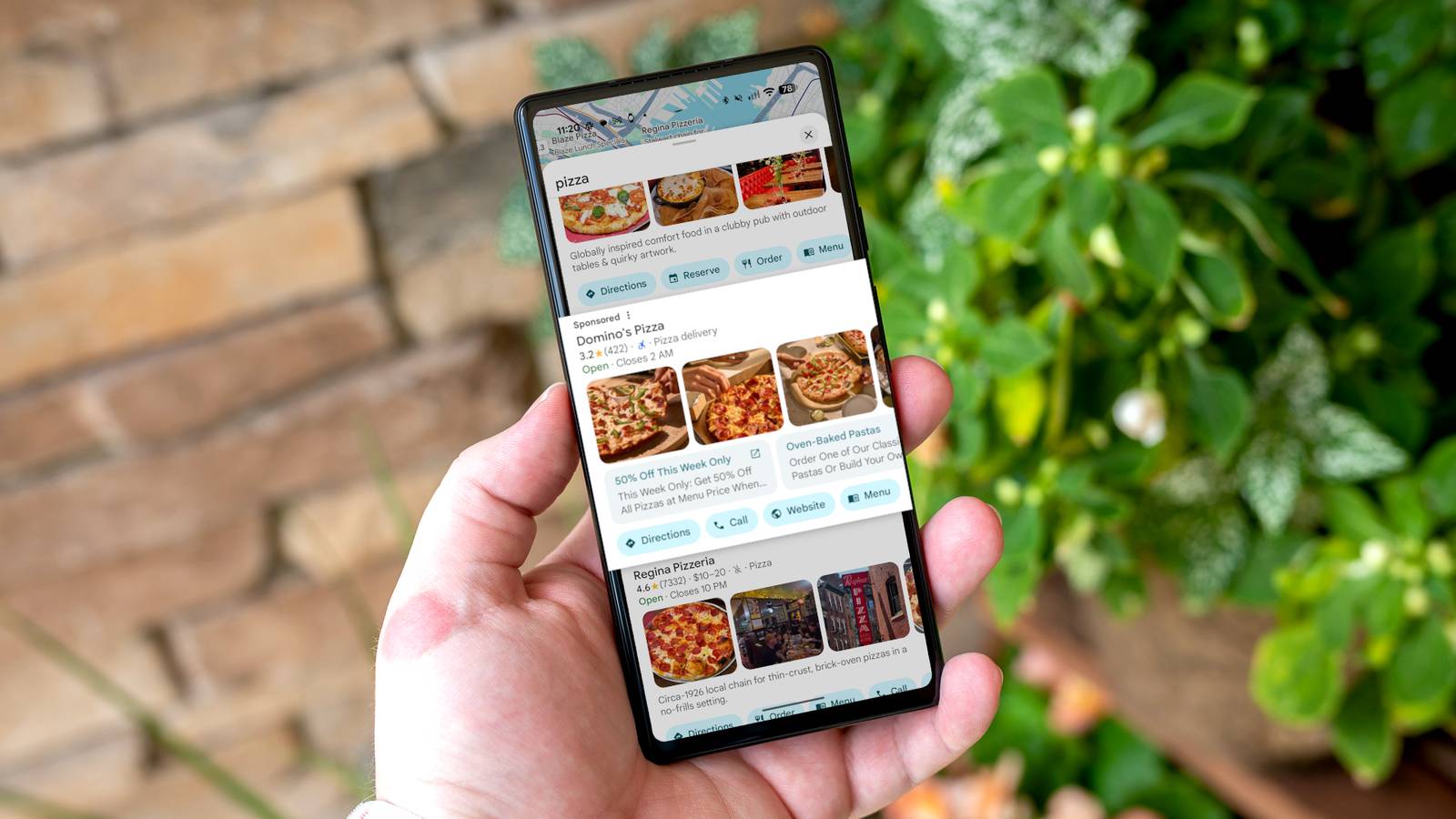
Published Jul 28, 2026, 4:00 PM EDT Aggy is a veteran writer and editor in the technology and gaming space. Having served as a Managing Editor for high-traffic digital publications, alongside being an editor and consultant for over a dozen sites. Aggy's published work spans a wide and respected array of tech and gaming outlets, including WePC, Screen Rant, How-To Geek, Android Police, PC Invasion, and Try Hard Guides. Beyond editorial work, Aggy's direct experience in the tech sphere extends to app development. Aggy has published two games under Tales and is always eager to learn and do more. He also likes working on computers and researching in his spare time. He knows about Windows, Linux, Audio, Video, and much more. Google Maps is on so many phones that it's hard to get away from it. For most people, it's never really been a choice; it's just the default. You open it, type a destination, and assume it's giving you the most useful route with the most honest results. I made that assumption for years, but lately I've noticed things that make it really annoying and untrustworthy, even if you change the settings. Google Maps has too many ads now Credit: Jorge Aguilar / How To Geek Google Maps has started to feel like a billboard that doesn't care much about what you are really looking for. I've tried to find parks and ended up looking at paid establishments for activities and personalized ads. When you look up a nearby coffee shop or a restaurant, the top results are usually sponsored listings for places that are nowhere close to you or completely unrelated, just because those businesses paid for the spot. Highly-rated spots that are actually relevant get pushed further down the list. It sounds small, but it can stop you from supporting neighborhood businesses. The visual clutter on the map itself has gotten bad, too. Corporate logos and purple branded pins are now competing for the same space as actual landmarks and destinations. These promotional pins are designed to stand out and draw your eye to paid advertisers, regardless of whether those businesses have anything to do with what you searched for or how far away they are. It doesn't stop there. Google Maps has tested pop-up prompts during navigation that suggest adding a nearby sponsored stop, like a gas station or fast food location, to your route. They ask if you want to add a quick stop to your trip. That's not because it makes sense for your trip, but because someone paid for that interruption. Asking a driver to read and respond to a promotional prompt while in motion is a genuine safety risk, not just annoying. The directions keep getting worse The app gives longer routes sometimes Google Maps is obsessed with shaving time off your trip when it gives directions, and so the app will send you down a narrow residential alley, through a pedestrian zone, or across somebody's private driveway just to avoid a minor slowdown on the highway. The left turn issue is probably the most maddening example of this. The app looks at the raw distance and decides a left turn is the fastest path, without any regard for what it actually feels like to sit at an unprotected intersection waiting to cross six lanes of fast-moving traffic. Meanwhile, cars are stacking up behind you and leaning on their horns. It's actually dangerous to make a left turn. Left turns account for more than half of all intersection crashes, which is exactly why UPS famously restructured its entire delivery routing system to avoid them almost entirely. Google Maps, somehow, still doesn't offer anything like an "easy driving" or "avoid left turns" option for regular users like me who just don't want to deal with that pressure. Google is always watching your location Your location is always tracked Credit: Justin Duino / How-To Geek Google Maps quietly tracks your location all the time. It pulls your position using GPS, background Wi-Fi scanning, cell tower signals, and sensor data. This doesn't stop when you close the app, or even if you delete it. On Android, the app pings your location every two to four minutes as long as your phone is online, and location services are on. It does this whether you've opened the app recently. Over time, that adds up to a detailed record of where you live, where you work, and what your daily life actually looks like. Google feeds your data into advertising systems that tie your physical movements to your online activity, figuring out, for example, whether you walked into a store after seeing an ad for it. Your real-world routine becomes a targeting profile. This is what the Timeline feature represents; it's not a personal diary, but an updated log holding records on hundreds of millions of people. Law enforcement can even use that database for geofence warrants, sweeping up location data on everyone near a crime scene. That ends up dragging in people who had nothing to do with what happened. The app is way too slow sometimes Too many features make it lag Credit: Google Google Maps was once a lot leaner. It had static map tiles and a straightforward GPS. These days, it barely resembles that original design. Somewhere along the way, it picked up restaurant photo carousels, community review prompts, social feeds, and algorithmic recommendations, and all of that noise now sits on top of the thing most people actually opened the app for. The moment you pull into a parking spot, it's already asking you to rate the place, answer questions about it, or upload a photo. You haven't even gotten out of the car yet. It's nice to have 3D buildings, augmented reality street view, and live vector maps, and all those features, but not everyone's devices were built to run all of that at once while also giving turn-by-turn directions. The phone heats up, the processor slows itself down to compensate, and suddenly the map is stuttering and lagging right when you're trying to figure out which lane to be in. People aren't asking for much, but we keep getting a bloated app instead. We want a navigation app that works but doesn't kill the battery just to drive home. Google Maps will likely outlast us all None of this means Google Maps stops working tomorrow, and for a lot of trips, it'll still get you where you're going without much trouble. If you haven't thought about it before, it's at least worth knowing what you're trading for the convenience. There are alternatives worth looking at, and knowing what's actually going on with the app you use every day is a reasonable place to start. Organic Maps In-app purchases No App Publisher Organic Maps Organic Maps is a free, open-source, privacy-first offline map and GPS navigation application designed for travelers, hikers, cyclists, and drivers.
I don't trust Google Maps anymore—here are 4 ways it's gotten worse
Full Article
Original Source
Read the full article at Howtogeek →KhanList aggregates and links to publicly available news content. We do not host full articles from third-party sources. Always verify important information with original sources.