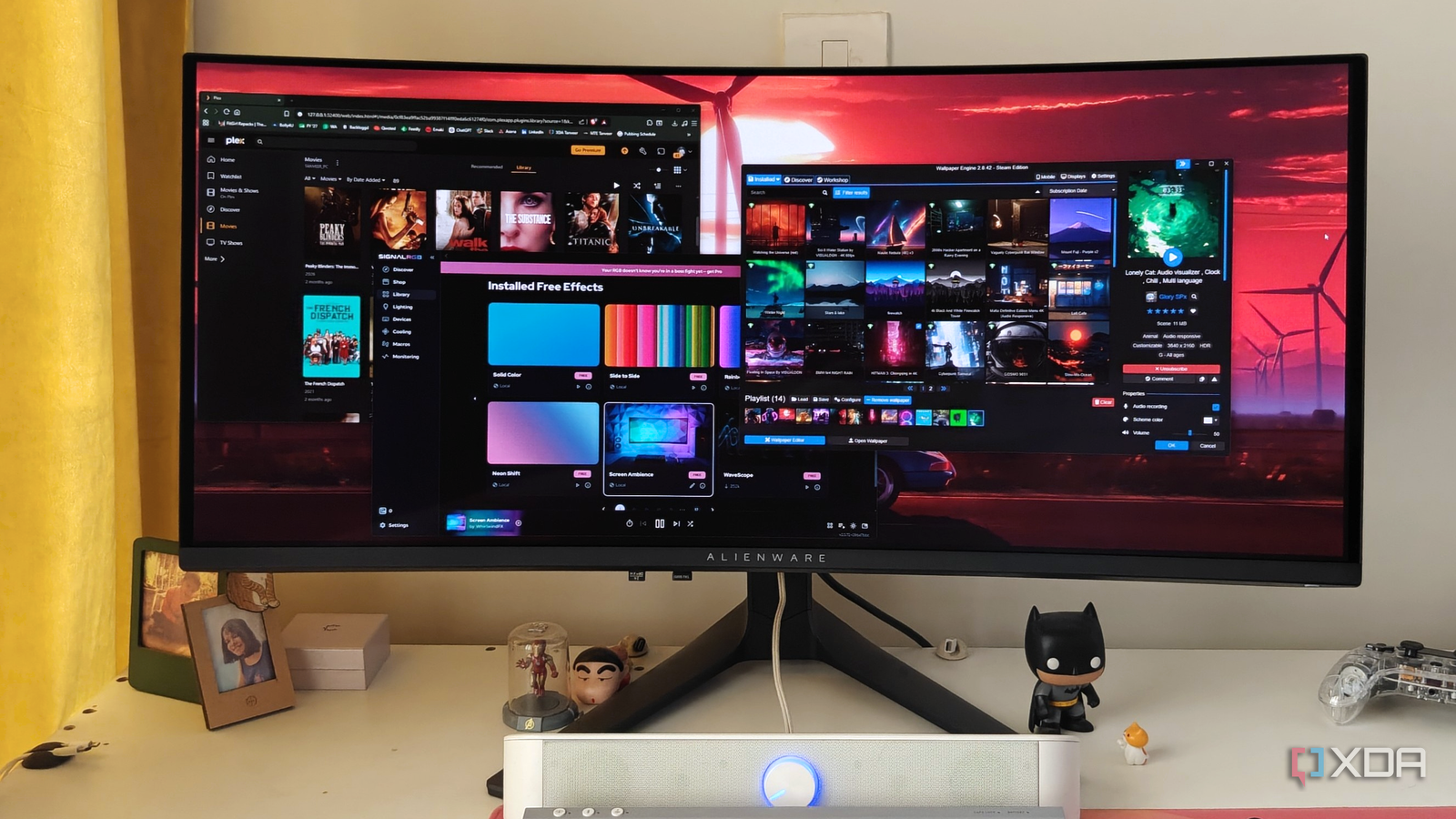
Published Jul 28, 2026, 5:00 PM EDT After a 7-year corporate stint, Tanveer found his love for writing and tech too much to resist. An MBA in Marketing and the owner of a PC building business, he writes on PC hardware, technology, and Windows. When not scouring the web for ideas, he can be found building PCs, watching anime, or playing Smash Karts on his RTX 3080 (sigh). Years ago, I used to consider open-source tools clunky, half-baked clones of established proprietary programs. It wasn't until I had used PowerToys, Audacity, qBittorrent, Firefox, VLC, and ShareX that I changed my mind. Open-source software has come a long way, and many popular programs are often more reliable and feature-rich than their proprietary competitors. That said, I'm a creature of habit. My workflow doesn't need elaborate tools for basic editing, media streaming, RGB customization, or wallpaper management. Several proprietary programs fulfill all my needs without major downsides, and their open-source alternatives are either inferior, less rewarding, or needlessly complex. Microsoft Photos instead of GIMP Basic image editing doesn't need anything else To be fair, if my image editing needs required layers, masks, filters, and other such features, I would have been using GIMP or Photopea every day. At the moment, they don't, so I'm happy with the built-in photo editor on Windows 11. Microsoft Photos has everything I need for basic editing for work purposes. I can crop and resize images, annotate them for guides, and remove backgrounds without switching to another program. I used to rely on Paint 3D on Windows 10, but after moving to Windows 11 recently, I find that Microsoft Photos does everything Paint 3D used to do for me. In fact, I can also do basic retouching within Microsoft Photos, such as adjusting the exposure, brightness, and colors. Open-source alternatives can't match the simplicity and familiarity of Microsoft Photos, at least for my existing use case. Plex on my Apple TV 4K I like the design, and the free features are more than enough People keep recommending Jellyfin over Plex, even to newcomers, but I just don't see the upside of ditching the latter for my media server. Plex was the first media streaming app I tried, and I've stuck with it ever since. I prefer the premium design over that of Jellyfin, and the barrage of live channels and other unnecessary stuff doesn't bother me. I also like that Plex does most of the heavy lifting behind the scenes, something I miss on Jellyfin. For instance, metadata management is definitely more involved in Jellyfin. It's not hard, but I don't feel like doing it myself, especially after using Plex. Jellyfin, overall, is more hands-on than Plex, which can be beneficial for many users, but my use case doesn't need all the free features it provides. Many Plex features are locked behind the Plex Pass, but I don't use remote streaming or offline downloads anyway. My media streaming is limited from my server to my TV, so I don't have any use for remote streaming either. Unless Plex becomes bloated enough to irritate me or locks more features behind a paywall, I don't see myself switching. SignalRGB over OpenRGB I have yet to receive a signal to switch to something else Customizing your PC's RGB lighting should be easy with built-in functionality on Windows, but Dynamic Lighting falls terribly short. First-party RGB programs from different manufacturers create a bigger mess than they solve, so it eventually falls on programs like SignalRGB, OpenRGB, and others. I only use SignalRGB for its polished UI, great compatibility, and decently equipped free tier. Compared to OpenRGB, I've never seen any undetected devices on SignalRGB. It provides a clean layout to customize the lighting effects, and I can easily exclude any RGB devices I don't want controlled. The list of free effects is more than enough, so I don't need to pay for the Pro subscription. OpenRGB still feels like it's getting there. The interface takes the fun out of it, and lately, the development has been really slow. Of course, I can't complain about a free and open-source program, but as long as I have the option to use SignalRGB, I can't help comparing the two. SignalRGB SignalRGB is a one-stop solution to customize all of your RGB components such as motherboards, RAM, CPU coolers, graphics cards, fans, and peripherals. You don't need to manage multiple programs from different manufacturers. Wallpaper Engine instead of Lively Wallpaper There's really no competition here I love to keep my desktop looking the best it can, and Wallpaper Engine is the best $5 I've ever spent. It hosts thousands of excellent animated wallpapers in multiple resolutions and across different genres. I can create playlists, create my own dynamic wallpapers, and browse reviews of any wallpaper on the Steam Workshop before installing it. Open-source alternatives like Lively Wallpaper and Sucrose Wallpaper Engine do a lot of the same stuff, plus they are free. However, neither of them is as fleshed out as Wallpaper Engine. They're good enough as basic animated wallpaper apps, but after using Wallpaper Engine, switching to either of them is extremely difficult. Lively Wallpaper is better than Wallpaper Engine in terms of resource utilization, but that's about it. Wallpaper Engine has been the dominant app in its category for years, and I don't see that changing anytime soon. FOSS isn't universally better than commercial or proprietary alternatives Open-source programs are more relevant than ever, especially in the age of enshittification. Major enterprises are making their offering objectively poorer by stuffing AI in every product and charging sky-high subscription fees. That said, for some use cases, proprietary software can provide a superior experience. I don't feel like switching from my trusted apps anytime soon, but I'm not averse to doing it if the need arises.
Open-source software still can't compete with these 4 proprietary programs I refuse to abandon
Full Article
Original Source
Read the full article at Xda-developers →KhanList aggregates and links to publicly available news content. We do not host full articles from third-party sources. Always verify important information with original sources.