
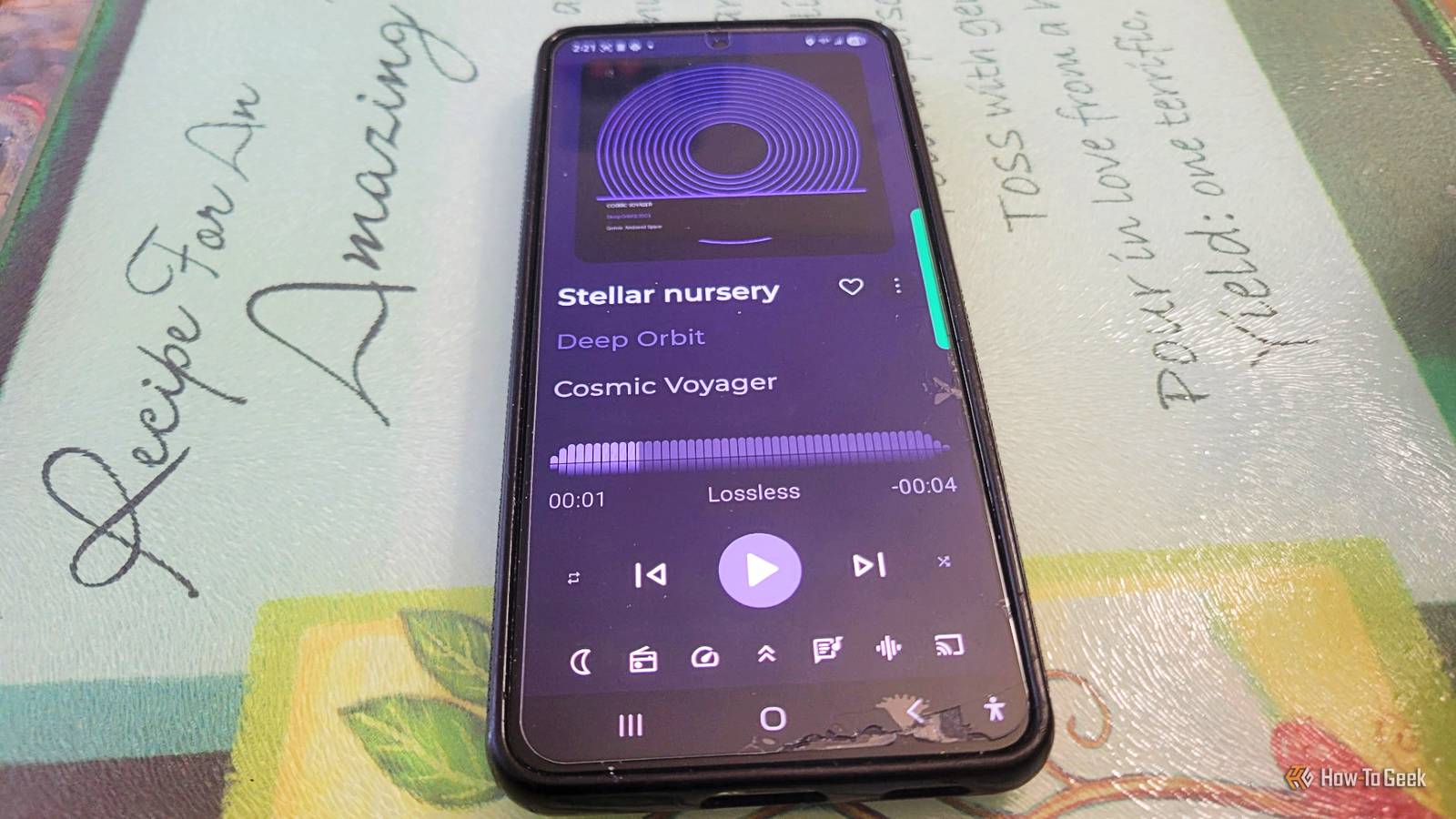
Published Nov 21, 2026, 6:00 AM EST Aggy is a veteran writer and editor in the technology and gaming space. Having served as a Managing Editor for high-traffic digital publications, alongside being an editor and consultant for over a dozen sites. Aggy's published work spans a wide and respected array of tech and gaming outlets, including WePC, Screen Rant, How-To Geek, Android Police, PC Invasion, and Try Hard Guides. Beyond editorial work, Aggy's direct experience in the tech sphere extends to app development. Aggy has published two games under Tales and is always eager to learn and do more. He also likes working on computers and researching in his spare time. He knows about Windows, Linux, Audio, Video, and much more. I'm pretty sure streaming has become the default way most people listen to music, and a lot of us stopped keeping local files entirely. Ripped CDs and old MP3 folders tend to get buried on spare hard drives and forgotten. But a small group of people never stopped running their own music servers, and the tools have gotten a lot easier to use. I started out on Spotify, switched to YouTube Music, and eventually set up my own server. I wish I had done it sooner and not been afraid to try something new. There are a few things to keep in mind when running Navidrome, but once you know them, you can jump right in. You're only renting your music Streaming services don't own the songs either Streaming companies are good at making you feel like you own your music, but you don't. When you hand Spotify money each month, none of that music belongs to you because you're just renting access. Miss one payment, and you'll lose the premium benefits. That all seems fine if the price is low, but it only takes a few years to realize you've spent hundreds of dollars and have nothing to show for it. The price can also jump whenever Spotify decides, and you don't get a vote for it. The streaming platforms actually license the music instead of owning it. Those deals run out, collapse, or get tied up in lawsuits. So albums and songs disappear from your playlists without any heads-up, or just gray out. Self-hosting is one of the best options we have left now that digital is the norm. You're using your own server instead of renting someone else's. You keep high-quality audio files, typically FLAC or high-bitrate MP3s, on hardware you own, whether that's a home server, a NAS, or an old PC you gave a second life. As long as nothing happens to your hardware, nobody can wipe your albums, switch out a release version, or lock you out. The collection you build is yours, and it stays the way you left it. Navidrome will run your music for you You need a few steps to get it on your phone Once your files are in place, you need something to play them. Navidrome is a light, open-source media server written in Go, and it barely uses any system resources. You point it at your music folder, and it pulls all the metadata embedded in the files. It will build a searchable database you can browse right away, even with tens of thousands of songs. For getting the music onto your phone, Navidrome supports the Subsonic and OpenSubsonic protocols, which basically means it plays nice with a big pile of third-party apps that have built up over the years. On Android, Symfonium is great, with equalizer support and a lot of playback options. On the iPhone, I think Amperfy or Play: Sub should connect without much trouble. So get all your music files into one organized folder on a computer, NAS, or home server that stays on. Ideally, you want high-quality files like FLAC or MP3 with clean metadata tags for artist names, albums, and track numbers so the server can sort through everything properly. Next, you need to install and configure Navidrome on that machine. You can grab the pre-compiled binary straight from the Navidrome website for Windows, macOS, or Linux, or run it in a Docker container if you want easier updates down the road. During setup, you create a simple config file (something like navidrome.toml) or set environment variables that point Navidrome to your music folder; the default port is 4533. Once it's running, open a browser on that machine, head to http://localhost:4533, and create your admin username and password. To stream your music outside of your home network, you need to make your server reachable over the internet without leaving it wide open. The easiest way for most people is to install a free mesh VPN like Tailscale on both your home server and your phone. Finally, you connect a mobile app to your Navidrome server so you can listen anywhere. Grab a Subsonic-compatible app like Symfonium on Android or Amperfy on iOS, go into the app's settings to add a new media provider, and pick Subsonic or OpenSubsonic. Then put in your server's Tailscale IP address with :4533 at the end, or your custom domain, along with the username and password you set up earlier. The app will sync your library right away and let you stream or download tracks for listening offline. This is one of the simplest things I've done with my storage, and you only have to set it up once. Self-hosting has real costs You'll have to keep up with tagging and security The highest cost is hardware if you don't already have a NAS with decent drives or a mini PC that can run the server. I mean, that's a few hundred dollars alone, so subscriptions might make more sense if you don't mind their issues. If you're ripping CDs or buying downloads, you've got to tag everything correctly. Track numbers, disc numbers, artist names, and album names have to be clean, or Navidrome's database turns into a mess. MusicBrainz Picard is what most people use for this, and it works well, but it takes time to get right. Security is one more thing people on streaming services never have to think about. If you want to reach your server from your phone while you're out, you're putting something on the internet, so you need to be careful how you do it. You need to actually own the music Self-hosting isn't for everyone because you need to own the music you use. I'm going to pretend no one is going to pirate anything because that's illegal. You also won't be able to find new music you haven't heard before, which is part of the fun for some people. Still, you're going to get the music you want and never need to worry about it going away, which is a great deal. navidrome OS PC Mac and linux Developer Navidrome Navidrome lets you play music you own on your computer and phone.
I ditched Spotify 2 years ago for self hosting, here’s why I’ll never go back
Full Article
Original Source
Read the full article at Howtogeek →KhanList aggregates and links to publicly available news content. We do not host full articles from third-party sources. Always verify important information with original sources.