
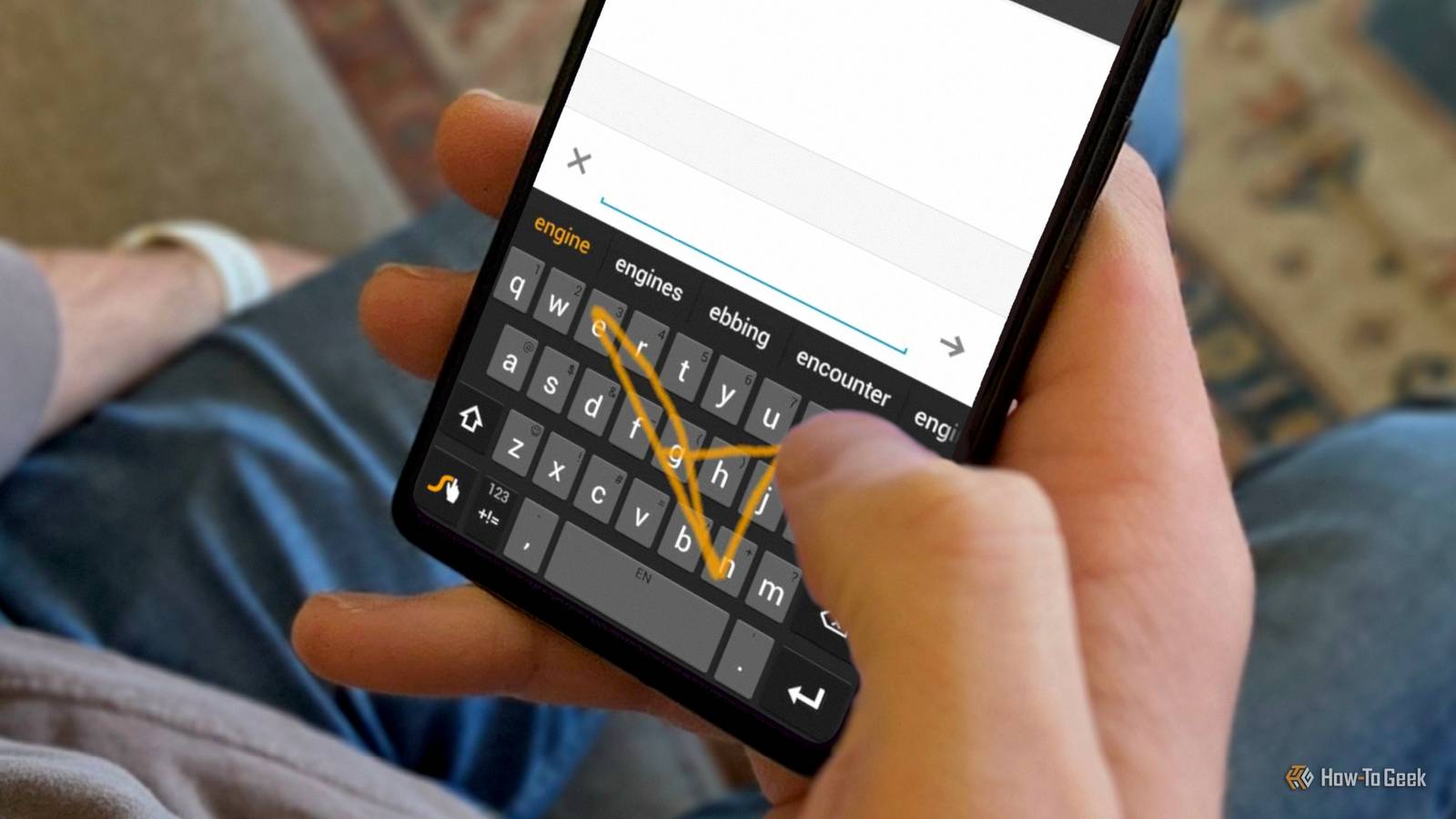
Published Nov 21, 2026, 6:30 AM EST Sydney Butler is a technology writer with over 20 years of experience as a freelance PC technician and system builder and over a decade as a professional writer. He's worked for more than a decade in user education. On How-To Geek, he writes commerce content, guides, opinions, and specializes in editing hardware and cutting edge technology articles. Sydney started working as a freelance computer technician around the age of 13, before which he was in charge of running the computer center for his school. (He also ran LAN gaming tournaments when the teachers weren't looking!) His interests include VR, PC, Mac, gaming, 3D printing, consumer electronics, the web, and privacy. He holds a Master of Arts degree in Research Psychology with a minor in media and technology studies. His masters dissertation examined the potential for social media to spread misinformation. Outside of How-To Geek, he hosted the Online Tech Tips YouTube Channel, and wrote for Online Tech Tips, Switching to Mac, and Helpdesk Geek. Sydney also wrote for Expert Reviews UK. He also has bylines at 9to5Mac, 9to5Google, 9to5Toys, Tom's Hardware, MakeTechEasier, and Laptop Mag. Are you a two-thumb phone typist? Most people I've seen use this method to write, and some teenagers have the fastest thumbs I have ever seen while doing it. However, there is another way to enter text on a phone. Whatever brand of phone you use, you can almost certainly write by swiping a finger across the letters that make up the word, in order. As if by magic, the keyboard almost always "knows" what word you meant to write. It can be much more accurate for some people than typing in the traditional way. There are plenty of hardcore fans of swiping to type, but the app that popularized it, Swype, is long gone. We're still swiping, so obviously the idea had merit. So what happened? Swype’s party trick was knowing which letters to ignore Who is actually doing the typing here? The technology that underpins Swype is based on accessibility research. In the Spring 2017 issue of University of Alberta Engineer magazine, page 23, Swype co-founder Randy Marsden recounts how he'd worked on the problem of how to help people who could not use their hands to type on a computer. If you could move your head to manipulate a mouse pointer, or perhaps just your eyes, then an algorithm can figure out what you want to type based on your path over the keyboard letters. His co-founder, Cliff Kushler, had already helped solve a version of this problem in the form of T9 predictive text. Marsden and Kushler's patent, titled System and method for continuous stroke word-based text input, is still available online to understand what made it special. However, around the same time, other researchers had similar ideas. Shumin Zhai and Per-Ola Kristensson published a paper on tracing words with a stylus in 2003. That work would later become ShapeWriter, which went on sale in the iPhone App Store. Both Swype and ShapeWriter were bought by Nuance. Swype was purchased second. A big part of the reason Swype in particular became so well-known was its inclusion on certain phones. Samsung gave Swype an audience It's all about who you know Credit: Samsung The first phone to include Swype was not an Android device, as you might have expected. Instead, it's the Samsung Omnia II, which runs Windows Mobile. The advertising for this handset put Swype front and center as a key feature. It was a reason to buy the Omnia II instead of something else. This was a phone with a resistive touchscreen, not the multitouch capacitive screens we are used to today. Though Swype would still work just fine without whipping out the stylus. The ads even showed people just using a bare finger. The Omnia (and especially Windows Mobile) didn't set the world on fire. So Swype really made its biggest impact when Samsung included it with the first Galaxy S. That phone sold millions and millions of units, and kicked off the only single phone series to truly rival Apple's iPhone to date. For many Galaxy S users, Swype was the way to type on a phone. Google built it in before Swype could sell you the app Things move fast in the mobile world Nuance bought Swype near the end of 2011 for over $100M. Ready to turn Swype into an app that anyone could install on their Android or iOS device. Somewhat awkwardly, a year later, Google revealed the Android "Gesture Typing" feature along with the Nexus 4 phone in Android 4.2. Swype would only make it out of beta and onto people's phones in April 2013 for 99c. It didn't exactly get Sherlocked, but I doubt the native Android feature didn't have some impact on adoption. In 2016, Google released Gboard, a totally free alternative to Swype on both Android and iOS. On the iPhone side, Apple quickly relaxed its restriction on third-party keyboards in 2014, with Swype becoming a top app on the charts almost immediately. So even though it wasn't as fresh as it could be, Swype did pretty well, all things considered. Swype disappeared in a customer support reply In 2018, Swype was no more. The really weird thing about how this came about is that there was no big announcement. An owner of a Google Pixel 2 contacted Swype support because the app kept crashing. Instead of telling the user to reinstall the app or run some other diagnostic, the service rep just gave them the scoop on the company's withdrawal from the consumer phone keyboard app business. Nuance was going to focus on business customers, like companies that made in-car touchscreen interfaces, and AI products it could sell to big corporations with deep pockets. That actually sounds a lot like the general situation in consumer tech as I write this, but I digress! Android users already had Gboard and other alternatives, and it only took about a year for Apple's QuickPath feature to come to the system keyboard. Which means that even though Swype was swiped away suddenly, we're all still swiping in spite of it.
Swype invented how we type on phones (then it disappeared)
Full Article
Original Source
Read the full article at Howtogeek →KhanList aggregates and links to publicly available news content. We do not host full articles from third-party sources. Always verify important information with original sources.