
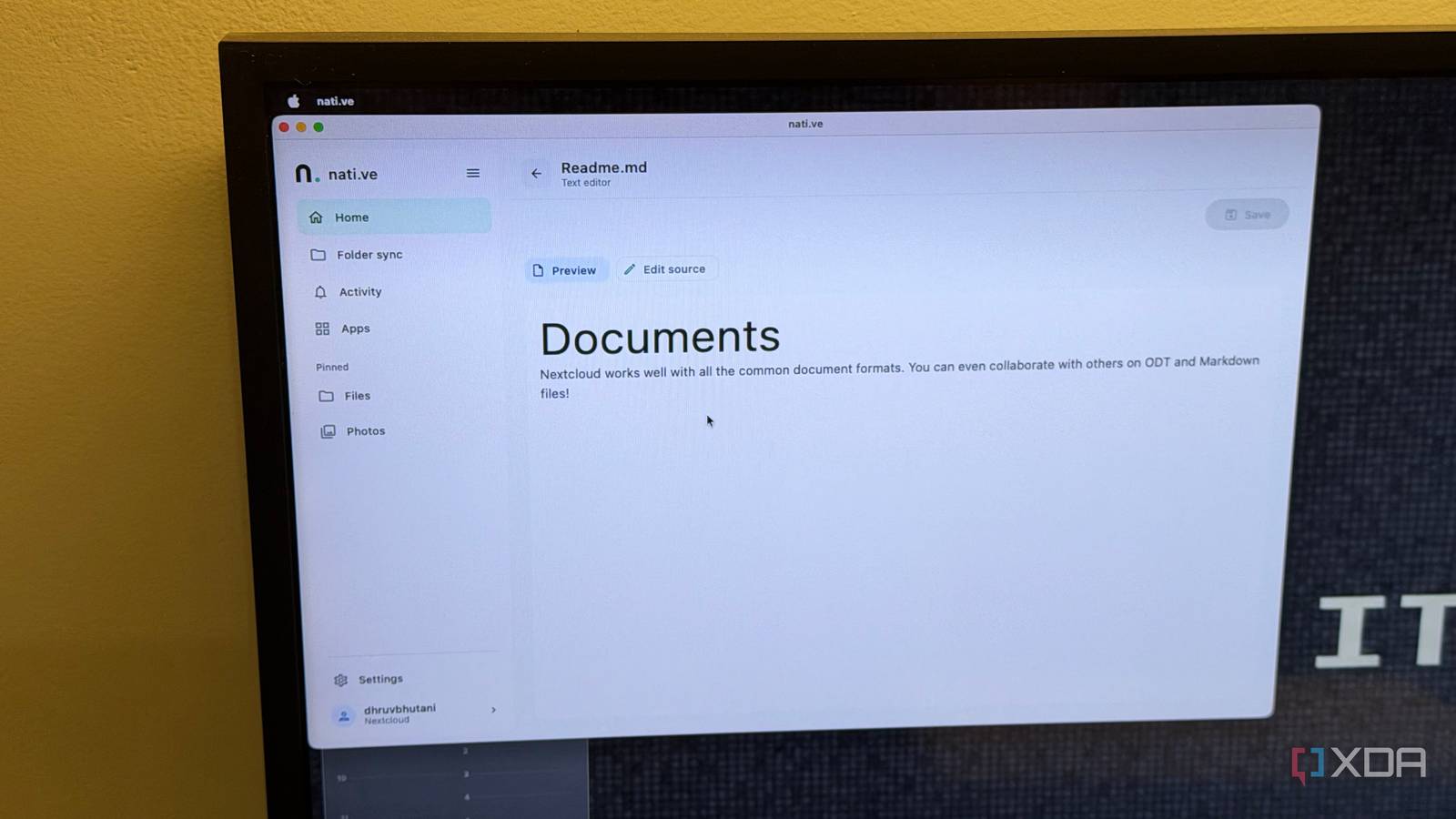
Published Sep 16, 2026, 2:00 PM EDT Dhruv Bhutani has been writing about consumer technology since 2008, offering deep insights into the personal technology landscape through features and opinion pieces. He writes for XDA-Developers, where he focuses on topics like productivity, networking, self-hosting, and more. Over the years, his work has also appeared in leading publications such as Android Police, Android Authority, CNET, PCMag, and more. Outside of his professional work, Dhruv is an avid fan of horror media spanning films and literature, enjoys fitness activities, collects vinyl records, and plays the guitar. I bought into Synology's ecosystem, but over the years, I've replaced most of the software with third-party alternatives. Case in point: Nextcloud. But as good as Nextcloud is, the apps and mobile ecosystem leave a lot to be desired. I don't want to open the browser every time I need to access a file, check a note, or grab a photo from my personal cloud. What I've been looking for is a native-like experience. Well, that's the beauty of the open-source ecosystem. Someone is invariably facing the same friction as you. In my search for a solution, I ended up with a brand-new project conveniently named Nat.ive. Native is an open-source client that takes a different approach to interfacing with Nextcloud. Instead of wrapping Nextcloud in a web wrapper, it uses Nextcloud's APIs and renders the available features as a native interface. This is as close as you'll get to a blisteringly fast native app. Native makes my Nextcloud workspace easier to access Offline files and folder syncing make it useful on-the-go My Nextcloud instance is an active workspace in my broader self-hosted setup, so access is critical. While I know accessing things through a browser is the preferred route these days, I'm old school and prefer dedicated apps for the tools I use. More so when I'm accessing things on-the-go on my MacBook or smartphone. The problem with Nextcloud is that, as wide and open as it is as a tool, its individual elements like Notes, Photos, Calendar, and other apps don't quite integrate seamlessly. If anything, they are a collection of services instead of a cohesive application. Native brings them all together under one unified workspace. I can open the app and see the Nextcloud services available on my account instead of thinking about which separate interface I need to use. While still in the early stages of development, Native can already expose Files, Photos, Calendar, Mail, and more through a single unified interface. Files is, predictably, my most used part of Nextcloud, and Native makes it a cinch to view and access remote files. Native supports standard browsing, plus list and grid views. Additionally, you can preview files, edit text, and even view media files right within the same interface. If you're using the app on an Android phone, there's native integration for the file picker so you can easily manipulate files. Offline access is another useful feature. Since this is a, ahem, native app, Native lets you pin files for offline access. The use cases for that are obvious. I no longer need to keep second copies that I then have to merge with my Nextcloud folder. Similarly, you can sync up device folders back to Nextcloud right through Native. You've got an option to just upload, download, or maintain a two-way sync of these folders. I've set up my downloads folder to be synced up because this is where I end up downloading the majority of press documents, review guides, and more when on the go. Native isn't a Nextcloud replacement; it just makes it easier to use The interface is the feature While the feature set in itself isn't dramatically different from Nextcloud, simply because Native is just a better way to access Nextcloud, that is the entire point. I wasn't looking to replace Nextcloud. Instead, I needed a better way to access Nextcloud. It might seem like the app is solving a small problem, but a great interface is what makes or breaks an app's stickiness. In fact, it solves one of the bigger problems I have with self-hosted software in general. Having a feature is not the same as making the feature easy to use and available at the touchpoints where the users are. If I have to dip into the browser for even the most simple task, I'm just not going to use it as much. Look, from a features point of view, Native is just that. A fast way to access Nextcloud through a dedicated app. But it's clear that the developer has paid attention to detail. For example, it checks available capabilities and can withhold an action if an API doesn't return an expected response. Elsewhere, the software is still a work in progress, so not every feature is available just yet. Similarly, the macOS package that I've been using is purely a beta, though I haven't faced any issues yet. Similarly, iOS is on the planned list but not supported just yet. A proper fit for my private cloud Native isn't feature complete just yet, and yet I keep coming back to it. The reason for that is simple. It removes the basic friction around accessing files on my own infrastructure. Nextcloud gives me a tremendous amount of flexibility in a single package, but I don't like having to jump between web pages anytime I leave my desktop. Native gives me a native way to access those same files and feels like a proper desktop application, and it solves a problem I've had with Nextcloud for a long time. If you're using Nextcloud on your server, this is a must-install app in my books even in its early state. I know I'll be keeping a close eye on its development. Nati.ve Nat.ive is an app that gives you a native way to access your Nextcloud instance and includes features like two-way sync and offline file access.
I ditched Nextcloud's official app for a native client that made my self-hosted files actually accessible
Full Article
Original Source
Read the full article at Xda-developers →KhanList aggregates and links to publicly available news content. We do not host full articles from third-party sources. Always verify important information with original sources.