
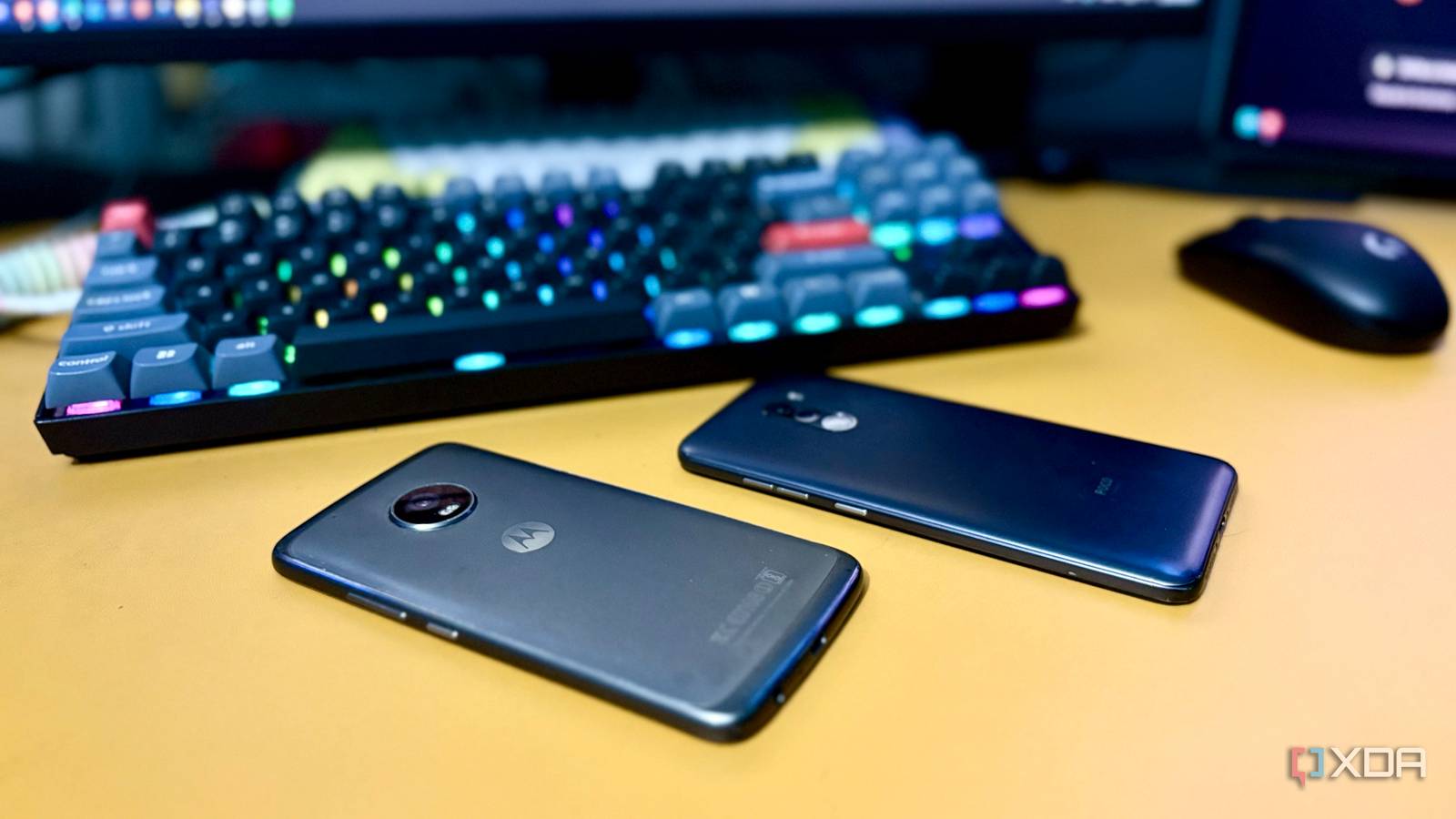
Published Sep 2, 2026, 3:31 PM EDT Shekhar Vaidya is a veteran technology journalist and computer science engineer. He is the founder of TechLatest, where he has spent years providing technical analysis on hardware and Windows ecosystems. Now a Computing Writer at XDA, Shekhar leverages his deep background in NAS, storage solutions, and PC internals to help readers master their tech. When I think of cheap, tiny, and portable hardware for small homelab services, the Raspberry Pi is the first thing that comes to my mind. And if I visit a homelab thread on a tech forum, Pi comes up as a settled recommendation, not something to question again. But last month, when I deployed a DNS server on my old Android phone, I started thinking otherwise. The experiment proved to me that the phone was capable of running homelab workloads, but the DNS server never really pushed it. That was when I decided to pile the phone with similar workloads to what a Pi typically runs and see which one struggled under more load. Pi-hole delivered solid results That said, the setup process was a tad complex A few weeks ago, I experimented with my old Android phone (POCO F1) for a DNS server. This was a dedicated test to see whether it could replace a Raspberry Pi for something that is supposed to run 24/7. Android phones are not designed for these types of tasks. A DNS server usually needs free port 53 to bind to, but a consumer-grade Android phone doesn’t give out that option openly. I had to play around with root permissions, Termux, and proot-distro to actually make it work. Port 53 is privileged, so running Pi-hole's DNS service on the phone was more interesting than an ordinary web service. But the result in the end was proof that an old Android phone can act like a proper server. The setup might be complex, but DNS filtering is a light workload for modern hardware like my phone’s SDM845 and 6GB LPDDR4X RAM. That is why these types of services are usually handed over to a single-board computer (SBC) like a Raspberry Pi. Even though the phone was running 24/7 and handling my whole home network, it didn’t break a sweat; there was no noticeable CPU/thermal load. The F1 experiment gave me the evidence that it could host a service, but it didn’t prove whether it could replace an SBC under a broader homelab workload. Another experiment was necessary to evaluate it. So I did, this time looking for the ceiling instead. I didn't want an easy second phone. I wanted the weakest one. I gave it everything a Pi usually carries The POCO F1 already answered the easy question that an old Android phone can run an always-on service without any issues. But if I were to compare it directly to a Raspberry Pi, say Pi 5, the F1 wasn’t a good candidate. The 2018 F1 had powerful hardware enough to feel ahead of its time, but that’s exactly what made it an unfair comparison with the 2023 Pi 5. Now, I had a new question: how much do I downgrade the phone to make it an apple-to-apple comparison with the Pi 5? Fortunately, the perfect device was lying in my drawer, the Moto G5 Plus. It was a 2017 phone with a Snapdragon 625, lower than the F1’s Snapdragon 845 but closer to the Pi 5's 2.4 GHz quad-core Cortex-A76. It was already running on a custom ROM and had root privileges, so it was easy for me to set it up as a small Linux machine. My exact model was XT1686-DS with 4 GB RAM. And even before I started anything, free -h showed me 2.1 GB RAM was already used by Android at idle. Then, I followed the same Pi-hole setup through Termux/proot on the G5 Plus and kept it running. And finally moved to an actual Docker via the same root access. I deployed a few more regular services that I use in my homelab, such as Uptime Kuma, Vaultwarden, and a few more. Why Uptime Kuma and Vaultwarden, specifically? Because they are the best examples of services one should host outside their main homelab to cover the blind spots. So, by the end, I had something concrete to compare to the Raspberry Pi setup. When the services were up and running, I wasn’t looking for a phone that could keep up. I was waiting for the one most likely to fail. One throttles quietly. One didn't. The ceiling that never showed up The Pi 5 is a smart machine. It could be thermal throttling right now, but you would never know because it never announces it; instead, it quietly manages things behind the scenes, avoiding a crash. When it is under a continuous load, it usually drops clock speed to manage the heat, especially while running without any active cooler, the default setup for a lot of homelab Pis. You can notice it from slow-loading dashboards, delayed responses for running services such as Pi-hole, and small things that I would usually blame on the SD card. But if you want a certain answer, vcgencmd get_throttled is the way to verify it. If it returns 0x0, that means the board is running fine, and apart from 0x0, if you see anything else, the Pi at some point managed the load to protect itself. Coming back to the phone. If I keep aside the CPU performance — eight ARM Cortex-A53 cores running up to 2.0 GHz is itself a good number — the memory was the first thing where it started showing a little up and down. As already mentioned, even before starting I only had around 1.4 GB of available memory. The Pi-hole, Vaultwarden, BentoPDF, and Uptime Kuma containers combined were always under 500 MB. Pi-hole was at around 80–100 MB, Vaultwarden at around 70–90 MB, BentoPDF would range between 20MB and 30 MB, and Uptime Kuma was the heaviest of the others at around 200-250 MB. So, it was a little under stress when I used the phone for some other tasks as well, simultaneously. Ultimately, the old Android phone really did keep it going and didn’t throttle only when used as a server; on the other hand, the Raspberry Pi, under a similar workload, quietly throttled its clock speed to manage the thermals. But remember that the Android phone was never supposed to run in this way; none of the deployments were one-click; it took me hours to get them up and running. With the Pi, it wouldn't have made me work for deployments like this. The Pi's job was never this I learned a very important lesson out of this experience. The experiment was never to replace Raspberry Pi with an Android phone. The Raspberry Pi is still a very useful machine for DIY experiments involving external hardware connections. But for a small secondary homelab with services like this to cover the blind spots, an old Android phone can outperform a Pi because of its better hardware ceiling and thermal handling. The real takeaway is about hardware utilization, not Android versus Raspberry Pi.
I ditched my Raspberry Pi for an old Android phone, and my self-hosted services finally stopped throttling
Full Article
Original Source
Read the full article at Xda-developers →KhanList aggregates and links to publicly available news content. We do not host full articles from third-party sources. Always verify important information with original sources.