
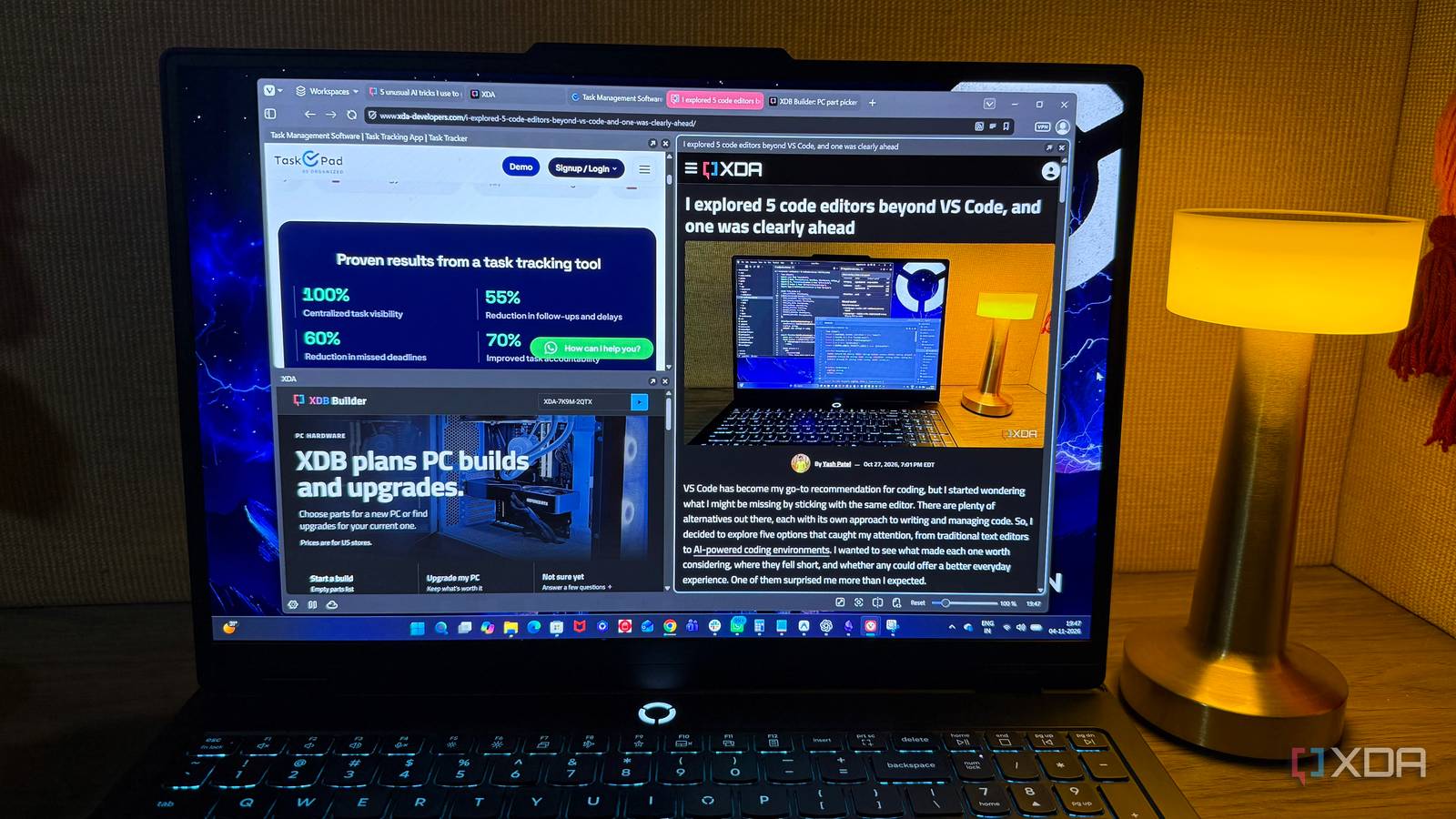
Published Nov 7, 2026, 5:30 PM EST Beginning his professional journey in the tech industry in 2018, Yash spent over three years as a Software Engineer. After that, he shifted his focus to empowering readers through informative and engaging content on his tech blog – DiGiTAL BiRYANi. He has also published tech articles for MakeTechEasier. He loves to explore new tech gadgets and platforms. When he is not writing, you’ll find him exploring food. He is known as Digital Chef Yash among his readers because of his love for Technology and Food. I've been using Firefox for years, and never really felt the need to look for another browser. But lately, I started wondering whether I was sticking with it out of habit rather than because it fit me best. I wasn't looking for anything complicated or another browser loaded with AI features. I just wanted something that made everyday browsing easier without getting in my way. That's when I decided to give Vivaldi a proper try. I started it as a small experiment for a few weeks. What started as a small experiment turned into a switch I wish I'd made much sooner. The built-in productivity features changed how I browse It packs more than I expected One of the biggest surprises after switching to Vivaldi was how many useful features it packs into the browser itself. Tab Stacking became one of my favorite features. Firefox already offers basic tab grouping, but Vivaldi takes the idea further with two-level Tab Stacks. Related tabs stay organized in groups, with another layer of organization available for managing large research sessions. Workspaces take this a step further. My writing research, personal browsing, and other projects stay separate without the need to open multiple browser windows. Switching between tasks is as simple as moving to another workspace. Tab Tiling is another feature I find surprisingly useful. It displays multiple webpages side by side in the same window, which comes in handy when comparing information across websites or referring to one source while writing in another tab. Then there are Web Panels, which provide quick access to frequently used websites through the sidebar, and built-in Notes, which make saving ideas or snippets while researching much easier. None of these features is revolutionary on its own, but having them together makes everyday browsing considerably more convenient. Instead of installing extensions and juggling different tools, Vivaldi brings most of my everyday productivity essentials under one roof. Vivaldi's customization made me feel in control again Customization goes way beyond themes Vivaldi surprised me with how deeply I could customize its interface and navigation. But what really caught my attention was that some of these options went beyond appearance and actually changed how I interacted with the browser. My favorite is Command Chains. It lets me combine multiple browser actions into a single command and execute them with one click, keyboard shortcut, or mouse gesture. For example, a single command can open specific websites, arrange tabs, and switch to a particular workspace. Instead of repeating those steps every time, the entire sequence runs with one trigger. It's a small feature that can save quite a bit of time. Vivaldi also has built-in mouse gestures, allowing common actions through simple mouse movements. These gestures are customizable, so frequently used actions are just a quick movement away. Firefox offers some customization options too, but features like Command Chains and native configurable mouse gestures make Vivaldi stand out. Vivaldi doesn't push AI features And that's exactly what I wanted Perhaps the biggest reason Vivaldi feels refreshing is what it doesn't try to do. While many browsers are adding AI assistants, chatbots, and automated summaries, Vivaldi doesn't make AI the center of the browsing experience. I don't have another assistant competing for my attention or features constantly reminding me to try AI-powered tools. I don't mind using AI when I need it, but I prefer to keep that choice in my hands. My browser doesn't need to summarize every webpage or offer suggestions when all I want is to read something and move on. I'd rather decide when AI belongs in my workflow instead of having it integrated into everything. That's what makes Vivaldi appealing to me. It lets me use the internet without turning every browsing session into another AI-powered experience. Sometimes, a simpler browser is all you need Looking back, I don't think Firefox was a bad browser. It simply wasn't the right fit for me anymore. Vivaldi has made everyday browsing more enjoyable, and I haven't found a compelling reason to switch back. If you also prefer having control over your browser without unnecessary distractions, Vivaldi is worth trying. Sometimes, switching browsers is all it takes to make your everyday workflow feel better, even without relying on third-party extensions and tools. OS Windows, macOS, Linux, Andrid, iOS Individual pricing Free Vivaldi is one of the most feature-packed browsers on the market, but when it comes down to its basics, it's still relatively light. It's great for power users, but also suitable for just about anyone.
I ditched Firefox for this simple, non-AI browser, and I wish I’d done it sooner
Full Article
Original Source
Read the full article at Xda-developers →KhanList aggregates and links to publicly available news content. We do not host full articles from third-party sources. Always verify important information with original sources.