
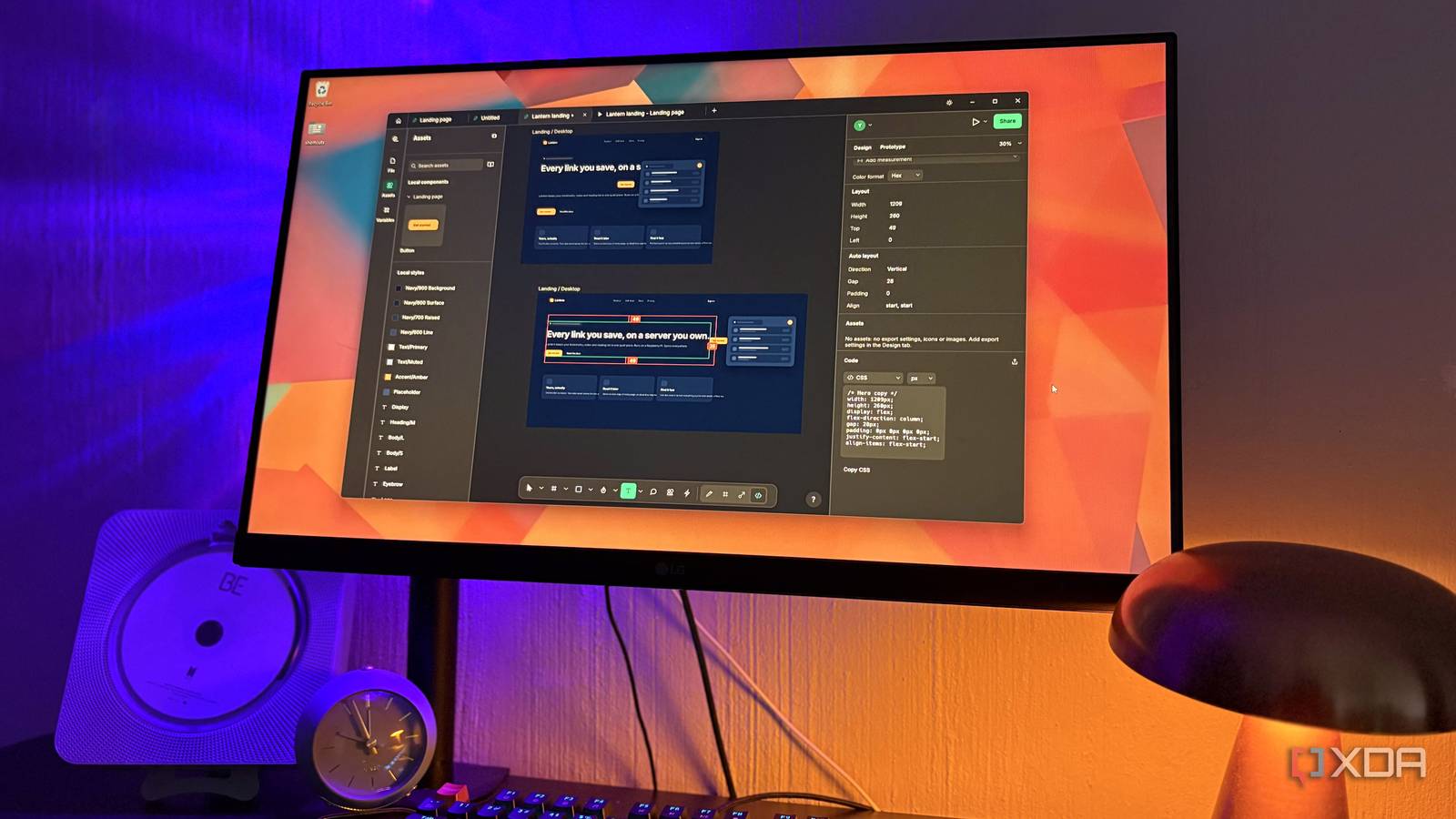
Published Nov 1, 2026, 10:30 AM EST Nolen began their writing career in 2019, with three years dedicated to editing the Creative section at MakeUseOf. Their expertise lies at the crossroads of technology and creativity, covering areas like photography, video editing, and graphic design. Outside of work, you'll often find Nolen diving into a good book, writing their own stories, or playing video games. Figma has always been the default for anything related to interface design, though I actually use it for presentations as well from time to time. But it is tied to an account, and many of the features are locked behind one of the subscriptions. Open-source alternatives aren't anything new, I've probably tried dozens of them by now. But many of them either require you to relearn where everything is, make you go through extensive self-hosted setups, or lack advanced functions. So when ArtCraft added a Figma lookalike to its growing list of free apps, of course I had to see if this would finally be the one that could replace proprietary design tools. FigCraft is ArtCraft's answer to Figma A Figma lookalike that never asks you to sign in FigCraft comes from ArtCraft, the studio Brandon Thomas founded after working as CEO of Storyteller.ai and as a software engineer at Square. Since early October it's been putting out free, open-source rebuilds of big commercial apps, all written from scratch in Rust, and Thomas wrote them with Claude Opus 5.5. FigCraft's own roadmap says the app came together in about 25 hours with a handful of agents working in parallel. The idea is that users who are coming from Figma should already know where everything is. It's a native app, though, with no Electron (the web container Figma's desktop app runs on too), and it works offline without an account. Your work saves as a .figcraft file on your own drive. FigCraft is still in alpha at the time of writing and is said to be about halfway ready for real work, but collaboration is still in preview and there's no built-in AI yet. So this tool is clearly still a work in progress, but it's already quite usable. Designing in FigCraft feels the exact same There's barely anything to relearn if you're coming from Figma Most of my time so far spent in this tool was reaching for my regular tools and finding them where Figma keeps them. So you've got your toolbar at the bottom with the selector, frames, shapes, etc, on the left are your layers, and the right holds the adjustable properties. The effects menu has the usual shadows and blurs, and then noise, texture, and glass on top of that - I always get excited at the possibility of a frosted glass effect. The Design panel follows the same order too, right down to the Hug, Fill, and Fixed sizing options for auto layout. Auto layout is my nemesis in Figma so I'm not going to pretend to be a pro at it, but FigCraft's version does seem to go as deep as Figma's, wrapping and grid mode included. Components carry over properly as well. For example, a button component can have variants like Primary and Ghost, and editing the main component updates every copy without wiping the text you've changed on each one. Color and text styles sit in the Assets panel next to your components, while variables get their own tab with support for modes, which is how you'd run a light and dark theme off one set of colors. There are a couple of big pieces missing though. FigCraft runs its own plugins instead of Figma's, so the Community plugins most of us rely on aren't there, and there's no built-in AI at all (its roadmap lists AI features at 0%). An AI agent can drive the app through an MCP server, but that involves setting up a config file and it becomes its own article at that point. If you've got work from Figma, then its File > Save local copy option downloads a .fig file, and FigCraft can open that and rebuild the components, variables, and prototype links from it. That import is considered a best effort though, meaning it might not carry everything over perfectly. Going the other way, FigCraft can write a .fig back out, which is still marked experimental. SVG, PNG, JPG, WebP, and PDF all go in and out as usual, and PDF exports get print options like bleed and crop marks. Turning screens into prototypes Wiring screens exactly the way Figma taught me Prototyping lives in its own tab on the right panel, same as Figma. You drag a connection from a button to a frame, then pick what triggers it and how it animates. Smart Animate is in there too with the usual easing curves, so anything with the same name on both screens moves, resizes, and fades into its new spot rather than the screen just cutting over. It goes further than basic click-throughs, too. The triggers cover pretty much everything Figma has outside of video, and prototypes can use variables with if/else logic for things like counters or toggles. Hitting Present opens the prototype in its own tab inside a device frame, and hotspot hints flash up when someone clicks somewhere that doesn't do anything. But something that's missing is the ability to share a prototype link since there are no accounts or cloud to host one, so if you want to present you have to do it from your own screen for now. Videos don't work in prototypes yet either, and you also can't mirror a prototype to your phone, which might throw a spanner in your workflow if you're designing mobile screens. Dev handoff is completely free The tools that Figma charges for Dev Mode isn't exactly my area, but I still tinker with it just to see how a design translates once it's built, or even halfway done. It uses the same keyboard shortcut as Figma and locks the canvas, so you can inspect without accidentally nudging something. Whenever you select something on the screen, it shows its properties with the style and variable names in the right panel, and you've also got the code to copy out. FigCraft writes CSS, HTML, React, Vue, SwiftUI, Jetpack Compose and Flutter, whereas Figma's built-in code panel sticks to CSS, iOS and Android. How clean that code actually is, well I'd leave that up to someone who actually codes. Pricing is probably where the biggest difference is. Dev Mode isn't available on Figma's free Starter plan, and Professional Dev seats run $12 a month. Code Connect, which links design components to the actual code components a team uses, is only on the Organization and Enterprise plans. FigCraft has its own version of both for free, although it skips integrations like Jira and GitHub. Still a little rough around the edges, but it's already a Figma mirror The longer I spend in FigCraft, the more Figma's pricing looks like it's mostly for collaboration and the cloud. This isn't even really a dealbreaker for solo designers or hobbyists. And it's not exactly like FigCraft is barebones, it's actually pretty fully stocked for something that's still in early alpha. I'll definitely be keeping my eye on its development. FigCraft
I ditched Figma for a free open-source clone, and it covers everything I actually use it for
Full Article
Original Source
Read the full article at Xda-developers →KhanList aggregates and links to publicly available news content. We do not host full articles from third-party sources. Always verify important information with original sources.