
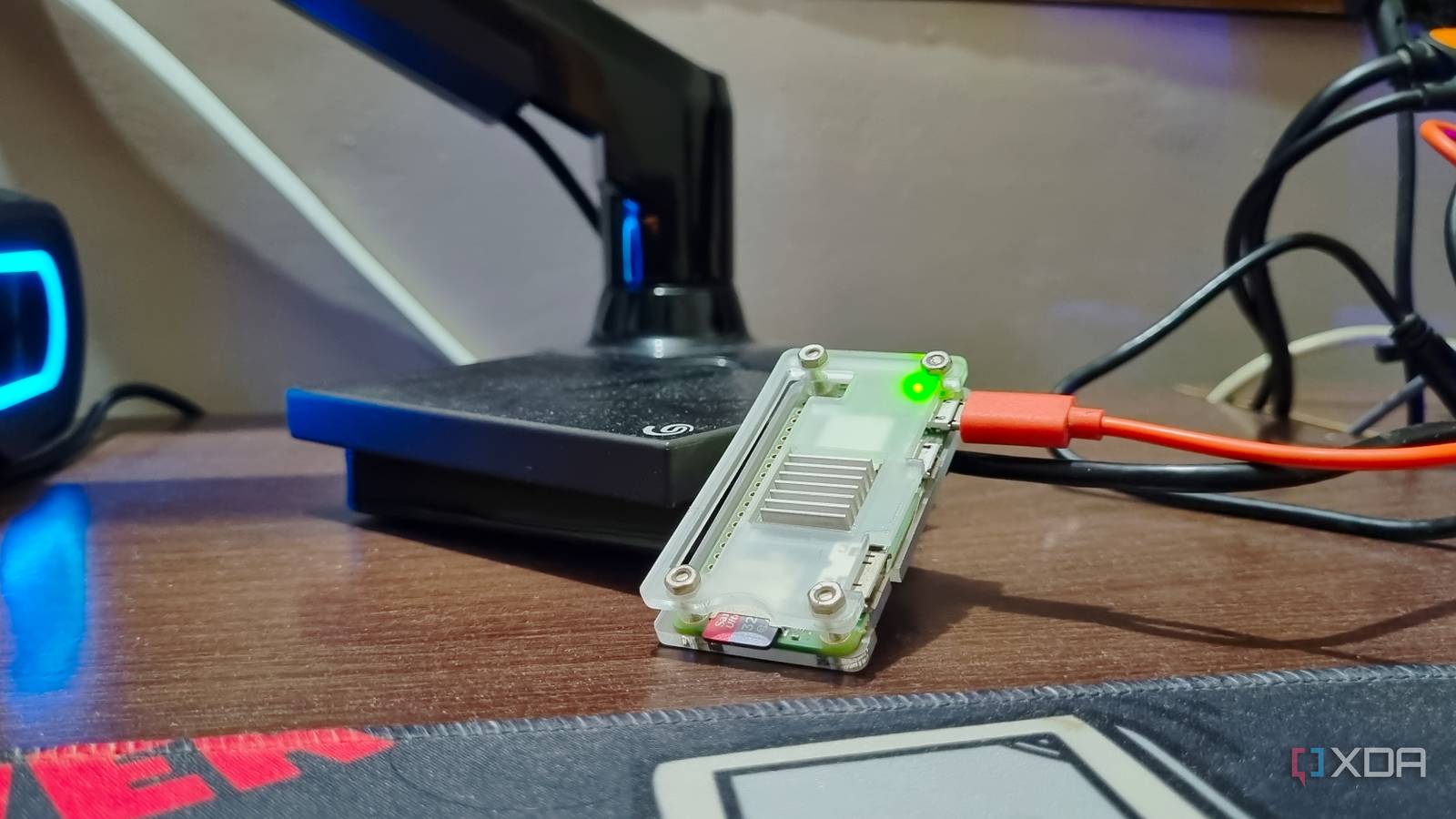
Published Sep 6, 2026, 11:00 AM EDT Abhishek is an author at XDA who covers computing. He has loved computers since he got the Lenovo G570 in 2012. Abhishek holds a master's degree in computer applications and began his writing career in 2018. He loves writing how-to articles, listicles, and informational posts on popular operating systems and web services. He closely follows the Windows Insider program and tests new Insider builds to discover upcoming experimental features and upgrades. His past work includes long-term collaborations with reputed publications like Tom's Hardware, and Windows Latest. When not writing anything, he is busy watching new episodes of One Piece or searching for something binge-worthy. The Raspberry Pi Zero 2 W isn't the most attractive SBC in its manufacturer's lineup unless you know what to do with it. Most users skip it because it has 512MB of memory with a weak CPU compared to most of the other Raspberry Pi models. It's hard even to assume that the minuscule computing power can be enough for running a small-scale home server. I wasn't that skeptical when I bought it, but after it struggled to run the Raspberry Pi OS 32-bit (desktop), my hopes dwindled. However, once I made the right choice both in terms of the OS and the tools, it became a formidable device. Now, it runs multiple tools, most of which would only work on a full server. Here's what works on my Pi without any trouble. A PDF editor sounds cumbersome BentoPDF breaks that notion Paying a monthly subscription for occasional PDF tasks is like pouring money down the drain. Free PDF editors have existed for a long time, but when you think of a self-hosted option, names like Stirling PDF appear as a top recommendation. I've tried it on a virtual machine configured as a Docker system to host a few containers. Stirling PDF is meticulously packed with all the possible PDF features you expect, but it demands a heavy resource cost. The tool needs between 500 and 700MB of memory to run, and it may need more when you start editing PDF files in it. The Raspberry Pi Zero 2 W cannot even meet its basic memory requirements because only 412MB remains after allocating a portion to GPU rendering. But BentoPDF is a great alternative that can run on this puny SBC and still be a worthy PDF viewer and editor. I didn't expect it to be so lightweight despite offering several paid PDF tool features. But how does a PDF editor that's so small and lightweight actually perform the tasks? BentoPDF doesn't store or process any data on the server side. So, it only exists as a container with core files and serves the web user interface. All the tasks that you perform inside it use client-side processing. So, my browser does all the heavy lifting instead of the Pi, and I don't need to upload any data to the server. Bitwarden is a demanding password manager Vaultwarden is an apt choice When I started self-hosting, using a local password manager was the last thing on my mind. I used a combination of Google Chrome and LastPass, but finally ditched both of them after the paid solution became expensive. I’ve been using Vaultwarden for over a year on a Raspberry Pi Zero 2 W running DietPi. Bitwarden is by no means an inferior tool. In fact, if I had spare system resources to run it, I would have. I’m glad that I didn’t make that decision and installed Vaultwarden instead. Despite being an extremely lightweight password manager with minimal memory demands, it doesn’t feel short on features. Since Vaultwarden is based on Bitwarden, it shares most of its features, with a lightweight server design that stores your credentials in a database. If I had chosen Bitwarden, I would have had to commit more than 500MB of memory to make the tool work. I recently switched to a Vaultwarden container after running it on an unsecured local network for a year. During this time, I used Tailscale to enable remote access to my server and fetch the credentials. Vaultwarden uses the Bitwarden browser extension and mobile app, but I couldn’t connect the app because of an incorrect network setup. I’ve resolved that part now with Tailscale serve, and now it works over HTTPS. OmniTools is quite the opposite If I tell you about a 100-item toolkit that runs as a Docker container, the first assumption is that it needs a huge amount of memory to work. OmniTools has more than 100 tools, but it doesn't gulp memory like Bitwarden or Stirling PDF. Like BentoPDF, OmniTools also uses the power of your PC rather than asking the Raspberry Pi Zero 2 W to process your every action. So single-file conversions and batch operations use your system's computing power instead of shifting the load to the server. I used to visit many sketchy websites for simple file conversions and compressions, but OmniTools makes them obsolete. One more advantage is that I can upload personal documents and images on these websites, jeopardizing my privacy. But that problem is a thing of the past with OmniTools, which uses barely 30–50 MB to run on my Raspberry Pi Zero 2 W. DNS server is a difficult task Ditching AdGuard for Pi-Hole AdGuard Home is a more comprehensive DNS server solution. Still, you can run an alternative on the Raspberry Pi Zero 2 W. Pi-Hole is a mature, lightweight DNS server that can help you escapeyour ISP’s snooping eyes and block ads and tracking widely implemented on almost every website on the internet. In my case, I can install the package from DietPi’s repository or use the Docker container. I chose the latter, then used Tailscale serve to add HTTPS support, as I did for the Vaultwarden server. Even Pi-Hole’s memory usage stays under 50MB, and spikes happen only when requests pile up. The Raspberry Pi Zero 2 W commits less than 60 percent of the 415MB memory to the OS, Docker, Tailscale, and these four containers. I don’t have too many devices on my network, and if you want to build a similar setup, a USB-to-ethernet adapter can be more beneficial. Building a mini server A Raspberry Pi Zero 2 W can act as a mini server capable of serving lightweight tools. All four tools that I mentioned play a vital role in my everyday tasks, whether it is seamless logins, handling DNS requests, converting files, or editing PDFs. The system has plenty of resources, and the whole unit runs flawlessly whenever I need it. I also save a decent amount of money on paid subscriptions with the luxury of data privacy. Raspberry Pi Zero 2 W The Raspberry Pi Zero 2 W is a small SBC with Wi-Fi and Bluetooth connectivity.
I ditched expensive servers for a Raspberry Pi Zero 2 W to host these 4 tools
Full Article
Original Source
Read the full article at Xda-developers →KhanList aggregates and links to publicly available news content. We do not host full articles from third-party sources. Always verify important information with original sources.