
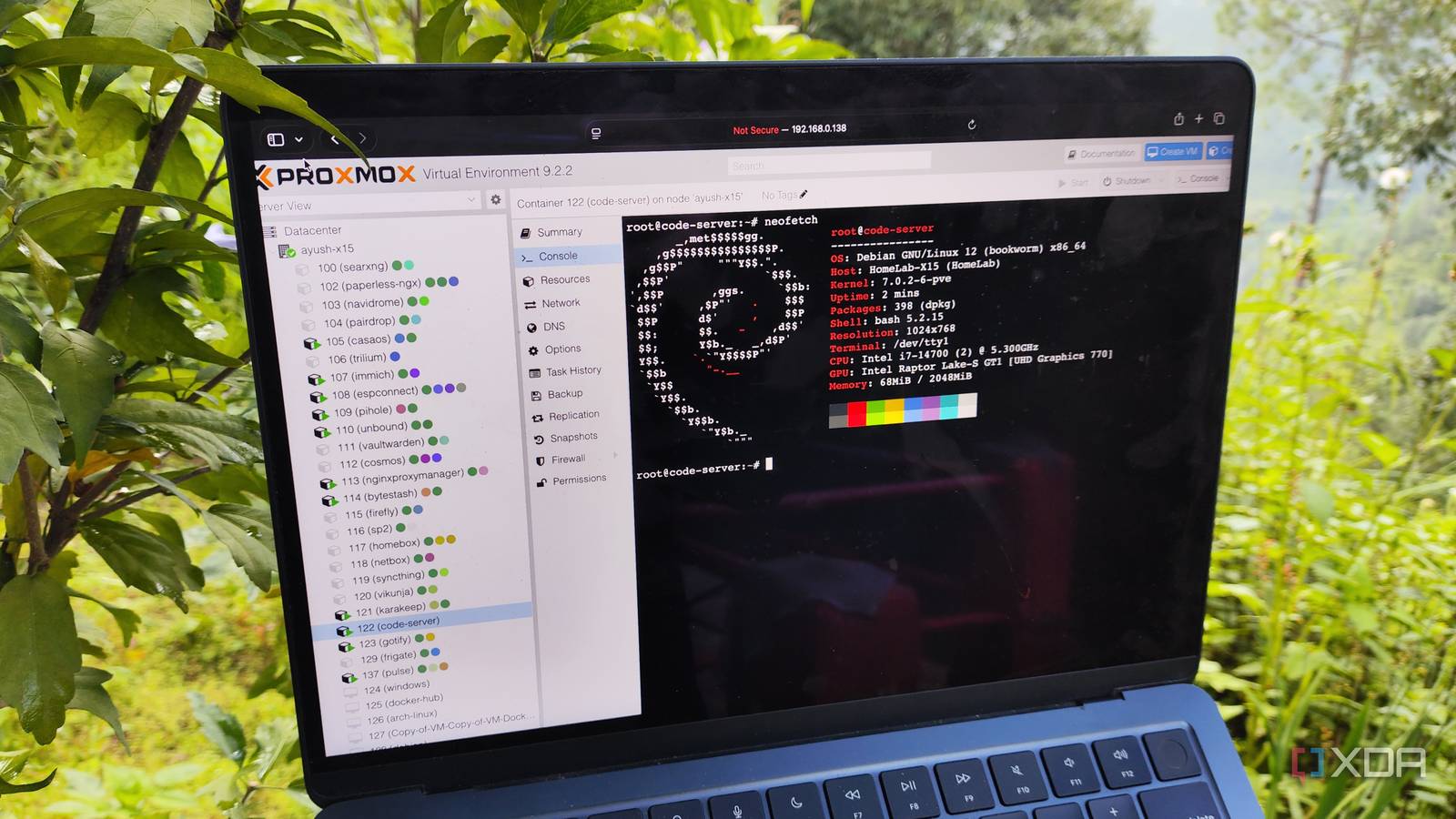
Published Sep 6, 2026, 1:30 PM EDT Ayush Pande is a PC hardware and gaming writer. When he's not working on a new article, you can find him with his head stuck inside a PC or tinkering with a server operating system. Besides computing, his interests include spending hours in long RPGs, yelling at his friends in co-op games, and practicing guitar. Having begun my descent into the self-hosting ecosystem with a mere Raspberry Pi, lightweight Docker containers are the sole reason I managed to run over a dozen free and open-source productivity services and still have enough system resources for the odd project or two. So, when I moved to Proxmox, I decided to go all-out on containers, though I ended up with a new problem: the Linux Containers on PVE were a lot different from the Docker containers I was familiar with. In fact, I was so taken aback by their seemingly complex design that I began wasting precious resources on GUI-laden virtual machines for the same tasks where I could opt for lightweight LXCs. But once I learned that LXCs are more suited for running multi-service environments on an underlying OS instead of the single app-based Docker containers that I was accustomed to, I changed the way I approached them, and my home lab’s utility went up immediately. As a former Docker-only user, I struggled with LXCs in the beginning The Promxox VE Scripts were the only way I could run LXC When I worked with Docker containers, I only had to worry about one main process within the environment. Whether it’s a networking tool, productivity app, or a game server, I’d have the package and all its dependencies wrapped within its container image, as opposed to managing the entire environment and microservices as I typically would on an LXC. Sure, I could run multiple services or long-lived init systems within Docker containers, but the majority of my containerized environments typically center around a single image based on some FOSS tool or another. This difference also extends to other aspects of container management. If I wanted to update a Docker container, I could turn off (and delete) the existing service, pull its latest image, and re-spin a new environment with the fresh image while pointing it to the same storage directory as its outdated predecessor. For someone who had spent years with Docker’s app containers, I tried treating LXC environments as though they were ephemeral in the beginning, and that’s where I went wrong with my approach. But I realized LXCs and Docker containers differ fundamentally LXC environments are significantly more customizable than Docker containers Whereas Docker environments are application containers, their LXC counterparts fall under the system container moniker. LXCs run the entire userland – including systemd (or other init systems), SSH, cron, and other microservices – and they have a lot more persistence than typical Docker containers. Let’s say I wanted to deploy a llama.cpp instance as an LXC. Rather than relying on a pre-built image, I’d first spin up an LXC with an underlying distribution. Once I’d logged into this container, I’d grab its files from GitHub and compile everything manually. If I’ve got a dedicated GPU hooked up to the Proxmox node, I’d configure GPU passthrough provisions on both the host and the LXC, before installing its drivers on the latter (and of course, using the right llama.cpp version that’s compatible with this card). Rather than relying on new images and spinning up a fresh container every time I need to llama.cpp, I’d update the packages manually within the LXC. Unlike the ephemeral Docker containers based on a single image, LXCs are much more customizable since I’d have to manage the underlying environment the same way as I would for a virtual machine. Sure, LXCs may possess a lightweight design compared to virtual machines, but given their design elements, it wouldn’t be too much of a stretch to say that they behave in a VM-like manner. Once I realized that, I started managing the underlying LXC environments in addition to my packages instead of treating them like disposable Docker containers. And with that, I finally began using custom LXCs for my self-hosting workloads. Although it’s not ideal, you can still run Docker containers within LXCs While I’d never use this method with essential services, it isn’t terrible for low-spec systems Between Proxmox VE Scripts and custom containers, I run most of the FOSS tools using LXCs these days. But when I was starting out, I had this idea about running Docker services within LXCs, though I quickly scrapped it after learning that Proxmox developers don't recommend such a setup. After all, live migration for nested containers can cause these environments to break, and virtual machines serve as better Docker hosts from a security standpoint. Plus, I’ve seen plenty of forum posts where Docker-within-LXC setups worked well for months, only to randomly become unusable after an update. To be brutally honest, I’d always recommend using virtual machines to host Docker containers. But if your Proxmox node is extremely lacking on the CPU and memory fronts, you can still try deploying these environments within LXCs. For example, I’ve got a decade-old laptop that becomes sluggish with a single virtual machine, even though it can drive several LXCs without running into performance issues. Spinning up Docker containers within an LXC on such a device can make it usable for hosting experimental services. Again, it’s not something you’d want to use for Pi-hole, Nginx,or other important tools that can render entire systems offline if things go wrong. But for simple services, such as BentoPDF, ConvertX, and OmniTools, nesting Docker containers within an LXC isn’t that big of a deal, especially since you can just spin them up in a fresh LXC if things go wrong. Proxmox Proxmox is an open-source platform built on Debian Linux designed for server virtualization.
My Proxmox server became more useful when I stopped treating LXCs as Docker containers
Full Article
Original Source
Read the full article at Xda-developers →KhanList aggregates and links to publicly available news content. We do not host full articles from third-party sources. Always verify important information with original sources.