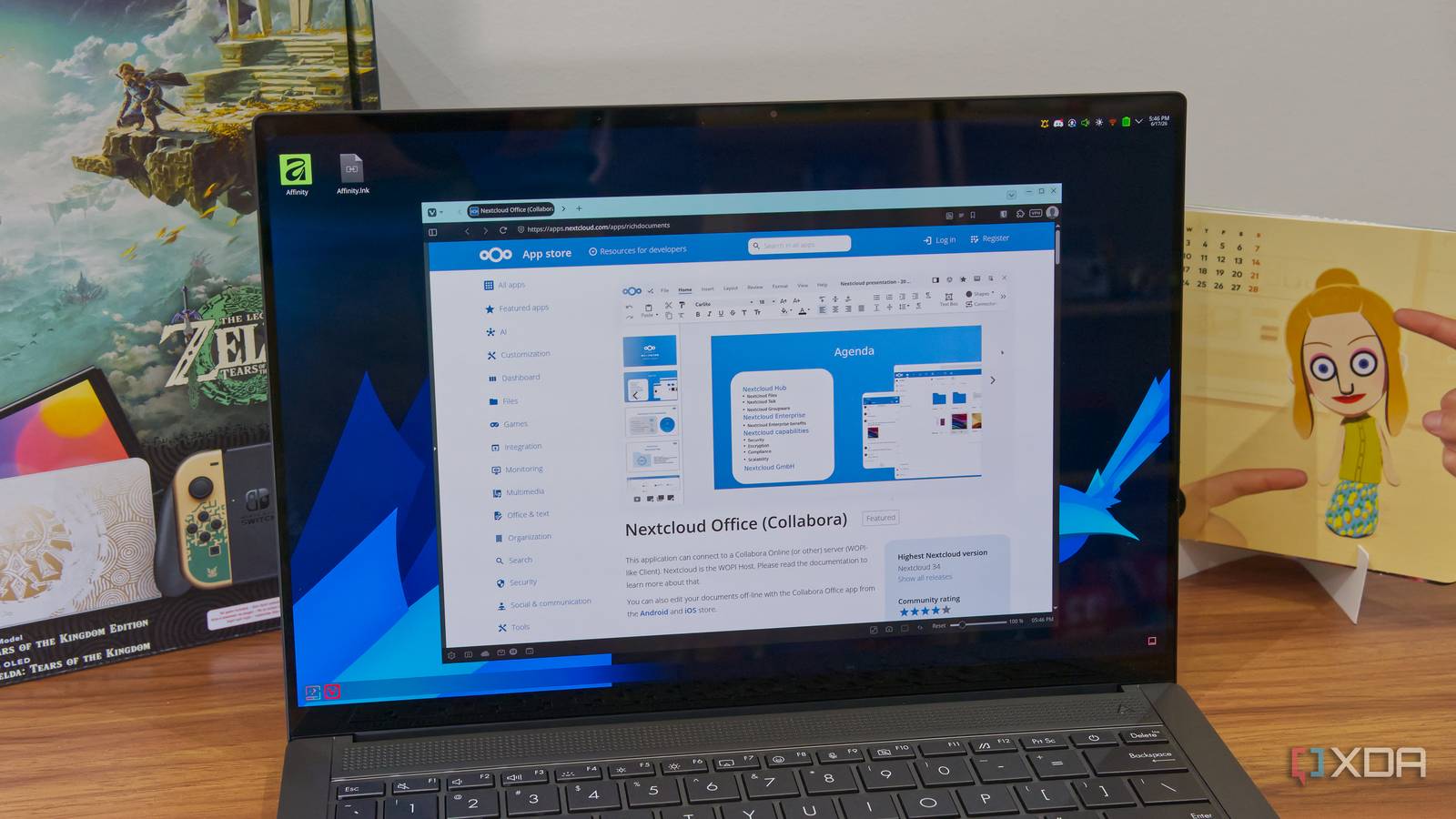
Published Aug 7, 2026, 3:30 PM EDT Abhishek is an author at XDA who covers computing. He has loved computers since he got the Lenovo G570 in 2012. Abhishek holds a master's degree in computer applications and began his writing career in 2018. He loves writing how-to articles, listicles, and informational posts on popular operating systems and web services. He closely follows the Windows Insider program and tests new Insider builds to discover upcoming experimental features and upgrades. His past work includes long-term collaborations with reputed publications like Tom's Hardware, and Windows Latest. When not writing anything, he is busy watching new episodes of One Piece or searching for something binge-worthy. Cloud storage subscription prices are steadily increasing, and my free-tier account cannot keep up with the limited space. Google Drive is more generous than any other service, but even the 15GB limit starts to feel restrictive when you start uploading documents, images, and other files. I’ve tried to be selective, but it was more of a temporary solution. Additionally, I’ve looked into some other free alternatives, but as you know, cloud storage doesn’t come cheap, and there’s no way around it. I decided to shift focus to a self-hosted cloud storage solution rather than hunting for the next best tool with a bigger, free storage limit. Nextcloud became my savior, and it runs comfortably on an old laptop and handles continuous file uploads and sync across multiple devices. Setting up Nextcloud is a one-time effort An old PC or SBC is sufficient I've experimented with Nextcloud on the Raspberry Pi Zero 2W, a 512MB memory SBC that did its best to run the tool. But running a locally hosted cloud storage tool requires a slightly more powerful system than the Raspberry Pi Zero 2W. I had a couple of old laptops, and I used one of them to act as a Nextcloud server. If you are a complete beginner, you'll have some difficulty putting everything together. Since the laptop is very old, I had to be extremely picky with the operating system. I chose MX Linux Fluxbox, an extremely lightweight Linux distribution tailored for old systems. It uses minimal computing resources, leaving enough for the actual tools you want to run on the system. The next part was to set up Docker on the laptop. But why not run Nextcloud directly on it? Well, Docker is a better approach because it makes it easy to isolate tools, manage containers, and handle updates and issues without forcibly shutting down the main system. Running Nextcloud as a standard installation is possible, but it won't offer the same level of control or isolation that I need from a server. Once I had Docker working, I installed Portainer for a better GUI experience and created a Nextcloud instance with a compose file. The default port for the web portal is 8080, and you need to log in with the credentials you set during the initial setup. It took some time and a bit of trial and error to get the server up and running, but there were hardly any problems after that. Adding my devices to the Nextcloud server Enabling sync for phone and PC I used cloud storage to upload some of the content from my PC’s Library folder. It didn't involve many large files, but I had a collection of scanned images that consumed a large portion of the storage space. On my phone, the documents utilized less space than the camera and WhatsApp files, but I still had to find and wipe slightly older ones after a few days. To connect my device with the local Nextcloud server, I needed a client app. You can find clients for Windows, macOS, Linux, and even Android and iOS on the official website. While I'm primarily a Windows and Linux user, it is still possible to create and upload files to your server from other operating systems. After installing the client app, you only need to enter the server URL (e.g., local IP:8080) and then create a sync connection for the folders you want to upload. I can even create new folders and choose them for uploads instead of the default ones. There were some sync issues during the first attempt, but everything worked out fine after I adjusted the file upload size limit. The phone app is even simpler than the desktop client. All I needed to do was log in to the server, then open it and select the folders. I had to adjust the background activity permissions for Nextcloud so it could conveniently upload files and bypass any power-saving restrictions. Instantaneous file sync Local cloud server perks outweigh the effort I didn’t expect a local cloud server to work as well as a paid one. During my tests, both the desktop client and the mobile app detected changes in folders and immediately synced them to my server. Whenever I captured a new screenshot or saved a file in my Documents folder, a copy of it appeared on the server after a few seconds. Media files, especially phone photos and videos, took a bit longer, but I didn’t encounter any upload failures. My Nextcloud server creates a copy of my files on the laptop’s 500GB storage drive. It’s more storage than I’ll ever need, and the best part is, I didn’t have to spend a single penny on it. However, “repurposing” is a crucial aspect of my setup, as I didn’t use anything new to build this local cloud server. A redundant laptop got a new life as a home server without needing any additional component upgrades. For remote access, a quick Tailscale install does the job. I added all my devices to my Tailscale account, and the server remains accessible when I have to step out for a couple of days. The only thing that’s left now is to back up the server to an external HDD or SSD. But why? Cloud storage services maintain multiple copies of your files on different servers as a fail-safe strategy. All my files live on a laptop storage, and if it falters, I’ll lose everything. Even if the hard drive health is good, creating a backup strategy will make the setup foolproof. Local cloud storage server is a bliss I don’t need to worry about recurring payments, content moderation and policy changes, or data misuse. My files stay on my system, which remains isolated from the outside network yet remotely accessible via Tailscale. It’ll take a while to fill up the 500GB storage, and I don’t expect my backups to cross the 100GB mark for the next couple of years. Since it's a laptop, power consumption is minimal (15–20W) and won’t make a huge dent in monthly power bills. Nextcloud OS Windows, macOS, Linux Key highlights Self-hosted, open source iOS compatible Yes Android compatible Yes Desktop compatible Yes Nextcloud is a local cloud storage tool with all the features that you need and an equally powerful plugin store.
I ditched expensive cloud storage subscriptions for a $0 Nextcloud server on an old laptop
Full Article
Original Source
Read the full article at Xda-developers →KhanList aggregates and links to publicly available news content. We do not host full articles from third-party sources. Always verify important information with original sources.