
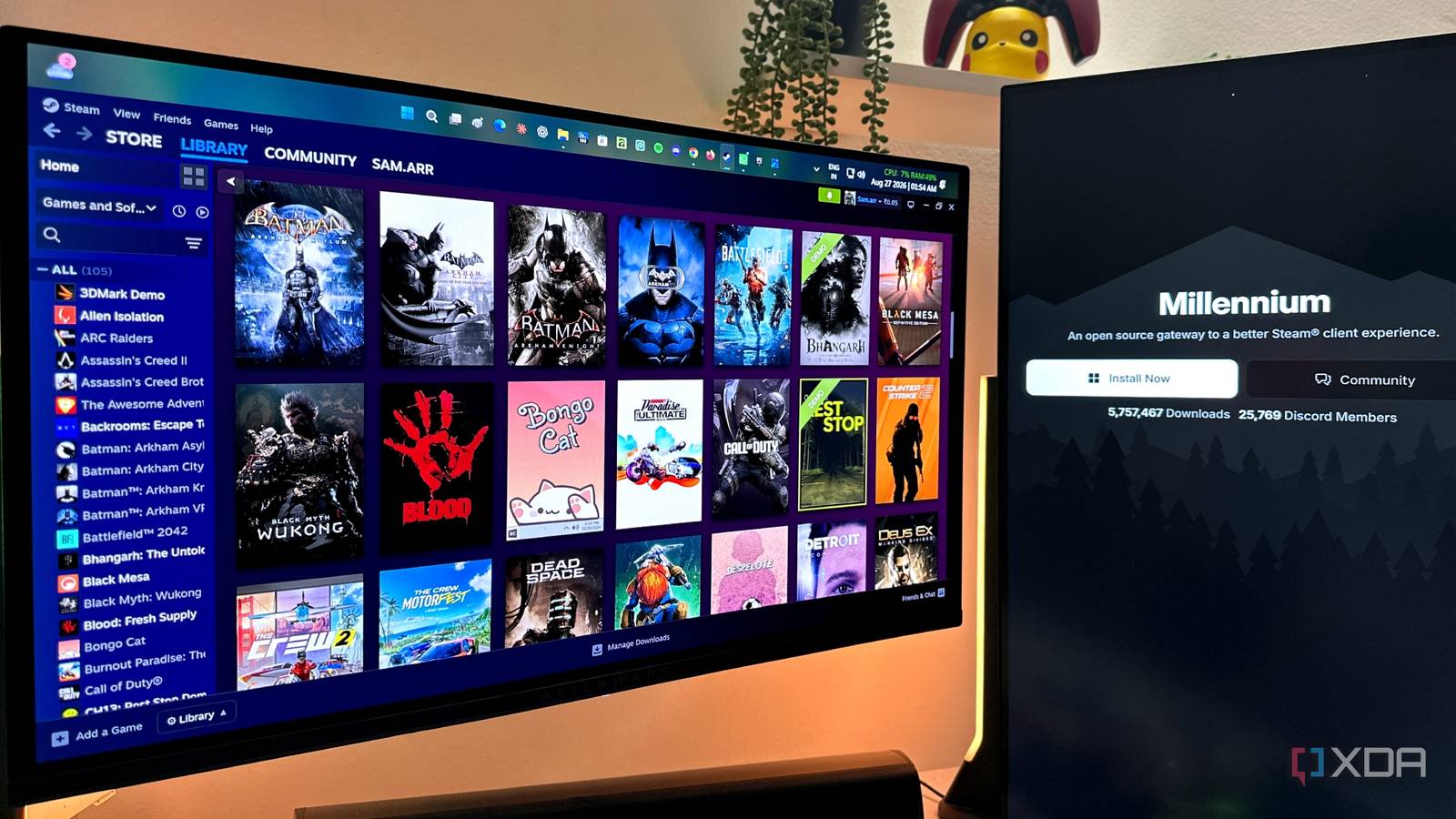
Published Aug 28, 2026, 2:00 PM EDT Gaming has been Samarveer’s greatest passion, and the Literature graduate in him takes immense joy in dissecting games for their themes, messages, and impact. Samarveer holds a deep appreciation of gaming, and considers the platform to be the most immersive and impactful across all media. He can be found engaging with gaming communities online, always ready to debate the finer points of ray tracing or itching to write an 8-page collegiate thesis on any game that impacts him emotionally. After two decades of using Steam, I'd like to think I know my way around Valve's launcher. I've tweaked libraries, reorganized my collections, dug around in its settings and features to improve the experience, and frankly, I've spent more time staring at the games I've bought instead of playing them. Somehow, though, I completely missed the fact that Steam can be customized far beyond what Valve gives you out of the box. Through Steam plugins, I've managed to make Steam feel like my launcher instead of something Valve designed for everyone, and it's sent me down a rabbit hole I genuinely didn't expect to find. I've only just begun experimenting with them, but it's already made me wonder how I spent this long using Steam without ever thinking about customizing it in the first place. Millennium is what turns "just Steam" into "my Steam" The customization rabbit hole starts here To get started with tailoring my Steam launcher according to my needs and fancies, I downloaded Millennium. It is essentially a customization framework for the Steam desktop client that lets you modify the interface and add functionality that Valve never built into it. You install it directly into your existing Steam installation, and it integrates with the client instead of replacing it with another launcher like Playnite does. Once installed, Millennium added its own section to Steam's settings, and gave me a central place to manage themes, plugins, custom CSS, and other mods. I definitely appreciate how the entirety of the change was condensed to just a new menu inside the Steam launcher I've known all my life. Millennium is third-party software that isn't made or endorsed by Valve. Installing such software always carries some risk to your device, but the project is open-source and auditable. Once I had Millennium up and running, I started with the one change that would be most palpable — custom CSS themes for my launcher. I changed the colors and fonts while experimenting with themes and other visual details until Steam felt a little more mine. Some options, like with any software that lets you experiment with themes, were a bit tacky, but I soon found the right combination of classiness and bold custom colors I liked. That's when I decided to really begin changing things, and headed to the Plugin Manager for Steam. I started fixing the little things Steam gets wrong My library became much more useful immediately Once I realized plugins could change what Steam actually did, I started noticing how much information I was missing. The HowLongToBeat plugin was an immediate win here, as it puts estimated completion times directly into game pages on the Store page. I love the idea of buying a new game that looks like it checks the right boxes for me, but as someone with a full-time job, I've always used the HLTB database to help inform my buying decisions. The HLTB plugin for Steam lets me do exactly that but with zero clicks involved, since the numbers I need are right there under the Buy button. Plugins like Steam Librarian and Collections+ take a different approach. They've made my enormous Steam library considerably easier to organize and navigate. Now, the dynamic collections feature in base Steam is pretty nifty, and one I use regularly, but these new plugins let me take things several steps further with more granularity and control over what I see every time I open my Steam library. These plugins haven't fundamentally changed Steam, but they've added features I never knew I needed. Then there are the tiny additions that shouldn't matter nearly as much as they do, but they've made the entire experience so much more polished and informative. The Size on Disk plugin, for instance, tells me how much space a game consumes in my library without having to right-click on the game, go to Properties > Installed Files, and then see the storage space it's occupying — five clicks replaced with just a single new plugin. None of these plugins have fundamentally changed Steam for me. But they've filled the gaps I've learned to work around over the years, and added nifty new features I never even realized I needed in the desktop client in the first place. Paired with the custom themes and fonts, my Steam launcher now genuinely stands out as completely tailor-made every time I open it. Steam is more customizable than I ever realized Valve clearly left the door wide open The Extendium plugin is where the rabbit hole became deeper, because it enabled Chrome Web Store extensions inside Steam. I used that to add SteamDB's page for price history and current price information — a tiny addition that sits in the Store page and I've come to love. More importantly, though, there's now an enormous ecosystem of extensions just waiting for me beyond the Steam-specific plugins. Non-Steam Playtimes is another plugin I immediately appreciated, especially for my GOG games, and, well, "other" non-Steam games. Steam now keeps track of how much time I'm spending with those titles, too. It's important to understand why all of this works so seamlessly, and that's because Steam's desktop client is built on Chromium — that's the same open-source browser foundation behind Chrome and countless other Chromium-based apps. Effectively, it means that the Steam launcher interface is essentially a web app running inside the desktop client, which is what makes CSS themes, browser extensions, and all the other modifications surprisingly easy to integrate. That realization is what makes Millennium feel so familiar to me. It reminds me of Jellyfin and the self-hosting rabbit hole: start with something perfectly usable, then keep tailoring it until it fits exactly how I want to use it. I've only just started doing that with Steam, and I already love what's possible. Millennium I'm not going back to stock Steam I've spent an absurd amount of time with Steam without ever questioning whether the launcher itself needed to remain exactly as Valve shipped it. That might be the strangest part of this entire rabbit hole — we've become so accustomed to software being a finished product that the idea of making it fit us can feel almost... foreign. I'm not suddenly interested in endlessly tweaking every single menu in Steam, or installing every plugin I can get my hands on. However, I do love knowing that when Steam inevitably does something I don't particularly care for, I might not have to simply live with it.
I discovered the Steam customization rabbit hole, and I'm hooked
Full Article
Original Source
Read the full article at Xda-developers →KhanList aggregates and links to publicly available news content. We do not host full articles from third-party sources. Always verify important information with original sources.