
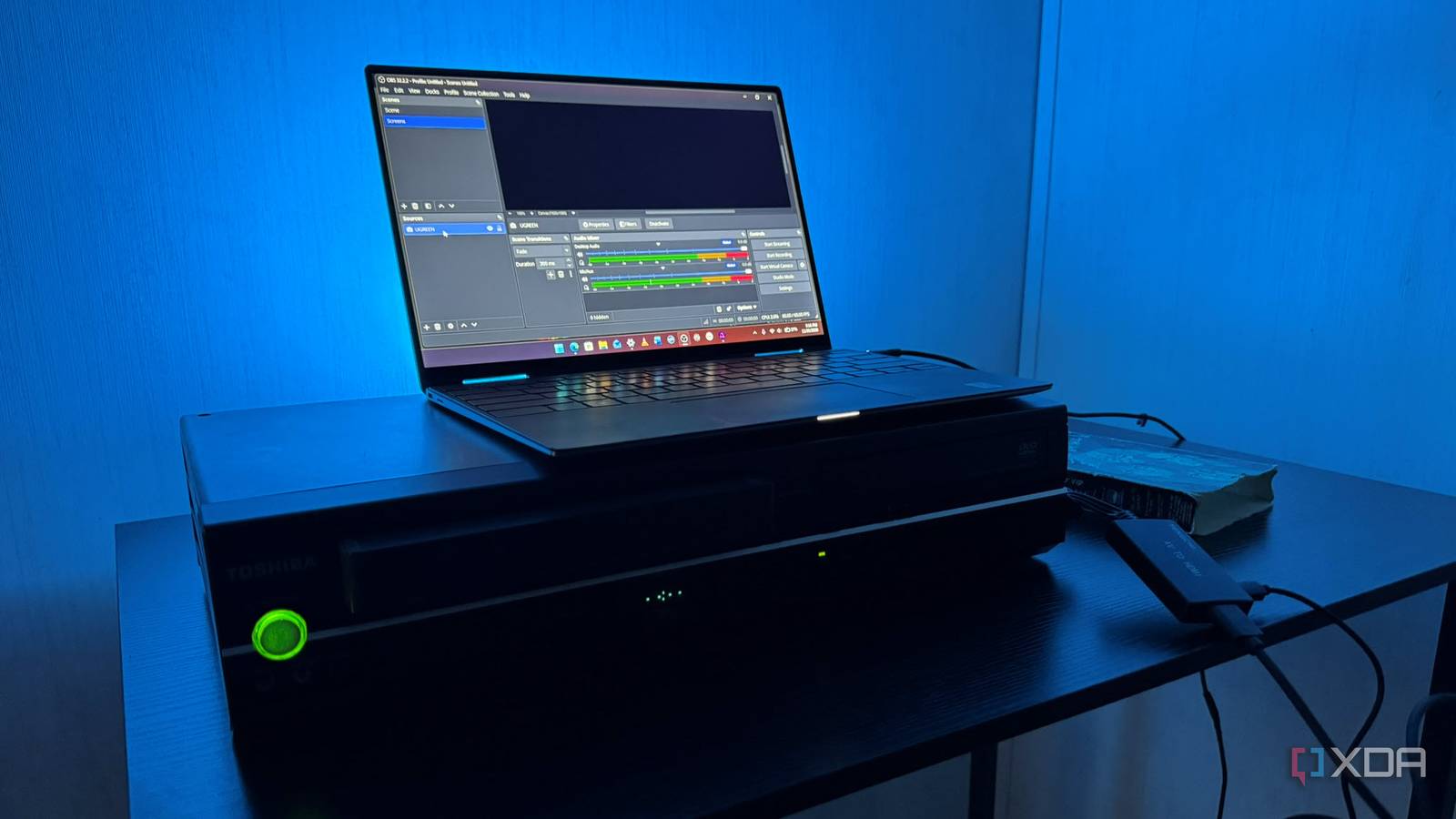
Published Nov 24, 2026, 3:00 PM EST Based in rural Minnesota, Brian Burgess worked in IT for 10 years before finding his passion for writing about consumer technology. Brian earned his degree in computer and network technology in 2000. He held various IT positions, including help desk support, router installations for IBM, database administration, and other associate network administration roles. He's been a personal technology journalist for 18 years and has written thousands of articles about Microsoft products and services, Android, iOS, streaming, and more. He has written for notable tech sites including XDA, InformationWeek, How-To Geek, Byte, groovyPost, and others. When he is away from the keyboard, you will hear him playing guitar, working outdoors, and watching Star Trek. Digitizing old media and running it on today's modern technology is useful in many situations. I have been able to convert my vinyl into digital files I can store on my NAS and play through speaker systems throughout my home. I have also ripped my CDs to lossless audio files to replace old MP3s, which is a major boost in audio quality. Next, I wanted to tackle VHS tapes. It takes some assembly, but I already had a VCR, free video recording software, and I bought a cheap adapter on Amazon to put it all together. Now, like my other digitized physical media, I can stream the old tape's contents to any screen with Plex or Jellyfin. VHS tapes contain memories that can live digitally Plus, watch on every screen with a media server platform I have always been a fan of Metallica, and have always thought of digitizing a copy of the "CLIFF 'EM ALL" tape. It was the first VHS tape I bought as a kid after mowing a lot of lawns to pay for it. I have kept it all these years because it is something special in my music collection. I know it's on disc and streaming, but the memory of getting the tape and the surrounding stories are irreplaceable. That is the case for many. There are closets everywhere that are full of forgotten VHS tapes. It's not just movies or shows; it's personal and family recordings that contain memories you want to keep. So instead of letting those memories stay hidden away, the right setup and free, open-source software can ensure the content on old tapes lasts forever. With the right setup, digitized tapes don't have to be just local media files you view on a computer or occasionally plug into a TV's USB port. With a server setup, your collections can be part of your permanent library, viewable anytime on the big screen. You don't have to settle for VHS nostalgia with Jellyfin. Digitizing VHS tapes is simple and affordable, but time-consuming All it takes is a VCR, a cheap adapter, and free software I ran across an old Toshiba VCR/DVD combo player in my closet, which sparked the idea for this project. Then I considered what I would need. I had a working VCR, a video capture device, and OBS Studio for recording. But I also knew I needed a device to connect RCA jacks to HDMI and convert the analog tapes for digital recording and use. I found exactly what I needed for under $15 — the missing piece. It's an RCA-to-HDMI signal converter with attached female RCA jacks to connect the VCR, and an HDMI cable to plug into my computer's capture device. I connected all the cables from the VCR and plugged the adapter into my video capture device on my Windows PC. I fired up OBS Studio and tweaked a couple of settings. Then I popped in a tape and pressed play. I could see it and hear the audio coming through my speaker system. It wasn't playing right, and I remembered VCRs have tracking to fix it. I hit the record button and just hung out and watched. Unlike CDs, you can't "rip" a VHS tape. So, like digitizing vinyl, you have to let the old-school media play through in full. Or, at least play the full parts you want to record as a keepsake. There is other recording software you can use, including VLC. However, I'm familiar with OBS; it has a lot of options, and it seemed like an obvious choice. I might try VLC with a tape later and see how it compares. The recording settings depend on the tape's condition and content Some trial and error may be necessary The recording settings you select in OBS Studio don't always need to be the highest. I found it depends on how old and worn out the tape is, and what was on it. Some tapes get so old and worn out that they don't play well at high settings. Then again, some tapes I thought would do poorly looked better than I thought. So, results will vary. Also, depending on the content, you might want to keep the recording settings high. You can take the files and run them through the free video tool HandBrake. Use its denoise filters to reduce speckles and color noise common in analog recordings. Or take it up a notch with commercial software like DaVinci Resolve, which specializes in video restoration. Still, if a tape is too worn, don't expect a 4K video, just something that's more pleasant to watch. Also, since you need to wait for the VHS tape to play and record, I set the recording output to a locally connected drive on my PC. I copied the file to my NAS once it was complete. Recording to the NAS works. But saving recordings locally helps avoid network slowdowns or disconnections that could interfere. If something went awry, I'd have to start again in real time, and this seemed like a sensible precaution. Digitize your VHS tape memories on the cheap I've had a lot of fun digitizing my old tapes. It's not only an engaging project, but I also get to relive memories and discover lost content my friends and family forgot existed. I certainly wouldn't waste my time with this for movies unless I had something rare that doesn't exist on disc. It does take some time to set up, and I forgot how bulky and loud VCRs can be. But it only cost me a few bucks to get it running, and now I'm set. OBS Studio
I digitized my VHS library with a VCR and cheap adapter, and now I stream my old tapes on all my screens
Full Article
Original Source
Read the full article at Xda-developers →KhanList aggregates and links to publicly available news content. We do not host full articles from third-party sources. Always verify important information with original sources.