
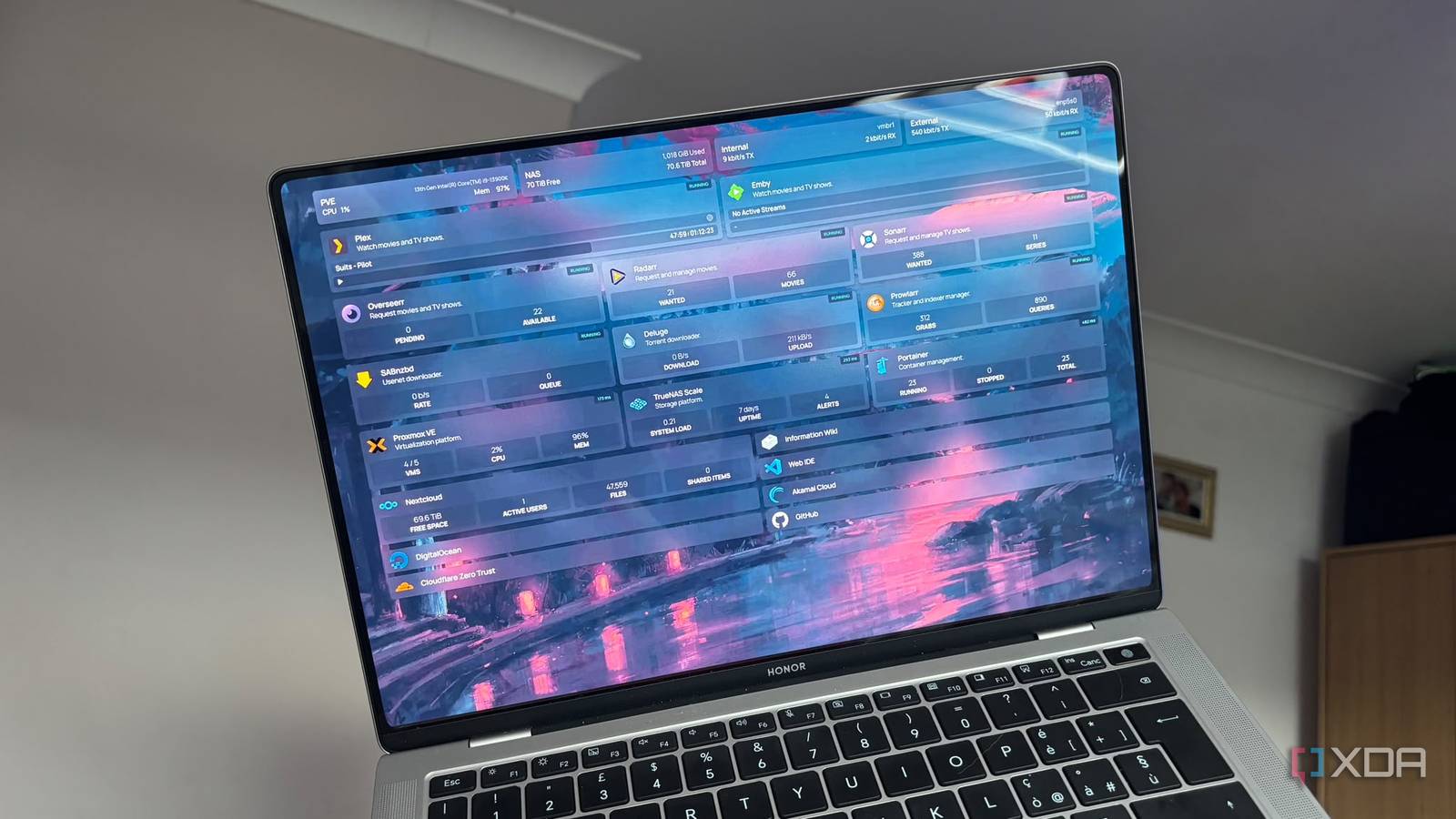
Published Sep 11, 2026, 10:30 AM EDT Jasmine is Software and PC Hardware Author at XDA with years of tech reporting experience ranging from AI chatbots right down to gaming hardware, she's covered just about everything. Whether it's breaking news about the latest AMD NPUs or creating video tutorials on social media platforms, Jasmine has contributed to the world of AI and tech in a variety of ways including interviewing the CEO of Razer, AMD's Director of Product Marketing and the VP of Lenovo. Passionate about gaming and PC technology, she has built countless computers, keyboards and other peripherals - knowing them inside and out. A universal home lab rite of passage is when your setup grows from a simple media server into dozens of containerized services, and your brain becomes a bloated lookup table of raw internal IPs and random ports: one for Home Assistant, one for Portainer, one for Plex, and so on. As soon as someone else in your house asks how to request a movie or check a camera, text them an unformatted string of numbers and tell them to bypass the red SSL certificate warning in Chrome. Your home lab feels less like a modern infrastructure and more like a fragile 1998 corporate intranet. Even if you organize it with browser folders, bookmarks don't sync across guest devices, mobile browsers, or work laptops. Luckily, you can tie it all together into a single self-hosted start page that acts as the front door to your entire digital life. Every service is reachable via a clean, human-readable local URL, guarded by valid HTTPS, with real-time CPU, RAM, and operational telemetry piped directly into live widgets. The architecture is fundamental Design yourself a flawless homepage Three pillars support the single-page architecture. You have to understand the technical components in order to understand that a start page is only the presentation layer. It requires three interconnected layers to work seamlessly. The first is the presentation engine, which is a declarative dashboard via the homepage. Some older dashboards fall short because they rely on heavy databases, sluggish GUIs, or bloated web applications. The modern purist choice is typically homepage: a lightning-fast, static YAML-configured node/React engine that mounts directly into Docker via read-only config volumes. It has direct API integrations too, meaning a full live stream that starts from Plex, remaining capacity from TrueNAS, active ad-blocking percentages from Pi-hole, as well as sensor temperatures from Home Assistant into Unified Grid. Layer 2 is local DNS resolution, which can kill the IP address: split-horizon DNS or local wildcard rewrites via your local resolver. A wildcard rule can intercept queries locally and route every subdomain directly to your internal reverse proxy without touching the public internet. The last layer is the internal reverse proxy and local SSL, which should kill the port and red warning. Deploying a lightweight reverse proxy like Caddy is fundamental. This can handle port forwarding internally. The proxy listens on standard ports 80 and 443, mapping ha.home.internal straight to container_ip:8123. You can also set up automated local TLS using the Let's Encrypt DNS-01 ACME challenge with Cloudflare or DuckDNS API tokens. The proxy generates valid, globally trusted wildcard SSL certificates for strictly internal RFC 1918 private subnets, completely eliminating browser SSL warnings without installing custom root CAs on every phone and laptop. Ensure that your dashboard is operational There are so many options When setting up a homepage, you're moving away from static links to live operational intelligence. Modern dashboards should be operational on their own rather than glorified bookmark lists. By having the Docker socket integration via Socket Proxy, you can mount the Docker daemon securely, allowing the dashboard to show instant container states like running, restarting, unhealthy, or exited. That way, you have all of the information about the status of your containers at a glance. You can also use service-specific widget feeds, like storage visual capacity bars for ZFS datasets and NVMe scratch disks, without logging onto Proxmox or TrueNAS. For media, you can have a number of active transcode sessions, pending NZB/torrent downloads, and storage forecasts. For your network, you can have instant readouts of current WAN bandwidth, upstream DNS latency, and blocked queries. Alongside all of this, you get the benefit of security and auth delegation, keeping the dashboard clean by utilizing forward authentication. You can set it so that private admin tools require single-sign-on authentication while low-risk family services remain one-click accessible. The choice is all yours. Take advantage of Tailscale It will give you remote access If you want to set it up so you have mobile and remote access, then you can also ensure you have Tailscale Synergy. When you leave the house, your phone will automatically switch to cellular, meaning your home page will become inaccessible. However, by enabling Tailscale on your mobile device, with Magic DNS pointing to your local DNS server or running a local subnet router, -home.yourdomain.com continues to work seamlessly on 5G anywhere in the world, so you can access your home page no matter where you are. You don't have to worry about any open ports, as there are zero open ports on your home router firewall, allowing it to remain 100% encrypted and authenticated and giving you access to your home dashboard from anywhere. Get rid of your list of bookmarks Set up a stunning homepage Building a private cloud out of open-source tools shouldn't demand that you memorize five-digit numbers or tolerate ugly security warnings. An internal dashboard backed by a reverse proxy bridges the gap between raw home lab utility and modern consumer polish. Instead of scribbling IP addresses on sticky notes or having a long, long list of bookmarks, spin up a dashboard container tonight and configure your local DNS rewrites. Point your reverse proxy and give your home lab that polished front door it deserves, not just for yourself but for everyone in your home.
I built a single dashboard for every service in my house, and now nobody needs to know what an IP address is
Full Article
Original Source
Read the full article at Xda-developers →KhanList aggregates and links to publicly available news content. We do not host full articles from third-party sources. Always verify important information with original sources.