
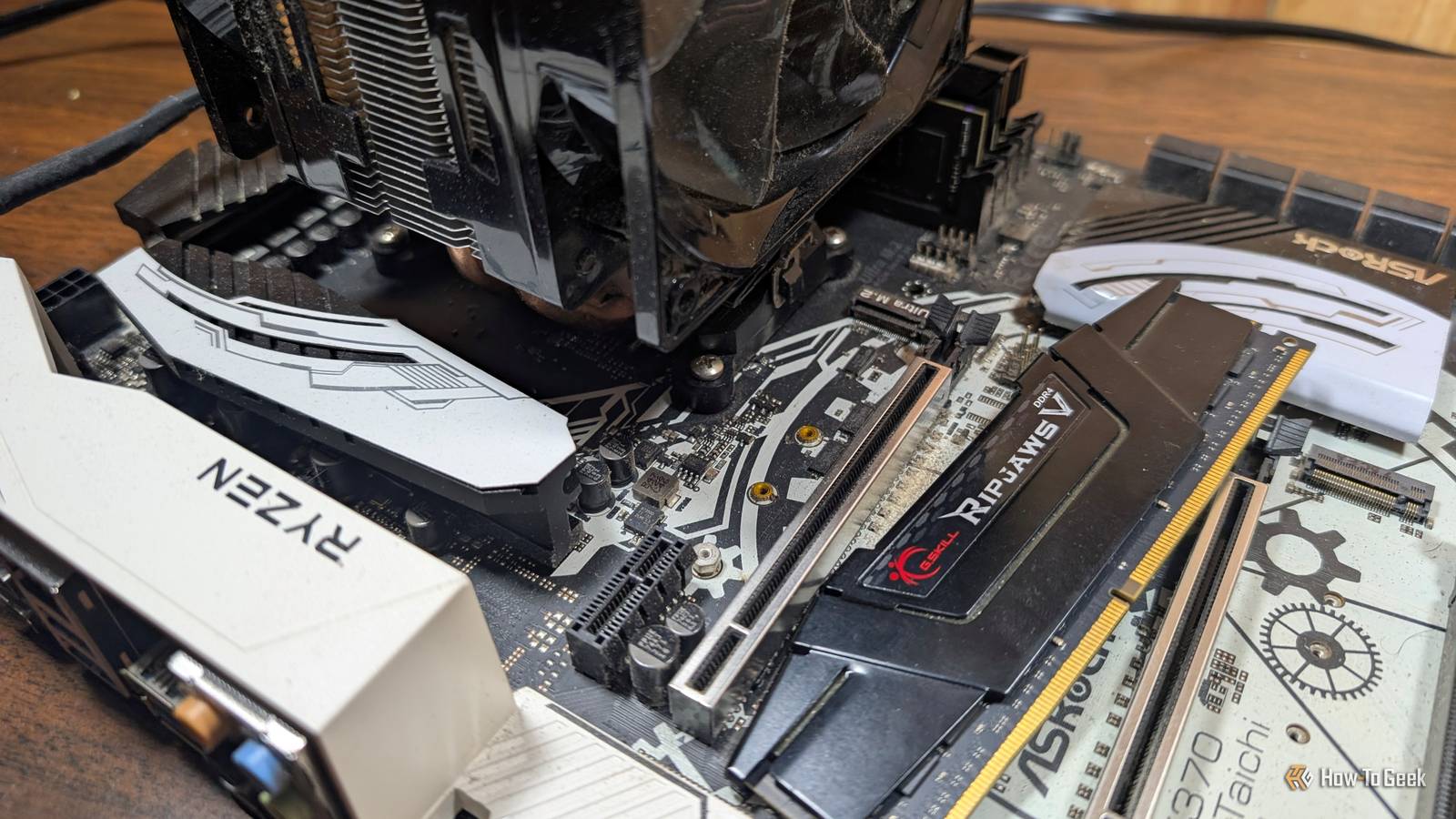
Published Aug 22, 2026, 8:15 AM EDT Nick Lewis is an editor at How-To Geek. He has been using computers for 20 years --- tinkering with everything from the UI to the Windows registry to device firmware. Before How-To Geek, he used Python and C++ as a freelance programmer. In college, Nick made extensive use of Fortran while pursuing a physics degree. Nick's love of tinkering with computers extends beyond work. He has been running video game servers from home for more than 10 years using Windows, Ubuntu, or Raspberry Pi OS. He also uses Proxmox to self-host a variety of services, including a Jellyfin Media Server, an Airsonic music server, a handful of game servers, NextCloud, and two Windows virtual machines. He enjoys DIY projects, especially if they involve technology. He regularly repairs and repurposes old computers and hardware for whatever new project is at hand. He has designed crossovers for homemade speakers all the way from the basic design to the PCB. Nick enjoys the outdoors. When he isn't working on a computer or DIY project, he is most likely to be found camping, backpacking, or canoeing. A NAS is a simple way to add a miniature cloud storage setup to your home network. Most of them are even versatile enough that they can host some basic open-source services as well, like a Navidrome music server or a WireGuard VPN. However, if you have an old PC lying around, you probably don't need to buy a dedicated NAS—you can repurpose the old PC instead. My old gaming PC became a NAS and home server Gaming PCs run circles around NAS hardware Credit: Nick Lewis/How-To Geek My old gaming PC had a six-core Ryzen 5 1600X paired with 48GB of DDR4 memory. To handle the storage, I just kept adding SATA drives on an as-needed basis. Eventually, it reached 24TB (fully redundant). The dedicated GPU (an RTX 3060) is important too. GPUs are great at transcoding media files from one codec to another so they can be played on virtually any device. For example, if you have a video collection and want to play it back on a device that doesn't support the format natively, your GPU can transcode it on the fly so that it'll play back normally. It was also more than enough for some small AI jobs, though the inference speed was a noticeable limit. Software matters immensely The single biggest advantage of off-the-shelf NAS units is the software convenience. You plug them in, turn them on, go through a brief setup, and you're done. In order to be competitive, the software on my home NAS not only needed to be comparably convenient, it needed to offer something extra for the trouble. Rather than install a single OS, I opted to install Proxmox as a hypervisor. That allowed me to run TrueNAS in a virtual machine with access to a ZFS pool. In practice, that part of the setup was basically indistinguishable from a commercial NAS. The real benefit came from the other things I was able to host. Proxmox allows me to fire up a new container or virtual machine in a matter of seconds, so whenever I want to try out a new service, it is usually only a few clicks and an installation script away. I run a Jellyfin server, a Navidrome server, Homepage, Kuma, a few AI services, multiple game servers, and more. No commercial NAS supports the incredible diversity of services you can run via Proxmox, and even if they did, they wouldn't have the power for it. A commercial NAS unit is about convenience Flexibility and power take the back seat Credit: Patrick Campanale / How-To Geek When you look at the specs of a consumer four-bay NAS, you're usually dealing with dual or quad-core embedded chips. Compared to those, a six-core CPU (with twelve threads) feels almost overpowered. RAM is also one area that matters a ton. ZFS uses free memory as a read cache, which means 48GB of RAM provides a massive performance boost and means most services won't be competing for RAM. Most sub-$700 NAS boxes come with only 2–8 GB and rarely support memory upgrades. Additionally, real PCIe slots give you options that commercial NAS units don't offer; you can add an HBA for eight more drives, a 10GbE card for faster networking, or an NVMe adapter. There is also the matter of media. Some of Synology's 2025 Plus models have dropped hardware-accelerated H.264 and HEVC transcoding that earlier generations had. You can also add a GPU to handle that workload too, thanks to the available PCIe slots. How to build your own NAS You can use any parts you have around If you decide to build this, you should start by checking out your old machine. Check if the board has enough SATA ports and ensure the CPU supports virtualization extensions. Make sure your PSU has the necessary connectors and headroom for multiple drives. Install Proxmox to a small, dedicated SSD so that your boot device remains separate from your data. When setting up TrueNAS, pass the storage controller through to the VM, so ZFS can talk directly to the physical disks; using virtual disks can cause issues with SMART data pass-through. Most importantly, set up your backups before adding data—remember that RAID is not a backup. Finally, budget for a UPS. While ZFS handles power loss well, the rest of your virtualized services typically won't. Recycling an old PC gets you more power and more capacity Turning my old PC into a NAS gave me more computational power, more RAM, more room to expand my storage, and more interesting expansion options than any commercial NAS ever could without a proprietary ecosystem.
I built a NAS from a decade-old PC and it still beats a Synology
Full Article
Original Source
Read the full article at Howtogeek →KhanList aggregates and links to publicly available news content. We do not host full articles from third-party sources. Always verify important information with original sources.