
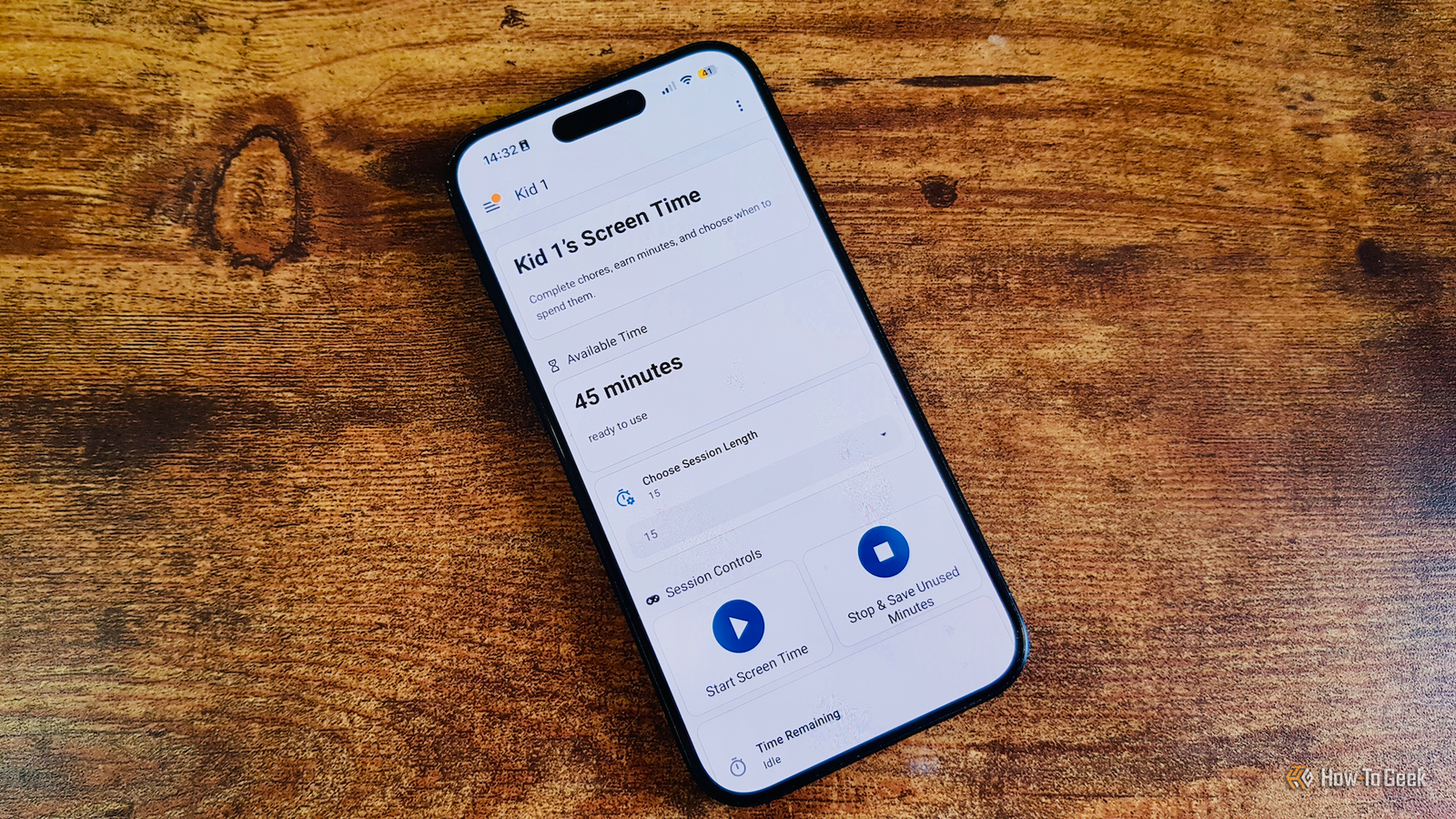
Published Aug 26, 2026, 9:00 AM EDT Adam has a degree in Engineering and has a life-long interest in technology. He has been writing for over a decade for various print and online publications, with a focus on consumer tech. He joined How-To Geek in 2024 while working at Pocket-lint. As well as being a long-term fan of Apple products, he also has a strong interest in smart home tech, running a Home Assistant server at home to automate all his smart home devices. He believes that the ideal smart home should work with minimal interaction from the user, with automations running as if by magic rather than requiring you to push buttons on a control panel. You can find more of his work on Muck Rack. If you have kids, you'll know how too much screen time can seem to affect your kids' mood and behavior. During the school year, limiting their screen time is fairly easy to do as they're not at home for most of the day. During the summer break, the kids are at home a lot more, so I built a chore tracker for my kids that rewards them with screen time. I'd already set up a chore tracker for my kids They could earn stars to cash in for rewards Credit: Adam Davidson/How-To GeekCredit: Adam Davidson/How-To Geek I'd already set up a chore tracking system for my kids in Home Assistant. It uses a now-archived custom integration called KidsChores, which has since been succeeded by ChoreOps, which turns chores into a gamified system. Using dedicated Home Assistant dashboards, the kids can see their daily and weekly chores and mark them as completed. We, as parents, can check that the chore has been completed satisfactorily and then approve it in our own parental dashboard. Completed chores earn the kids stars. They can then cash in these stars for rewards such as "Friday candy" or their allowance. If they misbehave, stars can be removed. The system works well and has really helped to motivate the kids to complete their chores to a good standard. The summer break made limiting screen time a constant battle Screens were a constant temptation Credit: Adam Davidson / How-To Geek The kids are normally limited to an hour of screen time every day. This includes any screen on any device, so if they watch TV for half an hour and play half an hour of Switch, they don't get to use their tablets at all. During the school year, there are only a few hours between getting home from school and going to bed. With some of that time taken up with eating and other activities, an hour of screen time is usually more than enough. During the summer break, however, they can use up their time before the day has barely begun. They then spend the rest of the day begging to be given just a tiny bit more screen time so that they can watch the next episode of their favorite show or play their favorite game. It can lead to a lot of arguments as we try to force them to do more productive things or to go and make the most of the sunshine. Having the same conversations day after day soon became draining. The kids couldn't see why they couldn't have just a tiny bit more screen time, but we knew that as soon as they were allowed some more, the problem would switch to trying to get them to stop. I recreated my chore tracker so that the kids could earn screen time Completed chores add additional minutes That's when I came up with a compromise solution. The kids could earn a small amount of additional screen time by completing chores. Since they didn't want to lose out on their Friday candy or allowance, we agreed that they could do additional chores around the house to earn more stars than usual. They could then cash in these extra stars for additional minutes of screen time. The kids thought it was a great idea as it meant they got what they wanted, but it worked for us too as it meant the kids would do more around the house during the summer break. I just needed a way to set it up that wouldn't lead to arguments or accusations of us being unfair. What I needed was to find a way to automate the process so that the kids could choose when to use their earned screen time. The automation could then handle disabling their access once they'd used up their earned minutes. Cashing in time unlocks devices The internet is blocked once the time runs out Credit: Adam Davidson / How-To Geek I'd already set up Pi-hole to block DNS requests from my kids' devices and could turn this on and off from a switch in Home Assistant. Blocking access to the Switch was possible with the Nintendo Switch Parental Controls integration, and the TV could be controlled with a simple smart plug. While the kids could easily bypass the smart plug, I set up an automation to alert me if the plug was turned on when it shouldn't be or became unavailable, so I could catch them in the act. Now, the kids can cash in stars for screen time and then start their screen time from their dashboard. This instantly enables access to their devices, which is disabled again once their allotted time is up. At any point, they can choose to stop using their minutes, at which point devices are blocked, and their remaining minutes are saved to use later. It works really well. The kids can only earn a maximum of 45 minutes of extra screen time, and to earn it all they need to complete a lot of additional chores. It's a win for everyone. Fight tech with tech Too much screen time isn't good, but I've managed to find a way to use technology to limit my kids' access to technology. It's stopped all the arguments, and our house has never looked so good.
I built a chore-tracking dashboard for my kids that pays out in screen time, not allowance
Full Article
Original Source
Read the full article at Howtogeek →KhanList aggregates and links to publicly available news content. We do not host full articles from third-party sources. Always verify important information with original sources.