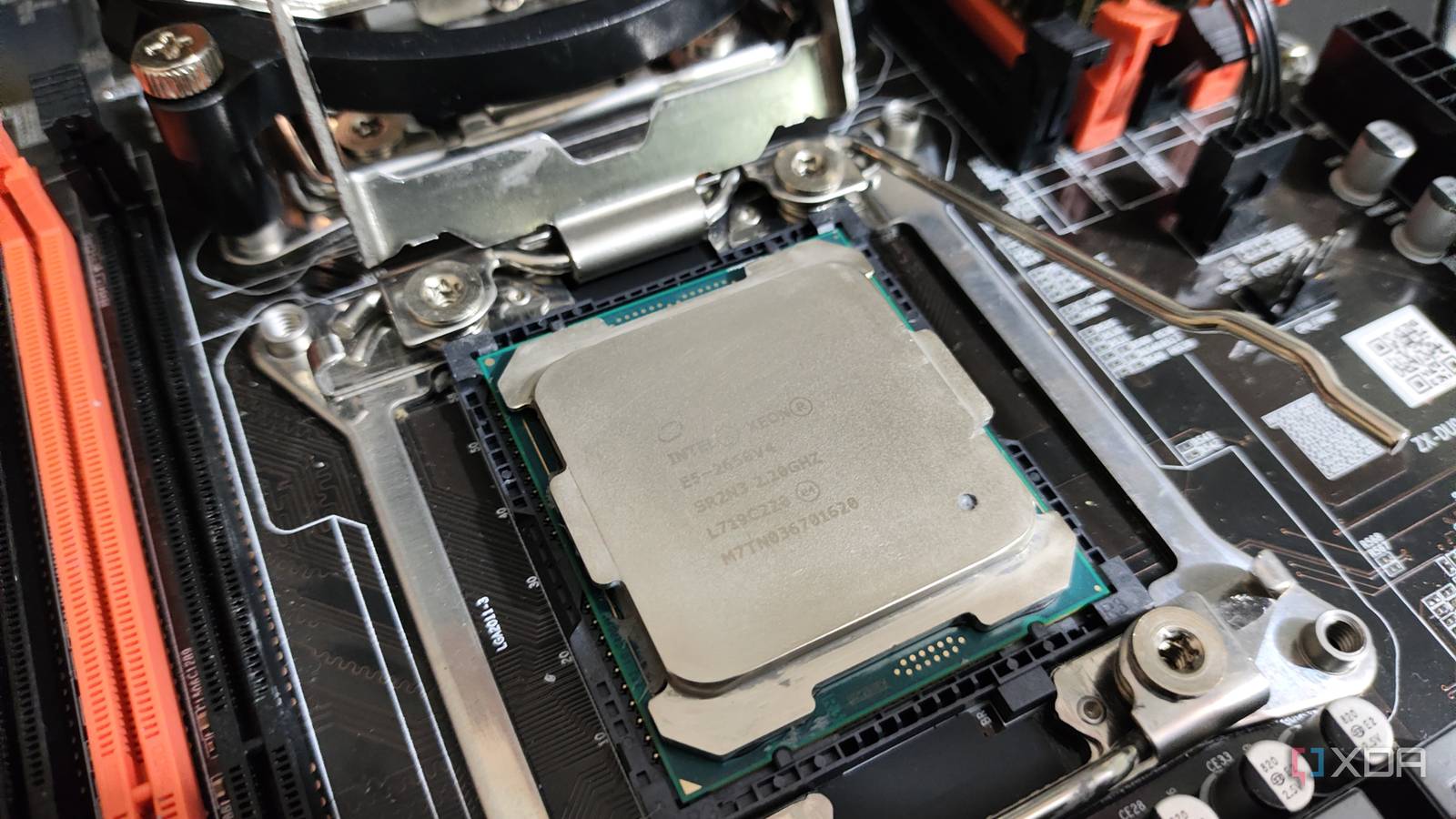
Published Aug 6, 2026, 7:00 PM EDT Ayush Pande is a PC hardware and gaming writer. When he's not working on a new article, you can find him with his head stuck inside a PC or tinkering with a server operating system. Besides computing, his interests include spending hours in long RPGs, yelling at his friends in co-op games, and practicing guitar. Having built my first home server using components cobbled together from older builds, I realized fairly quickly that an experimental workstation doesn’t need cutting-edge specs to drive my virtualization projects. As time went on, I started grabbing outdated machines from flea markets, and with a little coat of Proxmox, they became reliable nodes for my home lab, self-hosting, and DevOps experiments. My dual-Xeon workstation is one such system, as I got this relic of a server from 2016 for less than $150, with the overall investment being $350 once you include the power supply, E-ATX case, and (pre-RAM apocalypse) DDR4 memory kits I’d bought for it. While I consider it a solid bargain, I failed to realize how much this system would end up costing me after I tried running it 24/7 with minimal power optimizations for the first couple of weeks. On paper, outdated server hardware is a gold mine for home lab projects Especially with the RAM prices making modern hardware impossible to purchase Let me start with the perks of reusing old server-tier hardware. Besides giving me the satisfaction of owning a Xeon and saving a cool system from ending up in a landfill, there’s no doubt that these workstations can crush DIY home lab projects. My specific node has two Xeon E5-2650 v4 CPUs, which are extremely outdated in this day and age. That said, its LXC and VM-hosting prowess remains unrivaled by even my current gaming PC. To put into perspective, I had 24 physical cores (and, by extension, 48 v-cores) at my disposal, and I still haven’t seen this number go past the 60% mark even when I bulk-start dozens of virtual guests. On the RAM front, my old Xeon system is only one of two workstations that support ECC memory, and since I’d already bought 64GB worth of RAM sticks, my server projects chug along nicely on this machine, including full-on Windows 11 VMs with nested passthrough provisions for my WSL misadventures involving custom PowerShell scripts. Speaking of Windows 11, this dual-Xeon workstation can even run modern titles. Of course, the abysmally low single-core performance, slow RAM sticks, and extra overhead involved with using two CPU sockets can bottleneck bulkier graphics cards, especially if you’re planning to game at high refresh rates at lower resolutions. As such, I wouldn’t recommend using such a setup for e-sports and competitive multiplayer titles where even a single frame can spell the difference between victory and defeat. But considering the price of this system, I wouldn’t be against using it for simple 1080p (and even 1440p) gaming if all my gaming-centric systems were to die out and all I had was this workstation and a spare graphics card. Combine all that with the extra SATA bays, RAM slots, and PCIe sockets, and you can see why I was extremely enthusiastic after buying my Xeon workstation for dirt-cheap prices… all the way until I received my first electricity bill. Proxmox Proxmox is an open-source platform built on Debian Linux designed for server virtualization. Unfortunately, used server rigs tend to be massive energy hogs Even with a lot of tweaks, their idle wattages can break past the 100W mark Before I’d purchased my Xeon system, I was aware of all the infamy surrounding their power consumption statistics. However, the cheap price tag made me throw caution to the wind, and after turning down all the CPU clock speed settings in the BIOS, I decided to run it 24/7… a decision that I later came to regret. Even leaving the Intel Arc A750 I’d plugged into the system for LXC passthrough shenanigans aside for a minute, this workstation had such terrible power efficiency that my electricity bill had jumped to nearly nine times its usual amount, which is already insane considering I live in a backwater town with really cheap energy rates. I recently tried running some energy-related benchmarks on the dual-Xeon workstation just to see how well it fares when compared to a modern server. Well, even after some more BIOS tweaks, my system would pull 170W in idle wattage, and this number would go up significantly when I started running more virtual guests. Once I unplugged the GPU and configured Proxmox to use the powersave CPU governor profile, these numbers dropped to 120W, with 135W being the upper end of the spikes during the idle state. In contrast, modern systems with embedded CPUs can idle in the 20–30W range, and that’s just high-end mini-PC and NAS units. On the budget-friendly front, cheap NUC-tier systems can pull under 15W when left idle. Getting replacement components for server-grade hardware can be a challenge Another annoying quirk that I haven’t seen many tinkerers mention is that buying replacement parts for used enterprise systems isn’t as easy or cheap as you might think. Motherboards compatible with certain Xeon processors, in particular, can be a royal pain to find. Sure, you might not have too much trouble replacing a component or two if you manage to grab the same system at dirt-cheap prices from a reseller. But if you end up needing a motherboard that’s sold separately, you might have a hard time finding something that works with your old machine, especially considering no-name brands have close to zero documentation available online. To Xeon or not to Xeon Don’t get me wrong: I wouldn’t suggest ditching old server rigs altogether, as they have plenty of merits for home server tasks. Replacing a server with something like i5-1235U wouldn’t be feasible if you work on wild virtualization experiments. Likewise, if your region has cheap electricity rates and you just can’t find modern PC components, grabbing an outdated enterprise-tier system and repurposing it into a VM-hosting battestation might not be such a bad idea – provided you enable all sorts of power-saving features. However, I’d really recommend doing your research before you pick one up. Personally, I tend to leave my dual-Xeon beast powered off most of the time, and only turn it back on every few days when I need to work on a particularly demanding project where the rest of my home lab nodes would prove to be inadequate. And for simple self-hosting workstations involving lightweight FOSS containers, I’d definitely not keep my Xeon warmachine plugged in 24/7.
I bought cheap server hardware for my home lab, and the electricity bill taught me an expensive lesson
Full Article
Original Source
Read the full article at Xda-developers →KhanList aggregates and links to publicly available news content. We do not host full articles from third-party sources. Always verify important information with original sources.