
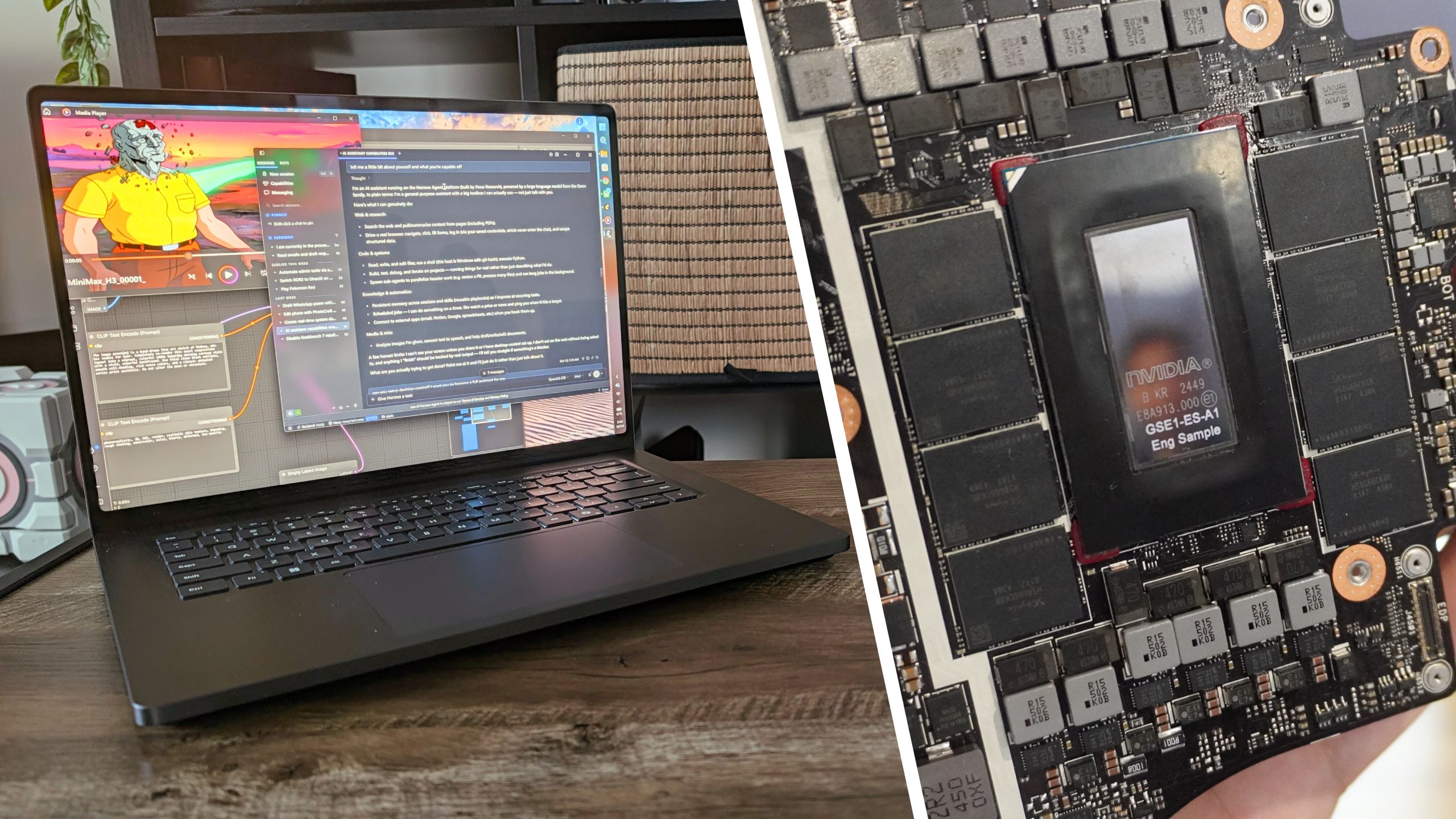
(Image credit: Future) The embargo has lifted on Nvidia's RTX Spark platform, and the internet is currently doing what it always does: arguing over spreadsheet math. I've done something different with my diary of a first week living with Spark, but I've been busy benchmarking too!For months, the tech industry (myself included) hyped up this Arm-based Grace CPU and Blackwell RTX GPU combo as the ultimate "MacBook Pro killer." Reviewers (also like me) have spent the past seven days squinting at Geekbench scores to see if Nvidia finally dethroned Apple's M-series silicon.Let me save you some time: it didn't.But judging RTX Spark purely by its single-core CPU speeds is like judging a Ferrari by its cup holders. And after a week of stress-testing the Microsoft Surface Laptop Ultra with Spark — running every synthetic and real-world test we can throw at it — it's clear that this is so much more.Those numbers tell a very different, far more complicated story. Let me explain.Where to buy RTX Spark laptopsMS Surface Laptop Ultra: $2,599 @ MS StoreHP OmniBook X AI 14: $2,999 @ HPHP OmniBook Ultra AI 16 OLED: $3,199 @ Best BuyLenovo Pro 9n: $2,999 @ LenovoLenovo Yoga 9n 2-in-1: $2,999 @ LenovoMSI Prestige N16 Flip AI+ OLED 2-in-1: preorder for $3,299 @ MSIDell XPS 16: $3,799 @ Best BuyAsus ProArt P14: $6,499 @ AsusAsus ProArt P16: $4,499 @ AsusCPU reality check: Apple is still king, but other Windows laptops don't stand a chance (Image credit: Future)So let's start with the first benchmark everybody goes to. If you were hoping Nvidia's Arm-based Grace CPU was going to embarrass the M5 Pro, you need to adjust your expectations.Given how long it took to make this, it's fair to say this was the main bit I felt nervous about. In short, not terrible, but underwhelming.Get instant access to breaking news, the hottest reviews, great deals and helpful tips. Swipe to scroll horizontally Chip Geekbench 7 single-core Geekbench 7 multi-core Nvidia RTX Spark (20-core CPU) 2604 23610 Apple M5 Pro 3690 29659 Qualcomm Snapdragon X2 Elite Extreme 3214 23645 AMD Ryzen AI Max 395+ 2407 20856 Intel Core Ultra x9 388H 2574 17223 That being said, this was one of the first chances I had to test Nvidia's claims of getting the same performance on and off the charger.Now I know there's a difference maker in here — Windows power settings. Putting it to best efficiency will probably starve the chip of power to match it. With that in mind, I've just done the test in both this mode and best performance to see what I get. Swipe to scroll horizontally Geekbench 7 test Plugged in Unplugged (best performance) Unplugged (best efficiency) Single-core 2604 2663 1938 Multi-core 26310 23486 18860 Certainly a surprise to see it gain a few points when unplugged, but this falls within the window of variability in the test results I've been getting. So the answer is a resounding "yes," provided you slap on best performance. (Image credit: Future)To dig deeper into that multi-core performance, I went to Handbrake. One of the tests we run across all systems is transcoding a copy of Tears of Steel from 4K down to 1080p. This is a solid real-world test of video encoding and real-world multi-core processing. Swipe to scroll horizontally Chip Handbrake transcoding time (mm:ss) RTX Spark 02:01 AMD Ryzen AI Max 395+ 02:38 Apple M5 Pro 01:45 Snapdragon X2 Elite Extreme 02:07 Intel Core Ultra X9 04:22 As you can see, it clearly leads the way in Windows laptops (Intel caught napping there), but Apple silicon reigns as champ.The GPU flex: Comparable to an RTX 5070 laptop (Image credit: Future)Gaming is where Nvidia gets its lick back against the competition. It has a massive Blackwell RTX GPU in it, after all, and when you look at the 3DMark numbers, it matches up to something you’d see in an RTX 5070 gaming laptop — even when tasked with x86 emulation in some of these tests. Swipe to scroll horizontally 3DMark test Nvidia RTX Spark (6144-core GPU) Apple M5 Pro AMD Ryzen AI Max 395+ Intel Core Ultra X9 Fire Strike Ultra (x64) 7492 n/a 6050 3555 Time Spy Extreme (x64) 6060 n/a 4689 3226 Steel Nomad 2912 2335 1895 1483 Solar Bay Extreme 10594 9108 6047 4015 And to check it's not just the CPU getting that same performance on and off the charger... Swipe to scroll horizontally 3DMark test Plugged in Unplugged (Best performance) Fire Strike Ultra (x64) 7492 7970 Time Spy Extreme (x64) 6060 5897 Steel Nomad 2912 3160 Solar Bay Extreme 10594 10900 Once again, same performance on and off the battery. This is consistent with what Nvidia's been telling us, and it's one of the features gatekept by Apple MacBooks that is now in the hands of Windows users!Now, let's get into the games.Forza Horizon 6 (Image credit: Future)Forza Horizon 6 is one of my favorite racing games of the past decade, so it only makes sense I start here. Let's max it without DLSS tech and see what we get. Swipe to scroll horizontally Forza Horizon 6 Extreme + RT 1440p FPS 1% lows Average Frametime 29.28 FPS 15.17 FPS 34.15ms Bear in mind this is a stress test of epic proportions, but you can see how it struggles. That 1% low is a good indicator of the consistency of the frame rate, which is highly volatile here.Interestingly, as I tried this push to Extreme + RT settings, I noticed some rubberbanding in the gameplay — probably down to the CPU having to work overtime translating the x86 code of the game while also sending the instructions to the GPU.You can see that as Frametime spikes can be seen anywhere from 60ms up to 140ms. The game feels sluggish.But now let's hone it. Thinking about this like an RTX 5070 laptop, I'll drop it down to Ultra + RT (same resolution) and stick with DLSS 4.5 set to auto with dynamic frame generation. Swipe to scroll horizontally Forza Horizon 6 Ultra + RT 1440p + DLSS 4.5 dynamic frame gen FPS 1% lows Average Frametime 72.82 FPS 25.89 FPS 13.73ms Immediately, this feels so much better to play! There are still some latency spikes here and there, but none that are hardly noticeable.Also interesting to note, the temperatures on the GPU dropped too by one degree (71 C in the first run, and 70C in the second).And the cherry on top — here's performance on battery. Swipe to scroll horizontally Forza Horizon 6 Ultra + RT 1440p + DLSS 4.5 dynamic frame gen (UNPLUGGED) FPS 1% lows Average Frametime 71.06 FPS 25.26 FPS 14.07ms Yep, same performance on and off the charger here!Cyberpunk 2077 (Image credit: CD Projekt Red)Listen up, choombas! It wouldn't be an Nvidia laptop test if we didn't touch on Cyberpunk 2077. For context on this one, I'm gonna compare it against gaming laptops with different GPUs, so you can see where it lands. Swipe to scroll horizontally GPU Cyberpunk 2077 (1080p Extreme + RT NO DLSS) Cyberpunk 2077 (1080p Extreme + RT DLSS) RTX Spark 39 FPS 80 FPS RTX 5060 14 FPS 31 FPS RTX 5070 35 FPS 81 FPS RTX 5090 89 FPS 182 FPS And if you're curious, I got 38.9 FPS when unplugged (basically 39).Black Myth: Wukong (Image credit: GameScience)Is this a safe space? ...I'm really not a fan of Black Myth: Wukong.OK, I get it! I can appreciate the craft of it, and I get why people love it. I've just never got on with it. That being said, I did benchmarks for this too. Swipe to scroll horizontally GPU Black Myth: Wukong (1080p Cinematic NO DLSS) RTX Spark 36 FPS RTX 5060 24 FPS RTX 5070 30 FPS RTX 5090 65 FPS ...you spotting a pattern? This maxed-out RTX Spark is lining up pretty much neck-and-neck with the RTX 5070, while also running cooler and more efficiently. Nifty!Gears of War: E-Day (Image credit: Microsoft Game Studios)This came out recently, and I saw it being played at the Surface Laptop Ultra event in San Francisco, so of course I had to push it further here.This is running at 2180x1453 Ultra settings with DLSS 4.5 Dynamic and RTX Mega Geometry turned on. Swipe to scroll horizontally FPS 1% lows Average Frametime 123 FPS 28.01 FPS 8.13 ms Some observations here — this is clearly a scalable engine on PC that can run fast here. But there were some micro-stutters when I pushed it to the bleeding edge.That being said, the average frame time and response to controller inputs meant this all felt smooth with virtually zero latency.Creative apps is where RTX Spark starts to shine (Image credit: Tom's Guide)There are several ways to test creative performance, so I'll dive into them one by one. PugetBench is a good way of seeing how a laptop will fare in your standard creative prosumer workload across Photoshop and Premiere Pro. Here's how RTX Spark fared in my testing. Swipe to scroll horizontally Chip Photoshop PugetBench score Premiere Pro PugetBench score RTX Spark 11762 87098 M5 Pro 15204 105580 AMD Ryzen AI Max+ 395 11077 52945 Intel Core Ultra x9 388H 8823 51726 The finely-tuned cores of the M5 Pro take the win here, but RTX Spark does take a leap ahead of its Windows competition in creator performance.Let's get to Cinebench (Image credit: Future)Unfortunately, there isn't any GPU testing available here yet (the OptiX driver for the chip isn't there), so this is a straight CPU comparison. Swipe to scroll horizontally Cinebench test Result Multi-core CPU 6710 Single-core CPU 552 These numbers put it ahead of Intel, AMD, and Qualcomm's latest flagships, but Apple M5 Pro (again) comes out on top. It's the best of the Windows bunch.AI performance is where RTX Spark takes the lead (Image credit: Tom's Guide)To put some numbers to Nvidia's advantage here, I ran it through UL Procyon AI benchmarks. Swipe to scroll horizontally RTX Spark AI test Benchmark Time to first token Tokens per second Phi 3.5 text generation 0.28s 74.4 Mistral 7B text generation 0.49s 54.2 Llama 3.1 text generation 0.44s 50.9 Llama 2 text generation 0.95s 27.8 This isn't a test that has been normally run on other laptops in the Tom's Guide lab, so I've had to ask around my friends/fellow nerds for insights on this.In their experience, RTX Spark seems to be surpassing the M5 Pro's AI prowess, exceeding the capabilities of AMD Ryzen AI Max+ and blowing past Intel Core Ultra X9. Once I can do these tests myself, I'll do a follow-up.Also, for what it's worth, here's the comparison to my RTX 5060 Ti 16GB desktop GPU. Swipe to scroll horizontally Chip Phi 3.5 Llama 3.1 8B RTX Spark laptop chip 2631 2173 RTX 5060 Ti 16GB desktop GPU 3084 2642 A reduction is always expected between the raw wattage of desktop parts and a laptop chip, but the Spark does get impressively close.Battery life is a mixed bag (Image credit: Future)So what about stamina? Nvidia promised all-day battery life, and technically that’s true. But it doesn’t come close to the efficiency king of Apple’s MacBook Pro. Swipe to scroll horizontally Chip (laptop) Web browsing battery life test result (hh:mm) RTX Spark (Microsoft Surface Laptop Ultra) 10:15 M5 Pro (16-inch MacBook Pro) 21:25 Snapdragon X2 Elite (Zenbook A16) 10:26 Intel Core Ultra X9 (Asus Zenbook Duo one screen) 14:23 AMD Ryzen AI Max 395+ (ProArt Go Pro Edition PX13) 11:12 When it comes to gaming or running local AI at full pelt, this falls in line with what you’d expect from an RTX gaming laptop (our gaming test result got one hour and thirty-eight minutes) — give or take about 20-30 minutes depending on how much power the internals soak up. (Image credit: Future)Meanwhile, if you're expecting that same all-day battery life claim to extend to gaming, that's not the case. You do indeed get more stamina than your average gaming laptop, but not by much. Swipe to scroll horizontally Chip/laptop PCMark 10 gaming battery life test results (hh:mm) RTX Spark (Surface Laptop Ultra) 01:38 RTX 5060 (Lenovo LOQ Essential 15) 00:58 RTX 5070 (HP HyperX Omen 15) 01:13 RTX 5090 (HP HyperX Omen Max 16) 01:08 Who should buy RTX Spark, and who should buy a gaming laptop? (Image credit: Future)That battery equivalency does raise another question — who is RTX Spark for?Because for all intents and purposes, an RTX 50-series gaming laptop could do a lot of this workload, whether it’s gaming, creative work, or some of the local AI stuff. And depending on how efficient that gaming laptop can run, you could get a similar battery life.The real differentiator comes in that unified memory. With there being two pools of memory between the RAM and the GPU’s VRAM in a gaming laptop, it’s not as efficient as having one giant tub of it that can be divided depending on job priority.That means on RTX Spark, you can run vastly larger local AI models, and larger projects in the likes of Blender than you could elsewhere. This is definitely for the prosumer market. Follow Tom's Guide on Google News and add us as a preferred source to get our up-to-date news, analysis, and reviews in your feeds. More from Tom's GuideI didn’t believe an Nvidia RTX Spark laptop would have the same performance both on and off the charger — so I put it to the testForget RTX Spark: The Surface Laptop Ultra’s magnetic USB-C charger is a game-changer that makes Apple’s MagSafe look obsoleteI just tested Windows 11 26H2 — here’s how to update now and why Microsoft finally fixed the two worst things about Windows 11 Jason brings a decade of tech and gaming journalism experience to his role as a Managing Editor of Computing at Tom's Guide. He has previously written for Laptop Mag, Tom's Hardware, Kotaku, Stuff and BBC Science Focus. In his spare time, you'll find Jason looking for good dogs to pet or thinking about eating pizza if he isn't already.
I benchmarked Nvidia's RTX Spark: Apple wins the CPU war, but Nvidia's GPU just broke my testing charts
Full Article
Original Source
Read the full article at Tomsguide →KhanList aggregates and links to publicly available news content. We do not host full articles from third-party sources. Always verify important information with original sources.