
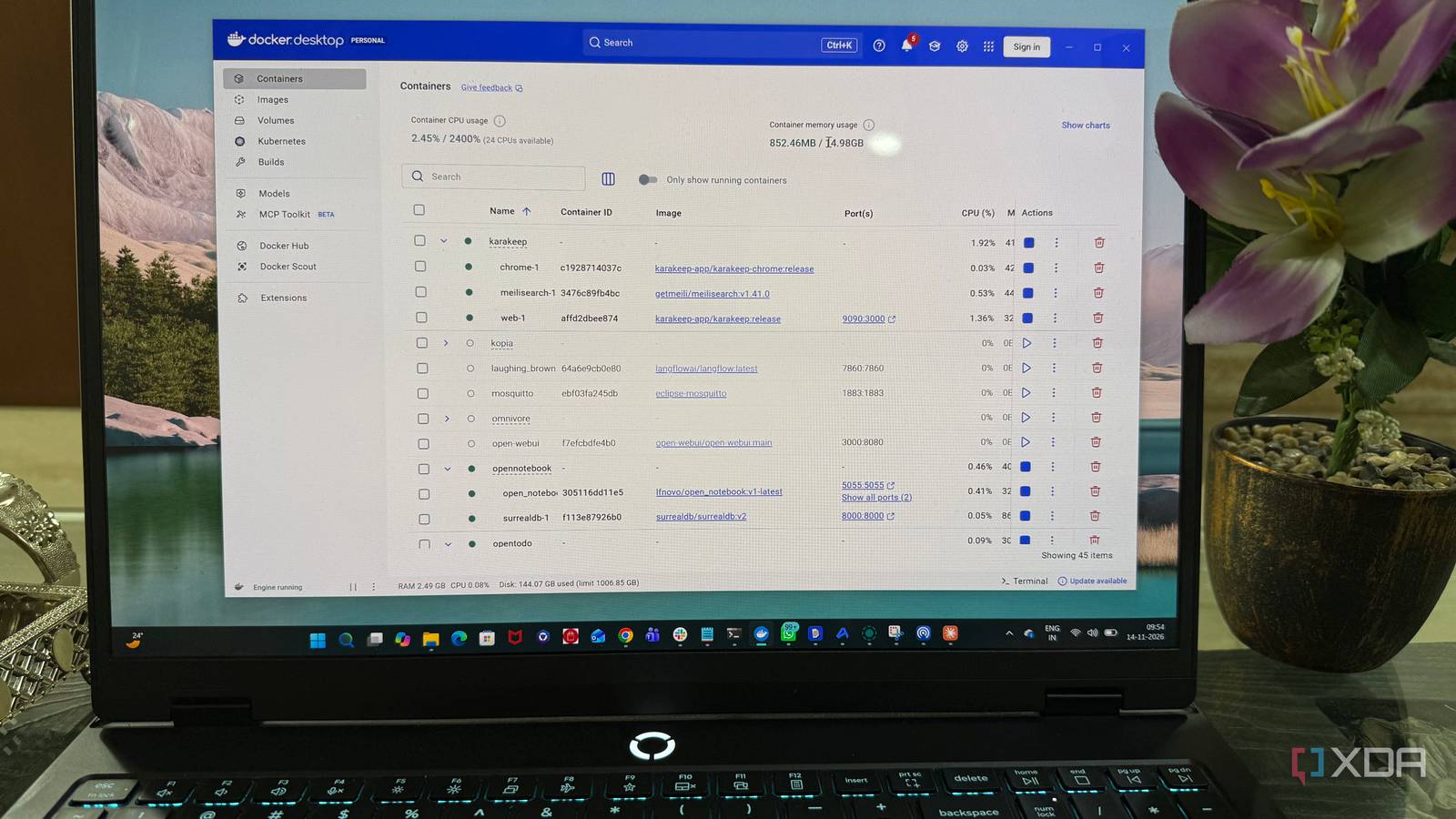
Published Nov 15, 2026, 7:30 AM EST Beginning his professional journey in the tech industry in 2018, Yash spent over three years as a Software Engineer. After that, he shifted his focus to empowering readers through informative and engaging content on his tech blog – DiGiTAL BiRYANi. He has also published tech articles for MakeTechEasier. He loves to explore new tech gadgets and platforms. When he is not writing, you’ll find him exploring food. He is known as Digital Chef Yash among his readers because of his love for Technology and Food. Self-hosting often gets a reputation for being complicated, expensive, and better suited to tech enthusiasts than regular users. I had similar reservations before giving it a proper try. Over time, though, my experience turned out quite differently from what I expected. Some assumptions were based on outdated ideas, while others came from not knowing what modern self-hosted tools could offer. Here are five common myths I believed before exploring this side of technology myself. You need expensive hardware to self-host anything Better hardware helps, but isn't essential One of my biggest misconceptions about self-hosting was that I needed a powerful server with plenty of RAM, storage, and processing power. I assumed an ordinary desktop or laptop wouldn't be enough to run multiple services smoothly. But that wasn't entirely true. I started my self-hosting journey on an old PC with just 8GB of RAM, integrated graphics, and a Ryzen 5 processor. It wasn't particularly powerful, but I managed to run several self-hosted applications on it and even turned it into a file server for my family. It handled our everyday needs without requiring me to invest in dedicated server hardware. Today, I have a much more powerful machine with 32GB of RAM and an Nvidia RTX 5070 GPU. Having better hardware certainly makes it easier to run multiple services and experiment with more demanding applications. However, that doesn't mean you need similar specifications to get started. It all depends on what you plan to host. Even an older PC can handle several useful self-hosted services just fine. Installing self-hosted applications requires advanced Linux knowledge Docker took the pain out of installations The thought of working with Linux commands, configuring servers, and troubleshooting installations made me hesitate before getting into self-hosting. That assumption changed after discovering Docker. Docker Desktop made the process much more approachable, especially on Windows. Most applications I experimented with came with ready-to-use Docker Compose configurations. For example, setting up Paperless-ngx was as simple as downloading its Docker Compose file, adjusting a few folder paths and environment variables, and running docker compose up -d in the terminal. Docker handled pulling the required images and starting the containers. There was still a learning curve, particularly when something didn't work as expected, but the basics weren't nearly as complicated as I had imagined. Understanding a handful of commands and knowing where to look when errors appeared was enough to get most installations running. Advanced Linux knowledge wasn't a prerequisite after all. Self-hosted applications are always inferior to their cloud counterparts Not every great app needs the cloud I used to think free, self-hosted alternatives always came with compromises, whether it was a dated interface, missing features, or a clunky user experience. But some applications genuinely changed my mind. Immich, for example, offers a surprisingly polished way to manage and browse my photo library, much like Google Photos. BentoPDF was another pleasant surprise. Even compared with paid PDF suites like Adobe Acrobat, BentoPDF has been a better fit for the PDF tasks I handle regularly. Its clean interface, useful tools, and straightforward workflow make it hard to justify paying for features I rarely use. These aren't just basic alternatives with limited functionality. Many self-hosted applications offer polished interfaces and features that are more than enough for everyday use. Not every alternative will replace a cloud service, but assuming they're all inferior is simply wrong. You have to maintain your server constantly I didn't have to babysit my server Another thing that made self-hosting seem intimidating was the thought of constantly babysitting my server. I imagined having to check it every day, fix issues, and manually restart services to keep everything running. Once everything is running smoothly, though, most applications can run in the background for days or even weeks without needing my attention. Docker makes managing running containers fairly straightforward, and restarting a service when something goes wrong usually takes just a simple command. I do spend some time checking for application updates, reviewing storage usage, and making sure everything is running as expected, but these aren't daily chores. Occasional issues are unavoidable, and ignoring your setup completely isn't a good idea. Still, maintaining a small collection of self-hosted services takes far less time than I initially expected. Self-hosting automatically makes your data more secure Privacy and security aren't the same thing I initially associated self-hosting with better privacy, but there's a difference between controlling your data and securing it. Having my data stored on my own server doesn't automatically make it safe. Unlike established cloud services, I'm responsible for securing my own environment. That means using strong passwords, enabling authentication, restricting access to sensitive services, and avoiding unnecessary exposure to the internet. Backups are equally important because a hardware failure or accidental deletion can wipe out important files if there's no recovery plan. Tools like Kopia make this easier by creating encrypted, incremental backups that you can store locally, on a network drive, or in cloud storage. Having a reliable backup routine gives me a safety net if something goes wrong and helps prevent important files from being lost permanently. Over time, I've learned that privacy and security aren't automatic benefits of running your own server; they depend on how carefully you configure and manage it. Self-hosting is easier when you know what to expect Self-hosting isn't as complicated or demanding as I once believed. It still takes some patience to get things right, but the experience becomes much easier once you understand the basics. You don't need to build a perfect home server from day one or host dozens of applications. Start small, experiment with tools that solve real problems, and learn as you go. You might be surprised by how much you can do with the hardware and skills you already have.
I believed these self-hosting myths until I tried it myself
Full Article
Original Source
Read the full article at Xda-developers →KhanList aggregates and links to publicly available news content. We do not host full articles from third-party sources. Always verify important information with original sources.