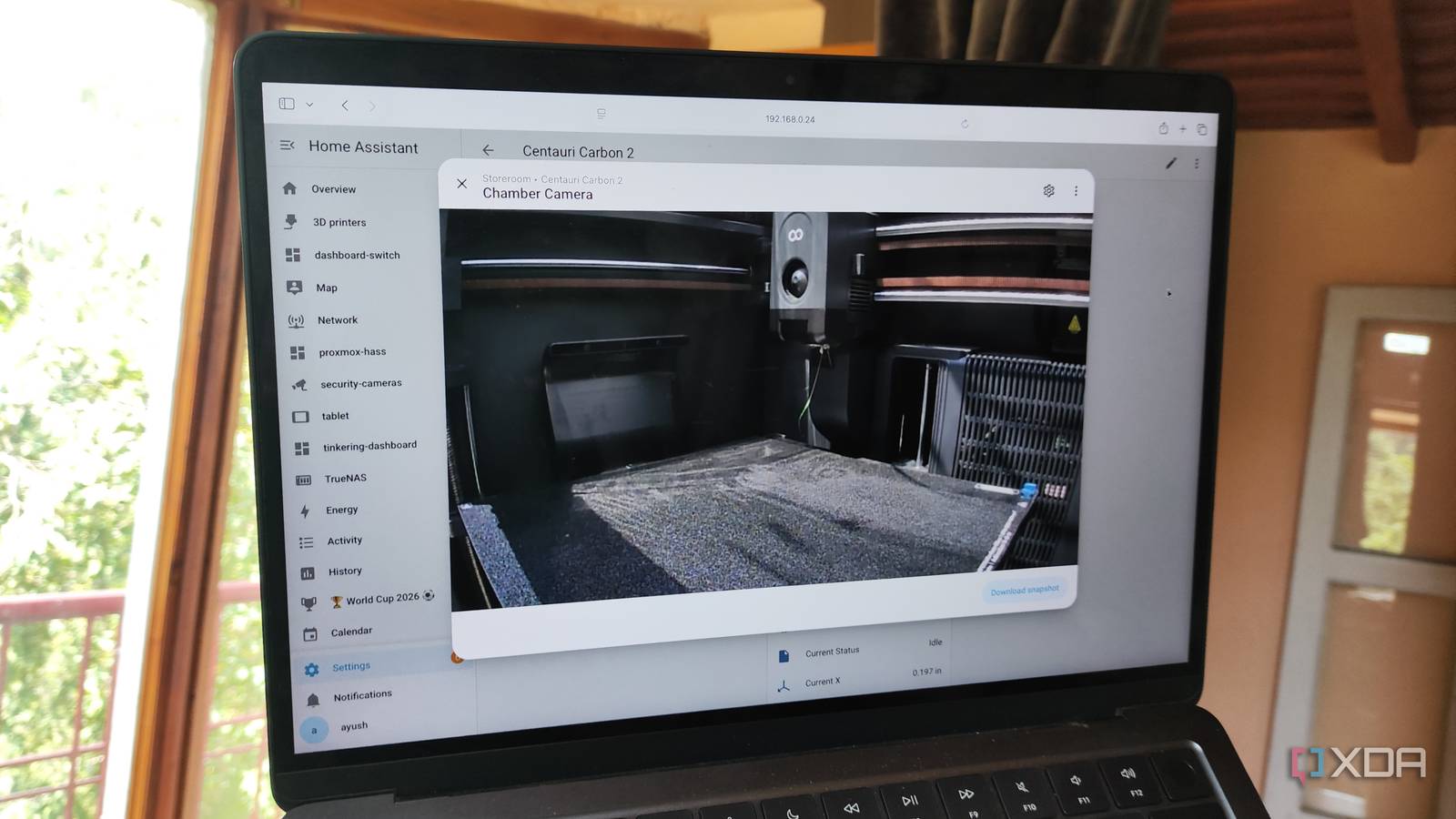
Published Jul 24, 2026, 2:00 PM EDT Ayush Pande is a PC hardware and gaming writer. When he's not working on a new article, you can find him with his head stuck inside a PC or tinkering with a server operating system. Besides computing, his interests include spending hours in long RPGs, yelling at his friends in co-op games, and practicing guitar. Although I got into Home Assistant just to manage my smart gizmos, it has quietly evolved into an automation-heavy platform that’s currently connected to everything from my home server and NAS units to random self-hosted services. After all, HASS already has a neat collection of integrations that let me hook it up to several tools and systems that don’t fit the IoT moniker, with the Home Assistant Community Store boosting this number even more. Take the 3D printer workflows I’ve created for Home Assistant, for example. Sure, I can use the proprietary apps to remotely monitor their prints and manage some nozzle and heatbed settings, but connecting them with Home Assistant via a community-created integration helped me automate their operations and bring a local LLM-powered surveillance pipeline to the mix. I connected my 3D printers with Home Assistant via an HACS integration That said, it requires a workaround on my Centauri Carbon 2 Before I talk about my Home Assistant automations, let me quickly go over the integration I used for this project. Since HASS doesn’t natively support the Elegoo printers in my arsenal, I went with the elegoo-homeassistant package by genius developer danielcherubini. Setting it up is fairly simple on most Elegoo printers, including the first-gen Centauri Carbon. Unfortunately, the CC2 doesn’t natively support the HASS integration, and it’s not for some sketchy reason like Bambu Lab’s recent offerings, either. You see, the Centauri Carbon 2 runs its own MQTT broker, which doesn’t mesh well with this integration, and since this community repo doesn’t support OAuth2 authentication or other Elegoo relay services, cloud mode is out of the picture as well. Setting the printer to local-only mode and using the security code generated by the CC2 serves as a workaround for this compatibility problem. Although I still get firmware updates on my local-only Centauri Carbon 2, the biggest caveat is that I can’t use cloud-based monitoring tools to keep tabs on my printing tasks. But as it turns out, combining the Home Assistant Companion app with Tailscale is all I need to keep a watchful eye on my CC2, as danielcherubini’s integration can pull dozens of entities into my HASS hub. Speaking of entities… I’ve designed several QoL automations for my Centauri Carbon 3D printers And a spare dashboard lets me keep tabs on their essential stats Since my Home Assistant server can track practically every metric during my print tasks, I’ve created a dashboard just so I can have everything in a neat UI – one that features Bubble Card elements to make my CC1 and CC2 monitoring entities look good even on a mobile UI. I’ve also added the temperature and speed toggles on this dashboard, so I can manually tweak them per my printing needs. I also love how the integration can pull the camera feed from my 3D printers as though there were any ol’ surveillance cameras. Likewise, the fact that integration can pull print status, error reason, and task IDs helps me get started on my troubleshooting tasks as soon as I get an automated notification. And as you may have guessed, the real utility of this setup lies in the cool (and somewhat wacky) automations I’ve designed with Home Assistant’s trigger action rules. For example, getting a notification on my kiosk tablet about successful (or failed) prints is as simple as adding the print status as the trigger and choosing Send a notification as the corresponding action for my HASS Companion App. Heck, I use smart plugs with my 3D printers, and with Home Assistant supporting automations with multiple devices, I’ve configured workflows to cut power to my CC1 and CC2 systems if they remain idle for more than 15 minutes. I’ve also exposed my 3D printers to my voice assistant And yes, it's completely local! A few weeks ago, I decided to tinker with the assistant settings in HASS after the smart home platform added the voice satellite functionality for the Companion App. Soon, I’d configured a GPT-OSS-20B instance (one that runs off my aged GTX 1080 thanks to MoE offloading) as the conversational model via the Home Agent integration. After pairing it with the Whisper text-to-speech and Piper speech-to-text utilities from the Home Assistant App Store, I managed to get a local voice control pipeline configured for smart gizmos. Well, since the unofficial Elegoo integration pulls practically every essential metric from my 3D printers into Home Assistant, exposing them to my AI models within the Voice Assistant tab was all I needed to get my 3D printers hooked up to my voice assistant pipeline. Thanks to this setup, I can simply ask my LLMs about the print time, nozzle temps, and current layers instead of opening my 3D printer dashboard. Better yet, I can even use voice commands to control the prints, fan speeds, chamber lights, and other aspects of my 3D printers. Elegoo Centauri Carbon 2 Combo $399 $499 Save $100
I automated my 3D printer with Home Assistant, and now I don’t need to monitor my prints all the time
Full Article
Original Source
Read the full article at Xda-developers →KhanList aggregates and links to publicly available news content. We do not host full articles from third-party sources. Always verify important information with original sources.