
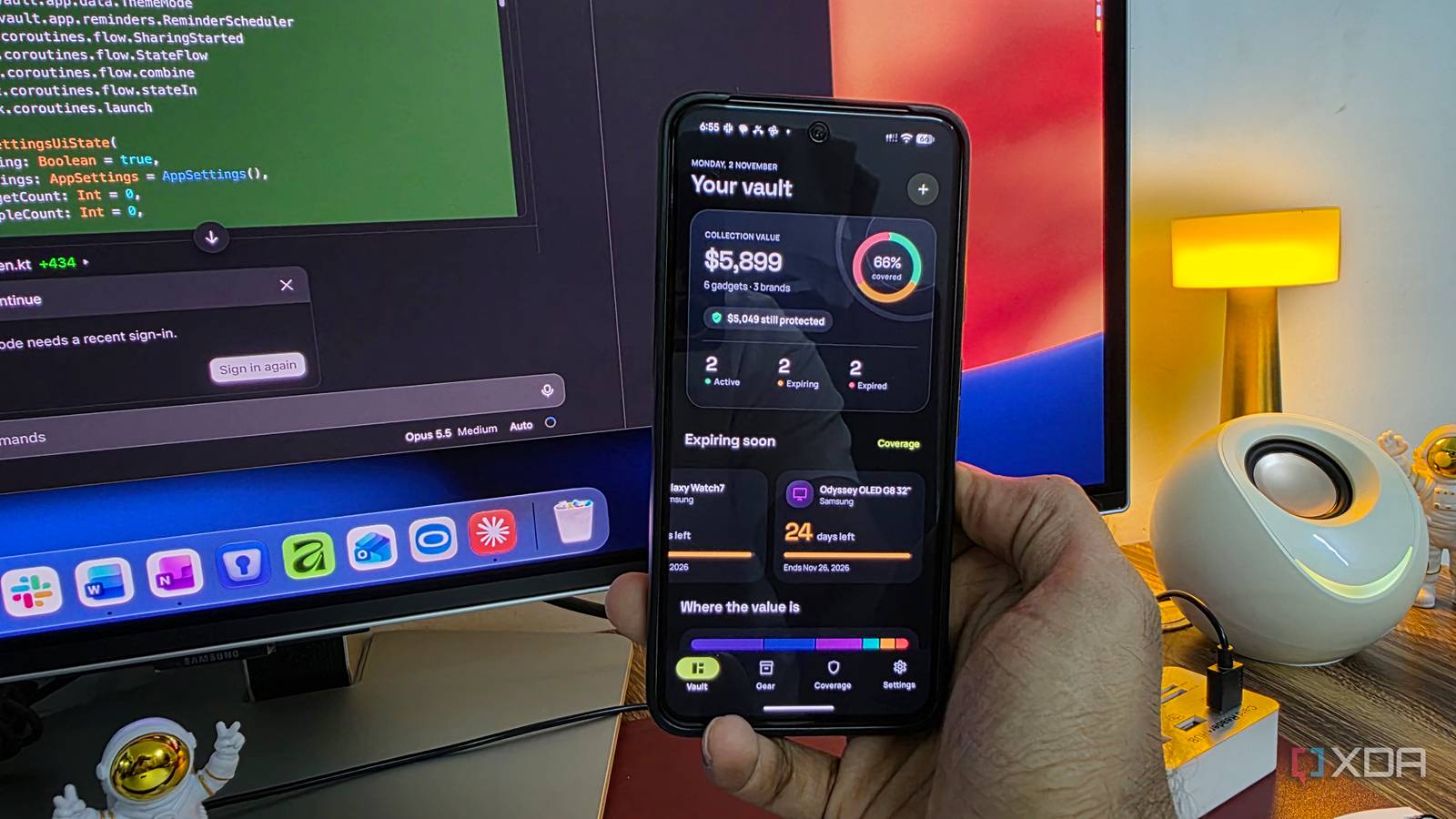
Published Nov 2, 2026, 12:31 PM EST Parth, a seasoned tech writer, wields the keyboard (or pen) with finesse to unravel the intricacies of both Windows and Mac operating systems. He has covered evergreen content on mobile devices and computers for multiple publications over the last six years. You can find his work on AndroidPolice, GuidingTech and TechWiser. Whether it’s demystifying system updates, deciphering error codes, or exploring hidden features, Parth’s prose guides readers through the binary maze. When not immersed in tech jargon, you’ll find him sipping chai, pondering the next software review, and occasionally indulging in a friendly debate about mechanical keyboards. AI coding tools are getting quite good at turning simple prompts into fully functional apps, but I have always wondered how well they handle Android development. To put their capabilities to the test, I challenged Claude Code, OpenAI Codex, and Google Antigravity to build the exact same Android app from scratch. I wanted a proper Android app that looked, worked reliably, and felt right at home on my Pixel 8 and Galaxy S25 Ultra. The results show just how different these AI coding agents can be. One Android app prompt, three AI coding agents To keep this experiment as fair as possible, I decided to stick with the default AI model in each coding tool. That meant Claude Opus 5.5 in Claude Code, GPT-6 Astra in Codex, and Gemini 3.8 in Google Antigravity. I didn’t switch models, tweak their reasoning settings, or give any agent an unfair advantage. I prepared one detailed prompt outlining my expectations in GearVault, including a polished Material 3 interface, gadget inventory, warranty management, local storage, notifications, and other essential features. I also gave each agent complete creative freedom to decide the app’s layout, colors, navigation, and overall design. Basically, this was a one-shot experiment. I wanted to see what each agent could deliver entirely on its own, without my intervention. OpenAI Codex It delivered a solid, but forgettable experience I started with OpenAI Codex, and my first impression was largely positive. It went with a light green color scheme that looked refreshing, clean, and easy on the eyes. The dashboard had a decent layout, and I liked the Add Gadget button at the bottom. Most of the essential elements were there where I expected them to be, and I didn’t have to spend much time figuring out the interface. However, the experience wasn’t flawless. The Vault section, which is supposed to be one of the central parts of GearVault, could have used more attention. Its layout felt rather basic, and I expected Codex to do a better job of organizing and presenting my gadgets. Another minor annoyance was the app icon. Codex generated a square icon that looked out of place alongside the rounded icons on my Pixel home screen. It’s a small detail, but these finishing touches matter when I am deciding whether an app deserves a spot on my phone. On the positive side, Codex implemented the dark theme quite well. The colors translated nicely, and the interface remained consistent and readable. The animations are acceptable too. Overall, I would give Codex a 7 out of 10. It delivered a functional, polished Android app with a pleasant interface and useful features. However, it lacked the creativity, attention to detail, and refined interactions that would make GearVault feel like a premium Android app. Google Antigravity Looked promising but struggled with bugs Next up was Google Antigravity, which took a different approach with a light blue color scheme. The interface looked clean and modern, although I personally preferred the light-free theme that Codex came up with. At first glance, Antigravity seemed to have done a respectable job. The dashboard looked organized, navigation felt intuitive, and most features worked exactly as I expected. However, things started falling apart when I actually began using the app. As I added more gadgets to my inventory, several frustrating bugs came up. Some device listings wouldn’t open properly, and tapping the Dashboard tab occasionally did nothing. I also encountered other glitches that made the overall experience feel unreliable. That’s where Antigravity lost me. I could have overlooked a few design inconsistencies or basic animations, but broken navigation and unreliable functionality are much harder to forgive. Claude Code A stunning interface with thoughtful details Claude Code was the last contender in my experiment, and it immediately grabbed my attention. It created a gorgeous Vault section with a black background, colorful elements, and a premium-looking interface. Right at the top, I could see the total value of my gadget collection, followed by a detailed breakdown of my devices and their values. Claude impressed me with the attention to smaller details. For instance, Claude Code added a neat integration where the + icon subtly shrinks as I scroll down the screen. It’s a simple touch, but it’s exactly the kind of thoughtful animation that separates a polished app from a generic AI project. The entire interface follows a gradient theme, with attractive cards, tasteful colors, and excellent spacing. The core app functions and animations also look solid. If I had to nitpick, I would point to the placement of the + icon for adding new gadgets. Claude Code put it at the top of the interface. It’s not a dealbreaker, but it’s one small usability improvement I would make. I also have to give Claude Code credit for the app icon. Overall, Claude Code was the clear winner of this experiment and the only one I could see myself keeping on my phone. The differences were impossible to ignore Building an Android app with AI is no longer a difficult task, but building one that’s worth using is a different story. All three coding agents managed to turn my prompt into an Android app, but the differences became obvious once I started using them. Codex played it safe, Antigravity stumbled with frustrating bugs, and Claude Code delivered the kind of polish I was hoping for. Of course, this doesn’t mean Claude Code will win every coding challenge, but for this experiment, it was the undisputed winner.
I asked Claude Code, Codex, and Antigravity to build the same Android app, and only one made something I'd actually install
Full Article
Original Source
Read the full article at Xda-developers →KhanList aggregates and links to publicly available news content. We do not host full articles from third-party sources. Always verify important information with original sources.