
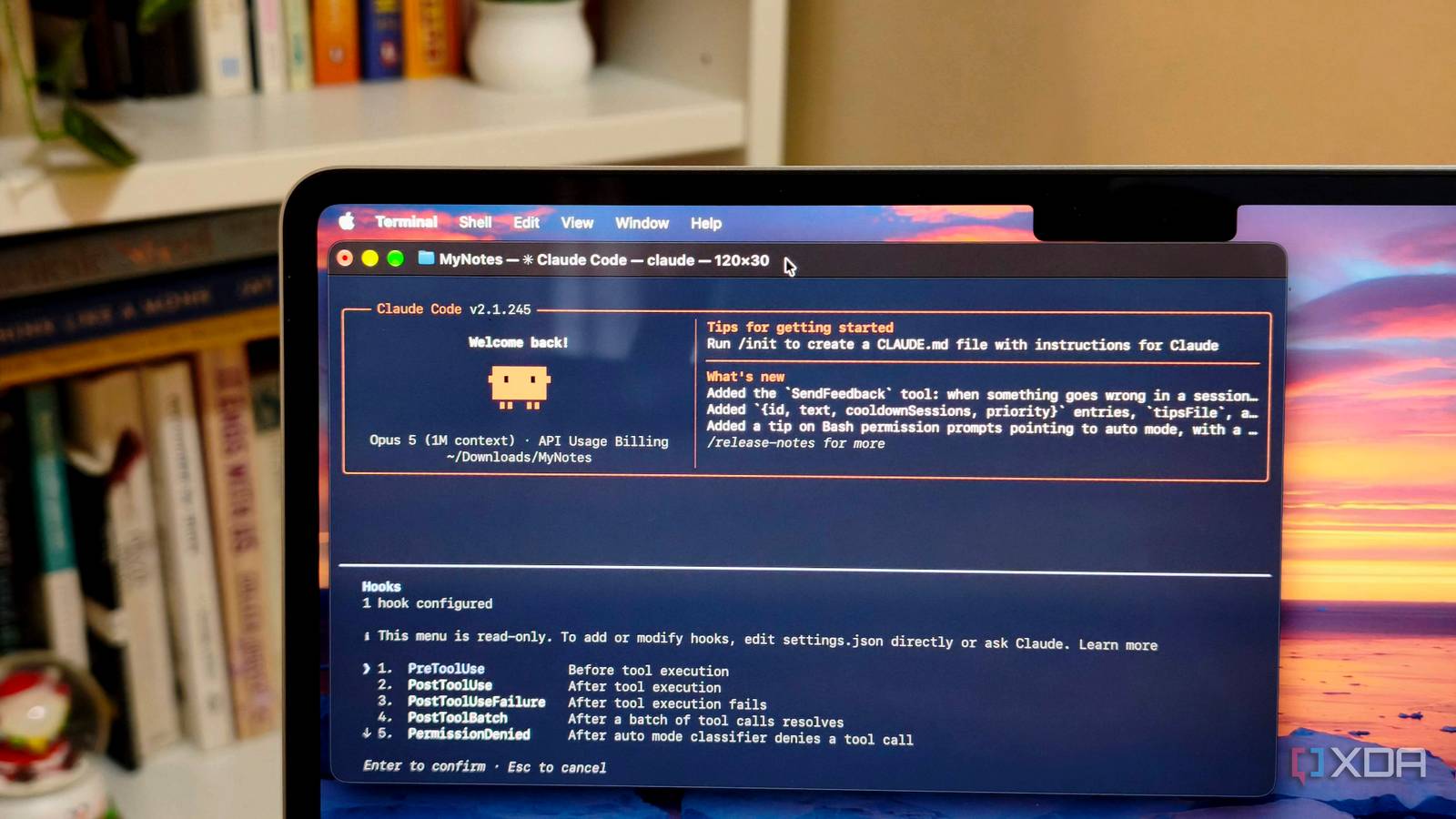
Published Aug 30, 2026, 3:30 PM EDT Anurag is an experienced journalist and author who’s been covering tech for the past 5 years, with a focus on Windows, Android, and Apple. He’s written for sites like Android Police, Neowin, Dexerto, and MakeTechEasier. Anurag’s always pumped about tech and loves getting his hands on the latest gadgets. When he's not procrastinating, you’ll probably find him catching the newest movies in theaters or scrolling through Twitter from his bed. I've tried everything to prevent Claude Code from making the same mistakes again and again. I have clearly included the instructions in the prompt and updated the CLAUDE.md file, but prompt instructions only work once. The next time I ask Claude to do the same thing, it makes the same mistake again. It doesn't treat the prompt instructions as rigid guidelines for some reason, so I decided to add a hook that makes Claude revisit its mistakes and check that it hasn't repeated any of them. A Stop hook makes Claude review its work again It runs whenever the main Claude agent finishes responding You can use a CLAUDE.md file for documenting how Claude should work inside a project. However, these instructions remain part of the model’s context rather than becoming hard rules. Claude will read them alongside your prompt, the existing code, tool outputs, and the rest of the conversation. It can decide to follow a rule correctly during one task and overlook the same rule during the next one. Claude Code hooks run automatically when a specific event occurs during a session. For example, a PreToolUse hook runs before Claude uses a tool and can prevent an unsafe command from executing. For this setup, I’m using a command-based Stop hook, which runs whenever the main Claude agent finishes responding. The hook blocks its first attempt and tells it to read the list of previously recorded mistakes and review the changes again. Claude then receives another opportunity to inspect its work and correct anything it missed. The Bash script behind the hook also checks whether Claude is already continuing because of the Stop hook. If it is, the script allows the turn to finish instead of sending Claude into a review loop. Setting up the Stop hook You need to make a few changes here and there I keep the previous mistakes in a dedicated mistakes.md file inside the project’s rules folder instead of adding everything to CLAUDE.md. Claude Code automatically loads files from this folder, while the separate file keeps this particular checklist easier to update. The file can be as simple as this: # Mistakes to check before finishing - Do not change files unrelated to the task. - Reuse existing components before creating new ones. - Do not add fallback behaviour unless requested. - Run the relevant tests after changing code. The Bash script, named review-mistakes.sh, goes into the hooks folder. It reads the checklist and sends its contents back to Claude when Claude first attempts to stop: #!/bin/bash INPUT=$(cat) STOP_HOOK_ACTIVE=$(printf '%s' "$INPUT" | jq -r '.stop_hook_active // false') if [ "$STOP_HOOK_ACTIVE" = "true" ]; then exit 0 fi MISTAKES_FILE="${CLAUDE_PROJECT_DIR}/.claude/rules/mistakes.md" if [ ! -f "$MISTAKES_FILE" ]; then exit 0 fi MISTAKES=$(<"$MISTAKES_FILE") jq -n --arg mistakes "$MISTAKES" '{ decision: "block", reason: ( "Before finishing, review your work against these known mistakes:\n" + $mistakes + "\nInspect the changes made during this turn and fix any repeated mistake before responding again." ) } The script uses jq to read the JSON Claude Code passes to the hook and generate a valid JSON response. You’ll need to install jq if it isn’t already available. The final part goes inside the project’s settings.json file: { "hooks": { "Stop": [ { "hooks": [ { "type": "command", "command": "\"$CLAUDE_PROJECT_DIR\"/.claude/hooks/review-mistakes.sh" } ] } ] } } If the settings file already contains other options or hooks, merge this block into the existing JSON instead of replacing the file. You can then enter /hooks inside Claude Code to confirm that the Stop hook has been registered. On the first stop attempt, the script returns a block decision and Claude continues working with the mistakes list in its context. Claude Code then sets stop_hook_active to true, which the script checks before allowing the second attempt to finish. Use TaskCompleted if every response doesn’t need a review You don't want to waste credits on greetings I use a Stop hook because nearly everything I ask Claude Code to do involves changing or building something. However, a Stop hook becomes wasteful if you also use Claude Code as a regular chatbot. It runs after every response, including a simple explanation of a function or an answer about the project. Since this particular hook blocks the first stop attempt, Claude receives another model turn and revisits the mistakes file even when there are no changes to inspect. That additional turn eats into your usage limit for no real benefit. In that case, consider attaching the review to the TaskCompleted event instead. This hook runs when Claude explicitly marks a task as completed through its task system. It can prevent the task from closing and return feedback that Claude must address before trying again. For this to work, you need to use tasks consistently. Claude Code only fires TaskCompleted when Claude creates a task. If your workflow already uses tasks for implementation work, this trigger limits the review to the moments when Claude has produced something worth checking. If you don’t use tasks, the Stop hook is the more reliable option. Hooks make Claude Code so much better Hooks can't just be used to review responses. You can also use them for many other things, with different triggers for different kinds of actions. These work much better than simply adding instructions to CLAUDE.md or including them in the prompt. Textual instructions can sometimes be treated as optional, while command-based hooks execute automatically whenever their configured trigger fires.
I added one hook to Claude Code, and it stopped making the same mistake twice
Full Article
Original Source
Read the full article at Xda-developers →KhanList aggregates and links to publicly available news content. We do not host full articles from third-party sources. Always verify important information with original sources.