
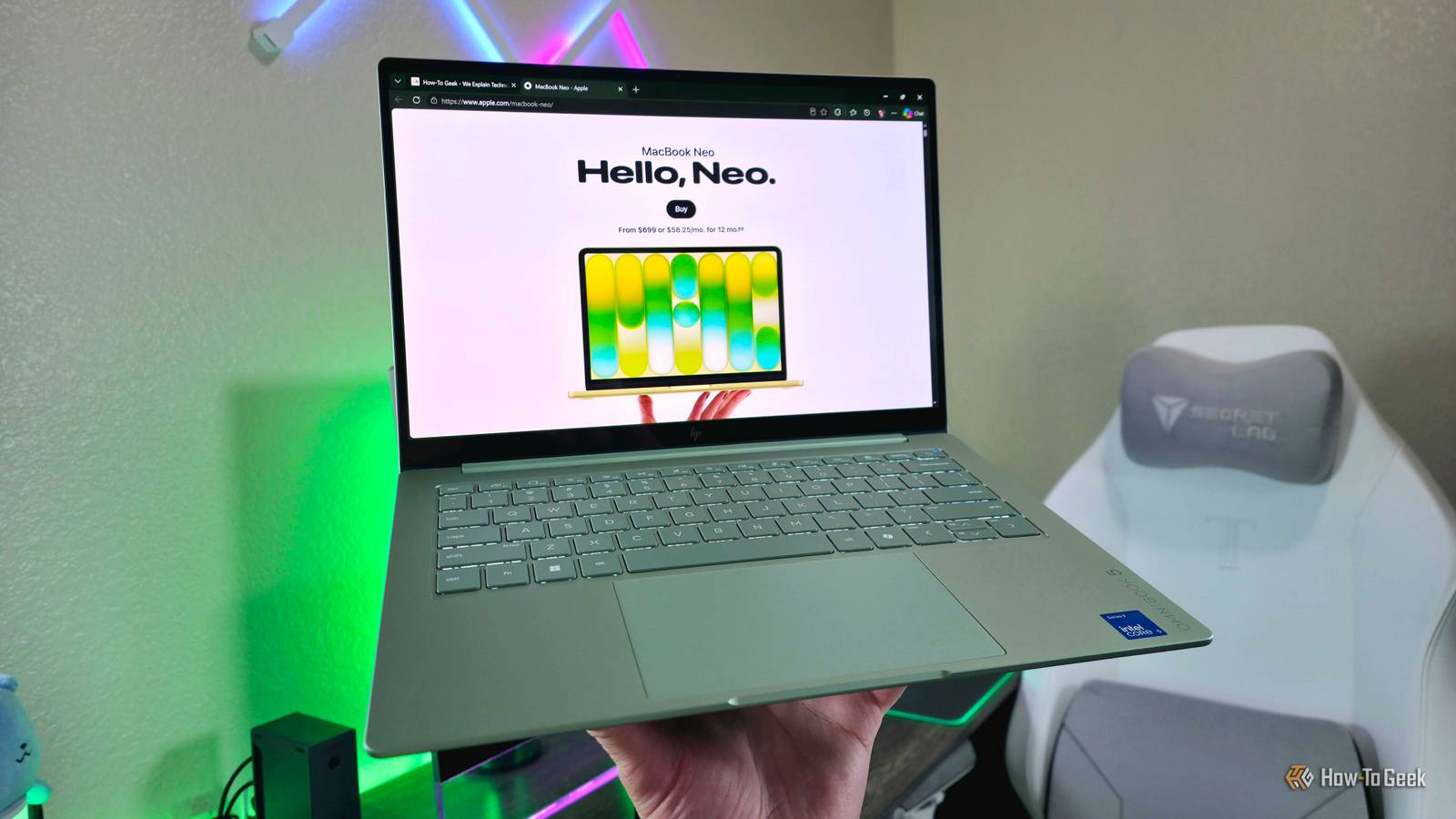
At least this $700 Windows laptop gives the MacBook Neo some serious competition Published Nov 15, 2026, 5:30 PM EST Zachary Boddy is a seasoned journalist with over six years of experience covering technology and video games, and is now contributing to How-To Geek. Zachary's career began at Windows Central, where their long-running, deep-rooted passion as a tech and gaming nerd fueled thousands of published articles, including reviews, guides, interviews, editorials, and so much more. When Zachary isn't writing, they're playing video games, reading books, listening to music, and spending time with their family, a very food-motivated cat and an exceptionally creative daughter. Sign in to your How-To Geek account Years of cheaply made, unreliable Windows laptops flooding the sub-$1,000 market have earned the entire Windows ecosystem a negative reputation, and that criticism has merit despite the existence of a few real gems each generation. The arrival of the Apple MacBook Neo shook up the status quo as the de facto budget MacBook of choice, and it was inevitable that Windows manufacturers would attempt to compete — with most falling short or missing the point entirely. Enter HP with its latest OmniBook 5 14, clearly taking aim at Apple with a colorful aluminum design and a similar price tag. After hours of usage, the OmniBook 5 14 has cemented itself as my budget Windows laptop of choice, taking its rightful place alongside the refreshed Dell XPS 13 as the blueprint for how laptops in this category should be. If you're the target demographic for this laptop (mostly students or anyone who needs a reliable, high-quality laptop for casual computing), the OmniBook 5 14 earns my recommendation. HP OmniBook 5 14 (2026) 9/10 Operating System Windows 11 CPU Intel Core 5 320 (6-core) GPU Integrated Intel Graphics RAM 8GB/16GB LPDDR5 @ 6,400MT/s Cheap Windows laptops have never been known for being good, but the latest HP OmniBook 5 14 really gets what makes Apple's MacBook Neo so appealing, with a beautiful and premium-feeling design, well-rounded features, all-day battery life, and reliable everyday performance on a budget. Those looking for a great, affordable Windows 11 laptop for casual computing will be happy with this one. Pros & Cons Thin, light, colorful, premium aluminum design Vibrant 14-inch OLED display Exceptional all-day battery life Great pricing and frequent discounts Apple still has the slight edge in build quality 8GB of RAM can hold you back Price and availability The HP OmniBook 5 14 (2026) starts at $650 with an underclocked Intel Core 5 315, 8GB of RAM, 256GB of SSD storage, and a non-touch OLED display. That's a nice starting price, but the sweet spot for most people will be in the $700 to $900 range, which starts with an upgraded Core 5 320 and touchscreen, and includes 16GB RAM and 512GB SSD options for those willing to pay a little more. My reviewed configuration sits at the top of that range. I recommend buying directly from HP, especially at full price, as you'll also get more configuration options — and often lower prices, as a retailer isn't taking a cut. HP is also planning to add more display, memory, storage, and chipset options in the future, but I don't see that sweet spot changing. Finally, it's worth mentioning that the OmniBook 5 14 (2026) has already enjoyed some great sales, making it an even better deal than it already is. Specifications Operating System Windows 11 CPU Intel Core 5 320 (6-core) GPU Integrated Intel Graphics RAM 8GB/16GB LPDDR5 @ 6,400MT/s Storage 256GB/512GB PCIe Gen 4 NVMe M.2 SSD Battery 60Wh, 65W USB-C charging Display (Size, Resolution) 14-inch, 16:10, 1920 x 1200 Display type OLED, 60Hz, 300 nits, 0.2ms response, glossy, multi-touch Ports 2x USB-C (10GBps, DP 2.1, PD 3.1), 1x HDMI 2.1, 1x 3.5mm audio Dimensions 312 x 219 x ~11.7mm Weight ~1,161g Colors Smoke Silver, Soft Honeydew, Starlit Blue, Peony Pink Form Clamshell Audio 2x stereo speakers, 2x microphones, Poly Studio tuning Webcam 1080p IR, privacy shutter Connectivity Wi-Fi 6E 2x2, Bluetooth 5.3 Starting Price $650 Premium hardware on a budget done right The OmniBook 5 14 is a lovely little laptop, but it's not perfect When HP's team first told me about the new OmniBook 5 14, they were quick to share all the advantages this laptop has over its biggest competitor, the MacBook Neo (and, by extension, the Dell XPS 13). It's a full 1mm thinner at the thickest point; it weighs about the same despite its larger touch-enabled OLED display; there's a full-sized HDMI 2.1 port in addition to the dual USB-C ports; the keyboard has multi-level backlighting; and biometric facial login is built into every configuration. That's all great, but what really matters is how the OmniBook 5 14 feels when you're actually handling it, and HP did a fantastic job. The three-piece aluminum chassis is sleek and solidly constructed, with tight tolerances and reassuring durability. I honestly prefer this laptop's silhouette over the MacBook Neo or XPS 13, too, and I love HP's color options (take note, Dell). The OmniBook 5 14 seems far more premium than its $650 price tag would suggest, but I still have to give a slight edge in overall build quality to Apple. It's all in the most minute details, like the display hinge tuning. The OmniBook 5 14's abnormally stiff hinge is great for when you want to touch the display, but it's just as stiff when fully closed, making it a pain to casually open the laptop. Fortunately, all my criticisms sit in the same "minor grievances" category, showing how HP made the right decisions and cut the right corners with the OmniBook 5 14. The 14-inch OLED display's beautiful colors and perfectly inky blacks make up for its lower resolution (1200p versus the 1506p and 1600p of Apple and Dell's alternatives) and 60Hz refresh rate (compared to the XPS 13's 120Hz), though I do wish this panel got a little brighter. The dual stereo speakers lack explosive volume and deep low-end, but they're clear and well-tuned enough that I had no complaints casually listening to music or watching videos. The tiny 1080p webcam struggles in low light, but colors and exposure are well-balanced, and the dual-array microphones are perfectly fine for calls. I can't levy any real complaints against the color-matched keyboard and touchpad. The former's spacious backlit layout is immediately comfortable, and I love the firmer, more tactile key action — even more than some far pricier laptops (including from HP). The touchpad is nice and large, inputs and gestures are responsive, and clicks are consistently, satisfyingly meaty. Reliable performance and a never-ending battery No performance records are being broken, but a full day of school is no obstacle As expected, the HP OmniBook 5 14 (2026) is no powerhouse with its 6-core Intel Core 5 320, but if you're the kind of person that cares a lot about specs and on-paper performance, this laptop was never meant for you in the first place. For posterity, though, I did still run the OmniBook 5 14 through Geekbench 7 and Cinebench 2026, where it scored 2,315 (Single), 7,331 (Multi), and 11,937 (GPU) for the former and 436 (Single) and 1,527 (Multi) for the latter. That's right in line with both the MacBook Neo and Dell XPS 13, and the real-world experience is similar. For casual computing, including web browsing, email, streaming, Microsoft Office, and most apps, the OmniBook 5 14 is reliably smooth and responsive. Boots and login times are short, navigating Windows feels snappy, and the laptop always runs cool and quiet. I reviewed the 16GB model, but I also plan to put an entry-level 8GB OmniBook 5 14 to the test, especially after the recent Windows 11 memory improvements, so stay tuned for that. Also expected, the OmniBook 5 14 is no gaming laptop, hitting a minimal 24 FPS in Forza Horizon 6 at 1200p and Low settings, but lightweight or mobile games honestly run fine. In general, this laptop performs exactly as I hoped it would; just be sure to maintain your expectations for any demanding workloads like local AI, video editing, rendering, and beyond. When it comes to endurance, though, you can let your expectations run wild. The OmniBook 5 14's 60Wh battery is larger than the MacBook Neo's 36.5Wh battery and the XPS 13's 52Wh battery, and the efficient chipset and lower-resolution display work in tandem to deliver truly spectacular battery life. It's not impossible to get two full days of school or work out of this laptop without stressing about charging, with a Windows Battery Report returning an expected 15-16 hours of active usage at the end of my review period. I couldn't realistically kill the OmniBook 5 14 in less than 9 hours of active use, even with a full workload of apps and browser tabs, the speakers blaring music, and the display brightness turned up; I wrote this entire section with those exact conditions, and barely lost 2% of my battery. Remembering what the MacBook Neo is HP actually paid attention, and the OmniBook 5 14 is better for it Most value-driven Windows laptops fall into the same trap: stacking on-paper specs while neglecting the actual user experience with cheap-feeling, unreliable hardware and compromised features. The arrival of the MacBook Neo shook the industry and is forcing Windows manufacturers to be more competitive, but there's merit in that many companies are simply racing to the bottom, forgetting why the MacBook Neo has already sold over a million units. Apple has always excelled at delivering top-notch user experiences without cutting-edge specs, and the MacBook Neo is the perfect example of this. The binned A18 Pro mobile chipset inside the MacBook Neo is far from being considered "powerful," but it's only one piece of a complete package aimed at being the best computer for regular people who don't know or don't care about the numbers and components. The core of this package is a fun, premium design that's built to last for years of use and makes you feel it's worth more than the $700+ you spent on it. For those saying that doesn't matter — it absolutely does, and it's a large part of why Apple's budget iPhones and the MacBook Neo are so successful. The majority of people simply need a reliable, balanced computer that does the things they need it to do and nothing more, and many aren't willing or able to spend $1,000 or more for a laptop they may only use for school, or a handful of times a week at home. HP's OmniBook 5 14 and Dell's XPS 13 stand out because they take the correct lessons from Apple: don't chase empty specs, focus on building a good, attractive laptop with as few compromises as possible for the price. I'd argue that HP did a slightly better job than Dell this time around. Should you buy the HP OmniBook 5 14 2026? You should buy the OmniBook 5 14 if: You're looking for a Windows alternative to the MacBook Neo. You don't want to spend any more than $900 for a great laptop. You need an ultra-portable laptop with true all-day (or multi-day) battery life. You should not buy the OmniBook 5 14 if: You know you need more power or memory. You want a sharper, smoother display like the XPS 13 offers. If I had to buy a laptop for my daughter, I'd choose the HP OmniBook 5 14 (2026) — and I'd get it in pink. If I only had $900 to spend on a laptop for myself, even, I'd choose the OmniBook 5 14 — and I'd also get it in pink. Especially with sweet sales cutting down the already-aggressive price, the OmniBook 5 14 feels like the best deal in the Windows laptop space, taking the right lessons from the Apple MacBook Neo by focusing on the user experience and not the specs sheet. A final comment for HP, though: you need to have clearer laptop names. HP has released multiple OmniBook 5 laptops this year, and there's nothing about this laptop's name that immediately sets it apart, which makes it more difficult to search for or casually recommend to people. HP OmniBook 5 14 (2026) 9/10 Operating System Windows 11 CPU Intel Core 5 320 (6-core) GPU Integrated Intel Graphics RAM 8GB/16GB LPDDR5 @ 6,400MT/s Cheap Windows laptops have never been known for being good, but the latest HP OmniBook 5 14 really gets what makes Apple's MacBook Neo so appealing, with a beautiful and premium-feeling design, well-rounded features, all-day battery life, and reliable everyday performance on a budget. Those looking for a great, affordable Windows 11 laptop for casual computing will be happy with this one.
HP OmniBook 5 14 (2026) review: Strong competition for the MacBook Neo
Full Article
Original Source
Read the full article at Howtogeek →KhanList aggregates and links to publicly available news content. We do not host full articles from third-party sources. Always verify important information with original sources.