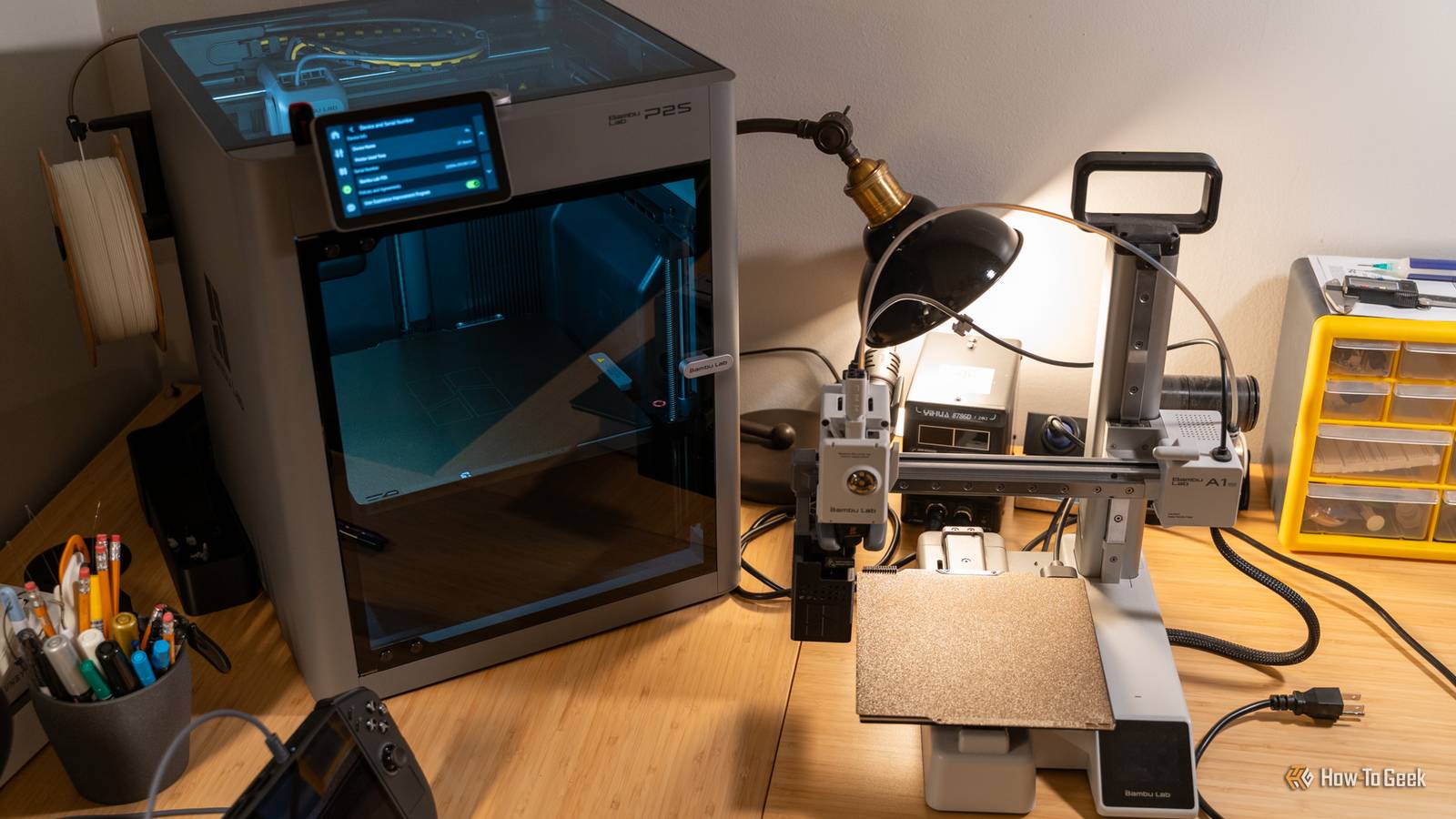
Published Jul 26, 2026, 9:45 AM EDT Tim has been covering technology for almost 20 years, in that time spanning a broad range of topics from security to product reviews. He is especially focused on the Apple ecosystem, productivity, and consumer advice. Over the years Tim has written thousands of articles, reviews, and round-ups in addition to producing video content and original photography. A graduate of journalism, he found his footing as a freelancer with a laptop and loves how he is able to work from practically anywhere. Now a Senior Editor for iPhone, Mac, and Smart Home at How-To Geek, Tim still loves to write. He can also be found crafting round-ups and productivity posts for the Zapier blog. Earlier in his career Tim spent nearly a decade as a writer and eventually Apple section editor for MakeUseOf. Tim currently lives in Brisbane, Australia. Outside of work he loves to hike and work out, play video games, and spend quality time with his wonderful partner and two cats Inka and Roger. So you’re thinking about a second 3D printer. You’re enjoying the hobby to the extent that you’re rubbing up against limitations that can only be solved with a hole in your wallet. So where do you go from here? Reasons you might want a second printer It never hurts to ask The most obvious reason you might want a second printer is that your first printer is always in use and you want to print more than one thing at once. If you’re using your 3D printer that much, it’s safe to say you should probably buy a second (and maybe consider a third while you’re at it). Build volume is another limiting factor. Though you can scale down models or slice large prints into multiple pieces, a larger build volume is much more convenient. Small “starter” printers like the Bambu Lab A1 mini and Prusa MINI+ have a build volume of only 180x180x180mm, while the “standard” home 3D printer build plate size has shifted to around 256x256x256mm. Larger build volumes are available, if you have the space. While most printers can comfortably handle basic filament like PLA, if you want to work with more demanding materials like ABS or ASA and TPU, you might want to buy a printer that is better designed to handle them. A printer with a heated chamber can prevent warping when working with engineering filaments, and direct-drive extruders can help avoid the “wet noodle” effect of TPU blockages. It’s always worth considering if the money could be better spent elsewhere. You can make upgrades to your existing printer for far less money than the price of a new printer. You can add a hardened steel or high-flow nozzle to work with more abrasive filaments or print faster and stronger models. Some brands, particularly Prusa, are highly upgradeable if you’re prepared to get your hands dirty and rebuild the printer yourself. You’ll pay less than the price of a new printer for a kit that converts a MK4S to a CORE One+ ($619), but it will still cost more than a brand new Bambu Lab P2S ($549). Prusa MK4S 3D Printer Build Volume 250 x 210 x 220 mm Printing Speed 170mm/s The Prusa MK4S 3D Printer is one of the most well-known and well-loved 3D printers on the market. As one of the main companies behind the open source initiative of 3D printing, the Prusa MK4S still supports open-source software and firmware when other companies are building their own closed-source alternatives. As the 2025 iteration of the classic Prusa 3D printer, you'll get all the modern amenities including fast and reliable printing, easy setup, and Prusa's proven reliability. Take a look at what you already have Brand loyalty or a desire to branch out Credit: Patrick Campanale / How-To Geek Work out exactly which limitations you’re trying to overcome before picking a brand or a model. Want larger prints? Make build volume a priority. Looking to work with engineering filaments? You’ll want a decent heated chamber and a nozzle that can reach the desired temperatures. Want to cut down on waste in multi-filament prints? You want a tool-changer or similar system. The other thing to consider is whether you stick with what you already know or branch out. If you’re a happy Prusa customer, upgrading to something like the CORE One L for larger prints might make the most sense. But if you’re frustrated, you might be tempted to jump ship to a “plug-and-print” option like Bambu Lab. You’ll have to make peace with the company’s checkered past, but investing in another brand raises another issue. You’re probably going to want to manage your printers from a single slicer or interface. You can’t control a Bambu Lab printer from Prusa Slicer, but you can control both Prusa and Bambu Lab printers using OrcaSlicer (a fork of Bambu Studio). All of these slicers descend from the same Slic3r project, so they’re all pretty similar, but it’s worth keeping in mind before you switch. At the same time, Bambu Lab printers require total isolation from the cloud if you decide to use self-hosted tools for printer management. Open-source tool Bambuddy does a lot of heavy lifting to make this mode workable, but it’s not compatible with other brands. If you’re happy to use separate slicers, then you can go ahead and not worry about this. Bambu Lab X2D Combo The Bambu Lab X2D Combo is a mid-range 3D printer with dual-nozzle 3D printing for faster print speeds and better support printing. The nozzle reaches 300°C while the actively-heated chamber hits 65°C which is perfect for engineering-grade filaments. The printer comes with Bambu Lab's signature ease of use, AI fail detection, and has a maximum print volume of 256 × 256 × 260 mm. The combo package comes with the AMS2 multi-material system and filament dryer. Don’t forget about resin You probably started with an FDM printer Credit: Stocky boi/Shutterstock We focus a lot on filament deposition modeling (FDM) printers here at How-To Geek, and there’s a good reason for that. FDM printers are the most popular 3D printer type for a reason. They’re easy to use and understand, there are lots of filament types to suit a range of uses, they’re not particularly messy, and prints don’t require curing or washing. But they also have inherent limitations. Layer lines are almost always visible if you look close enough, and they can’t match resin printers for overall resolution when it comes to objects like miniatures and keycaps. Resin is another beast entirely, and not an endeavor that should be undertaken lightly. Resin requires working with liquid materials, which can give off some very nasty substances. These can be bad for you, your pets, and anyone else who comes into contact with them. While resin printers aren’t particularly expensive, you’re going to spend more money on accessories like UV curing stations and alcohol for washing the finished models. Then you have to deal with the leftovers in a responsible manner. If tabletop miniatures are your passion, or you’re thinking of starting a business where you sell custom-designed keycaps, resin might be a solid move. Just remember that you can print an FDM miniature army and print passable keycaps on an FDM printer too. Beyond buying a new 3D printer, it might be worth considering if there’s another available to you that you can borrow instead.
How to pick your second 3D printer (it's a bigger decision than your first)
Full Article
Original Source
Read the full article at Howtogeek →KhanList aggregates and links to publicly available news content. We do not host full articles from third-party sources. Always verify important information with original sources.