
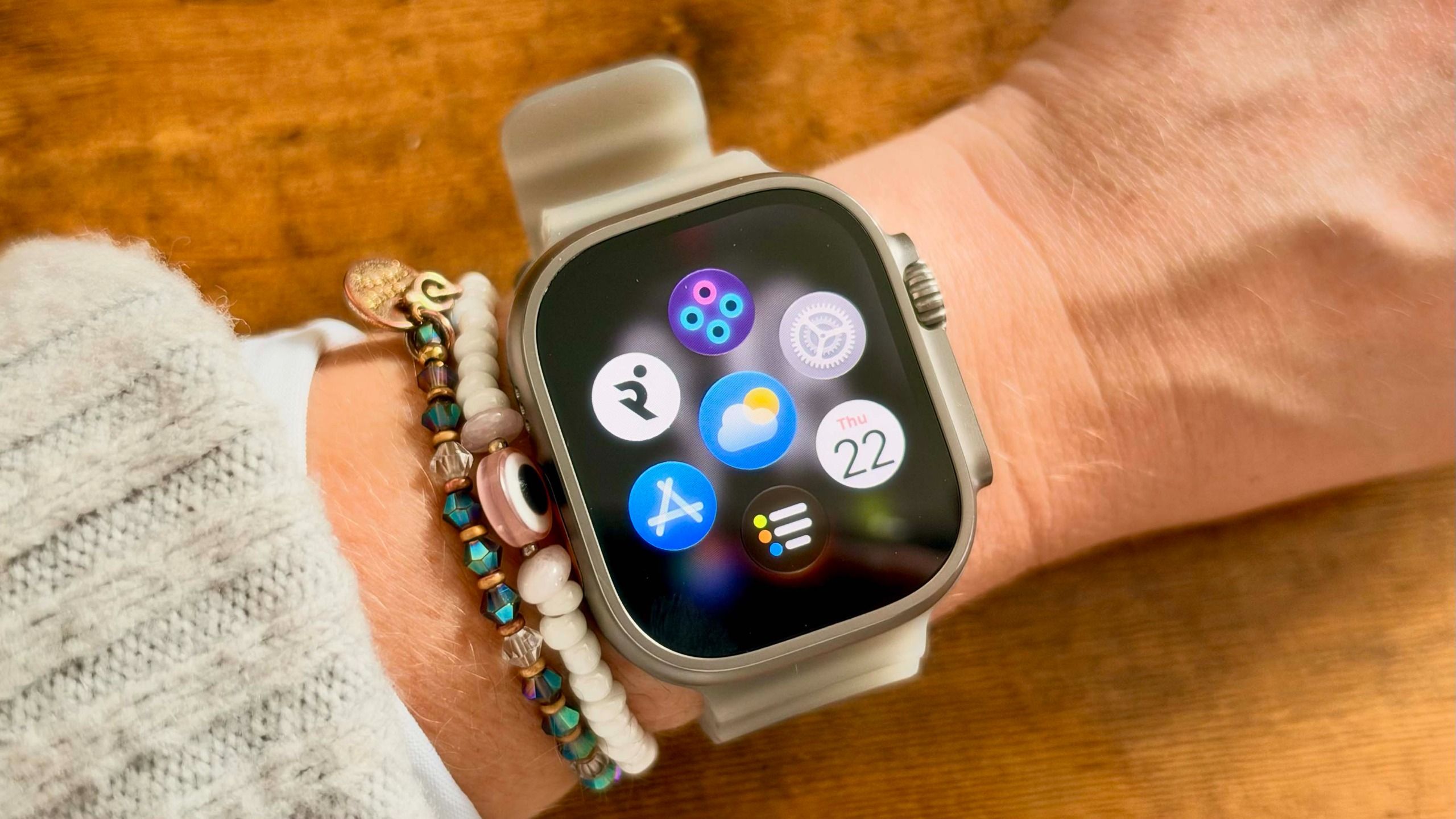
I’ve had an Apple Watch on my wrist for most of a decade, and one thing Apple does really well is roll out updates that improve the day-to-day experience of wearing the watch. I’ve been using watchOS 27 for the past few weeks, and my favorite feature is one nobody is really talking about — read on to find out more.To get the new features on your watch, make sure you’ve updated to watchOS 27. To do this, install iOS 27 on your iPhone, then download the new WatchOS to your phone, or directly onto the watch by going to General, then Software Update.My favorite new watchOS 27 feature WatchOS 27 brings some new features to your Apple Watch, including Siri AI, which allows you to ask Siri questions or tell it to perform simple tasks on the Watch, like setting a timer or starting a workout. This new version is much more capable than its predecessor.Yet, in my opinion, the best feature is the change to the dynamic app grid, which now shows your most recent apps at a glance. Apple hasn’t reinvented the wheel here, but it really is a game-changer — gone are the struggles of finding the app you need on the Apple Watch home screen grid, or scrolling through a long alphabetical list. (Image credit: Tom's Guide)The dynamic app grid now shows only your five most frequently used or recently used apps, with a Siri icon in the center. Press the Digital Crown to open this grid. You can still tap the home screen to see the full list of your apps, and swipe down to return to the dynamic app grid.This change confused me for a couple of days, but after living with it for a month, I can’t believe how much faster it made navigating my watch. I’d still really love to be able to customize the apps you can see on this grid, similar to the Smart Stack, but for now, this is definitely a watchOS 27 upgrade I’m using every day.Talking of Smart Stack, Apple has also tweaked this slightly with watchOS 27. Apple added the ability to open the Smart Stack by double-tapping your thumb and index finger with last year’s watchOS 26, but with watchOS 27, things go a little further. You can still double-tap your fingers to open the Smart Stack and scroll down to the next widget in the stack. Once you find the widget you want, however, you can now tap once to open the widget.Get instant access to breaking news, the hottest reviews, great deals and helpful tips. Follow Tom's Guide on Google News and add us as a preferred source to get our up-to-date news, analysis, and reviews in your feeds. More from Tom's GuideI just installed watchOS 27 and instantly regretted it — here’s whyApple Watch Ultra 4 review: I ran 22 miles to test Apple’s ultimate adventure watchApple Watch Ultra 4 vs Garmin Fenix 9 Pro: price, specs and features compared
Here’s my favorite watchOS 27 upgrade — and it’s one nobody is really talking about
Full Article
Original Source
Read the full article at Tomsguide →KhanList aggregates and links to publicly available news content. We do not host full articles from third-party sources. Always verify important information with original sources.