
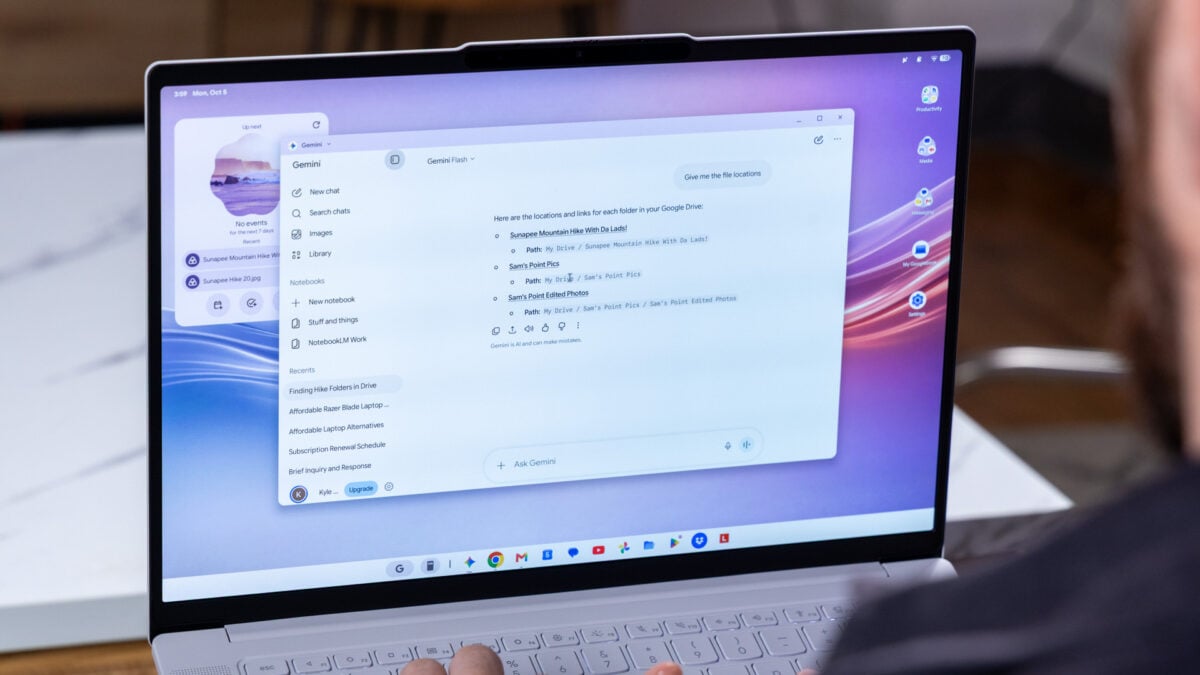
Google’s first major update for its Googlebook lineup of laptops is hitting users’ devices just a month after launch. It’s a huge, sprawling list of fixes meant to bandaid the worst glitches and inconsistencies inside its nascent Googlebook OS. It’s also a demonstration of just how janky the initial Googlebook launch had been and how far Google still needs to go. The big news, which you can read about on the Googlebook help center, is that Googlebook OS now frees up between 3GB and 6GB of RAM. It’s a fix Google describes as “improved memory usage for on-device AI, improving multitasking stability.” This patch is specific to the three Intel-based Googlebooks, including the Acer Googlebook 14, the Lenovo Googlebook 15, and the Asus Googlebook 14. All Googlebooks on the market currently make use of 16GB of RAM, so the OS is now freeing up between 20% and 33% of your laptop’s memory. That’s huge, and it could potentially mean a much smoother overall laptop experience. Google is promising better responsiveness for the keyboard when swapping between the tablet and laptop mode on the 2-in-1 Acer Googlebook 14. © Adriano Contreras / Gizmodo Google is also promising better memory stability when performing heavy browser workloads across multiple tabs. These fixes alone signify just how awkward the Googlebook launch had been. As far as fixes go, these laptops should no longer face audio buffering issues when connected to some third-party microphones. The tech giant is promising more than mere performance fixes. For one, apps like Netflix will no longer show a black screen when watching some DRM content when connected to an external monitor. The new update should also improve responsiveness for all touchscreen capabilities on any of the regular clamshell or 2-in-1 laptops. Google claims it has further squashed some bugs related to the Linux terminal. Unlike in ChromeOS, which could run a Linux terminal natively, Googlebooks runs it in a virtual machine. Now, Googlebooks should maintain those terminal shell sessions after you put the laptop to sleep and open it up again. Again, this is the kind of quality-of-life feature that should have been there from the start. We already knew before launch that Googlebook OS was probably going to be rough. It’s an entirely new operating system built from the ground up on the Android kernel. ChromeOS ran on its own separate Linux kernel, so Google had to recreate many of the expected features and craft new capabilities—such as the Magic Pointer and other specific AI integrations—without a solid bedrock to start from. Googlebook OS still needs a lot of work. For instance, it still includes an auto-rotate toggle taken from Android that has no use on a laptop. © Adriano Contreras / Gizmodo At the same time, some features still feel awkward in their initial iteration. One of the defining features of Googlebooks was the “Better Together” Android phone-to-laptop continuity features. They enable some unique capabilities like opening up your Gmail message from your phone on the big screen. The problem is that the features all require a local mDNS connection, so you’ll find that you can’t connect your Android phone to your laptop when on airport or hotel Wi-Fi. Google may enable direct Wi-Fi pairing in the future, though that will likely come in a larger feature update sometime down the road. We’ve had it from Google directly that the company plans to drop quarterly patches at the same time it launches its Android platform updates. Of course, Google plans to have bug fixes in the months between those updates, too. This first-month patch is better seen as merely a remediation for Googlebooks’ original state. We have to hope we’ll see more updates soon that should actually add features. It would be nice to have Chrome profiles on a Google-made laptop, you know.
Googlebooks’ First Major Bandaid Showcases How Rushed the Launch Was
Full Article
Original Source
Read the full article at Gizmodo →KhanList aggregates and links to publicly available news content. We do not host full articles from third-party sources. Always verify important information with original sources.