
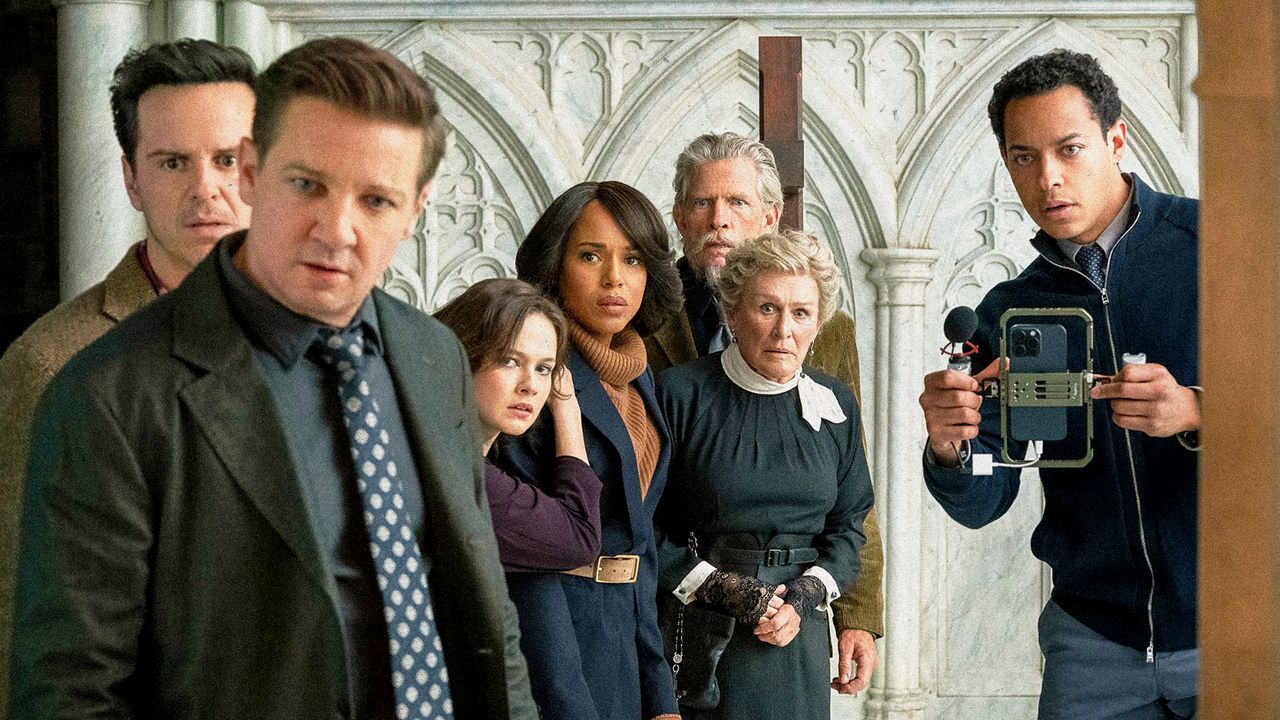
The Knives Out director and his go-to cinematographer Steve Yedlin talked to GQ about Chromagraph, a new iPhone app they launched to help amateur shutterbugs take movie-worthy pictures.Courtesy of Everett CollectionShooting beautiful photos with an iPhone isn’t always the simplest task. Though the cameras are serviceable for a phone, Apple’s complex, built-in processing usually spits out vibrant but flatly lit images. Enter Knives Out and Star Wars director Rian Johnson and his longtime cinematographer Steve Yedlin. With the help of programmer Eric Johnson, the filmmakers recently introduced Chromagraph, a new camera app for iOS built on the same color science Yedlin developed over many years for their movies.Open up the app, and you’re met with a relatively simple interface—in some ways, even simpler than Apple’s stock camera app—that serves an even simpler purpose: taking great pictures. Snap a photo, and the app captures an image in RAW format, containing the unprocessed data directly from the camera’s sensor. Then it applies Yedlin’s color science, creating a very “filmic” look with more contrast, grain, halation, and an overall color curve resembling classic film stocks. The user can then adjust the look of their pictures any which way they want using the provided sliders.Chromagraph is hardly the first replacement camera app for the iPhone—and yes, it’s iPhone-only for now. Apps like Halide and Adobe’s Project Indigo offer a lot more options and might be more fit for professional use. But to Johnson and Yedlin, Chromagraph is built to reflect the more point-and-shoot quality of a smartphone camera, keeping its UI simple and its feature set relatively small, giving the average user an easy new tool for taking beautiful photos with the device they carry around every day.A week after it went live, Johnson and Yedlin sat down to talk about what inspired them to build Chromagraph, reverse-engineering Apple’s own processing techniques, the often misguided debate between film and digital, and the magic of taking a beautiful picture.GQ: So Rian, how did you bully Steve into making this app?Rian Johnson: With love. [Laughs]. I take a lot of pictures with my phone. I'm an amateur photographer, and I have a film camera that I use. I have a few other cameras, but the reality is, this is what I walk around with all day long. I had gone through different versions of taking regular pictures and pulling them into photo editors and trying to get them to look the way I wanted them. And then I started messing around with third-party apps to take RAW photos and then taking those into editors, and that gave me a little more control. But I realized what I really wanted was to be able to take a picture with my iPhone and have it, at least to start, look the way that our movies look, which are done by taking digital cinema files and Steve applying color science to them. I asked Steve, "Could we do this on an iPhone?" And I think Steve was a little hesitant, just because the iPhone sensor, while it's very good for a phone sensor, it's still a phone-sized sensor. It's still pretty noisy. There's a lot of limitations. But come on, let's just try.So, Steve, what was the challenge of dealing with those sensors?Steve Yedlin: The reason that you can get better quality images out of the phone—even though, as Rian said, the sensor is great for a phone—is this burst-merge methodology, where you're actually taking several shots at different exposures and merging them to reduce noise in the shadows and extend latitude in the highlights. And while it's computational, it's real photographic data. It's not generated or artificial. It's photo data. Since Rian wanted to make it into a camera app instead of just processing. As Eric, my coding partner, and I dug into it, we realized on the Pro iPhones, as a developer with the API, you can request Apple's ProRAW that's already done that burst-merge thing. So with the Pro phones, it was a little bit easier, but with the non-Pro phones you can’t, as a developer, request that from the camera. It just won't do it. So we made our own burst-merge for non-Pro phones. We knew that if we were actually gonna give this to other people, and it's not just for us, we know more people have non-Pro than Pro. It would be too bad if every non-Pro phone has reduced latitude and higher noise.How long did it take to put the app together?Yedlin: That was about nine or 10 weeks. We got 20 years of color science and then nine or 10 weeks to bundle it for iOS.And Rian, what is the app’s default look giving you beyond just looking like your movies?Johnson: Well, I guess we use the word "look" kind of liberally. One of the fun things about the app, I think, is that it starts out just looking good. It does have a perspective on what looking good means, and starts out like that. What I love is you're starting out with an image that doesn't look like an iPhone picture. It doesn't have the flattened HDR dynamics. If there's some kind of garish light source in the frame, it handles that the way, to my eye, a film camera would. It doesn't do any kind of digital freaking out with it. It just looks like a beautiful, mellow, very filmic image. And then, it's not even necessarily that it looks like our movies. What I've been enjoying recently is seeing how far I can push it using the different controls in the app and how many different quote-unquote looks I can actually achieve starting from the base.Are you generally pushing towards a filmic look, or have you gotten away from that at all?Johnson: Well, I mean, again, there's a little bit of a thing right now in movies and in visual culture where “filmic look” has come to mean a very specific thing.That's kind of why I ask.Johnson: The thing is, when we say “filmic look,” the reality is, movies that for nearly a century existed on film had so many different looks to them. I guess just the notion that film looks a certain way is part of a bigger thing right now that I enjoy pushing back against. But I'll say, with the app, it looks like you started with a medium like film, not an iPhone sensor.Steve, the idea that there’s a singular “film look” has been your bugbear for a long time. I think most people who interact with the app, they’re trying to get the grain. They like the halation. They like the things that feel like they come from the film world. How do you think about applying that stuff?Yedlin: If you think about the pre-digital days where there were only a couple of film stocks that were barely different from each other, and maybe one or two print stocks that were also barely different from each other, but you got all these movies look totally different ways. You're never going to say that a Gordon Willis movie looks like a Vittorio Storaro movie. There's so much craftsmanship that goes into it. And this thing isn't the photographer; it's just the photo processing.It’s just like, we’re not going to use a different recipe if Wake Up Dead Man is more dark and gothic with horror movie elements, and Glass Onion is more sun-drenched grease. That's in the content. That's the artist, the craftsmanship of shooting it, so they look totally different. The whole thing about a processing system is that it looks artful no matter what that content is. It's not making the “look,” or the craftsmanship, or the content, but it's always going to look artful. The app does very much use the model of how film dyes work.Johnson: And the reality is we both grew up watching movies shot on film. We came up together shooting stuff on film. We love that look. So that's a personal subjective thing.It's a very simple app in terms of its design, controls, and features. Just shoot the photo and it'll look good. How did you guys work on pulling that off?Johnson: On the most zoomed-out level, what you just described, “you shoot it and it looks good,” it describes when I just shoot with my Leica M6, when I shoot with a film camera. If you get the exposure right then it's kind of dialed in. It also, though, describes how I've gotten used to shooting our movies when we shoot them digitally. We don't have a digital technician on set tweaking all the stuff. What Steve does is, he's created his color science and a LUT that basically interprets what you shoot, that's preloaded on the camera. So we can really just shoot with the Alexa [digital camera] as if we're shooting with a film camera. We can just meter it, and we can go, and we'll know that what comes out is gonna be in the pocket of what we want.The other thing about shooting with your phone: very often, you just see something, you pull your phone out of your pocket, you want to be snapping as soon as you can. So the simplicity is really reflective of what you use it for. Honestly, one of the things that we kept coming back to was how smart Apple's UI design was in their camera app, which makes sense. They're great designers. We would try to do something clever, and then it would be funky, and then we’d go back to the camera app and say, "Well, how did Apple do it?" We're also not UI designers. We're still tweaking this. We're still taking any suggestions anyone out there has. This is very much still a first pass at it.What are some areas you're trying to refine?Johnson: For me, I open it up and it works just fine. For me, it's literally just my thumb naturally tends to be here when I do this, so I want it to be there when I press this. It's things like that, until you really start spending hours using the app, or put it out there and have people using it, that you know what you need to fix.How have people responded? What kind of feature requests have you heard?Johnson: First of all, it's been extraordinary and really emotional for both of us to see the beautiful photos that people are taking with the app. We really made this just so we would have it. It was almost an afterthought, putting it out there. What I love, day to day, is I'm taking more photos with my phone and it makes me think about light differently.How so?Johnson: It's not just capturing everything. Suddenly, when I see a scene and I'm taking out my phone to shoot it, I'm thinking about the contrast of the sunlight versus the dark areas of the frame because I know there's going to be more disparity between them in this finished image. I'm thinking more filmically and photographically, which is fun.I'm used to taking photos with my phone that are almost purely about documenting a moment and not thinking about how it looks. I’ve set Chromagraph to act almost like the default camera on my phone, and now I actually have to think a little bit before I take a photo. It feels a bit like having a disposable camera or something.Johnson: It’s a point-and-shoot camera. The thing is, even though we want it to look good, there's a very specific use for your phone in taking pictures, which is exactly what you describe. You don't want to be sitting there fiddling with a bunch of settings. You want to pull your phone out and snap what's right in front of your face. We weren't aiming to make a tool on the level of a SLR camera, a DSLR, or even a good mirrorless full-frame camera.Yedlin: I think that simplicity—we don't have a million looks, the simple UI, the point-and-shoot—it's all part of the same thing, which is the joy of photography. It’s what's so fun about seeing everybody enjoying it and snapping these pictures. It's not a professional camera, and it also admits what the iPhone can and can't do. We've had some people ask for more professional, manual controls over exposure and stuff like that, but the bottom line is that at the core of it, there's only certain things that camera can do. There's both the physical restrictions, but also the restrictions of what Apple even allows you, as a third party, to request from the camera. So part of it is just stripping all that out and not pretending that it's this pro camera.Obviously, you don't want to get into a situation where the app starts to feel like it's just a bunch of filters, but have you guys thought about having a couple more pre-made options for the default grade?Johnson: No, we haven't really considered that. But I'm all for anything that's fun. Somebody else asked me a question, phrased in a different way: could you have a “Wes Anderson” look? Or noir, black-and-white film, or this or that? You can achieve any of those looks with just a little bit of messing the sliders around. The idea of thinking of it as this kind of magic filter you put on that instantly makes it look like that is… I don't know, that seems less fun to me.Yedlin: Also, I think it's a misattribution. I mean, Wes Anderson shoots on the same film stocks that everybody else shoots on. It's not like when you snap the camera, it's going to make everybody stand square to the wall and make Luke Wilson be in your shot.Johnson: That's one of the things I enjoy about it. And actually the same way that I do with film, I love the little gap between [looking through] the viewfinder and then opening up the photo. I develop my own film, and it’s a little bit like that magic moment when you pull it out of the final rinse and go, “What did we get here?” That's a kind of a feature, not a bug.I do think that’s a lot of what people chase in their nostalgia for film. With digital, if the final look is ultimately determined by the processing after the fact, you can control everything down to the pixel. That's all well and good for creating precisely the image that you wanted, but it doesn't speak necessarily to the process of capturing and producing the image. But it feels like you're trying to square those things. Even with your movies, having the LUT preloaded into the camera.Johnson: Yeah, but also I would say there's a difference between how I think about it when we're shooting our films professionally—we want the entire film to have a consistent look, and we talk about what that look is—and as an amateur, just shooting pictures for my own pleasure, where I much more enjoy the thing I just described. I don't want to sit there in a DI suite and tune it. The notion of having it be kind of, snap it, and then, “Ooh, what did I get?” And then, “Ooh, what can I do with it?” It’s a bit more like opening a Christmas present as opposed to engineering a toy from the ground up.Yedlin: And the other thing is, the fact that it's possible doesn't mean that you know how to do it. The reason we have all of our own complicated math is because we can't do this with any of the available sliders that would be in a color corrector or a photo editing app, or anything like that. When we shoot our films, we're seeing it live. We don't have to wait for the process. To me that's really satisfying. There's a lot of movies where the color grade is such a heavy lift, where they're inventing every shot from scratch. We save a lot of time because the overall look starts with what we want, and then we can use that limited time to really finesse it and for the colorist to do his magic.That, I think, speaks to a concern that I've had about the switchover to digital, which is that not everybody knows how to use these new tools. But they've also given up some the accrued knowledge that worked well in the film world. It ends up being the worst of both. To me, it's always felt like you guys have tried to balance that. It's not a moral argument you’re making.Johnson: Yeah, it's not a moral stance. The first Knives Out was the movie where we really switched over to shooting full digital, and it was a long, long, long discussion to the point where Steve and I only made the decision because our line producer came into the office and was like, "You have to make this this decision because we have to order a camera package."Since the “look” is less relevant, how much of the discussion is literally just about the process and practicality of it?Johnson: That's a big part of it. Steve said during that discussion, "It's honestly easier for me to make digital look like film than to make film look like film.” Because it has to go through a digital backend process regardless, and all you're doing is adding steps in terms of the scan and the limitations of all that. With The Last Jedi, where we shot a combo of film and digital, we had some frustrations with both the physical film stocks and also the cameras themselves. Work was being put in jeopardy because this is literally antiquated pieces of equipment that you're working with.I don't want to just shit-talk film or the process. It would be fun to accept some limitations and say, “No, for this one we're going to shoot on film again.” But I guess the other thing that I really fundamentally agree with Steve about, an argument that he made that really landed with me, is just to let go of the notion of giving up your control and your artistry, in terms of what you want it to look like, to a brand name. “It’ll look that way because I'm shooting on X or Y or Z.” To kind of take control back. “I want it to feel like this, I want it to look like this. How do we achieve that?” People who shot on film for years and years and years, for decades, for the past century, did that. They would bend it to their will. And I think today there's a little bit of a magic thinking that started to permeate visual culture, which is you shoot on film to get the “film look.”Frankly, somebody can still take nice photos even with Apple’s stock app. You can pull stuff off if you really want to.Johnson: I’ve taken beautiful shots with the stock app, absolutely. As somebody who loves cameras, who loves tech, who loves amateur photography, that just goes with the territory. There's a thousand different ways to do it. There are people taking vibrant, large format digital shots that I think are astounding, and there are people taking glass plate, eight-by-ten photos with a camera from the 1800s that I think look absolutely amazing. It’s just enjoying the process and getting something you think is beautiful.Sign up for Manual to receive useful advice on style, health, and more, six days a week.
Can Rian Johnson’s New Camera App Make Your iPhone Photos Look Like His Movies?
Full Article
Original Source
Read the full article at Gq →KhanList aggregates and links to publicly available news content. We do not host full articles from third-party sources. Always verify important information with original sources.