
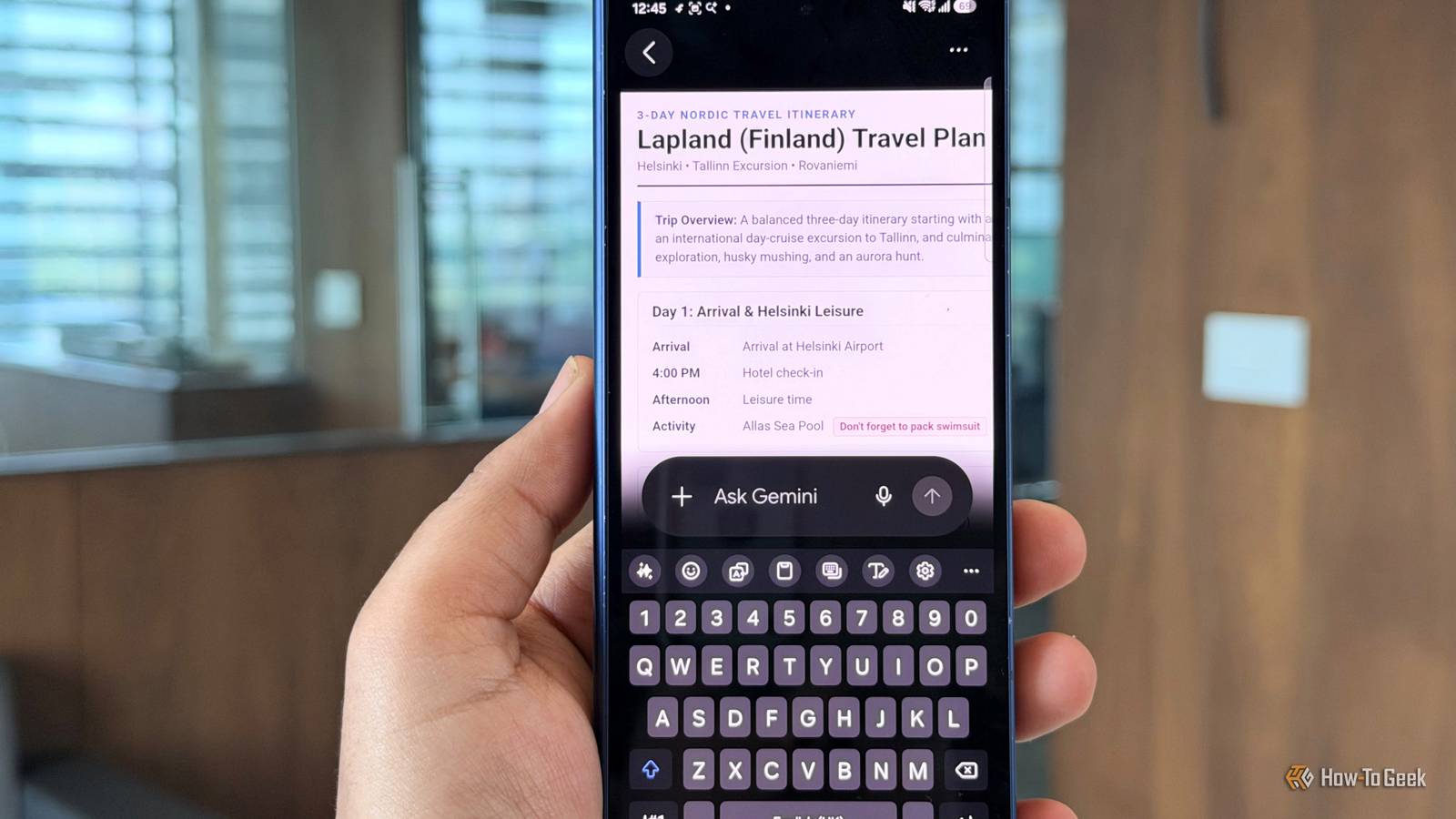
Published Nov 8, 2026, 3:30 PM EST A Computer Engineer turned tech-savvy. Sanya is part of the How to Geek team, and she covers Android, Samsung, Google, apps, and everyday technology, combining hands-on experience with thorough research. She helps readers understand technology without getting lost in technical jargon. I enjoy planning trips, but turning my rough notes into a proper itinerary is a different story. For my upcoming trip to Finland, I’ve scribbled down places to visit, train times, hotel check-ins, and activities on paper. Earlier, I could ask Gemini to create a PDF, but if I wanted to fix something or change a section, I’d have to download the file and edit it elsewhere. I wanted a way to make those changes without leaving Gemini. That changed when Google rolled out an update to Gemini’s interactive canvas feature, making working with documents a lot easier. Join me as I turn my messy handwritten Finland travel plans into a proper itinerary, make changes along the way, and see whether Gemini can save me the usual document-editing hassle. My messy notes meet Gemini From scribbles to something useful I started by opening Gemini on my Samsung Galaxy Z Fold 6, tapping the attachment icon, and uploading a photo of my handwritten Finland notes. My husband and I included all our hotel check-in times, train journeys, sightseeing plans, booking reminders, and activity costs. I asked Gemini to turn them into a three-day PDF itinerary with clear headings, timings, and bullet points. It picked up most details, including the 10 AM Tallinn cruise and my reminder to pack a swimsuit. The generated PDF also gave me a chance to check how accurately Gemini had read my handwriting. It organized the activities into separate days and brought important reminders into view instead of leaving them buried between my scribbles. I did spot one small mismatch: it interpreted my three days of notes as a three-day itinerary, even though my original heading mentioned a 21-day trip. Then, I realized I had uploaded only a three-day itinerary; Gemini had no details to fill in the remaining days. I corrected the itinerary length before moving on to the edits. I fixed my itinerary inside Gemini No downloads, no starting over After fixing the itinerary, I made a few more changes to the document myself. I edited my Day 3, adjusted some of the wording, and reorganized details I wanted to stand out. I liked that I could make these corrections directly in Gemini’s expanded document view instead of downloading the PDF, opening another app, and uploading it again. I wanted to see if Gemini could improve more than just the wording, so I tried my Day 3 itinerary and asked it to turn it into a cleaner visual schedule. I wanted the train journey, visit to Santa Claus Village, optional husky ride, and Northern Lights tour to stand out instead of appearing as another long list. I also asked Gemini to make the layout easier to scan while preserving the original timings and details. Gemini rearranged the activities into a more structured schedule, making each stop easier to spot. I didn’t stop at the PDF, though. I continued working in the same Gemini conversation and asked it to turn my itinerary into a PowerPoint presentation. This was another useful addition because I didn’t have to explain my trip all over again. The new update also supports Google Docs, Google Sheets, Markdown, plain text files, and code snippets. I can be productive in my everyday tasks, such as turning meeting notes into a presentation, organizing expenses in a spreadsheet, or refining an existing document. The advanced formats are currently supported on the web, while PDF editing is available on mobile and the web. Gemini wasn’t done with my Finland plans One trip, more than one file After organizing the itinerary, I asked Gemini to create a separate booking and packing checklist using the details from our conversation. It generated a standalone document with my Tallinn cruise, train journeys, and Northern Lights tour. I didn’t have to upload my notes or PDF again. What surprised me the most was that Gemini reminded me to pack my AirPods, something I hadn’t even thought about including in my handwritten notes. It also organized my booking reminders and packing tasks into separate categories. I still reviewed the list for anything it might have missed, but the AirPods reminder was a useful catch. I might not need a travel agent Gemini is getting stronger with every update. Google has introduced Gemini 4 Argon for complex tasks, expanded its connections to more than 40 apps, and brought its Antigravity coding interface into the Gemini macOS app. It also started rolling out Skills, which let me save custom instructions and reuse them instead of typing the same prompts repeatedly. These developments show that Google wants Gemini to do more than answer questions. It wants to make the assistant useful for everyday tasks, creative projects, and more involved workflows. I still double-check its work, but I’m finding more reasons to rely on it.
Gemini's new feature built my travel itinerary without starting over
Full Article
Original Source
Read the full article at Howtogeek →KhanList aggregates and links to publicly available news content. We do not host full articles from third-party sources. Always verify important information with original sources.