
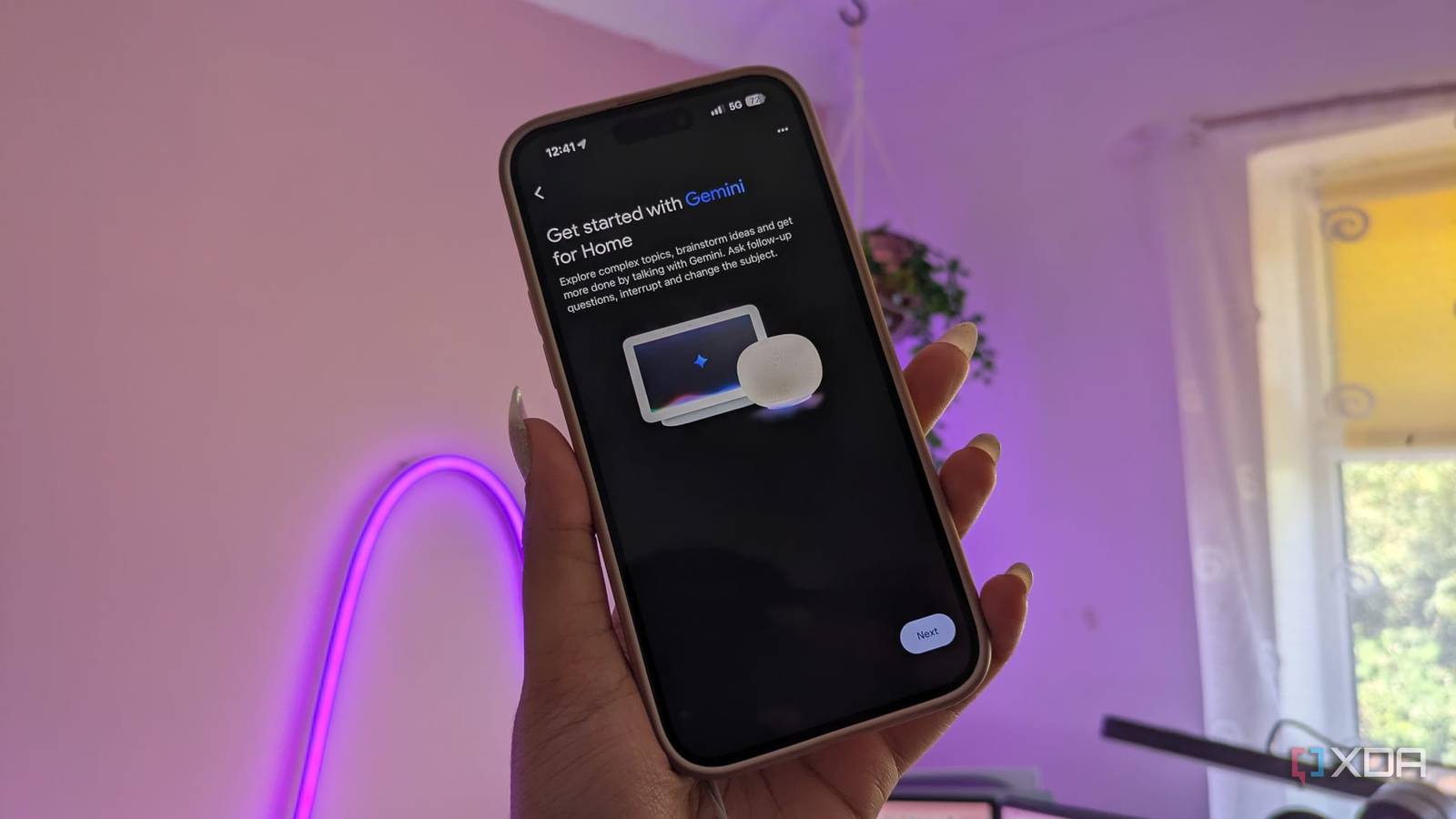
Published Nov 7, 2026, 5:00 PM EST Jasmine is Software and PC Hardware Author at XDA with years of tech reporting experience ranging from AI chatbots right down to gaming hardware, she's covered just about everything. Whether it's breaking news about the latest AMD NPUs or creating video tutorials on social media platforms, Jasmine has contributed to the world of AI and tech in a variety of ways including interviewing the CEO of Razer, AMD's Director of Product Marketing and the VP of Lenovo. Passionate about gaming and PC technology, she has built countless computers, keyboards and other peripherals - knowing them inside and out. Recently, Google integrated Gemini LLM infrastructure across its Nest hardware and smart home services. As a result, basic operational tasks shifted away from deterministic pattern matching towards cloud-based natural language processing. While generative models excel at open-ended queries and complex intent extraction, routing basic commands like "turn on the desk lamp" through remote LLM inference pipelines adds a whole lot of latency, variable execution delays, and cloud connection dependencies. I decided to replace my cloud-dependent smart speakers with a local-first voice architecture: Home Assistant running on an internal server. This bypasses external APIs entirely. Smart home voice control shouldn't rely on cloud-hosted language models for deterministic home controls, and shifting voice pipelines to local network hardware restores fast, reliable execution for everyday home control. Gemini for home has felt like a downgrade for me I don't want an LLM in my home Unfortunately, going through Gemini for simple commands adds a lot of latency. Latency already existed with the Nest hardware, even with its standard cloud-based infrastructure, but adding an LLM has only increased it. Google Assistant was cloud-based too, but it used a more rigid, narrowly scoped command system. With Gemini, a large language model now interprets requests, adding heavier processing on top of the existing cloud roundtrip before any action is returned. This cloud API routing and handshake introduces a lot of overhead. Many cloud voice assistants route commands through the vendor's servers even when the device is on your local network, so a bulb a few feet away can still depend on a remote round trip just to activate. Google does support some local execution for certain devices, but how much of this applies to Gemini for Home isn't made clear, and I found significant delays even when asking for simple commands, waiting in utter darkness for up to 8 seconds for my lights to switch on at times. Network variability and internet-related failure points have always been an issue with cloud-based smart home services. But when you add other forms of latency, it all adds up to something super frustrating. Cloud-based voice controllers require an active WAN connection in order to flip a switch. Any upstream ISP latency, server queue congestion, or cloud API degradation directly stalls basic smart home controls. Local voice assistants feel like the true way forward You can get significantly less latency Luckily, an on-premises alternative exists. You can use Home Assistant Assist paired with local satellites, and your entire smart home voice controller can stay local as long as your other devices are compatible. Keep in mind that Home Assistant doesn't rule out LLMs entirely. Assist can optionally use one for more complex requests, but the default pipeline handles the commands it recognizes deterministically, so you can choose when an LLM is involved. Home Assistant's voice architecture breaks processing into three local modular microservices using the Wyoming protocol. You need a local wake word engine (openWakeWord), a speech-to-text engine (Whisper is a common pick, but speech-to-phrase options can be another alternative), and then a text-to-speech engine (Piper). With the right setup, a local voice assistant can feel as responsive as, or sometimes even more responsive than, your Google Voice Assistant. Speed does depend heavily on your speech-to-text choice. If you're opting for speech-to-phrase, which only recognizes phrases built from your own devices and areas, it can be much faster, while the more flexible Whisper is slower and needs stronger hardware. This Home Assistant Assist relies on deterministic intent matching, so instead of passing phrases to a resource-intensive LLM, Home Assistant's built-in conversation agent uses HassIL (Home Assistant intent language), which is a template-based sentence matcher to turn recognized text into an action locally. If you want a custom command or response, you can add them in with `intent_script`. For example, if you ask it to turn on the kitchen light, the intent matching step itself only takes milliseconds, mapping directly to a `light.turn_on` in the local state machine. The total response time depends on the whole pipeline, but with a fast speech detection setup, it can easily beat a cloud round trip. You also get the benefit of zero WAN dependence. That means, in addition to lower latency, you still have service even if your internet service provider goes down completely. Your local voice satellite continues toggling lights, triggering automations, and reporting room states over the local subnet without any interruption. You do need to consider entity naming within Home Assistant itself. Local voice engines require intentional device exposure, so explicitly naming and exposing specific entities to the voice assistant prevents any command ambiguity and makes matching reliable. That way, you won't accidentally switch on a light you didn't intend to or activate a device on the other side of the home because your names are jumbled in Home Assistant. Hardware might pose an issue From satellites to host devices What's slightly more difficult than the software stack is actually the hardware satellites that you need to set up. You need dedicated local satellites dotted around your home that can actually hear you. Home Assistant has created its own Home Assistant Voice Preview Edition if you don't want to go through the hardship of creating your own hardware. The preview edition pairs an ESP32-S3 running ESPHome with a dedicated XMOS XU316 audio processor that handles echo cancellation, noise suppression, and automatic gain control within the device itself. If you want similar results from a DIY build, you can also pick up an ESP32-S3 and pair it with a compatible audio frontend. The Voice Preview Edition is exactly that: a preview. Support is still growing, especially for language and wake-word support. This means you might not get the best, cleanest experience with the device, and you may need to tinker to get it exactly where you need it. A benefit of a local satellite is true physical privacy. You can add hardwired microphone power-cut switches, which eliminate concerns about unintended cloud recordings, background telemetry data mining, or changing vendor privacy policies. Alongside your hardware satellites, you may also need to consider the host hardware. To run local speech-to-text at low latency, you'll need a modest server (for example, an Intel N100 mini PC or a dedicated home lab node) to ensure real-time audio chunk processing without CPU choking. If you're already running a home lab server, then this might not be an issue for you. Be sure to weigh whether you already have a host in place that can run this technology. Cloud-based LLMs are not what my smart home needs Quick and simple voice control shouldn't be hard Upgrading smart home assistants with cloud LLMs often prioritizes conversational novelty over raw utility. For essential room controls, cloud latency is a direct regression in user experience. You can reclaim control of your smart home's response times by decoupling voice commands from remote servers. Deploy dedicated local voice satellites, process audio pipelines on your own local hardware, and enjoy the speed and reliability of an unclouded smart home.
Gemini made my Nest speakers slower at turning on a light, so I gave the job to a voice assistant that never leaves my house
Full Article
Original Source
Read the full article at Xda-developers →KhanList aggregates and links to publicly available news content. We do not host full articles from third-party sources. Always verify important information with original sources.