
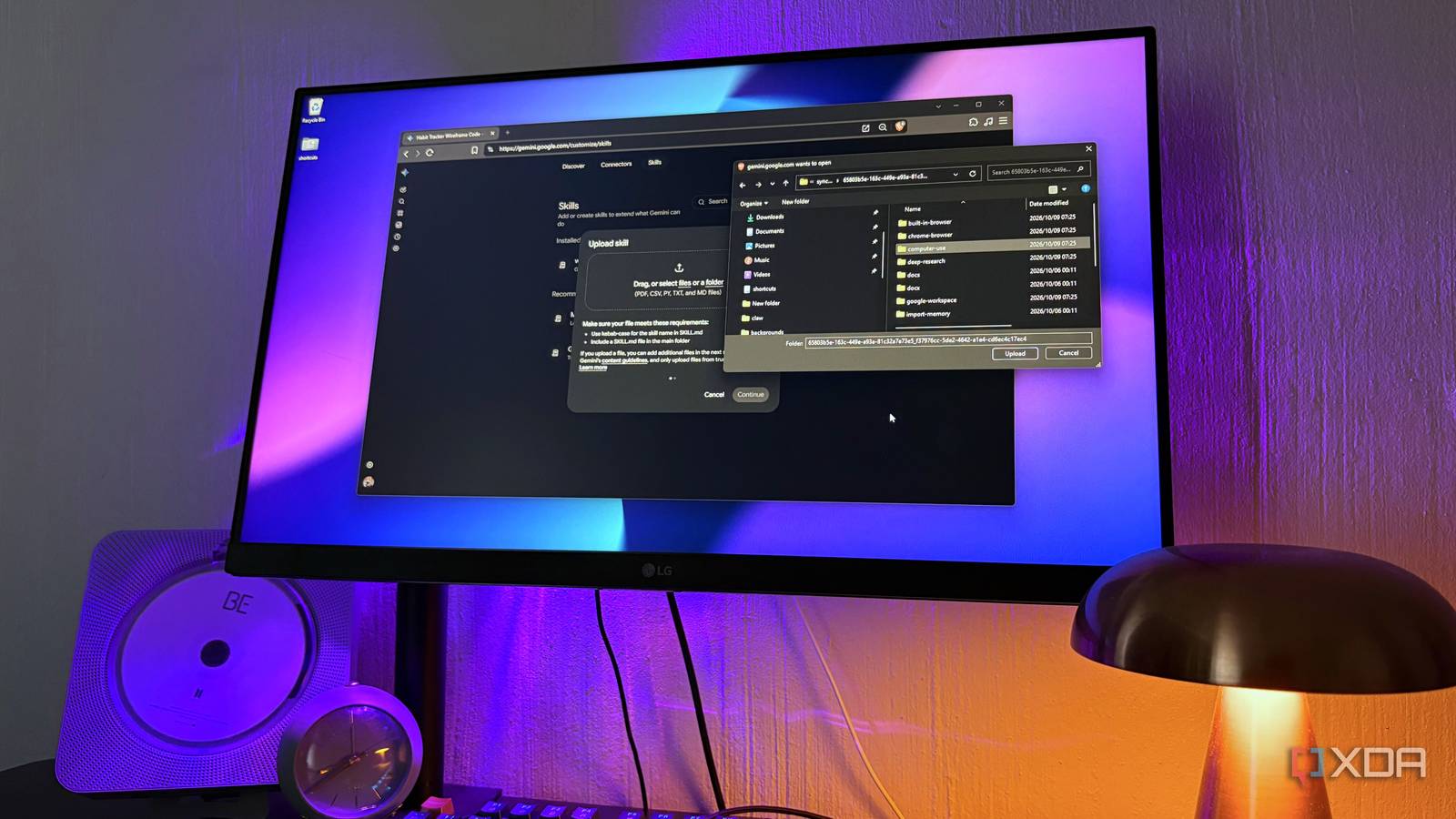
Published Nov 1, 2026, 4:00 PM EST Nolen began their writing career in 2019, with three years dedicated to editing the Creative section at MakeUseOf. Their expertise lies at the crossroads of technology and creativity, covering areas like photography, video editing, and graphic design. Outside of work, you'll often find Nolen diving into a good book, writing their own stories, or playing video games. Custom instructions in your AI tools are really just a double-edged sword. Yes, they help you fine-tune the model in a way, or guide it in the right direction, but the part nobody writes about is when you switch to a different AI provider or simply juggle a bunch of tools at the same time. Then you're either right back where you started and need to create instructions from scratch, or get used to juggling between different stacks of skills with different AI tools. Google's now retiring Gems, Gemini's version of custom assistants, and the replacement is called Skills. That name is probably familiar to anyone who uses Claude, where skills are small instruction files that teach Claude how to handle a specific job. I've got a handful of them I lean on constantly, but Gemini is the app I keep open for studying and research, which is a pretty different job from what Claude Code does for me. So, I set out to find out which of my skills could make the move over, and how well Gemini's new Skills feature could handle them. Gems are on their way out, and Skills are taking their spot Google is reworking how custom instructions work in Gemini Gems showed up in August 2024 as Google's take on custom versions of Gemini. The idea was that you'd write your instructions once, attach whatever files they needed, and then simply open that Gem whenever the task called for it. Every Gem lived in its own separate chat though, so using one meant leaving the conversation you were in to go find it, and this is probably why I didn't use them as much as I hoped to. Google announced on September 30 that Gems will be replaced by Skills. Skills are already available in Gemini, just go to Customize > Skills. But Gems are still around, they go read-only on November 17, and will disappear from Gemini completely on December 17 (apparently workspace and school accounts have until 2027). Google says it'll convert existing Gems into skills automatically, though if a Gem's files go over the 100MB skill limit, the biggest ones get dropped first. Skills started out inside Gemini Spark, Google's agent for paying subscribers, but in regular chat they're free. Instead of opening a separate assistant, you call a skill inside whatever chat you're already in. Gemini can also pick one up on its own when a prompt matches what the skill is for, and since they stack, you can run more than one in the same conversation. Sharing skills and pulling in Google Drive files are still a few weeks out, which Gems could already do, so for now the replacement is still missing a couple of things that the old version had. Moving existing skills into Gemini Some of them needed a rethink before they made the trip Getting an existing skill from your other AI tools into Gemini is dead simple, but there are some things to consider. First, head over to Skills from Customize, and you'll be presented with a couple of options for adding skills. First up is manual, which gives you boxes for a name, a description, and the instructions to type in. A Claude skill's SKILL.md file is basically those same three things with some formatting on top, so copying each part into its box takes two seconds. To find your Claude skills, head to the .claude directory in your user profile - I couldn't see mine at first, then realized they were tucked away in the Synced folder. The second option is to upload files and folders. Gemini takes a single SKILL.md, a whole skill folder, or a zip with the SKILL.md sitting in its main folder. The skill name has to be lowercase with hyphens between words, which Claude skills already use anyway. This is definitely the route to take if you want to bring over a whole stack of skills. But you also need to consider whether your skills will actually make sense in Gemini. A lot of my Claude Code skills are built around Claude working through files on my PC, and a lot of that is pretty useless in a chat where I'm mostly studying or researching. Scripts that need internet access aren't supported either. Before uploading anything, I asked Claude to copy my skills into a new folder and rewrite those copies for chat-based research and learning. The originals stayed put and the new versions were ready for Gemini. Small fixes after that don't need a re-upload. Each skill has an Edit with Gemini option where you describe the change in plain words. Using my skills without naming them Whether a skill gets picked up depends on more than the skill itself Calling a skill by name is pretty straightforward. You just type @ and select your skill from the popup. Google's announcement still mentions the forward slash, but mine had already updated to the @. From there, Gemini will follow whichever skill you picked. But what I really wanted to test was whether Gemini would pick up on the skill without me tagging or explicitly asking for it in the prompts. In fresh chats I just asked for things in normal language, and Gemini picked up the right skill on its own, showing its name in its thinking process before doing the task. From what I can tell, and I'm only going off a handful of chats here, the description field does most of that work. For example, my wireframe skill's description mentions sketching a UI layout, and asking for a UI layout for a habit tracker was all it took. If a skill isn't getting picked up, I'd probably rewrite the description using the words I actually type before stuffing trigger keywords into the instructions. Research is where it's less useful for me. Deep Research and Guided Learning don't support skills right now, and those are two of the features I open Gemini for in the first place, so my longer study sessions still happen without any of this. One skill stack, and two apps that can read them Gems were something I tried to give a fair shot, but I honestly forgot they existed until I read the news that they're about to disappear - guess I'm not the only one if they're being replaced. I think Skills have a better shot of working out for me because it's a format I'm already used to, and I already have a whole stack I can just remix and plug in. Google Gemini
Gemini is replacing Gems with Skills, so I moved my Claude Code skills over to test them
Full Article
Original Source
Read the full article at Xda-developers →KhanList aggregates and links to publicly available news content. We do not host full articles from third-party sources. Always verify important information with original sources.