
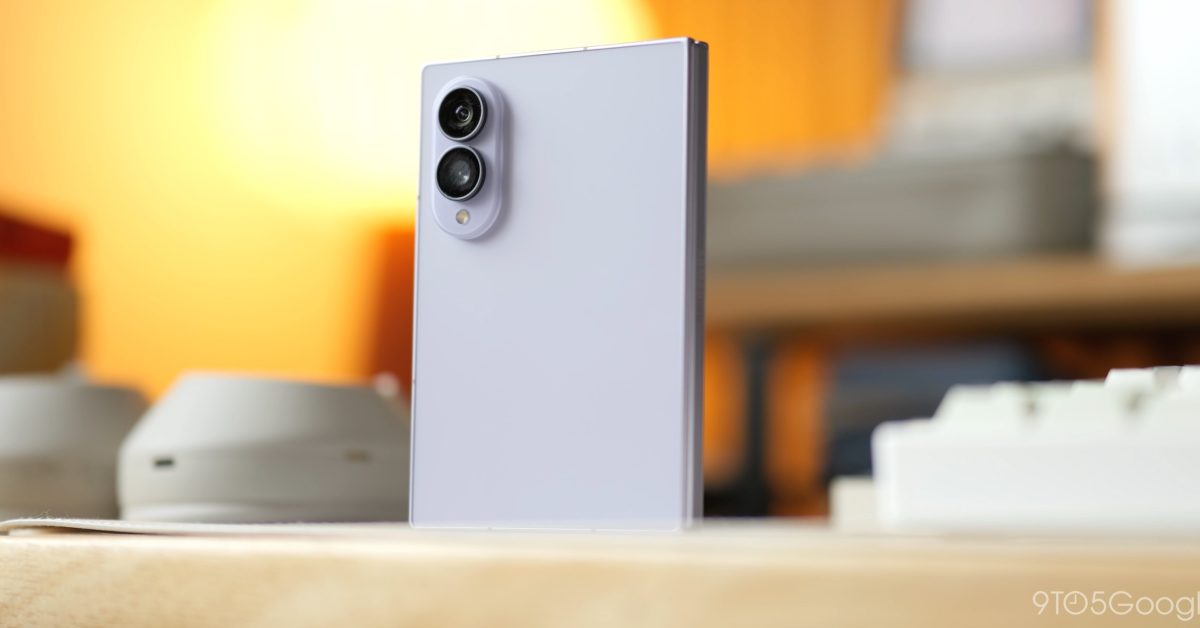
Folding phones have come in numerous variations over the years as the concept has evolved. The Galaxy Z Fold 8 is the latest evolution that introduces a form factor that fits every user. Its unique design makes it a foldable most people can actually use – which makes it a perfect gift. You might be surprised by what it can do. This post is sponsored by Samsung. Unfold for a bigger canvas It’s in the name. The Galaxy Z Fold 8 folds and unfolds like other foldable devices – that much you know. But what the Galaxy Z Fold 8’s form factor provides is something different to what most might be familiar with. Instead of a tall device that unfolds into a near-uniform square display, you get a wider screen more like a tablet. That makes it perfect for watching videos or movies. Content that naturally works well on TVs or your computer will look great on the Galaxy Z Fold 8. What about content that’s best viewed in portrait mode? Because it opens up to a tablet-like display, you can turn the Fold 8 to watch YouTube Shorts or Instagram Reels without a problem, so if you or someone you know likes to watch content on a bigger display, the Z Fold 8 makes that much easier. It really doesn’t matter what content you come across – the wider inner display gives you that large screen feeling. Fold for a minimal display Like a well-designed tool, the Galaxy Z Fold 8 has more purposes than the tasks best suited for the inner display. That shorter, wider profile makes the outer display smaller, but not as thin as something on other foldables, like the Galaxy Z Fold 8 Ultra. In reality, the aspect ratio is similar enough across both the inner and outer screens that most content scales well on the shorter front panel. Social apps like X and Instagram look great because videos and images are able to fill the screen, rather than squeeze. Samsung’s One UI software also supports app optimization across both screens, although the experience may vary by app. Saying the Galaxy Z Fold 8’s outer display is “minimal” isn’t a dig, either. Apps can be refreshing to use when you don’t need to open them on a large scale. Take Messages, for instance. It’s not a complex app, and there isn’t a ton to see – just the last couple of messages exchanged. The same goes for plenty of apps available on the Google Play Store. And guess what? If you don’t like using the app on a smaller display, just unfold the phone. The Galaxy Z Fold 8 is such a versatile phone, whether it’s a gift during the holidays or one for yourself. Run three apps (or more) at once There are instances where you need the large real estate. One UI 9 gives the Galaxy Z Fold 8 the option to open and run multiple apps on your screen. There are several ways you can do it, too. The main approach is to split two apps on the wide inner display. But if you want to see more from one app, you can simply drag the split over in one direction. One UI 9 leaves room to add one more app to that split screen, giving you a three-way Split View. All it takes is dragging an app from the taskbar and choosing the spot. If you truly need a fourth app open, you have the option to open another in a floating window. Having four apps open at once is definitely a niche instance, but the Galaxy Z Fold 8 handles it like it’s nothing. You can have YouTube up in one corner while you check Messages for gift ideas and shop through the Amazon app. It might be helpful to keep a list of what you got and for whom in a floating Sheets window. The point is not only that it’s technically possible, but it’s usable. So often devices let users open apps in split screen, but are in no way comfortable enough for the task. The Galaxy Z Fold 8 is perfect for it, and the experience actually makes you more productive, not less. Built-in tripod Most phones don’t let you get the best angle without any sort of third-party accessory. The Galaxy Z Fold 8, though, acts like its own tripod in a way. Let’s say you’re taking photos, and you need to get a shot of yourself, but no one is around to take the photo for you. The Galaxy Z Fold 8’s hinge lets it prop itself up, so you can do things like set a timer and run to strike a pose. This comes in handy for videos, too. Think of how many times you wanted to get a good angle on a plane or somewhere where there’s this flat surface just asking for a tiny tripod or kickstand. Well, the Galaxy Z Fold 8 is its own kickstand and can be positioned at just the right angle. Where to buy the Galaxy Z Fold 8 You can get the Galaxy Z Fold 8 from your favorite carriers and retailers, but Best Buy is one of the leading places to find deals during the holiday season. You’ll find hefty discounts, higher trade-in values for your old devices, and more. Galaxy Z Fold 8 at Best Buy FTC: We use income earning auto affiliate links. More.
Galaxy Z Fold 8 features: What you can do on a foldable
Full Article
Original Source
Read the full article at 9to5google →KhanList aggregates and links to publicly available news content. We do not host full articles from third-party sources. Always verify important information with original sources.