
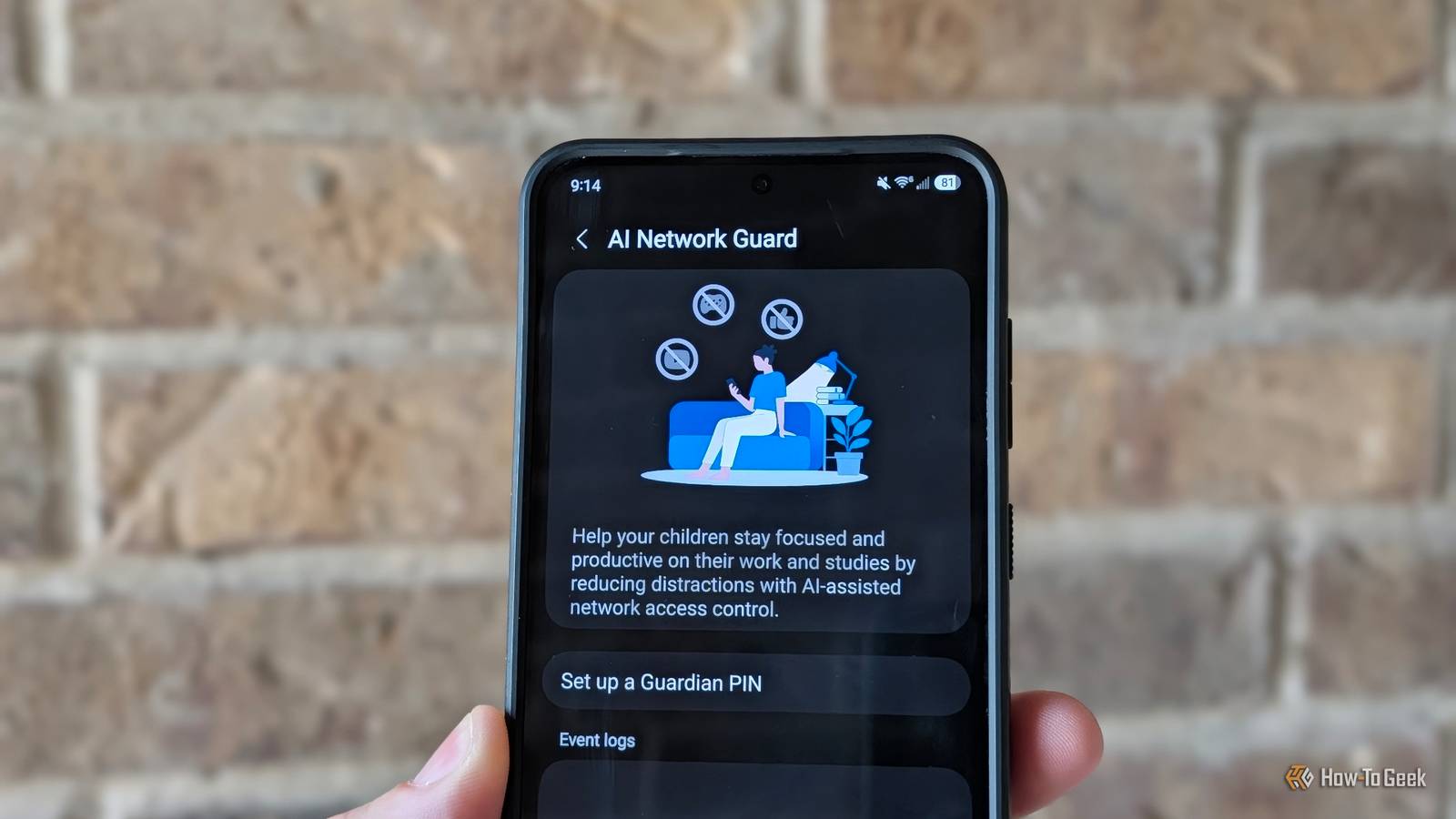
Published Oct 15, 2026, 6:30 AM EDT Tyler is an journalist and content contributor at How-To Geek with over three years of experience covering the automotive and tech industries. His work focuses on delivering clear, well-researched, and engaging content that helps readers better understand the vehicles they drive and the technology that they use everyday. Before entering automotive media, he spent five years as an academic editor, developing a strong foundation in research methodology, factual accuracy, and structured analysis. This background informs his journalistic approach today, ensuring that every article balances technical insight with accessibility for a broad audience. Samsung has started rolling out One UI 9, introducing a bunch of new features to Galaxy users. While the rollout is still pretty limited, more devices in more regions are slowly but surely getting the update. There are some new features, however, that are so hidden, that even some people who have been using One UI 9 for a little while now still haven't found. One of these features is the ability to control internet access for individual apps. This might sound small, but there are plenty of apps that make sense for this feature. Plenty of users will want to use it, even though it is still tucked away in a hidden network settings menu for now. You don't need every app you have to access the internet Samsung lets you keep things offline As our devices and lives become more connected, cybersecurity and online privacy are becoming increasingly important. Taking control of what data you share with the world, and how it's shared, is integral. Unfortunately, a lot of the devices that we use simply don't give us an option. That's why this hidden feature, rolled out as part of One UI 9 on Samsung Galaxy devices, is so great: it lets you control which apps can access the internet. Galaxy users with access to One UI 9 can switch on a feature called AI Network Guard. It lets you toggle which apps on your device can access the internet. There are a ton of reasons that you might want to do this, which we will dive into in more detail down below, but the crux of it is that you can restrict apps that shouldn't really need any connection to the internet and make sure that there isn't any secret data collection going on. You have to put in some work to turn it on Connectivity labs is a hidden Samsung settings menu that houses a bunch of useful data related to how you use your internet. It also comes packed with a bunch of experimental features. Connectivity labs is generally designed to be used by network engineers and troubleshooters, but there are plenty of useful tools that the average user can implement. This includes the new AI Network Guard feature, which has been relegated to the secret menu. Accessing Samsung's secret connectivity menu isn't the most straightforward thing in the world. You're going to want to go into your settings, tap connections, and then tap Wi-Fi. Then tap the three-dot menu in the top-right corner and select 'Intelligent Wi-Fi'. Scroll to the bottom of the menu, and you'll see a tab labeled 'Intelligent Wi-Fi' along with its current version. Tap this tab seven times in a row to reach Connectivity labs. Once turned on, you should see a dedicated tab for it in your Intelligent Wi-Fi settings. In this menu, you should find a setting titled 'AI Network Guard'. Tap it, set up a Guardian PIN, and you'll be ready to go. You should now see a list of the apps installed on your phone and the option to toggle whether each app has internet access. There are plenty of applications for this feature From cybersecurity to parental controls Being able to limit the internet connection of particular apps is a fantastic feature. Previously, doing this meant setting up a third-party app, and it wasn't always straightforward. Samsung implementing it into One UI 9 is a big win for Galaxy users. Plenty of apps offer this feature, and it benefits just about every kind of user. If you use the AI Network Guard to toggle off connectivity for an offline app or game, you can limit its ability to communicate with ad servers and download pop-ups or banners. It is also a strong parental control tool: you can limit apps' internet access on your child's device, and the Guardian PIN you set up prevents them from reactivating it later. Another great use of this tool is limiting your device usage. You can set start and end times when apps lose and then regain internet access, so you can schedule downtime. As someone who wants to scroll less on my phone in the evenings, this is probably one of the main reasons I would use the feature. A great feature that hopefully gets brought out of the shadows The only downside is that it is hidden in Connectivity labs. Obviously, Samsung isn't yet ready to hard launch the feature, but it is just so useful, and it would be great if it were more easily accessible. There are so many reasons that you might want to limit the internet connection of specific apps, and I truly hope that Samsung invests more in this feature, eventually bringing it into the limelight.
Galaxy phones can fully block internet access for individual apps with this new One UI 9 setting
Full Article
Original Source
Read the full article at Howtogeek →KhanList aggregates and links to publicly available news content. We do not host full articles from third-party sources. Always verify important information with original sources.