
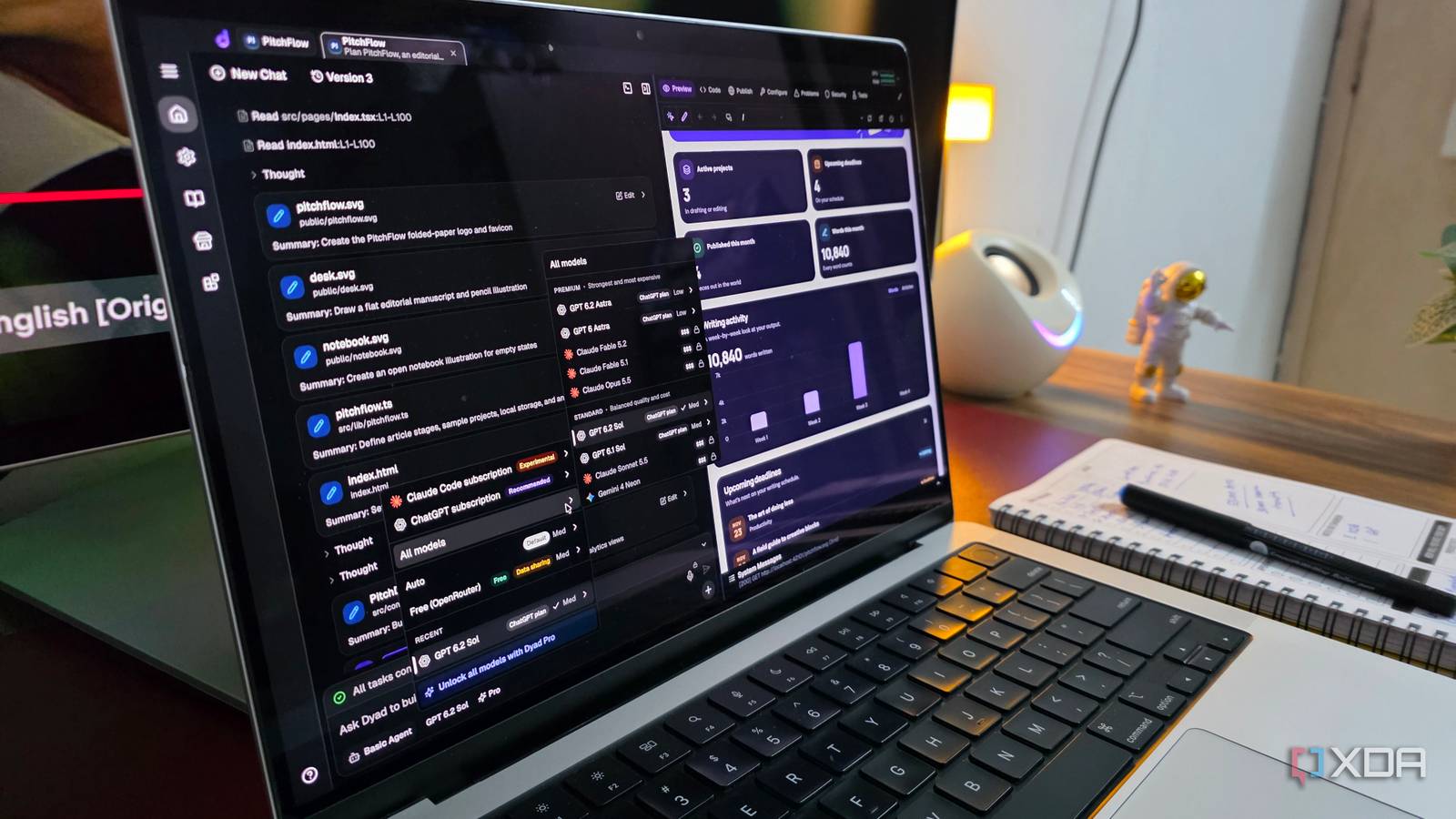
Published Nov 22, 2026, 6:00 AM EST Parth, a seasoned tech writer, wields the keyboard (or pen) with finesse to unravel the intricacies of both Windows and Mac operating systems. He has covered evergreen content on mobile devices and computers for multiple publications over the last six years. You can find his work on AndroidPolice, GuidingTech and TechWiser. Whether it’s demystifying system updates, deciphering error codes, or exploring hidden features, Parth’s prose guides readers through the binary maze. When not immersed in tech jargon, you’ll find him sipping chai, pondering the next software review, and occasionally indulging in a friendly debate about mechanical keyboards. Vibe coding was supposed to make software development accessible to everyone. Describe what you want, let AI handle the heavy lifting, and turn your ideas into working applications. It sounds simple, but after spending time with Antigravity, Claude Code, and Codex, I realized AI-powered development can still feel overwhelming with complicated interfaces and endless back-and-forth prompts. I just want to build something without getting caught up in the technicalities. That’s exactly what drew me to Dyad. I decided to give it a shot and came away impressed. I wanted vibe coding without the complexity Dyad caught my attention From building complex websites to creating functional Android apps, tools like Antigravity, Codex, and Claude Code have changed how I approach software development. But sometimes, I don’t want to deal with terminals, coding agents, project configurations, or endless permission requests. I just want to describe an idea, let AI do its magic, and see a functional application come to life. That’s when I came across Dyad, a free, open-source AI app builder that takes a refreshing approach. Unlike traditional AI coding assistants, Dyad focuses on a simple desktop experience where I can describe my requirements in plain English and watch the application take shape through a live preview. It’s also local-first, which means my project files stay on my computer. I can connect different AI models, refine the generated application through follow-up prompts, and retain control over the source code. On paper, it sounded like exactly the kind of vibe coding setup I had been looking for. I built a complete app using simple prompts Powerful coding agents aren’t always necessary To put Dyad through its paces, I decided to build something that could actually fit into my daily workflow. I came up with PitchFlow, a modern productivity app for managing my article ideas, ongoing drafts, and publishing schedule. I simply described what I wanted in a 100-word detailed natural-language prompt. I requested a calendar view, colorful analytics charts, quick idea capture, smooth animations, rounded cards, and dark mode. The entire experience felt closer to explaining my requirements to a designer than working with a traditional coding tool. Dyad also followed up with some questions to get more context around the app. I could preview the generated interface, identify areas that needed improvement, and request changes using follow-up messages. I didn’t need to worry about which files to edit or how to structure the underlying code. This is where I think Dyad makes the most sense. When a client wants a quick mock-up to visualize an idea, I don’t necessarily need to fire up Claude Code or Antigravity. Similarly, when I want to test the waters with a new website or app concept, Dyad gives me a starting point before I commit to full-scale development. Of course, a promising prototype isn’t the same as a production-ready application. I would still thoroughly test the functionality, data persistence, and overall reliability before using it for serious work. I appreciated the freedom Dyad offered My projects, my models, my rules Another aspect that impressed me about Dyad was the amount of freedom it offered. Due to its local-first approach, I don’t have to worry about losing access to my work if I decide to stop using Dyad. I can open the project in VS Code, continue development with Claude Code or another coding assistant, or move it to GitHub. I also appreciated the flexibility to choose my preferred AI model. Dyad supports providers such as OpenAI, Anthropic, Google, xAI, and local models through Ollama. I can bring my own API keys, experiment with different models, and pick one based on my requirements and budget. Dyad also offers integrations with services like Supabase for databases and authentication, which makes it possible to expand a basic prototype into something more functional. And since the core application is open-source, I have greater transparency and control over the development process. Dyad isn’t perfect, but that’s okay Simplicity still needs some serious polishing Dyad isn’t without its shortcomings, though. For a tool that promises simplicity, I found the interface quite busy. There are too many icons, RAM and CPU usage indicators, and other unnecessary elements. I think Dyad could take a few design cues from OpenCode, which offers a cleaner, more focused experience. Another disappointment is the lack of a capable free AI model. While Dyad supports multiple providers, getting reliable, good results often means relying on paid models or API credits. It can be a dealbreaker for many new users. This is how vibe coding should feel After experimenting with some of the biggest names in AI coding, Dyad reminded me why vibe coding became so exciting in the first place. I didn’t need a sophisticated coding agent or a complicated development environment to bring PitchFlow to life. I won’t be replacing Claude Code or Antigravity anything soon, but Dyad has earned a place in my toolkit. For quick client mockups, personal experiments, and testing new ideas before committing to a larger project, it’s an excellent starting point. Dyad Dyad is an open-source alternative to Claude Code and OpenCode.
Forget Google Antigravity, Claude Code, and Codex, this underrated tool is the perfect example of vibe coding
Full Article
Original Source
Read the full article at Xda-developers →KhanList aggregates and links to publicly available news content. We do not host full articles from third-party sources. Always verify important information with original sources.