
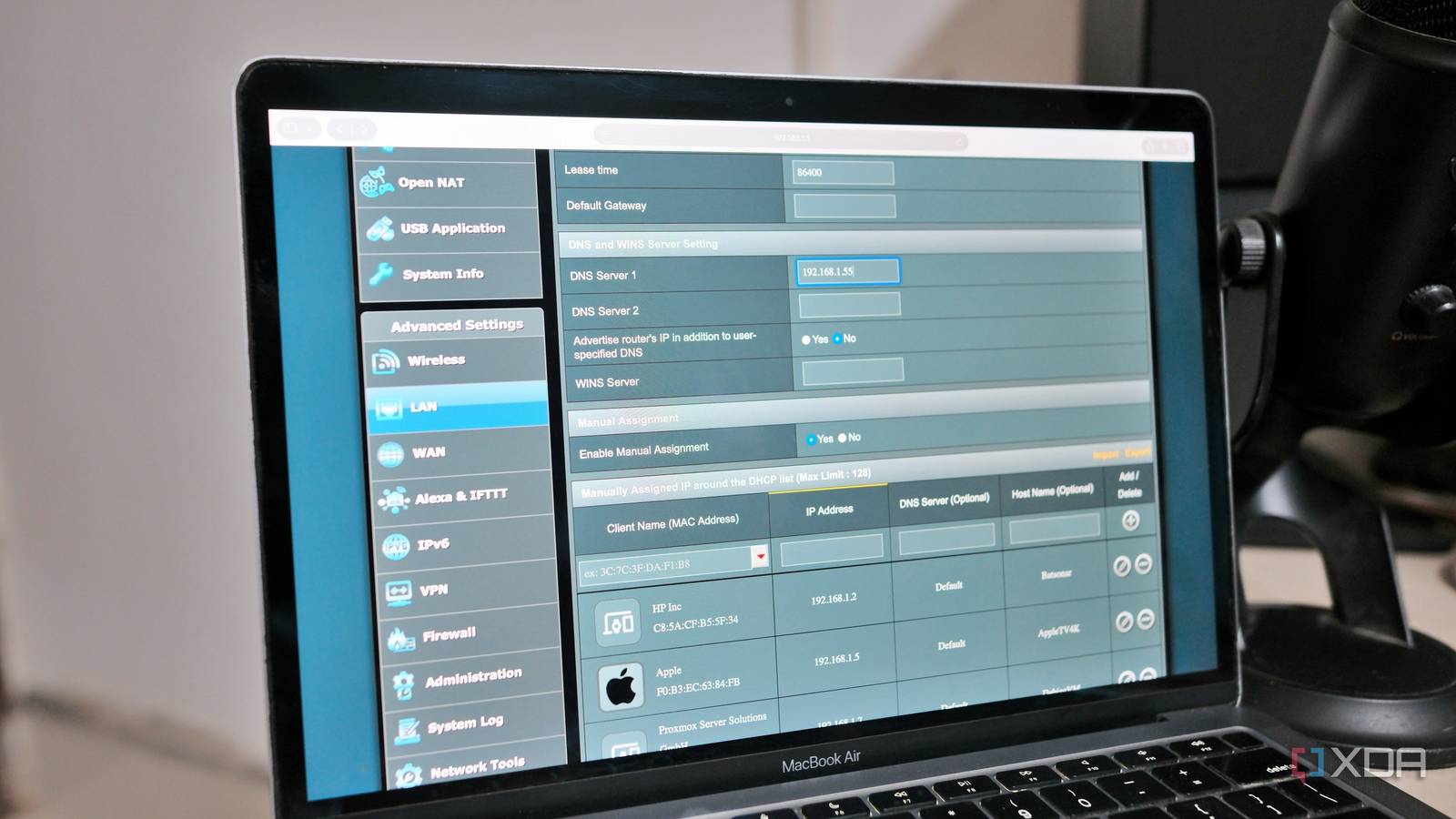
Published Aug 13, 2026, 2:30 PM EDT Samir Makwana is a technology journalist and editor from India since past 18 years and his work appears on MakeUseOf, HowToGeek, GSMArena, BGR, GuidingTech, The Inquisitr, TechInAsia, TechWiser, and others. He has written news, features, and gadget reviews for national technology media publications. His passion is to help people with their technology problems and gadget purchases. For that, he has worked for some of the biggest international technology publications, covering news, explainers, how-to guides, listicles, and product-buying guides. He has worked as an editor and managed teams since 2015. His expertise broadly covers computers, smartphones, game consoles, headphones, smart home products, browsers, and apps. Building a smart home is fun, but maintaining one turned out to be an ongoing project. My smart lights took a couple of seconds to turn on when triggered by a routine. Other devices either didn’t fire or took a long time to respond. On checking Home Assistant, I saw the spinning refresh icon going on for a while. The voice commands registered after a delay. None of those things were disastrous. It was the annoying low-grade lag that made me distrust a system I’d built to feel quick. Over time, the sluggish, unresponsive behavior of some devices got the better of me, and I couldn't figure out why. I had three separate working theories before I found the actual cause. To my surprise, DNS wasn’t even on my initial suspect list. I blamed the coverage due to my dual router setup at first Rebooting and rearranging APs didn’t help I repurposed my old ASUS RT-AC66U router as a second router functioning as an access point dedicated to smart home devices. It’s a few feet away from my main router (ASUS RT-AX88U), and I power-cycled both routers as a troubleshooting measure. I moved my Raspberry Pi 4, which was running Home Assistant at the time, closer to the second router to ensure better connectivity for all devices. My theory rested on the old router being a weaker access point, which added latency to every request from smart home devices. Even after that, the signal strength was fine everywhere I tested, and the delay was present for devices closer to the main router and those in the far bedroom. A frustrating evening of restarting routers and moving the second one around helped rule out coverage as the culprit. I suspected my Zigbee network was overloaded Changing channels and coordinator position didn’t help I’ve been using a USB-based Zigbee coordinator with Home Assistant for a year. When I moved Home Assistant from a Raspberry Pi 4 to a mini PC running Proxmox, I also relocated the Zigbee coordinator dongle. However, I didn’t configure it fully and assumed that its 2.4 GHz channel might overlap with my existing Wi-Fi network. That might be causing delays across all automations. So I changed the channel for the Zigbee coordinator to reduce the overlap and moved the mini PC away from my main router. Only a day later, I realized that all Wi-Fi-only devices were equally slow. Basically, a smart plug talking directly to my router shouldn’t care about the channel the Zigbee coordinator operates on. When I realized that, I dropped all the guesswork and started measuring. I blamed my ISP for the under-the-hood issues Speed tests didn’t reveal much, but things felt broken After checking off the coverage and channel settings, I finally looked closely at my internet connection. I ran speed tests at different times and even hosted the Speedtest Tracker server to monitor my connection’s speeds. I called my ISP to rule out outages in my area and rebooted the modem more than once out of habit. Still, every speed test came back close to the ISP’s advertised speeds. Since speed tests didn’t reveal much, I had to look elsewhere for more details. The only time I faced issues was when dealing with a smart home device. That made it clear the problem wasn’t bandwidth. It was something standing in the way of every request before it could be processed. The real problem was with the DNS settings in my router Upstream lookups for devices were slow The last thing on my checklist was to inspect the router logs and run dig commands to troubleshoot DNS issues. I found that my DNS settings, specifically using my ISP’s DNS servers, weren't really helping my network. Queries were returning with inconsistent timings. I repeated those tests using public DNS providers as well. After all, consumer routers are notorious for having limited RAM and undersized DNS caches, which explains the inconsistent timings. Eventually, I configured Pi-hole to use Unbound as a local recursive resolver instead of forwarding DNS queries to a public DNS provider. Also, I set Pi-hole to run on that same Raspberry Pi 4 now that Home Assistant lives on the mini PC. It serves as my router's primary DNS server, rather than leaving it as secondary. Unbound resolves the query itself, starting from the root hints and querying authoritative nameservers directly. It doesn’t rely on someone else’s resolver. That cuts the round trip to a public DNS provider’s resolver, which used to add an extra hop, translating to hundreds of milliseconds in the first place. The change showed up in the Pi-hole’s query log immediately. Response times dropped from hundreds of milliseconds to double-digits, and sometimes even single-digit, milliseconds for cached queries. As a result, the smart lights and other smart devices responded instantly. DNS needs to sit at the top of the suspect list Every theory I chased made sense back then and taught me a lot. Coverage, bandwidth availability, and Zigbee congestion are all real problems that can make a smart home feel sluggish. However, DNS sits underneath all of them. A slow resolver can easily mimic all three of those symptoms at once by resolving hostnames for every DNS request. That’s why DNS needs to be at the top. Using a local DNS resolver minimized DNS lookup times for my smart devices and improved their responsiveness. If your smart home has been laggy for no obvious reason, you might want to check out DNS response times. It takes a few minutes. Tweaking DNS settings costs nothing compared to replacing hardware that was never the problem.
DNS was the reason my smart home felt slow, and I'd blamed everything else first
Full Article
Original Source
Read the full article at Xda-developers →KhanList aggregates and links to publicly available news content. We do not host full articles from third-party sources. Always verify important information with original sources.