
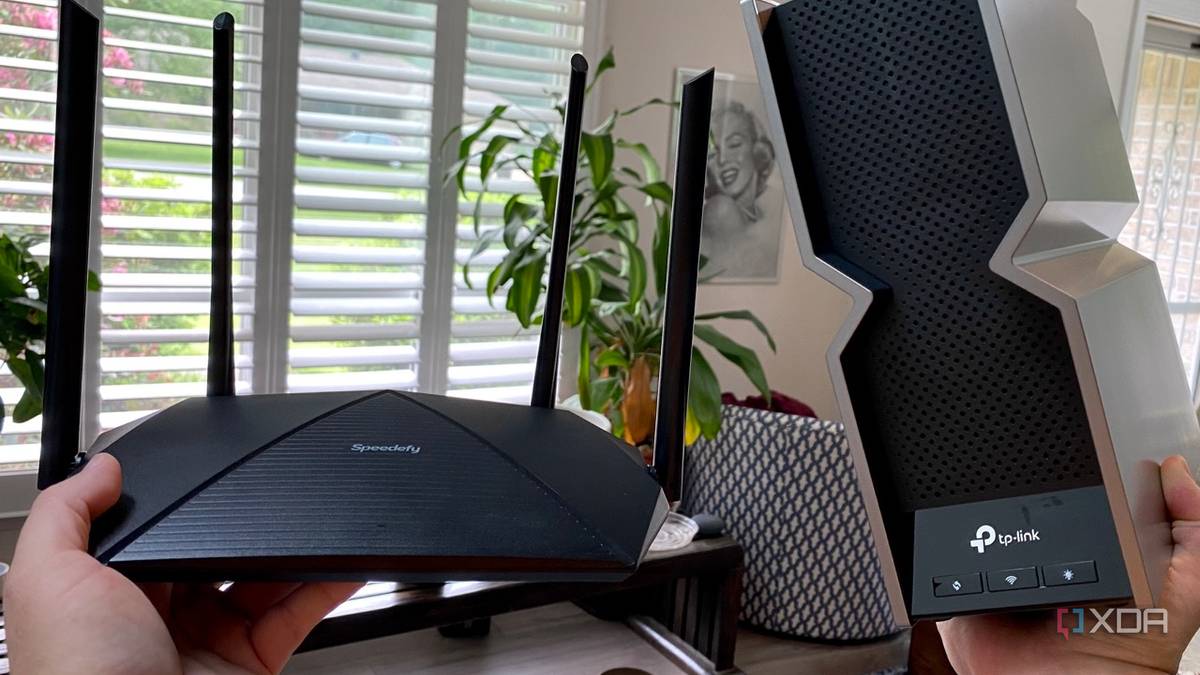
Published Sep 27, 2026, 5:00 PM EDT Shivansh began his tech journey as an avid reader of tech publications, which inspired him to launch his career in video media at Sillycorns. He has led content across multiple tech YouTube channels and Instagram accounts, crafted go-to-market (GTM) strategies for Vivo, and consulted on digital growth. Coming full circle to his roots in written media, he now delivers deep-dive tech journalism. Outside of his professional work, Shivansh loves watching movies, riding bikes, and playing cricket. You're comparing routers late at night, and one box says BE19000. It looks like a speed. It looks like your speed, the one your laptop will hit once the new router is plugged in. It isn't. That figure adds up every band the Archer BE800 runs at once. No single device gets near it. Most of the best Wi-Fi 7 routers carry totals just like it. Wi-Fi 7 won't fix what's actually wrong with a home network on its own. What your laptop can use is a much smaller number. You can check it with one click. What does BE19000 mean on a Wi-Fi 7 router? It's three bands stacked into one figure BE19000 is three numbers added together and rounded up. TP-Link's own spec table for the Archer BE800 lists each band on its own line. The 6GHz band gets 11,520Mbps. The 5GHz band gets 5,760Mbps. The old 2.4GHz band, where your smart plugs live, adds 1,376Mbps. Together, that's 18,656, and the box rounds it up. Picture the router as a house with three faucets. The box number is what you'd get if you opened every faucet at once and added up the flow. It's a real figure. It just isn't the flow at any one faucet. Each faucet's figure is a best case, too. TP-Link counts four streams per band, and a stream is one separate path of data the router can aim at a device. On 6GHz, it also assumes a channel 320MHz wide, the widest Wi-Fi 7 allows. Your device has to match all of that to see the full number. TP-Link knows this. The page's headline says the router lets your devices run at full speed, next to a tiny dagger symbol. I followed the dagger to the bottom of the page. The footnote lists what real speed depends on, and one item is "client limitations." A client is the device on the other end. That dagger does a lot of work. Two words, buried at the bottom of the page. I wanted to know how big my own client's limitation was. How fast can a Wi-Fi 6 laptop go on a Wi-Fi 7 router? Apple publishes the ceiling for MacBook Air My Apple MacBook Air M2 tops out at 1,200Mbps, no matter the router. Apple keeps a Wi-Fi spec table for every device it sells, and my laptop's row is short. It speaks Wi-Fi 6 over two streams. Its widest channel is 80 MHz. There's no 6GHz line at all. Back to the faucets. My laptop is a hose, and a hose flows only as fast as its own width. It clips onto one faucet at a time. It can't even reach the biggest one, the 6GHz band that makes up more than half the box number. My laptop is a hose, and a hose flows only as fast as its own width. So of those three lines in TP-Link's spec table above, my MacBook can use one, and only part of it. Against the box's 19,000, it gets about one-sixteenth. That's one cup out of a gallon jug. Then I checked the live number in my own Wi-Fi menu. Whatever mine reads on a given day, it's a four-digit number at best. The box has five. On a Mac, hold the Option key and click the Wi-Fi icon in the menu bar. The Tx Rate line is your link speed right now, and PHY Mode shows which Wi-Fi generation you're on. One device, one faucet, one narrow hose. So why do the box numbers keep climbing? Bigger box numbers mostly mean more bands, not faster ones TP-Link's quad-band router shows exactly how A bigger box number usually buys another band, not a faster link for any one device. TP-Link's Archer BE900 is sold as BE24000, and its spec table reads like the BE800's with one extra line. That line is a second 5GHz band worth 5,760Mbps. It covers the entire gap between the two boxes. In faucet terms, the pricier house has one more tap. My hose is the same width. Swap the BE800 for the BE900, and the ceiling behind that Tx Rate line in my Wi-Fi menu stays at 1,200. The same math runs through the lineup below. The numbers climb as makers add bands and streams. Each of those helps a house full of devices. None of them widens a single hose. It also explains why Wi-Fi 7 looks like such a leap on a store shelf. Most of the new total comes from the 6GHz band and its extra-wide channel. A laptop without a 6GHz radio never touches that part, no matter how new the router is. Mine is one of those laptops. That leaves the fair objection. A busy house does have a lot of hoses. Is a Wi-Fi 7 router worth it for a busy home? Yes, when many devices pull at the same time The total isn't fake, and this is where the box earns its number. The BE800 can talk to several devices on different bands at the same time. A desktop on 6GHz and a TV on 5GHz don't have to take turns. Put a hose on every faucet, and the house's total flow is real. That's the honest case for a Wi-Fi 7 router: a crowded house, or a next laptop that speaks Wi-Fi 7. Newer hoses are wider, too. Apple's same table lists the Wi-Fi 7 MacBook Air with the M5 chip at 2,400Mbps, and it has a 6GHz row. That's double my M2. It still uses two streams and a 160MHz channel. So it fills about a fifth of TP-Link's 6GHz faucet. We at XDA have written about this gap from the other side, too: Wi-Fi 7 is ready, but most of our devices aren't. The box answers how much the whole house can draw at once. It never answered my question. TP-Link Archer BE800 Apple MacBook Air M2 Apple MacBook Air M5 Wi-Fi generation Wi-Fi 7 Wi-Fi 6 Wi-Fi 7 6GHz band Yes No Yes Widest channel 320MHz 80MHz 160MHz Streams 12, four per band 2 2 Fastest single band 11,520Mbps 1,200Mbps 2,400Mbps Check these before you buy a Wi-Fi 7 router I still haven't bought a Wi-Fi 7 router, and the comparison doesn't bother me now. The real fix took two minutes. Read your laptop's Tx Rate. Many Android phones show a link speed in the Wi-Fi network's details, too. Then find your device's row in its maker's spec table. That's your hose. Check your internet plan next. It's the water main from the street, and no router flows faster than it. The box can keep saying BE19000. I just read it as the whole house now. My laptop is one narrow hose on one faucet.
Check this one number on your laptop before you buy a Wi-Fi 7 router
Full Article
Original Source
Read the full article at Xda-developers →KhanList aggregates and links to publicly available news content. We do not host full articles from third-party sources. Always verify important information with original sources.