
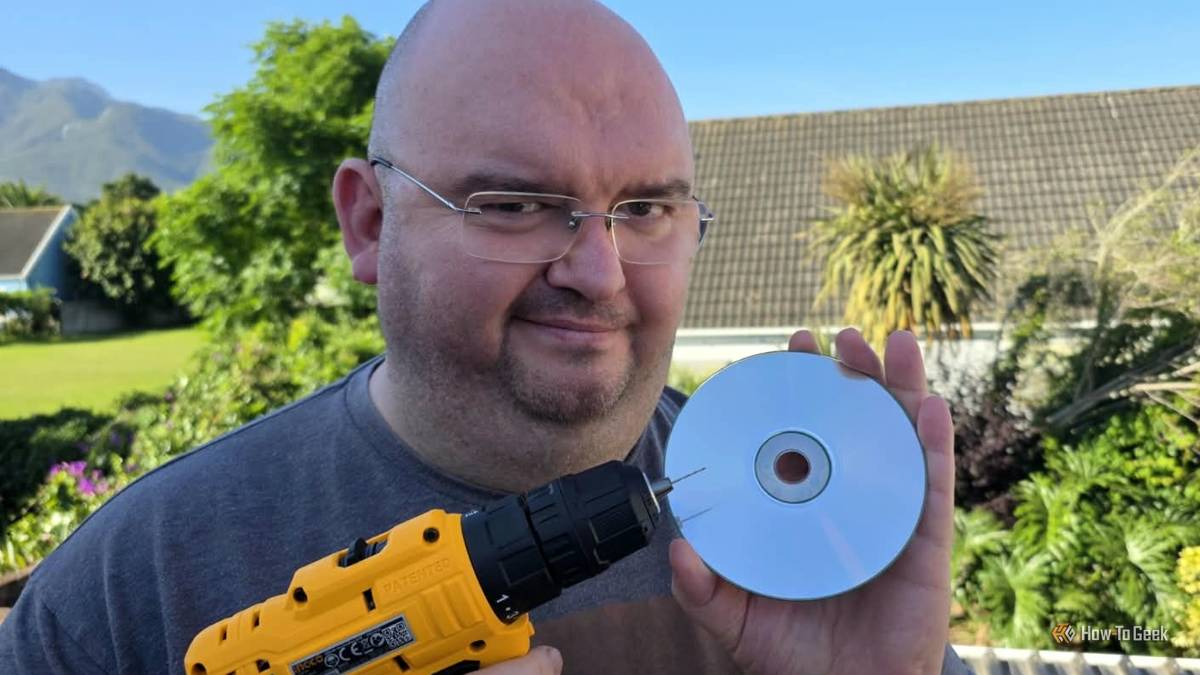
Published Nov 27, 2026, 8:30 AM EST Sydney Butler is a technology writer with over 20 years of experience as a freelance PC technician and system builder and over a decade as a professional writer. He's worked for more than a decade in user education. On How-To Geek, he writes commerce content, guides, opinions, and specializes in editing hardware and cutting edge technology articles. Sydney started working as a freelance computer technician around the age of 13, before which he was in charge of running the computer center for his school. (He also ran LAN gaming tournaments when the teachers weren't looking!) His interests include VR, PC, Mac, gaming, 3D printing, consumer electronics, the web, and privacy. He holds a Master of Arts degree in Research Psychology with a minor in media and technology studies. His masters dissertation examined the potential for social media to spread misinformation. Outside of How-To Geek, he hosted the Online Tech Tips YouTube Channel, and wrote for Online Tech Tips, Switching to Mac, and Helpdesk Geek. Sydney also wrote for Expert Reviews UK. He also has bylines at 9to5Mac, 9to5Google, 9to5Toys, Tom's Hardware, MakeTechEasier, and Laptop Mag. Music CDs were a revelation when I was growing up. My first experience of recorded music at home was in the form of vinyl records and audio cassettes. Muffled, warbling noises that sort-of sounded like music. The first time I heard a CD in the '90s, it was like someone had taken the cotton wool out of my ears. But, the CD craze wasn't all about audio quality. I clearly remember seeing a TV show about music CDs in the early '90s where the guy on screen claimed you could drill a hole in a CD, and it should still play just fine. Does this actually work? I've always wanted to try it, so I grabbed a drill and a sacrificial copy of Monster Hits Vol 4, and got to testing. Checking the CD's condition before the operation Ooh, shiny! Since this was quite an old factory-pressed disc (from 1994!) I needed to double-check that it was fully working before I drilled a hole in it. While I could do that by just listening to it, the irony is that the error-correction technology I'm trying to test here might mask damage that my ears could not hear from scratches. So I used Apple Music to rip lossless copies of the CD to my Mac. Something it still does automatically, as soon as I connect my USB DVD drive to my Mac via its Baseus docking station. All the tracks ripped with no problems, and I listened to all of them, the whole 18 tracks of '90s club music. Drilling a neat hole Steady-ish hands at work Now that I know the disc works completely, it's time to make the hole. The biggest decision I have is how large to make the hole. CIRC can theoretically correct a burst of errors up to about 2.5mm long along the recorded track. In the end, I decided to split the difference and use a 1.5mm drill bit to give a fair amount of buffer. If my ham-fisted drilling made the hole a little bigger, it would still fall within the claimed spec. This is a backyard experiment, not a lab test, after all. So I took a bit of wood as a backstop, applied the drill as straight as I could, and it went through with little drama. Now that I have a real hole all the way through my disc, how do I test if the disc is still working? The simplest method is to try ripping it again. I fully expected this to fail, but both Apple Music and X Lossless Decoder showed no errors at all. I also went ahead and listened through all 18 tracks that were ripped after I drilled a hole through the disc. No problems. It still plays! But How? Black magic, that's how OK, so the CD rips just fine with the hole in it, and the resulting files seem fine. But what about actually playing the disc? Here something interesting happened, because when I tried to listen to the CD using the same drive I'd just ripped it with, I ran into problems on Track 9. Presumably this is where the hole is, and my CD player app just got stuck there. However, popping the same disc into my wife's dedicated component CD player, and listening to the whole CD once again, yielded no problems! I suspect this is because error correction is done on the playing device or by the software, and not all CD player devices do it equally well. The CD ripping software I was using does advanced error correction, but presumably my player app doesn't. At this point, I'm satisfied that drilling a hole through one of my CDs doesn't seem to hurt its functionality in any practical way, but how? The answer is CIRC or Cross-Interleaved Reed-Solomon Code. If you think that's a mouthful, that's nothing compared to the actual math behind this encoding scheme. You can listen to an excellent explanation of it from Computerphile for a rather dense and technical unpacking of the topic. The simple overview is that this method spreads the bits of data around in such a way that localized damage to the disc surface doesn't totally destroy one piece of data, but instead damaged data from several different bits of data just a little, with parity bits that allow those to be reconstructed. If the damage is so extensive that it really cannot be recovered this way, then some players can even gloss over the missing data by estimating what it should have been based on the surrounding audio data. In either case, the result might sound flawless to casual ears. Don't try this at home? Well, I'd like to say that, but if you want to drill holes in your own CDs, who am I to stop you? That said, while this hole won't stop the disc from playing or from being ripped, it does mean the metal layer inside the disc is now exposed to the atmosphere, and while it's survived for over three decades and might have done at least that much more, my little hole is the ideal starting point for disc rot. You just can't beat entropy.
Can a music CD really still work with a hole drilled in it? I put the old claim to the test
Full Article
Original Source
Read the full article at Howtogeek →KhanList aggregates and links to publicly available news content. We do not host full articles from third-party sources. Always verify important information with original sources.