
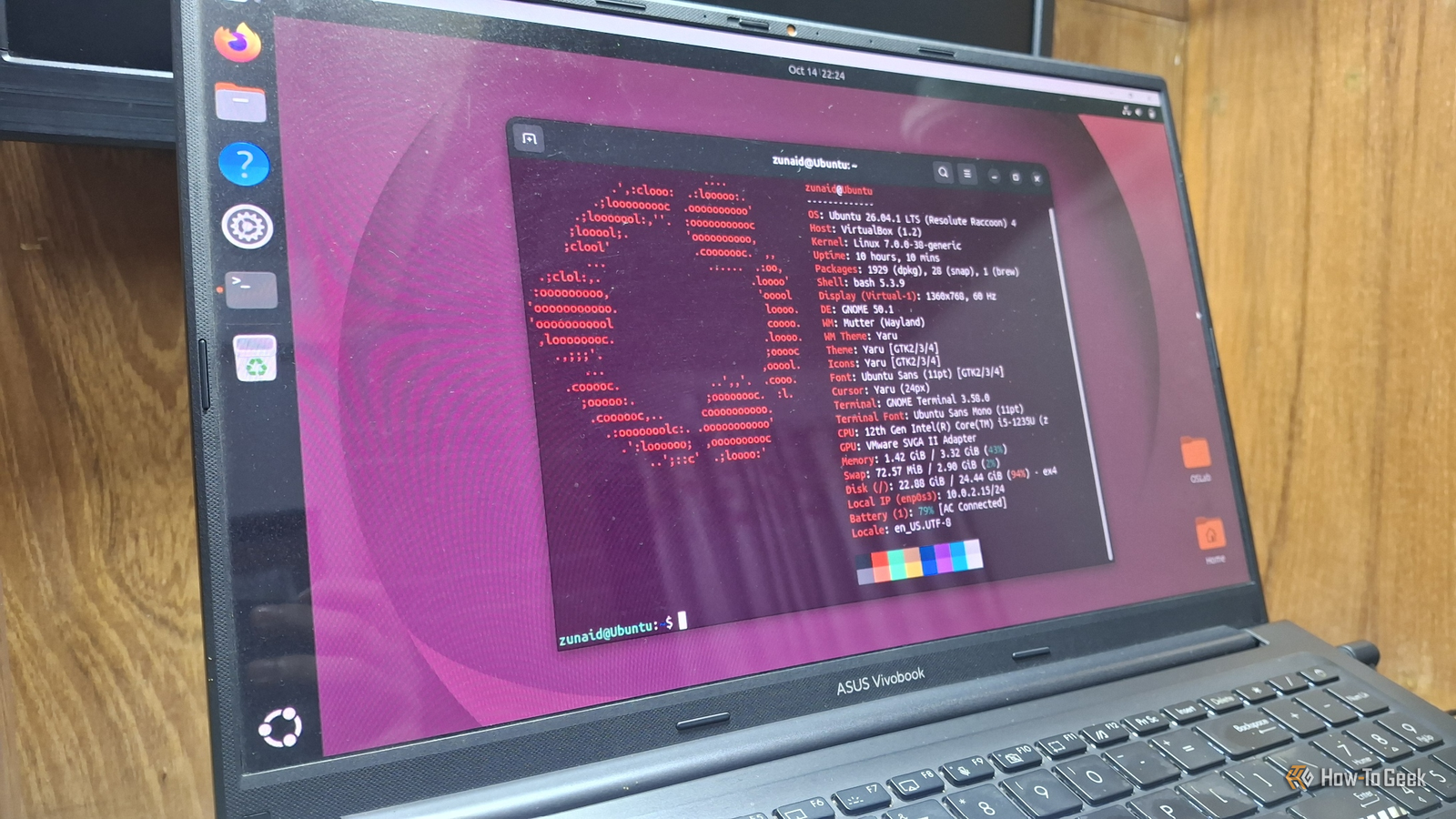
Published Nov 16, 2026, 4:00 PM EST Zunaid Ali first became interested in technology after using a computer for the first time in 2006. He's been producing how-to content since 2018, reaching thousands of people in the process. As a kid, Zunaid used to read tech tutorials and troubleshooting guides on popular blogs. That made him want to start his own writing career. After the coronavirus pandemic, he finally decided to jump into the tech writing world. Before joining How-To Geek, he had written for HecticGeek, Distroid, and UbuntuPIT, among others. Zunaid first tried Linux when he wanted to learn Web Development in 2021. Due to his inexperience, he messed up his laptop trying to dual-boot Ubuntu with Windows. Frustrated, he went all-in with Linux and removed Windows completely. And that's when he fell in love with it. He's been actively experimenting with Linux since then. After finding his first writing gig on Linux in April 2022, he decided to specialize in it so he could share his knowledge and insights with fellow open-source enthusiasts. He joined How-To Geek in September 2023 and has been writing as a freelance contributor since then. Zunaid is currently pursuing his Bachelor's degree in Information & Communication Technology. When he's not writing, he's reading tech blogs, coding fun projects, or learning about new technologies. Other than Linux, he also has an interest in Android Development and Cybersecurity. He has experience in C/C++, Java, HTML/CSS/JavaScript, and Python. You can find some of his hobby projects on his GitHub. My Linux story began with Ubuntu. Over the years, I've used every LTS version since 20.04. I've also used my fair share of other Linux distros. I admit that Ubuntu isn't the best distro despite its popularity. However, I have no doubt that it's still one of the best distros for Linux newcomers. If someone came to me and asked which Linux distro they should start with, I'd answer "Ubuntu" without a second thought. So, let me first air my grievances and then take you through the reasons why Ubuntu still wins this battle. I have a list of complaints, and a few of them hurt beginners too Each one has a fix, though So where to begin? My biggest pet peeve with Ubuntu is the Snap packaging. Ubuntu's stable releases generally only make fixes for high-impact bugs. That means a regular .deb from the repository mostly stays on the version it shipped with. So what happens if you want something newer? The Snap Store is where you need to head. For example, Ubuntu 26.04 ships Blender 5.0.1 in its repository. When I compared them, the Blender Foundation's own snap was already on 5.3.0. On top of that, if you try to install Firefox, Thunderbird, or Chromium using the APT package manager, it quietly hands you the Snap anyway. Now, we need to understand which problems will make a beginner struggle versus which ones will anger an experienced user. For a new, ordinary user, what matters is being able to do day-to-day tasks without getting stuck or interrupted. With that in mind, let's review some issues that they might face. The Steam app in App Center is a Snap that Canonical maintains, and its own store page says Valve doesn't officially support it. Valve developer Timothée Besset also admitted it on social media, saying they aren't involved with Snap packaging. It's one of the hiccups I'd flag before gaming on Ubuntu. Then comes a driver issue in the 26.04 release. This version no longer includes Software & Updates, the app that held the Additional Drivers tab. Canonical called some of its options "dangerous or too complex" for regular users. One Ubuntu Discourse user summed up the pushback well, saying there should've been a replacement first. Then there's the fake wallet apps issue. Former Ubuntu Community Manager Alan Pope even documented on his blog how attackers hijacked trusted publisher accounts by re-registering their expired email domains. One more concern, if I want to be nitpicky, is Ubuntu's new 6GB RAM requirement. On paper, that's more than what Windows 11 requires. A new user who wants to try out Ubuntu on their old hardware or on a virtual machine may feel a lack of performance. If you want the longer version of this rant, Linux Mint makes a strong case that Ubuntu doesn't care enough about desktop users. Still, look at the points again. Most of them have an easy workaround, like grabbing Valve's own .deb or sticking to verified publishers. The installer handles the scary parts before you ever see the desktop Drivers, dual boot, and encryption, all on a few install screens As I mentioned, the driver GUI is gone. However, nobody will miss it. That's because the 26.04 installer asks the important question up front. Connect to the internet, tick Install third-party software for graphics and Wi-Fi hardware and additional media formats, and Ubuntu grabs what Nvidia cards and some Wi-Fi chips need before your first boot. In case you skipped it, you can run sudo ubuntu-drivers install --recommended in the terminal to do the same job later. Encryption got friendlier as well. Next to the usual passphrase, 26.04 offers hardware-backed encryption that uses your PC's TPM chip. Canonical admits some limitations remain, though, and the installer still marks the passphrase option as recommended. For a first install, I'd stick with that. Software makers still write their Linux install steps for Ubuntu first I went through the official install pages to see which distro they name You've probably heard that everything targets Ubuntu. So I tested that claim the boring way. I opened the official Linux install pages of apps a beginner is likely to pick. Steam: Valve's Steam for Linux README lists exactly one OS. That is, "Latest Ubuntu or Ubuntu LTS" with a 64-bit kernel. WSL: Microsoft's guide says wsl --install gives you Ubuntu by default. You need the -d flag to pick anything else. This is exactly how Ubuntu ended up on my main laptop. Google Chrome: Its Linux requirements read "64-bit Ubuntu 18.04+, Debian 10+, openSUSE 15.5+, or Fedora Linux 39+," with Ubuntu first in line. Docker Desktop: The supported platforms table starts with Ubuntu, followed by Debian, RHEL, and Fedora. Arch only gets an experimental package that Docker hasn't tested. VS Code: Microsoft's Linux setup page opens with "Debian and Ubuntu-based distributions" before any other family. Nvidia CUDA: Ubuntu 26.04's release notes give a single command to install NVIDIA's CUDA platform from Ubuntu's own repositories. To be fair, only Steam names Ubuntu alone. Chrome and Docker happily support Fedora and others too. However, Ubuntu is on every one of these pages, usually at the top or as the default. For a beginner, that means the first instructions you find are written for your system. Fun story to add here. I first installed Ubuntu because I was following a web development course and the curriculum used Ubuntu. Ubuntu gets the newest base first and keeps it supported the longest New hardware works sooner, and you won't be pushed into an upgrade for years Linux Mint, Zorin OS, and Pop!_OS are all built on Ubuntu LTS. That also means each one moves to a new Ubuntu base on its own schedule. Let's have a look at the 24.04 cycle to understand this better. Ubuntu 24.04 LTS: April 25, 2024 Linux Mint 22: July 25, 2024 Zorin OS 18: October 14, 2025 Pop!_OS 24.04 LTS: December 11, 2025 Ubuntu users had the full 24.04 base the whole time. Derivative distros often borrow newer kernels in the meantime, but the rest of the system waits. Moreover, Ubuntu keeps catching up within the same LTS. Its LTS desktop installations track the Hardware Enablement (HWE) stack. This brings newer kernels to an existing LTS through its point releases. Once everything works, you can just forget about it. Every Ubuntu LTS gets five years of free security and maintenance updates. Attach a free Ubuntu Pro subscription, which covers up to five personal machines, and security coverage stretches to ten years from release. Canonical also sells a Legacy add-on that takes it to 15 years, but that one costs money. For most beginners, that won't even be necessary. Ubuntu just works, and that matters most for beginners Maybe the community is fed up with Ubuntu, and there are many things we don't like about the distro. But none of that changes anything for new users. The straightforward setup, software installation, and a system that works out of the box with large community support are what get people to choose their first distro.
As much as I dislike Ubuntu, it's still the best distro for absolute beginners
Full Article
Original Source
Read the full article at Howtogeek →KhanList aggregates and links to publicly available news content. We do not host full articles from third-party sources. Always verify important information with original sources.