
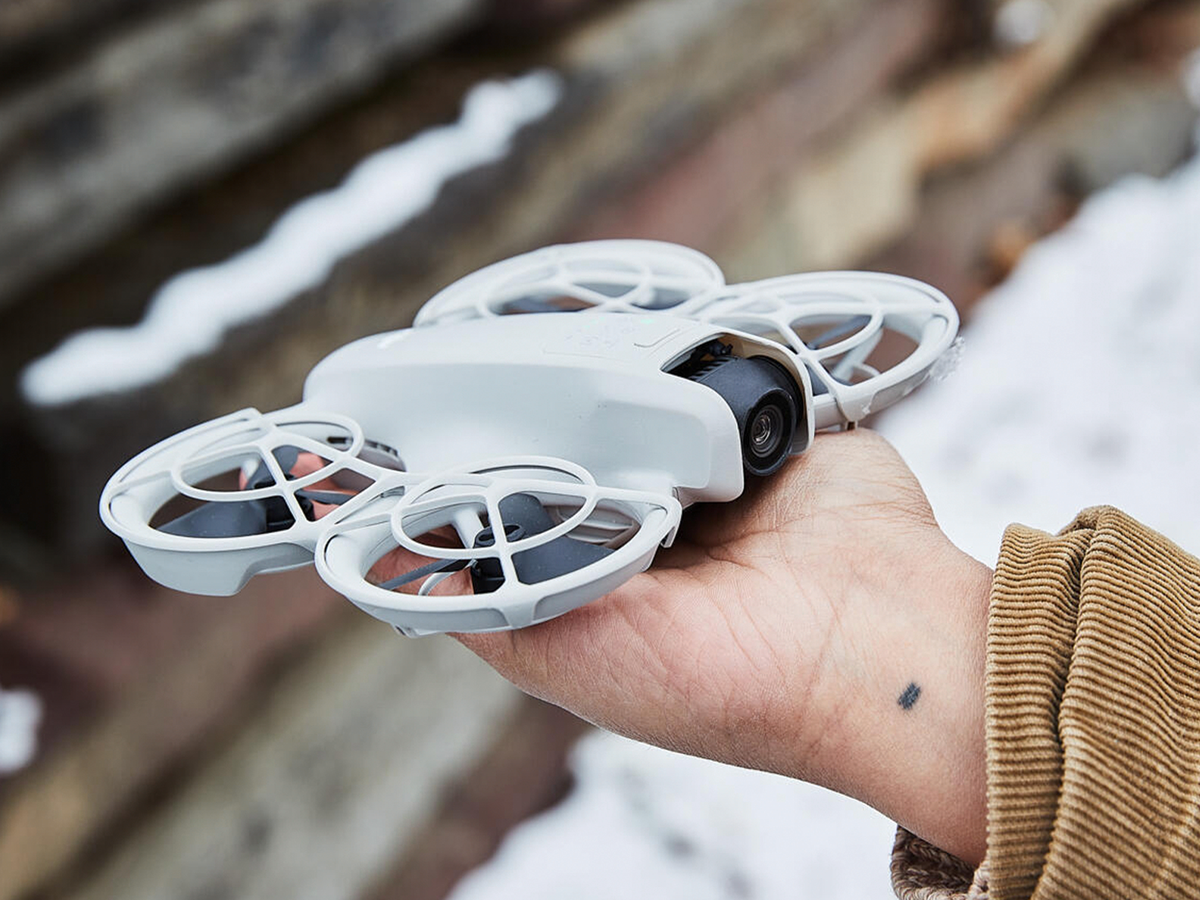
With a lack of new drone models entering the U.S. market, fixing an old drone is almost always going to be a better move than buying a new one.Taking care of your drone scales with time and need, so we broke down our advice accordingly.Beyond basic maintenance, make sure to read the user manual for your specific drone model carefully before making any drastic changes.It’s been nearly a full year since the Federal Communications Commission banned the release of new foreign drones in the U.S. While you can still buy models from previous years, very few, if any, new drones have been widely released to the public. The majority of drones sold today are older models still sold by the drone companies or used models that already have a couple of years’ worth of flights under their belt. Without an obvious upgrade path for most pilots, maintaining the drone you own feels essential.With so many moving parts and delicate sections, your drone needs a bit more care than just a quick wipe-down and recharge. While proper handling is always best—there are still computer components and a camera in there—there are things you can repair if they get damaged.Doing some relatively simple upkeep to your flier can add years to its lifespan. If you’ve got a drone that’s past its warranty and you want it airborne for a few more years (or a used drone in need of some elbow grease before getting back up and running), I’ve compiled a few tips on the best routine maintenance you can do to keep it flying straight and steady.Drones I RecommendBest Camera for the PricePrecheck: Do These Before Every FlightDustin FenstermacherMake sure your drone’s sensors and cameras are clean prior to takeoff.Do a Preflight InspectionThe easiest way to make sure your drone doesn’t break midflight is to take a good look at it before you send it up. Make sure the basic components are in working order. Check for loose screws, cracks or abrasions in the chassis, and damage to the propeller or camera.When you turn your drone on, check the battery level and make sure there is a clear connection between your controller and the drone before takeoff. It sounds obvious, but it’s easy to skip a step when you’re in a hurry, and that’s the worst time to have a small problem turn into a big one.Give It a Basic CleaningWhen you’re done flying and the drone has landed, give it another once-over before putting it away. Take the time to remove any sticks, leaves, or other debris that might have clung to the body. I’d also recommend taking some compressed air or a blower to clean off any dirt that has started to clump on or inside delicate parts of the drone, like between the hinges of the camera attachment or in charging ports.If you want to be thorough, wiping down the body with a gentle cleaning wipe or rag never hurts. You should also clean the camera lenses and sensors using isopropyl alcohol and a cotton swab.Update the FirmwareIn general, you should always update your drone’s firmware when a new update rolls in. While it isn’t necessarily essential to start flying, security updates often fix bugs that could affect navigation, controls, or connectivity.If your drone’s companion app or software does not download updates automatically, make sure to check the app store on your phone as well as the settings page directly in the app to make sure you aren’t missing anything.Upkeep: Check These Every Few MonthsDustin FenstermacherSmall screws can become loose over time from vibrations or regular flying.Recalibrate the SensorsWhile not necessary before every flight, it is good to get in the habit of regularly recalibrating your drone’s major visual sensors, which impact obstacle avoidance, its inertial measurement unit, and its compass.The calibration process may vary depending on the make and model of your drone, but you should be able to find an option to initiate the process through its software or companion phone app. Most DJI drones, for example, have a safety section under settings on the DJI app where most sensors are listed and can be calibrated when the drone is connected.Retighten Screws and FastenersEven if you don’t find any loose screws in your preflight checks, you should go in and tighten the screws occasionally to make sure the body doesn’t come loose.If you keep a small screwdriver in your drone kit, going through and checking the screws around the chassis shouldn’t take more than a couple of minutes. Don’t force it or overtighten if it isn’t needed: Just make sure each screw is secure.Basic Repairs: Perform As NeededReplace the PropellersThe propellers on most consumer drones are made from a much thinner material than the rest of the body. While they are often somewhat protected, they can get damaged midflight, or simply start to degrade over time. What’s more, you may not notice a slightly damaged or eroded propeller: It won’t stop your drone from flying, but it may start to move slower or less precisely, and its imperfect airflow control may impact its battery efficiency.If you see any visible cuts or scratches on a propeller, or fraying around the edges, it’s time to swap that one out. Most drone brands sell replacement parts for active models. There are also a number of third-party brands that make replacement parts for popular brands on Amazon and other online retailers.Replace the BatteriesLikewise, all rechargeable batteries degrade over time. If you want to keep your drone’s runtime at peak performance over the long haul, swap out its battery every few years. Like with a phone or a laptop, you’ll know when it’s time because the battery drains and dies more quickly.That said, there are steps you can take to maintain your drone battery’s health. Rotate two or three batteries to spread out the strain. As with other tech, take care to avoid overcharging them or, conversely, letting the battery fully die. (Ideally, you want to store your batteries at around 50 percent capacity if you don’t plan to use them in the near future.)And if you only use your drones sparingly, take the batteries out and charge them every few months to keep them alive.Reread the User ManualAs silly as it may seem, troubleshooting a problem you don’t understand is often as easy as cracking your drone’s user manual. Many specific malfunctions have easy solves or specific instructions to handle them.It’s also a great way to learn more about the unique capabilities of your specific drone model, which can help you build a greater skill set as a pilot over time (assuming you’re reading closely).Take Your Drone to a Service CenterIf there are any larger issues with your drone that don’t feel solvable, take it to a service center. There are a number of certified options around that specialize in certain brands or types, so do a bit of research before you choose a location.Tom Price is a reviews editor for Popular Mechanics while also contributing to Runner's World, Best Products, and Bicycling. Here at Popular Mechanics, Tom loves testing out home appliances, smart tech, gear for city life and outdoor adventures, small gadgets like watches and multitools, and anything else you can find piled up at his hoarder's nest of a desk. Prior to working here, Tom attended NYU, graduating with a degree in English and a minor in creative writing. He also wrote for Best Reviews, The Daily Beast, and other publications covering tech, fitness gear, gadgets, and lifestyle products. Furthermore, he covered startup news, pop culture, and even professional wrestling. To follow more of his work, check back here for new stories.
New Drones Are Hard to Find Since the FCC’s Ban. Here’s How to Care for the One You Have.
Full Article
Original Source
Read the full article at Popularmechanics →KhanList aggregates and links to publicly available news content. We do not host full articles from third-party sources. Always verify important information with original sources.