
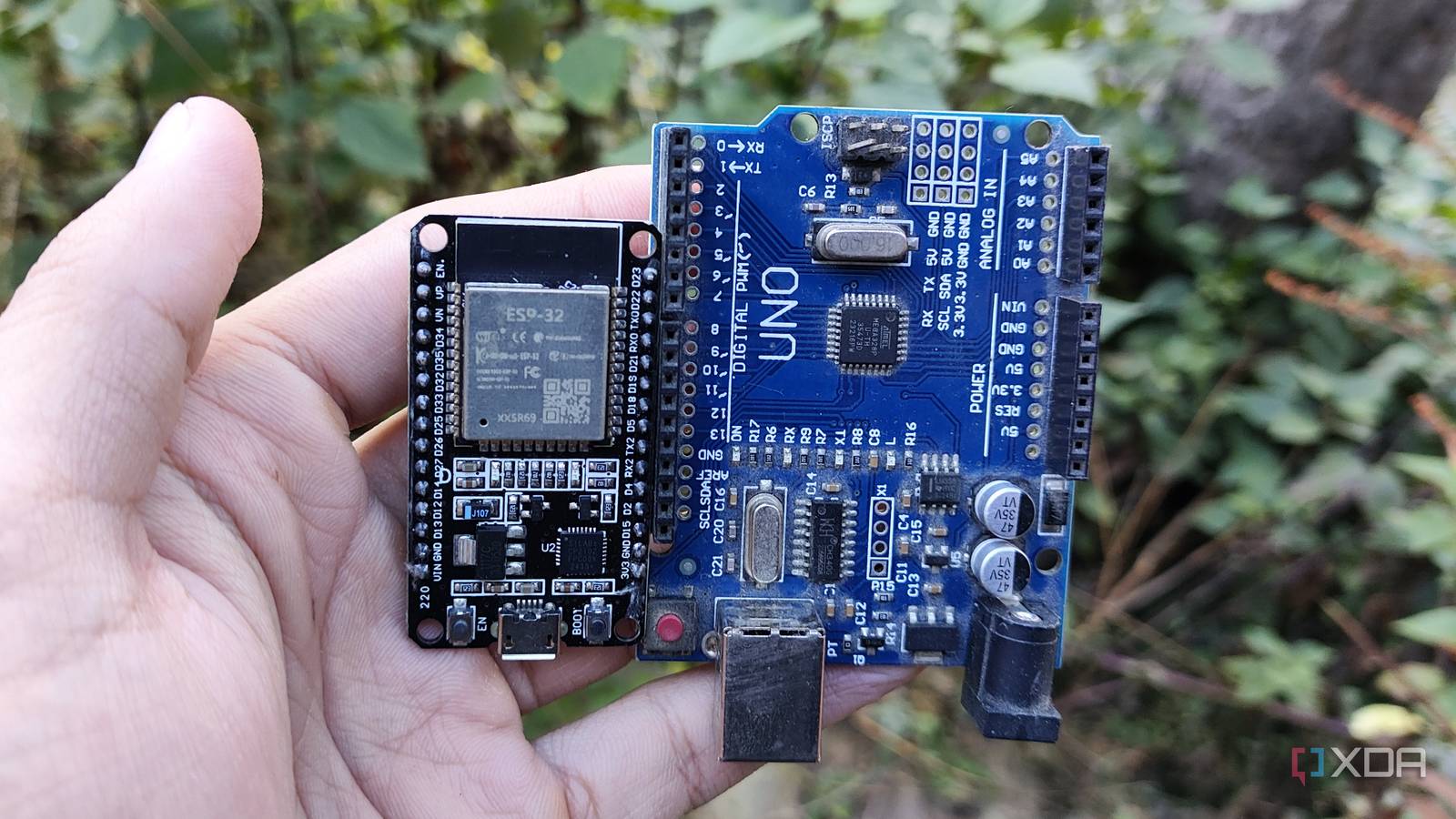
Published Nov 15, 2026, 11:00 AM EST Ayush Pande is a PC hardware and gaming writer. When he's not working on a new article, you can find him with his head stuck inside a PC or tinkering with a server operating system. Besides computing, his interests include spending hours in long RPGs, yelling at his friends in co-op games, and practicing guitar. When I got into microcontrollers, I did so just to work on DIY automation, robotics, and circuitry projects where a single-board computer would be far too clunky. The Arduino Uno was my companion for the first couple of months, and as my tinkering tendencies started to grow, I began investing in other microcontrollers from the company. And as long as I kept their performance limitations in check, my Arduino farm held up decently well. However, I ended up grabbing a couple of ESP32 units after encountering these pint-sized modules in the middle of a sale, and they blew my Arduino arsenal out of the park when it came to sheer versatility. So much so, in fact, that I no longer recommend Arduino boards for newcomers looking to sink their teeth into microcontroller projects. The ESP32 ships with better specs, all while costing less than Arduino boards It’s a lot more versatile for DIY projects than its Arduino counterparts With the Arduino Uno R4 being the most recent addition to the Uno family, it packs some solid upgrades over the R3 I used as a beginner. The Minima variant packs about 48 MHz in clock speeds and 32 kB in RAM, with another 256 kB in flash memory. That’s definitely better than the specs I started my Arduino journey with, but even they pale in comparison to the processing capabilities of a standard ESP32 module. For starters, the base ESP32 has a clock speed of 240 MHz processor – almost five times that of the Arduino Uno R4. The ESP32 also includes 520 kB of memory and a whopping 4MB in flash memory. Now, if all you want to do is connect sensors or build simple circuits with your microcontroller, an Arduino holds up just fine, despite its weaker specs. But if you’re planning to connect display modules, run data logging workloads, design audio processing pipelines, or work on somewhat demanding microcontroller projects, you’ll find much better luck with an ESP32 than typical Arduino boards. Then there’s the pricing front, where Arduino fails miserably against the ESP32. An Arduino Uno R4 typically retails for $20–30, while the humble ESP32 tends to have a price tag of $9. If you were to buy a couple of ESP32 in bulk, you’d get them for nearly the same price as a single Uno R4. The situation is largely the same when you dive into specialized Arduino and ESP32 boards. Let’s say you’re planning to build a native USB-powered macro pad with a $14 Arduino Leonardo. Well, an $8–9 ESP32-S3 can also provide native USB functionality, and it has significantly better specs, to the point where it can handle high-resolution touchscreen displays, edge AI models, and other projects where even an ESP32 would prove to be too slow. The ESP32 also wins on the connectivity front While there are a handful of specialized Arduino models that ship with wireless connectivity, the cheaper variants often don’t have any Bluetooth or Wi-Fi capabilities whatsoever. The Wi-Fi variant of the Arduino R4 (which, by the way, uses an ESP32-S3-MINI-1 under the hood for wireless connectivity) costs anywhere between $20–25, while the base ESP32 ships with them right off the bat. As for other wireless options, the Arduino Nano Matter board may support Thread-over-Matter and Zigbee functionality, but it often costs more than $20. Meanwhile, an ESP32-C6 provides better hardware alongside Thread and Zigbee provisions for $12. And that’s before you include the gentle difficulty curve with ESP32 projects … ESPHome provides a beginner-friendly starting point for custom smart home devices But you can also switch to Arduino IDE for complex projects The Arduino IDE is undoubtedly a powerful tool for microcontroller projects, but the fact that it needs a lot of C++ know-how makes it a bit rough for beginners. In fact, my first sensor project for the Arduino IDE took a few dozen lines of code, and I had to troubleshoot a couple of syntax and logical errors before I got it up and running. Although the ESP32 family works well with the Arduino IDE, you can also use the ESPHome app to write simple YAML code to control your microcontroller. ESPHome also has a lot of documentation for popular sensor gizmos you can connect with your pint-sized companion, and as long as you’ve wired the sensors properly to the ESP32, you can just paste the code from the docs and expect it to work right off the bat. Combine that with the fact that projects built with ESPHome work seamlessly with Home Assistant, and you’ve got an intuitive setup to get accustomed to your ESP32 module as a beginner. Heck, I still rely on ESPHome for sensors that I want to pair with Home Assistant, and since this microcontroller family is compatible with Arduino IDE, I can always switch to the latter if I need to work on complex C++ projects. The ESP32 is my preferred microcontroller for DIY projects in 2026 Considering the ESP32’s superior specs, shallow learning curve, and solid wireless options, this microcontroller family has replaced Arduino for pretty much all my experiments. And the fact that they cost less than their Arduino counterparts is just the cherry on top. Brand AITRIP Connectivity Features UART, USB
Arduino is the worst way to start with microcontrollers in 2026, and an ESP32 costs less and does more
Full Article
Original Source
Read the full article at Xda-developers →KhanList aggregates and links to publicly available news content. We do not host full articles from third-party sources. Always verify important information with original sources.