
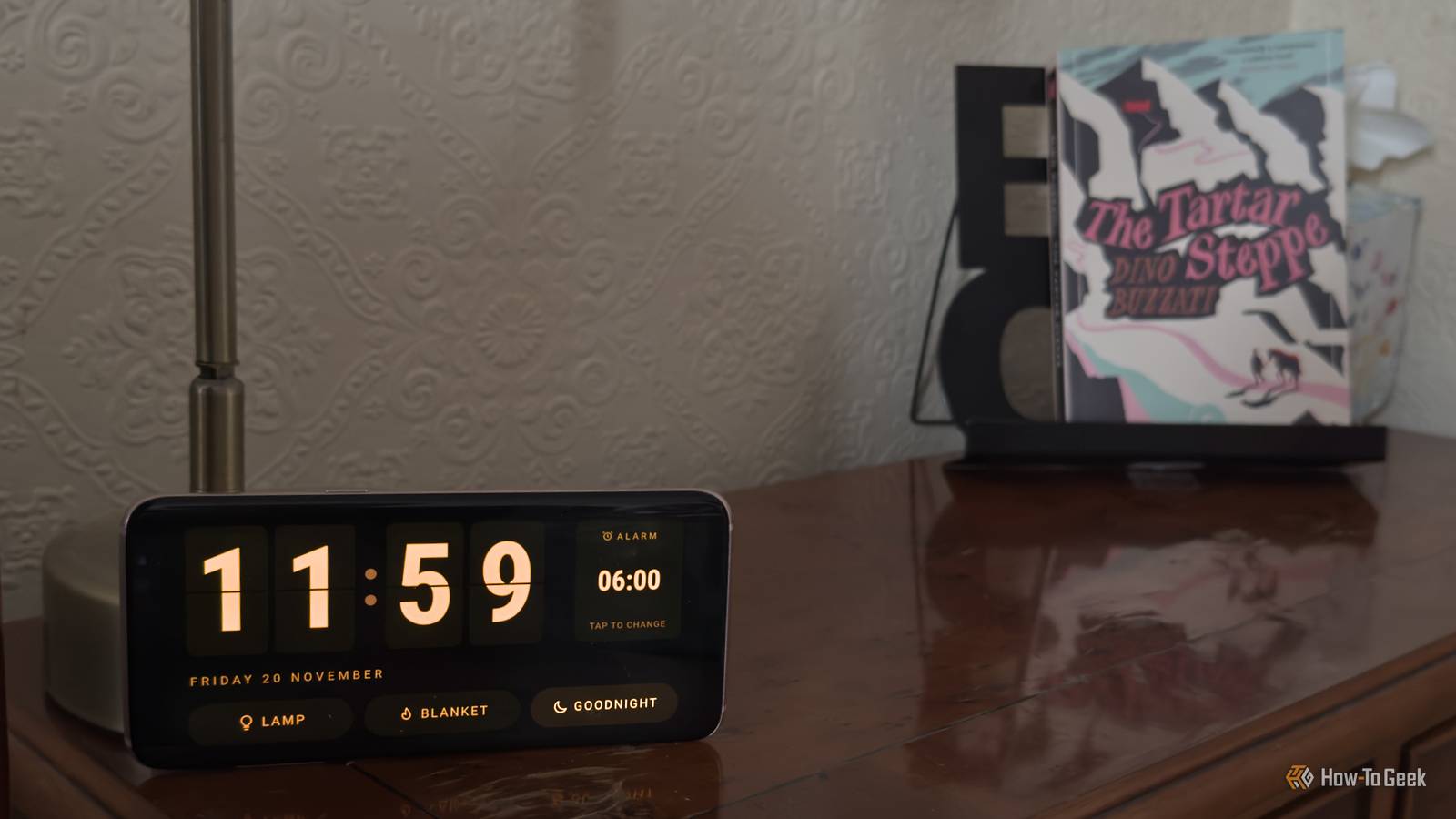
Published Nov 20, 2026, 4:30 PM EST Adam has a degree in Engineering and has a life-long interest in technology. He has been writing for over a decade for various print and online publications, with a focus on consumer tech. He joined How-To Geek in 2024 while working at Pocket-lint. As well as being a long-term fan of Apple products, he also has a strong interest in smart home tech, running a Home Assistant server at home to automate all his smart home devices. He believes that the ideal smart home should work with minimal interaction from the user, with automations running as if by magic rather than requiring you to push buttons on a control panel. You can find more of his work on Muck Rack. Sign in to your How-To Geek account Sticking a $50 smart display by your bed is a simple way to see the time during the night. When you wake up in the middle of the night, you can turn over and glance at the screen to see how ridiculously early it still is. The problem is that a smart display isn't hugely customizable. It may display too brightly or too dimly, and you might want to add features to the screen which the proprietary software won't allow. An old Android phone has no such issues and can do a far better job. An old Android phone has some big advantages over a smart display You get to decide what it shows Using a smart display as a bedside clock isn't a bad use at all. Smart displays are generally pretty disappointing; they're locked down so much by the manufacturer that you're very limited in what you can do with them unless you jailbreak them. Showing the time is something that's actually possible to do fairly easily. However, it's far from the best option. You're often stuck with a limited choice of clock faces; you may not be able to easily control the brightness, and the customization options are often fairly limited. If you have an old Android phone, it can make a far better bedside clock than your smart display. Your phone has everything you need for a good bedside clock: a sharp display, a responsive touchscreen, built-in Wi-Fi, an alarm, and a battery that can keep it running even if the power goes out. The other major benefit is that using an old Android phone, you have far more control over what your bedside clock displays. You can turn it from a simple clock into something even more useful. Android apps can turn an old phone into a bedside clock Add clocks that can protect your screen If you want a quick and easy way to turn your phone into a bedside clock, there are ready-made apps that you can use. One example is ReteClock, an app designed specifically to run on older Android phones. Installing ReteClock gives you a basic full-screen clock face including the date. The clever part is that it's designed to protect your phone from burn-in. Displaying the exact same image for a long time can leave a permanent ghost image on your display, but ReteClock moves the clock face around the screen to try to stop this from happening. Home Assistant lets me build my own custom bedside clock I can turn off the lights or electric blanket from the clock face If you want even more control, you can use an option such as Home Assistant to design your own clock face and display it on the phone using an app such as Fully Kiosk Browser. You can then design the clock to look however you want and include smart home controls directly on the screen. That's exactly what I did. At night, before I go to sleep, I always turn off the bedside lamp that I use to read by, as well as the electric blanket if it's on. I can do it by tapping an old credit card on my phone, which uses the NFC chip in the card to trigger the automation. By building my own bedside clock dashboard, I've also been able to add those controls to the clock face. I can now turn the bedside lamp and electric blanket on or off just by tapping the relevant control on my bedside clock. There's also a button to run the bedtime routine and another section that allows me to see and change the current alarm set on the phone. By using Home Assistant, I have the exact look and controls that I want. Trying to do the same with a stock Echo Show would have been impossible. My homemade clock can adapt to the room The screen dims when the lights go out The final benefit of using my old phone as a bedside clock is that I can access some of its sensors via the Home Assistant Companion app. One of those sensors is the phone's light sensor that can tell how dark the room is. Using this sensor, I can get the brightness of the phone's display to change depending on the light levels in the bedroom. If there's plenty of light, the screen is set to full brightness so that the display is easy to read. At night, however, I don't want the screen of the phone to shine brightly. An automation dims the screen brightness based on the measurement from the light sensor. It means that when I turn out the lights at night, the dark room causes the phone to drop the brightness level until the clock face is still readable without shining brightly and keeping me awake. Don't throw away your old phone If you have old Android phones tossed in a drawer, don't throw them away. They can still be used for all manner of things. You may find you can save yourself from buying something such as a smart display and use your phone instead.
An old Android phone makes a better bedside clock than any $50 smart display
Full Article
Original Source
Read the full article at Howtogeek →KhanList aggregates and links to publicly available news content. We do not host full articles from third-party sources. Always verify important information with original sources.