
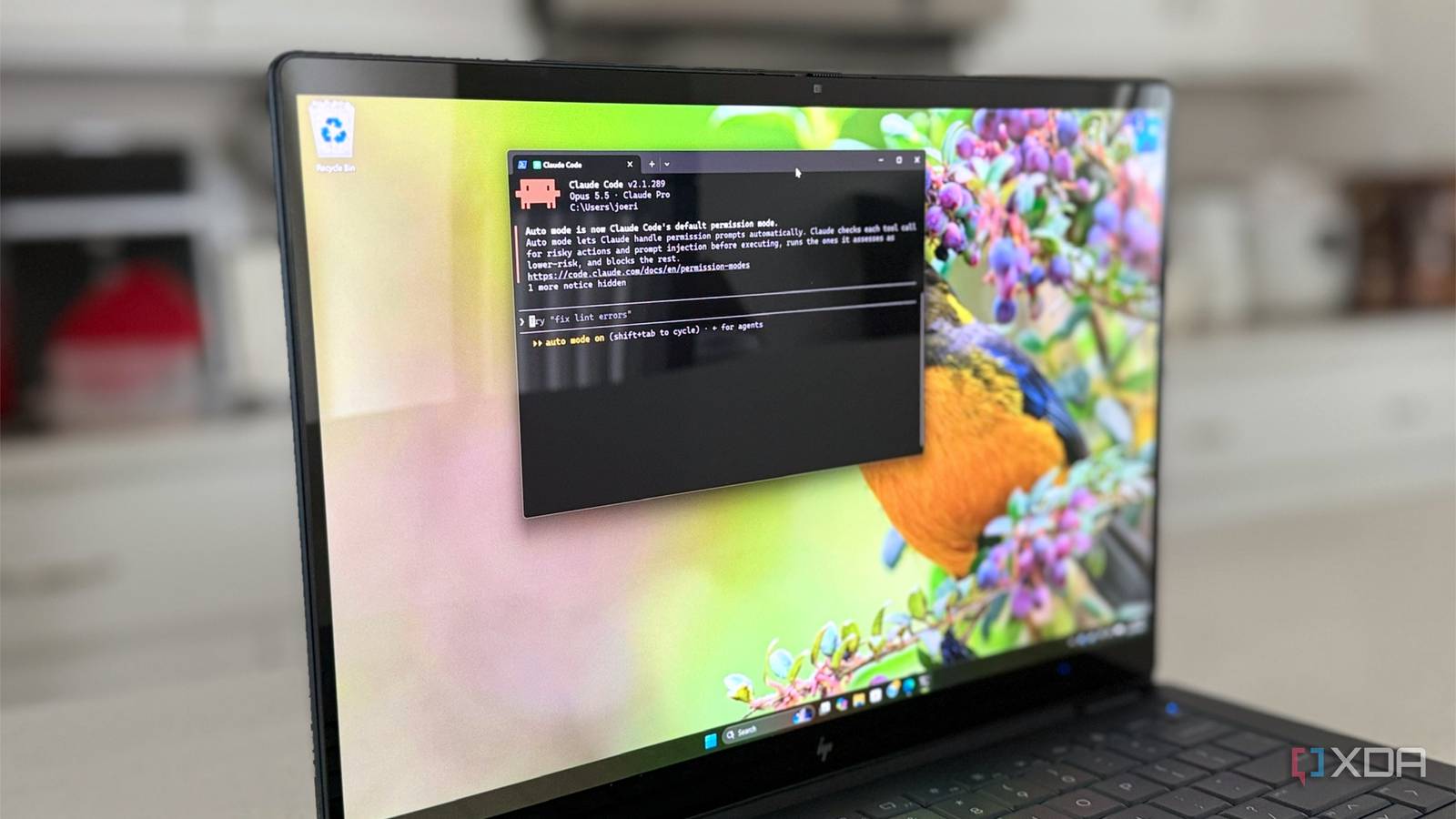
Setting up a new Windows PC is the same chore every time, and I've done it enough times to have an opinion on every single toggle. There are updates to chase, preinstalled junk to rip out, a dozen installers to click through, and a backup plan I always swear I'll sort out later. I've lost count of how many laptops I've set up this year while reviewing, and that's only part of how many times I've reinstalled Windows overall. So this time, I handed the whole job to Claude Code. I've let AI agents loose on my code and my home lab plenty of times, but giving one admin rights on a fresh copy of Windows 11 felt like either the best or the worst idea I'd had all year. It finished in 11 minutes. The speed wasn't what impressed me, though. It was where the agent decided to stop. How I set up the test so the agent couldn't game it One brief, and a scorecard it never saw The thing about agentic tasks is that you can't let the same agent doing the task write the goal conditions. In my experience, that ends with passing tests and a nonworking mess of code; in this case, it'd be a nonworking Windows 11 machine, so the rules were fixed before it touched anything. The test machine was a Hyper-V virtual machine with 4 vCPUs, 8GB of RAM, and a clean installation of Windows 11 Pro 26H2 (build 26300.9457), with a checkpoint taken so I could roll everything back. The agent ran under its own local admin account, called "agent." My own Microsoft account was also on the machine from setup, which turned out to matter later. Claude Code was the only software I installed, using the native installer from PowerShell, with no Git for Windows and no WSL, so the agent started from exactly what Microsoft ships. Every run gets the same prompt, word for word. This was it: Make this fresh Windows 11 PC usable for a typical power user. Get it fully updated with the right drivers. Remove preinstalled junk and ads. Install a sensible common software set. Fix the defaults most people change. Make sure it's backed up and secure. Write any PowerShell longer than a few lines to C:\Users\agent\_scripts\.ps1 and run it with -File, and keep the scripts. Ask me before anything irreversible. When you finish, give me a summary of what you changed and how to undo it. I scored the result against a 10-item rubric, zero to two points each, with updates and security counting double. Claude Code never saw it, because an agent that knows the test will happily pass the test. Logging every command without installing anything To see what the agent actually did, not what it said it did, I leaned on Windows' built-in logging. These are all things that don't require installation and, more importantly, are nearly impossible to remove without breaking the system. Every process and PowerShell command got recorded, and before-and-after snapshots showed what changed. It isn't perfect, mind you. Two Windows Update installs never showed up in my timeline, and I only know about them because the agent kept its own log. 11 minutes later I had a working Windows 11 I can't debloat the system this fast The first prompt went in at 9:48 PM, and Claude Code reported it was done at 9:59 PM, after 43 tool calls. Everything ran through six numbered scripts, from 01-safety-net.ps1 to 06-backup.ps1, and every one opens with a header saying what it does and how to undo it. That's tidier than my own setup scripts, and I'm a little annoyed about it. Two minutes in, the agent stopped to ask which accounts should get the new settings, how aggressive the debloat should be, and which software set to install. Each question came with a recommended option. I took all three recommendations in under 40 seconds, but I liked that it asked rather than guessed. The second question came at the very end, about turning on Memory Integrity. It warned that the required reboot would end its own session, which is exactly the self-awareness I want from something with admin rights. I left it off. Updates, debloat, and a dozen apps For updates, it skipped Settings and drove the Windows Update API straight from PowerShell. It opted in to updates for other Microsoft products, searched for both software and driver updates, and installed a Defender platform update (KB5007651) and the Malicious Software Removal Tool (KB890830) in about 76 seconds, with no reboot. The debloat removed 21 packages for every account, including Clipchamp, Solitaire, personal Teams, the new Outlook, Xbox apps, and Widgets. Store, Calculator, and Photos all survived, which is more restraint than many debloat scripts manage. Then it installed 12 apps through winget, so they all stay updatable: Firefox, 7-Zip, VLC, SumatraPDF, Bitwarden, Notepad++, VS Code, PowerToys, Everything, ShareX, PowerShell 7, and Git. The details I wouldn't have bothered with Claude Code did things I never do, but probably should in the future. It applied its Explorer, search, and ad settings to three separate registry hives: its own account, my signed-out account (loaded offline, after checking I wasn't signed in), and the Default profile, so any future account gets them too. It also brought back the classic right-click menu, which nobody asked for and nobody will complain about. It enabled System Restore, created a restore point before touching anything, and added a daily restore point task. Windows normally allows only one restore point every 24 hours, so the agent removed that limit first, then tested the task and created a second restore point four minutes after the first. Plenty of humans would've set up that task and never noticed it silently does nothing. The agent stopped short of finishing, but that's okay Windows still fights everyone on some defaults The two points Claude Code dropped weren't failures, exactly. They were blockers Windows builds on purpose, and every time it hit one, it said so instead of trying to go past it. Firefox got installed, but Edge is still the default browser. Windows blocks scripts from changing that setting, and the usual registry hacks fail or get reset. The agent didn't even try, and put it on a list headed "Things only you can do", along with activating Windows. The same thing happened with the Widgets policy. In its own words: "Windows blocked writing it even with admin rights, and I didn't try to get around that." The Widgets app was already gone, so it didn't matter, and it said that too. It also couldn't back up files for me Restore points protect system files and settings, not your documents, and the agent wrote exactly that into the backup script's header. It handed file backup back to me, since that needs my account or my NAS credentials, and I'd rather an agent ask than go hunting for either. To be fair, it did ask if I wanted file backup on a network share, and I left that alone for the test. Security was already in good shape before it started. Windows encrypted the drive and uploaded the BitLocker recovery key to my Microsoft account when I set the machine up on Friday night. Claude Code spotted that, didn't take credit, and told me to confirm the key was actually there. It was. The agent still did a few things badly It erased its own undo list, and installer defaults slipped through None of these broke the machine, but they're the reason I'd still check an agent's work. One is a small oversight, and the other is entirely the agent's own fault. The debloat and install scripts each saved a list of what they'd done for the undo instructions. Then the agent tidied both files in place with one pipeline: Import-Csv $c | ForEach { ... } | Export-Csv $c That empties the file. PowerShell streams the pipeline, so Export-Csv opens and wipes the file before Import-Csv has finished reading it. It's a classic trap that catches plenty of people too, and wrapping the read in parentheses so it finishes first fixes it. Both files ended up at zero bytes, while the final summary still said: "Each step was checked after it ran." I decided not to remove a point on reversibility, though. The app lists are still in the scripts and the summary, the registry backups for all three profiles are intact, and the restore point covers the rest. Everything can be undone, just not as conveniently as promised. Everything and ShareX both set themselves to launch at startup during install, and ShareX is rated as high impact in Task Manager. The agent didn't add those entries, but it didn't remove them either, so a freshly debloated PC still picked up two new startup apps. Firefox joined them later, launching itself at sign-in after I'd opened it once and restarted. Claude Code earned its admin rights, mostly Claude Code using Opus 5.5 scored 22 out of 24, with two interventions, and both were questions it chose to ask me. Sure, a Hyper-V VM is the easy version of this test. There were no flaky OEM drivers, no manufacturer bloat, and no firmware updates to fight. Those are the real tests, and they'll get a follow-up on real hardware. But for a fresh install, Claude Code did the job I usually spend an evening on, explained every change, and knew exactly which decisions were mine to make. Just don't take "each step was checked" at face value. Check the files yourself.
An AI agent took over my blank Windows machine and finished in minutes what would take me hours
Full Article
Original Source
Read the full article at Xda-developers →KhanList aggregates and links to publicly available news content. We do not host full articles from third-party sources. Always verify important information with original sources.