
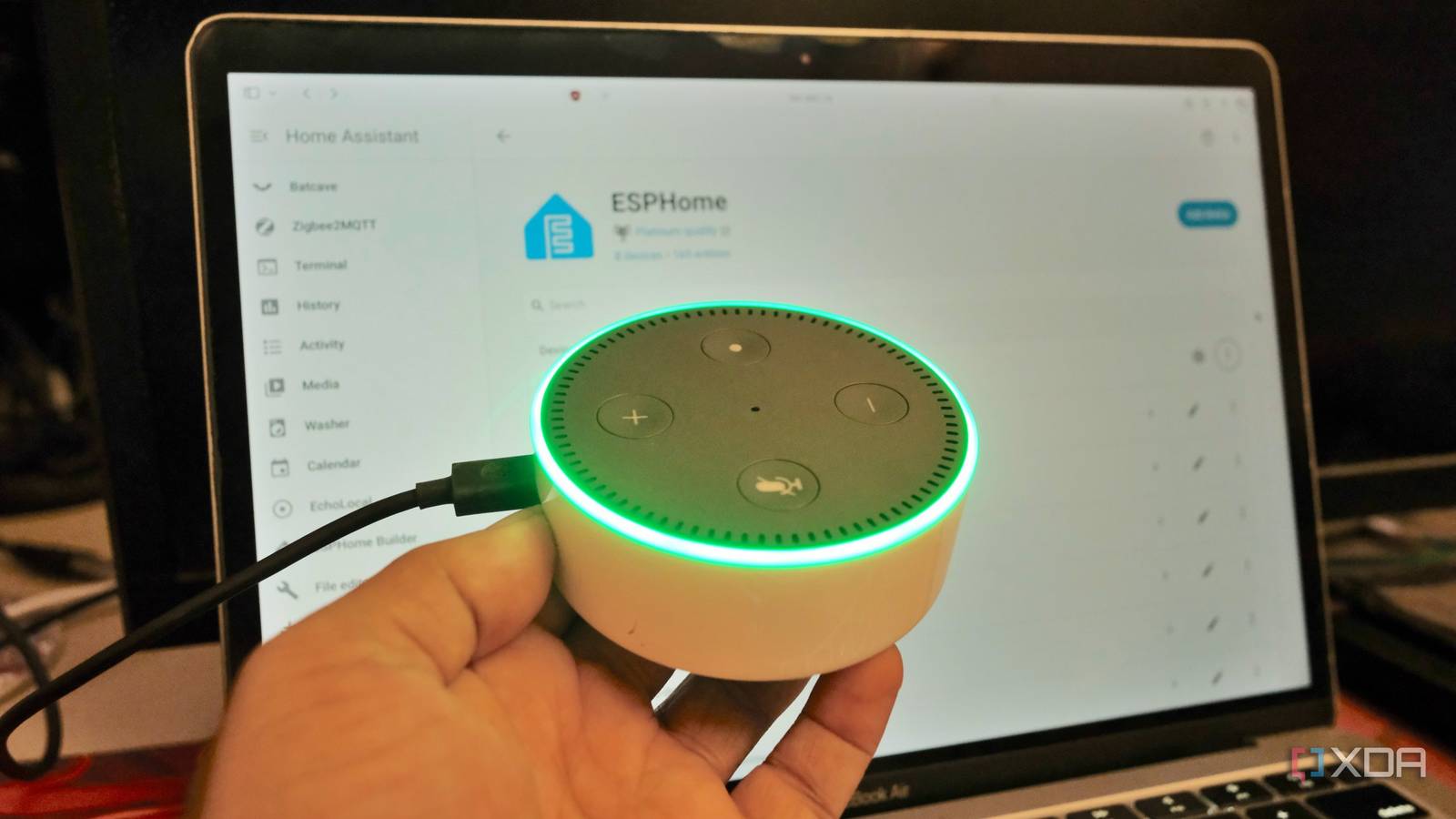
Published Nov 16, 2026, 11:01 AM EST Samir Makwana is a technology journalist and editor from India since past 18 years and his work appears on MakeUseOf, HowToGeek, GSMArena, BGR, GuidingTech, The Inquisitr, TechInAsia, TechWiser, and others. He has written news, features, and gadget reviews for national technology media publications. His passion is to help people with their technology problems and gadget purchases. For that, he has worked for some of the biggest international technology publications, covering news, explainers, how-to guides, listicles, and product-buying guides. He has worked as an editor and managed teams since 2015. His expertise broadly covers computers, smartphones, game consoles, headphones, smart home products, browsers, and apps. Home Assistant’s voice tools have come a long way and show that voice control can be customizable and fun. Finding a good speaker to run them on is still a chore. Voice Preview Edition gave a taste of that, but is tuned for spoken replies rather than music. You can build DIY ESP32-based devices, but putting a microphone, an amp, a speaker, and a case together is a challenging process. What if you get to use older smart speakers that many people are ready to toss out? I mean, some Amazon Echo Dot and screen-based units are just sitting in a drawer collecting dust. Thanks to the community projects like EchoMuse, EchoLocal, echo-dot-assist, and TECHO5, you can replace Alexa or the entire Amazon software stack, so these devices can talk to Home Assistant instead. Old Echo Dots pack hardware ready for Home Assistant An array of microphones is precious By default, older Echo Dot models shipped with an array of microphones, a speaker, a light ring, and physical buttons. The Echo Dot (3rd Gen) packs four microphones for beamforming, making the whole unit a natural fit as a voice satellite for Home Assistant. Replicating commercial microphone processing with hobby components in a DIY smart speaker is hard. That’s why echo-dot-assist keeps Amazon’s microphone processing and wake word engine in place, so the Dot can hear you over its music. The only thing that goes away is the Alexa client and Amazon account. The software was the problem, not the hardware. Replacing Alexa from Echo Dots in a different way Four different approaches Writing ESPHome firmware for a DIY smart speaker gets complicated once you have to handle a microphone array. Other audio processing features may need C++ lambdas inside your YAML config, which adds even more complexity. It’s rewarding in the end, but what if there’s an easier way? You can try out community-built Echo projects. EchoMuse relies on a wizard and a Docker-based controller to handle the installation. You can pick between Fire OS, which keeps Amazon’s Android base, or emOS, which swaps it for a smaller Linux userspace and keeps only Dot’s kernel. Either way, there’s no Amazon account involved, and the Dot appears as an ESPHome voice satellite in Home Assistant. EchoLocal moves the wake word detection onto the Dot itself, using microWakeWord models. An optional HACs integration adds a dashboard, a wake word library, custom tones, and turn history. It can also handle intercom-style voice commands to call or broadcast to other rooms. Echo-dot-assist is the choice if you want to keep Dot’s mic processing and Amazon’s wake word engine on Dot, since it replaces only the Alexa client. You can use ESPHome or the Wyoming integration, and hook it to Music Assistant for multiroom music. TECHO5 focuses on everything Dot reports back to Home Assistant. It alerts when a timer or alarm is ringing, reports what is playing as sensors, and keeps the music streaming service’s volume slider in parallel with its own volume. Not every Amazon Echo is easy to hack Unlocking software instead of case Depending on the Echo model, you may not need to open one at all. The 2nd Gen Dot is the best fit for trying any of the four projects. All you need is a micro-USB cable and some time in the terminal. EchoLocal also expects a Dot with an unlocked bootloader and TWRP recovery. So you’ll need to go through the forum guide to unlock it first. Once you install EchoLocal on an unlocked Dot, Home Assistant automatically discovers it. If things go south during the installation, you might have to root and flash the project again. The 3rd gen Dot is riskier. For instance, echo-dot-assist suggests you have to open the case and attach wires inside. That’s where the real risk lies, since a casual slip of a screwdriver might cost you a speaker. The 2nd gen Dot is the one model all four projects support, so it’s the safer way to try the code without cracking anything open. Home Assistant gets more than a voice satellite Bluetooth, music, and buttons Replacing Alexa isn't just about putting something else in its place. Instead, you can unlock other capabilities, since an Echo doubles as a speaker. As a media player, an Echo Dot can handle music playback, multi-room music streaming, announcements, and text-to-speech. It can also act as a Bluetooth proxy, feeding data to integrations like Bermuda. EchoLocal exposes button presses and double taps as events and reports the light sensor to Home Assistant; echo-dot-assist also exposes the buttons and light ring in automation, so the hardware can trigger routines too. Alexa out, Home Assistant in Although very few Echo models are supported, losing cloud-dependent Alexa for a local smart speaker is a fair trade. On a 2nd Gen Dot, a USB cable and some familiarity with the terminal are enough to get started. Since the Dot shows up as an ESPHome device, you get plenty of options to tweak it. It keeps working even if your internet goes down, as long as your Assist pipeline stays local. Old Echo hardware is quite capable of working for Home Assistant with a bit of effort, and it’s the closest thing to a local smart speaker you can get without going full DIY. You can find a used Echo Dot (2nd or 3rd Gen) in classifieds or online forums. I’d start with a 2nd Gen Dot and move to EchoLocal since I want to manage it from a dedicated dashboard. Home Assistant OS Windows, macOS, Linux, Android, iOS, web iOS compatible Yes Android compatible Yes Home Assistant is the best way to connect your smart home systems together.
Amazon’s Echo is the best Home Assistant voice hardware you can buy, as long as you never use Alexa again
Full Article
Original Source
Read the full article at Xda-developers →KhanList aggregates and links to publicly available news content. We do not host full articles from third-party sources. Always verify important information with original sources.