
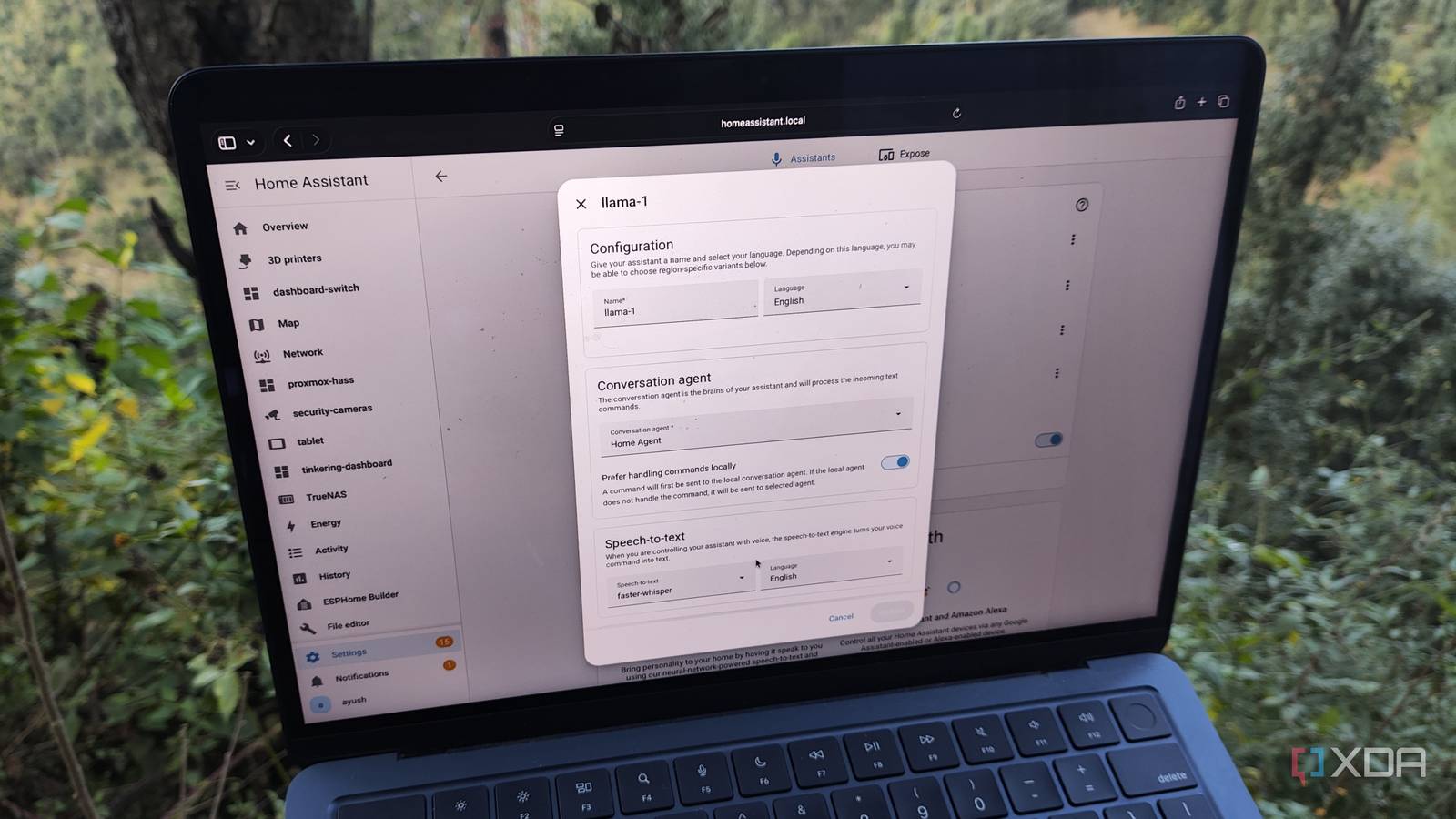
Published Nov 10, 2026, 2:30 PM EST Ayush Pande is a PC hardware and gaming writer. When he's not working on a new article, you can find him with his head stuck inside a PC or tinkering with a server operating system. Besides computing, his interests include spending hours in long RPGs, yelling at his friends in co-op games, and practicing guitar. Besides supporting hundreds of smart gizmos and IoT products, Home Assistant is versatile enough to accommodate all sorts of cool entities. And I’m not just talking about microcontroller-powered sensors or media servers, either. With a handful of first- and third-party integrations, your HASS hub can turn into an automation behemoth capable of running trigger-action rules for home servers, NAS units, self-hosted services, 3D printers, and all sorts of wacky device combos. Home Assistant can even leverage AI models, so you can replicate the same voice-based controls that rival smart home management platforms like Alexa charge expensive monthly fees for. Better yet, if you’re as much of a stickler for privacy as I am, you can put together a reliable AI pipeline with any old graphics card. Local LLMs serve as terrific conversation models in Home Assistant The ultralight Gemma 4 E4B is more than capable of driving HASS inference tasks Unlike typical subscription-riddled smart home platforms that lock AI conversations and chatbots behind paywalls, HASS has a dedicated Assistant section for connecting all sorts of AI models to the platform. The conversation model is the one you’ll rely on the most, as it serves as the brain for both the chatbot functionality and a dedicated voice assistant workflow (and I’ll get to the latter in a minute). Since HASS is compatible with all sorts of backends, you could rely on cloud models, but I recommend going down the self-hosted route for an AI-powered Home Assistant. Sure, cloud-based LLMs may have better reasoning capabilities than their locally-hosted counterparts, but you don’t need a bulky frontier model to prompt your smart home control center. For reference, I’ve deployed a Gemma 4 E4B (Q4_K_M) on a 10-year-old GTX 1080, and my Pascal-era card easily manages to pull 40–50 tokens/second with the model. Considering Gemma 4 E4B has a total parameter size of 8B, it’s more than enough for querying my Home Assistant server about device states and activating startup/shutdown toggles. On the local AI front, Home Assistant supports the Ollama backend, and it works pretty darn well once you add the URL, port number, and other aspects of your LLM-hosting server. But I use llama.cpp as my inference engine, so I had to look into custom integrations for my setup. The Home Agent integration from the Marketplace handles my llama.cpp connection fairly well, and I’ve also had some great luck with Extended OpenAI Conversation. Between all the smart gizmos I buy on a whim and my third-party integrations, I’ve got hundreds of entities that I wanted to expose to this setup. But the default context window on Home Agent was far too low, so I cranked it up to 50,000 tokens, since my GTX 1080 + Gemma 4 E4B combo can easily handle twice the context length. And this setup gets even better with some voice control tweaks … Building a voice assistant pipeline is just as simple All you need is an old phone and a few more AI models Home Assistant has gotten a bunch of useful updates this year, but the March release has got to be my favorite. That’s because HASS 2026.03 brought voice satellite functionality to the smartphone Companion app, essentially allowing any ol’ phone to process wake words for my LLM-powered conversation model. I’ve got a cheap smartphone and tablet serving as Home Assistant dashboards, and they have no issues detecting the “Okay, Nabu” trigger phrase. But aside from my phone and conversation LLM, my voice control workflow needed a few more AI models. First, I needed faster-whisper, a speech-to-text model that translates my voice commands into simple words that my LLM can understand. Likewise, Piper serves as the text-to-speech model and turns the clanker’s response into fully-voiced replies. I’m hosting them on a GPU-powered container for minimal latency, but you can also deploy them as typical Home Assistant apps running on the host machine’s CPU without too much latency in the response times. My AI-powered Home Assistant hub is completely private, too Saving money on subscription fees isn’t the only advantage of this setup Seeing as how Alexa+ and other smart home platforms with paywalled AI services charge regular subscription fees, switching to a local Home Assistant + LLM setup can save you a lot of money over time. Sure, the host machine may require some upfront investment, but since Home Assistant runs well on thin clients and used mini-PCs, you can put together a reliable HASS server for $150, while putting any old graphics card – including one stationed in your laptop – to good use as the LLM-hosting component. But the real benefit of local smart home setups is their privacy-respecting nature. Despite their quality-of-life features, IoT gizmos are among the least secure devices out there. Combine that with the aggressive data-harvesting techniques that most cloud-based smart home and AI platforms run under the hood, and you can see why I consider my Home Assistant + llama.cpp combo irreplaceable. Make Home Assistant more versatile with local models As much as I adore Home Assistant, I have to admit that it can seem a little intimidating at first, especially if you’re coming from Google Home, Alexa, or other cloud-heavy platforms. However, it becomes extremely rewarding once you start configuring all its cool features. And with all the documentation created by the talented Home Assistant community, it has become fairly approachable for beginners. Just remember to keep your DIY smart home projects in check, as HASS can get so addictive that you might end up buying sensors, microcontrollers, and other IoT paraphernalia in bulk just to satisfy your tinkering spirit. Home Assistant OS Windows, macOS, Linux, Android, iOS, web iOS compatible Yes Android compatible Yes
Alexa+ wants a Prime subscription to do what Home Assistant does for free with an old GPU and a $150 box
Full Article
Original Source
Read the full article at Xda-developers →KhanList aggregates and links to publicly available news content. We do not host full articles from third-party sources. Always verify important information with original sources.