
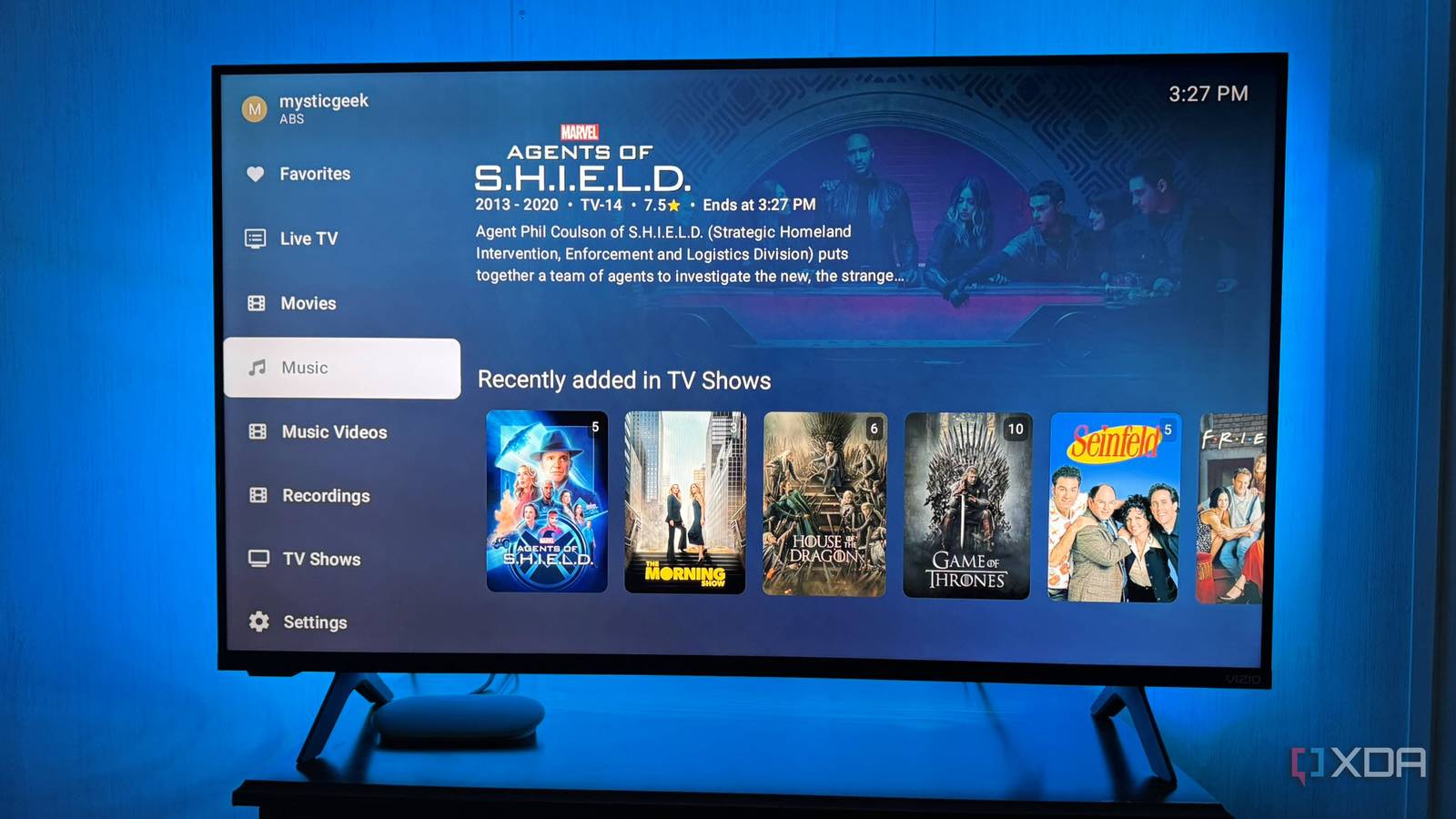
Published Nov 10, 2026, 3:00 PM EST Based in rural Minnesota, Brian Burgess worked in IT for 10 years before finding his passion for writing about consumer technology. Brian earned his degree in computer and network technology in 2000. He held various IT positions, including help desk support, router installations for IBM, database administration, and other associate network administration roles. He's been a personal technology journalist for 18 years and has written thousands of articles about Microsoft products and services, Android, iOS, streaming, and more. He has written for notable tech sites including XDA, InformationWeek, How-To Geek, Byte, groovyPost, and others. When he is away from the keyboard, you will hear him playing guitar, working outdoors, and watching Star Trek. Jellyfin is a versatile platform for serving your media to screens throughout your home. Community enthusiasts have created several plugins and clients that improve the viewing experience for your movies and shows across multiple platforms. One of the best for Android/Google TV devices is Wholphin, which has improved with a recent update. It is a Plex-inspired, straightforward client for playing self-hosted media on the big screen. It does one thing and does it very well — displaying your media library. It has recently been improved, and it's getting even better by giving me more control over how I display content on the big screen. A client that's been a favorite Android TV option It's Plex-inspired and not just another Jellyfin client One appealing quality of alternative Jellyfin clients like Wholphin is that it makes the transition easier for Plex-to-Jellyfin converts. The client isn't just a fork of the official Jellyfin version; it was written from scratch and allows more choice. It has a familiar interface and offers plenty of customization and playback engine options. It does more than stream your media to devices in the house. Wholphin provides more control over watching and browsing your media. With more choice and headroom for your media, it complements the Android ecosystem better. The home screen centers on your media library. It offers tangible advantages, including customizing rows of movies and shows, selecting artwork, collection pins, playlists, and more. It's more than a nicer interface; it puts the content you watch most at your fingertips. It also supports ExoPlayer, an Android-native playback option. Plus, it includes MPV as an alternative fallback if ExoPlayer struggles with files. Improve your video viewing experience A slew of new features for better picture and more Most changes in this version are under the hood, rather than a complete app overhaul. Still, the improvements can boost picture quality for your movies and shows, enhance audio and subtitles, improve Live TV, and more. The new automatic HDR detection is tucked into Wholphin's advanced settings section. If automatic HDR detection doesn't get the picture right for your display, you can force HDR10, HDR10+, or individual Dolby Vision settings. Now, I can override automatic HDR or Dolby Vision detection for certain content in my media library. I can adjust the max bitrate without leaving the viewing experience. I can also carry audio and subtitle selections between show episodes. The in-player bitrate tool is an improvement since I don't have to leave the video to adjust it. There's also an optional server plugin that lets admins preconfigure Wholphin's home page and set up Serr integration. The plugin is easy to configure with a short YAML script. Once that was set up, I could add my Serr address by signing in to my account to connect it. It's more of a technical addition to the client than a redesigned home screen option. I used it to connect the app to Serr running in Docker on another PC. It's optional, and not everyone needs it. However, it is useful if you have Serr running and want more content discovery through the Wholphin interface. Since I set up my tuner to watch live TV, I appreciate the improvements and fixes for HDHomeRun Live TV direct playback. The issue affecting direct playback from the tuner is now fixed. Like many other updates, this one doesn't change the Live TV interface, but it's a worthwhile improvement for Jellyfin users with the SiliconDust TV tuner. Keeping track of my music collection Smaller improvements for self-hosted CD rips I've been working through my workflow of digitizing my CDs to lossless audio and adding the FLAC files to Jellyfin, so I appreciate that the update includes a few music updates. I can choose which bands appear on the Artists page in the music section. When I open the music section, I can choose between artists and album artists, which gives me more control over my music collection. In addition, album cards display the album title under the artist name. It's a minor visual change, but it gives me better context for the color grid. Especially when the album cover artwork is incorrect or missing. When that happens, it's harder to find my albums while browsing, but the identifier makes it easier to keep track of my CDs. There aren't any audio improvements, but it does make it easier to identify my music. The best Jellyfin client for Android TV devices continues to improve Most updates happen behind the scenes, but they help me watch movies and shows and listen to music. The ability to change the bitrate while watching content is a visible and welcome addition. There isn't a major redesign to the interface, since it's already good as-is — straightforward media playback with a familiar design. The unseen improvements make it a more solid foundation for playing my content from my Jellyfin server on Android TV devices. Wholphin
One of my favorite Jellyfin clients for Android TV just got even better with its latest update
Full Article
Original Source
Read the full article at Xda-developers →KhanList aggregates and links to publicly available news content. We do not host full articles from third-party sources. Always verify important information with original sources.