
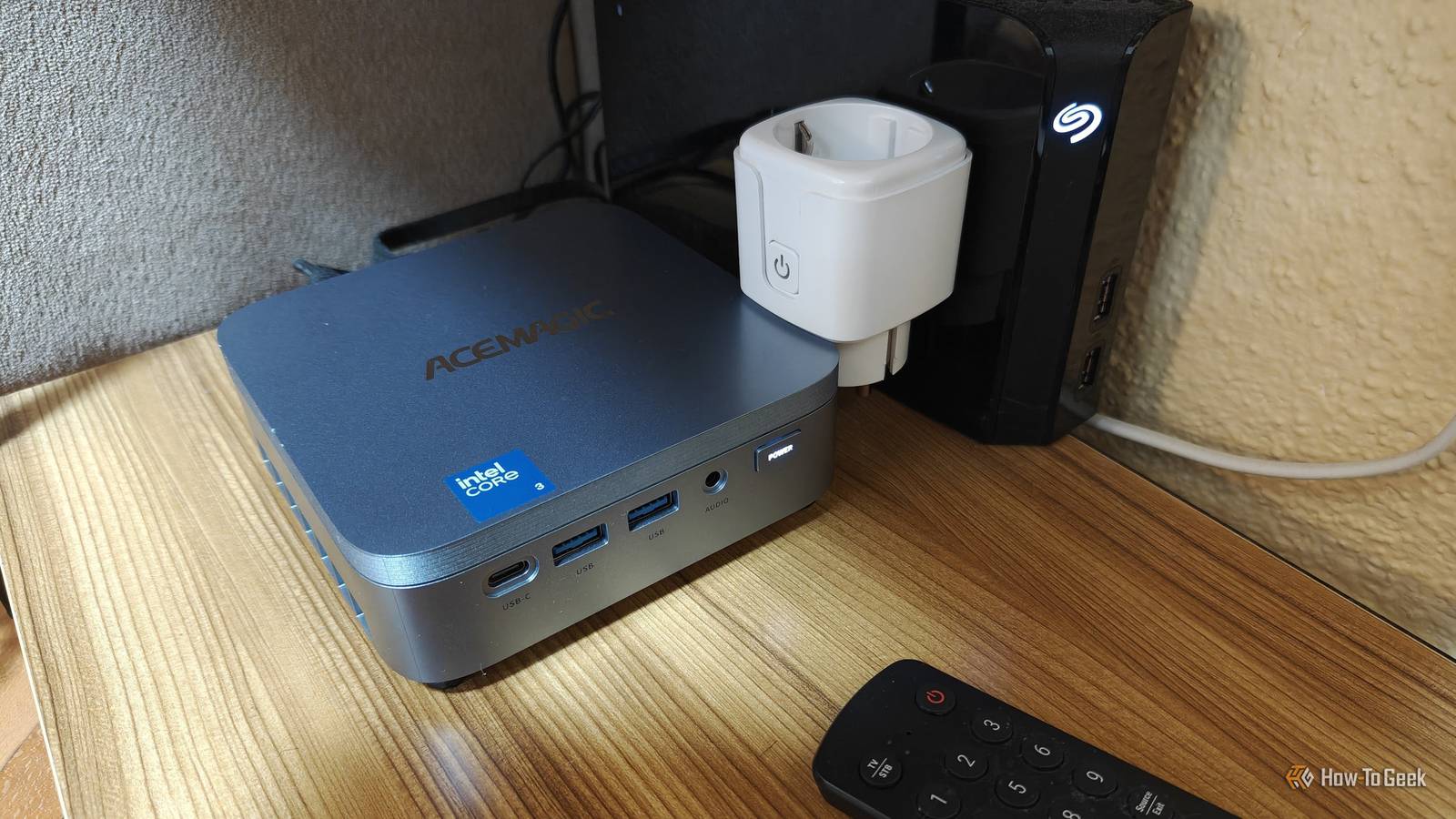
Published Nov 28, 2026, 11:30 AM EST Ismar is a Senior Author at How-To Geek. He previously worked as a writer, editor, and general manager at a content agency before joining the team in 2023. He began his writing career in 2021 after completing a BA in English Language and Literature. Beyond How-To Geek, Ismar has contributed to Red Stag Fulfillment and Authority Hacker. He has also worked on various SEO projects to help clients improve their search visibility. Ismar has been around Windows PCs since the age of three, so friends and family naturally chose him as the resident tech support. His projects often involve tinkering, such as disassembling mechanical keyboards and gaming mice to mod his beloved gear. He also enjoys pushing hardware to the max through overclocking while staying on a reasonable budget. An avid gamer, Ismar has logged thousands of hours across various genres, including first-person shooters, RPGs, racing games, and roguelites. When he is not at his desk, he is probably exploring other people’s phones to discover their quirks and features or experimenting with the latest AI tools. In his free time, Ismar enjoys spending time with his wife, working out at the gym, playing guitar and bass, cooking gourmet meals, and traveling. Above all else, he’s a proud cat owner. My mini PC handles all my homelab needs. I use it to stream shows and movies, back up my photos, store work files and backups, and a whole lot of other things. I've taken things to another level after setting up Tailscale, which allows me to access my self-hosted services remotely. In fact, I can even SSH into the server and use web interfaces to manage my homelab from my laptop when I'm not home. When everything works, this is perfect, but even the most robust homelabs can become unresponsive and sometimes require a power cycle. This used to be a problem when I wasn't home, but then I realized I could use a smart plug and a little-known BIOS setting to solve it. I can manage my homelab remotely, but some problems require me to be home SSH can't always fix a frozen server There's a lot I can do with my homelab without having to be near it. Thanks to SSH and Tailscale, I can troubleshoot it even when I'm hundreds of miles away. SSH lets me open a terminal and execute commands on the server, while Tailscale creates a secure connection between my devices and server when I'm away from home. All I need to do is turn on Tailscale on my laptop or even my phone (thanks to Termux) and use a terminal to restart the Docker container of whichever service is giving me trouble. While this works great for fixing services that have become unresponsive, it doesn't help much when the server itself stops responding. If Ubuntu Server or the network stack freezes, I can lose SSH access altogether, which means I'm left with no way to reboot my server. It's an issue I ran into constantly with the poor old laptop that I turned into a home server. I ran more services than its 2-core CPU and 4GB of RAM could reliably handle. Its SSD was always full, and it overheated constantly, which in turn caused stability issues. When the machine stopped responding, the only way to recover it was to hold the power button. It's much less of an issue now that I run my entire homelab on a capable mini PC, but I can't rule it out completely. A buggy Linux kernel component or driver can cause a hard lockup, and automated resource-intensive tasks (such as Machine Learning in Immich) can make the entire system become unresponsive indefinitely. I don't want something like that to happen while I'm traveling and be left without access to all my services (especially my beloved Jellyfin) until I get back home, so I found a cheap and simple solution: a humble smart plug. I turned a cheap smart plug into a remote power button for my mini PC The simplest way to power cycle an unresponsive server Smart plugs are one of the simplest smart home gadgets in existence. Their core job is to give you an easy way to turn the power to a plugged-in device on or off through a smart home app instead of doing it physically. That's pretty much it. Most people use smart plugs when they're not home and can't remember if they left an appliance on, such as a clothes iron. If you're a pro, you might even use a smart plug to power-cycle your Wi-Fi router, either on a fixed schedule or when it acts up. Just note that the smart plug needs an onboard countdown timer to work, as cutting power to the router also cuts your remote access. However, unlike routers, many homelab devices don't automatically turn themselves back on when power is restored. So, turning my mini PC off remotely through a smart plug sounds easy enough, but how do I do the other part of a power cycle, the part where I turn it back on? Simple: many PCs have a BIOS feature that controls what happens when power is restored after an outage (or, in my case, the smart plug turns off). It's called Restore on AC Power Loss, though the name and availability vary depending on the model. While my old, overheating laptop didn't support this feature, luckily for me, my Acemagic K5 mini PC has this option, and it's called State After G3 (G3 meaning mechanical off). I changed it from S5 State (stay off) to S0 State (boot automatically), and just like that, my mini PC turns on when power is restored. In other words, the mini PC turns on automatically as soon as it detects AC power, and when it does, Docker restarts the containers configured to start automatically, bringing my services back up with it. On top of being able to power-cycle my mini PC remotely, this simple setup allows me to turn it back on if it shuts down unexpectedly. For instance, if an update leaves it shut down or somebody accidentally presses the power button, I can just power-cycle the smart plug, and it'll be back up and running. Kasa Smart Plug Mini Connectivity 2.4GHz Wi-Fi Integrations Alexa, Google Home The Kasa Smart Plug Mini is a connected wall outlet that allows you to control plugged-in devices with voice commands or a smartphone. Dimensions 2.62 x 1.57 x 1.5 inches Killing power can corrupt data, so I only use this trick when necessary Although a smart plug can't solve every homelab problem, it's an incredibly cheap and effective solution when I need to restart my server remotely. Power-cycling is one of the simplest troubleshooting steps for an unresponsive computer, and I'm glad I finally found a way to recover my server without having to physically visit it. That being said, killing power should always be treated as a last resort. If the mini PC is writing to its SSD or the external HDD, interrupting the operation risks data corruption, so I only use the smart plug when everything else fails.
A cheap smart plug lets me restart my frozen homelab without going home
Full Article
Original Source
Read the full article at Howtogeek →KhanList aggregates and links to publicly available news content. We do not host full articles from third-party sources. Always verify important information with original sources.