
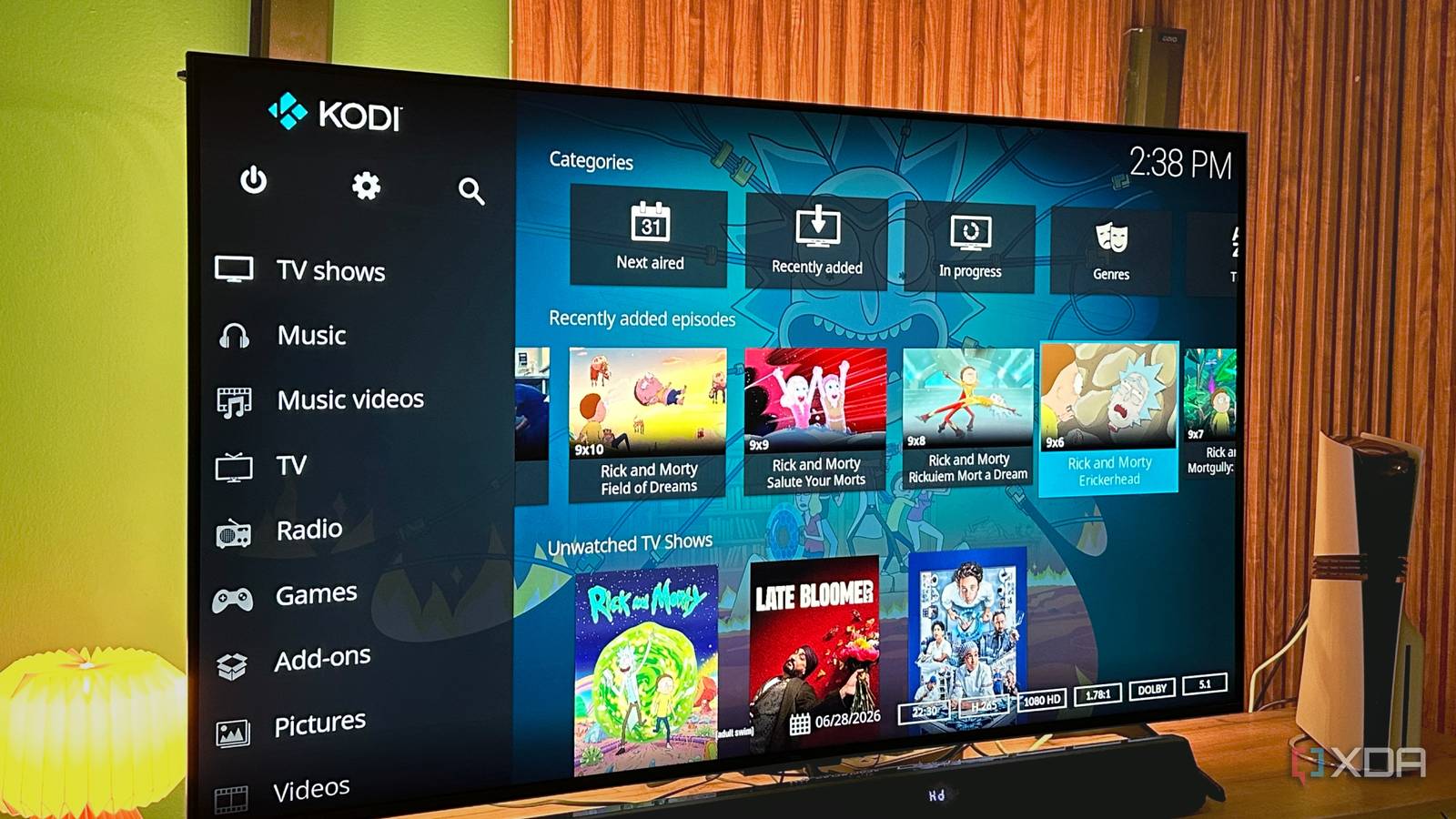
Published Nov 28, 2026, 11:30 AM EST Gaming has been Samarveer’s greatest passion, and the Literature graduate in him takes immense joy in dissecting games for their themes, messages, and impact. Samarveer holds a deep appreciation of gaming, and considers the platform to be the most immersive and impactful across all media. He can be found engaging with gaming communities online, always ready to debate the finer points of ray tracing or itching to write an 8-page collegiate thesis on any game that impacts him emotionally. I've spent enough time with Plex and Jellyfin to know that both can make a fantastic home media server. I've also spent enough time fighting with them to realize that neither is quite what I want sitting between me and my TV. Now, Kodi might not be the newest or prettiest media player around, and it's got enough settings to overwhelm even power users, but it gets so much right that it's hard not to miss it when it's absent on a TV. After years of jumping between different media setups, I've found myself coming back to Kodi for reasons that have little to do with nostalgia. Some of its quirks have become the very reasons I prefer having it in front of my media library. Kodi makes my local library feel like a TV It puts my media first, not the server behind it Kodi's biggest advantage is that it was fundamentally built around the idea that your local media library should be the center of the TV experience. Plex and Jellyfin are excellent at exposing a server's library through a client, but Kodi feels more like a proper media center than visiting a server. That unique Kodi-ness becomes obvious the moment I start navigating. Kodi can put recently added movies, shows, collections, genres, and other library content directly in front of me, and it doesn't make me dig through menus to get where I want. Its widgets and customizable home screen also let me decide exactly which parts deserve the most attention, and which ones I want to get to later. This matters even more with a large library. Kodi's sprawling interface can turn thousands of files into something that feels curated rather than like files dumped into a folder and forgotten. Once the metadata is scraped and the library is built, everything feels surprisingly cohesive. That's why Kodi works so well on my TVs. Instead of just opening an app to access my server; I'm turning the TV itself into a dedicated media center, which is exactly what I still want. Kodi lets me fix the annoying stuff It gives me control when playback goes sideways The biggest reason I keep coming back to Kodi isn't some headline feature. It's the little playback controls that suddenly become indispensable when something isn't quite right. Plex and Jellyfin generally want playback to be simple, while Kodi assumes (and correctly) that I might actually want to fix something. This proves particularly useful with subtitles. If they're slightly ahead or behind the dialog, Kodi lets me adjust the timing while the movie is playing. I don't have to stop the playback, nor do I have to hunt through settings and restart the movie. Kodi lets me move the offset until the words and voices agree. Kodi's audio settings are similarly granular. I can switch tracks, change how Kodi handles multichannel audio, and even adjust the Center Mix Level when downmixing surround sound to stereo. These aren't features I use every night, but when I need them, they're worth their weight in gold. Kodi's real advantage here is that it doesn't hide the toolbox just because most people won't need it. When something breaks, Kodi usually gives me a screwdriver instead of telling me to reboot the TV. I get to decide what my TV looks like Kodi's customization goes far beyond picking a prettier skin. I can change the home screen, rearrange menus, choose which libraries appear, add widgets, and decide exactly how much information I want staring back at me. If something feels unnecessary, I can get rid of it. That matters because most media apps give me a handful of interface choices and call it customization. Kodi gives me the tools to build an interface around how I actually watch things, rather than forcing my library into somebody else's idea of a TV experience. The same goes for how my media is presented. I can change artwork, views, metadata, categories, and navigation without having to accept whatever layout an update happens to introduce. My library stays mine, instead of becoming another company's UI experiment. That's also why Kodi fits so naturally into my self-hosted setup. If I've already gone through the trouble of building my own media library, I want the final screen to feel like mine too. Kodi actually lets it. Kodi and Jellyfin work better together than I originally thought I don't need Kodi to replace my server One might think that using Kodi means that I chose it over Jellyfin, but they'd be wrong. Jellyfin still does the heavy lifting on my home server, keeping my library centralized, handling the metadata, users, and remote access. When the entire server pipeline ends, after my arr stack, my backups, and my Tailscale access, Kodi takes over. With the Jellyfin integration, I can pull that library into Kodi and let Kodi handle the TV experience. My files and server stay where they are, but Kodi gives them a better on-screen interface. Kodi and Jellyfin make more sense together than either trying to do everything. Jellyfin is the backend I want running quietly, while Kodi is the frontend I actually interact with. Once I separated those two jobs and stopped expecting Jellyfin to be Kodi, my home media setup became much easier to live with. Kodi still has limitations, and I'm fine with that It isn't trying to be the perfect media server Kodi's biggest weakness is that it isn't really designed to be a modern media server. Remote access, centralized management, and keeping multiple installations perfectly synchronized can take more work than they do with Jellyfin or Plex. Kodi gives me control, but that control comes with a little homework. It's also easier to make Kodi feel complicated. The sheer number of settings, skins, add-ons, and playback options can turn a simple media player into a weekend project if I let it. Both Jellyfin and Plex are considerably better at getting out of the way, and sometimes that's exactly what I want. Jellyfin already handles the server-side jobs, and I can still use its client when Kodi isn't the right tool for the job. Both can live on the same TV without fighting for custody. That's pretty much why I never care too much about Kodi's shortcomings. I don't ask it to replace my media stack, since all I want is the best possible interface when I'm sitting on the couch, and Kodi remains remarkably good at that. Sometimes the old stuff still gets it right Kodi can be complicated, occasionally fiddly, and absolutely willing to bury a useful setting three menus deep. But once it's configured, it largely disappears into the background and lets me get on with watching something. That's probably why it has survived on my TVs for so long. I just want my own hardware, my own library, and software that stays out of the way when everything is working. Kodi isn't perfect, but it understands that distinction better than most. Kodi Kodi isn't really a media server as such, but it's a great way to access video files stored on your network. Thanks to plugins, too, you can use it with Plex, Jellyfin, or Emby.
Kodi still does things Plex and Jellyfin refuse to, and it's why it's on every TV I own
Full Article
Original Source
Read the full article at Xda-developers →KhanList aggregates and links to publicly available news content. We do not host full articles from third-party sources. Always verify important information with original sources.