
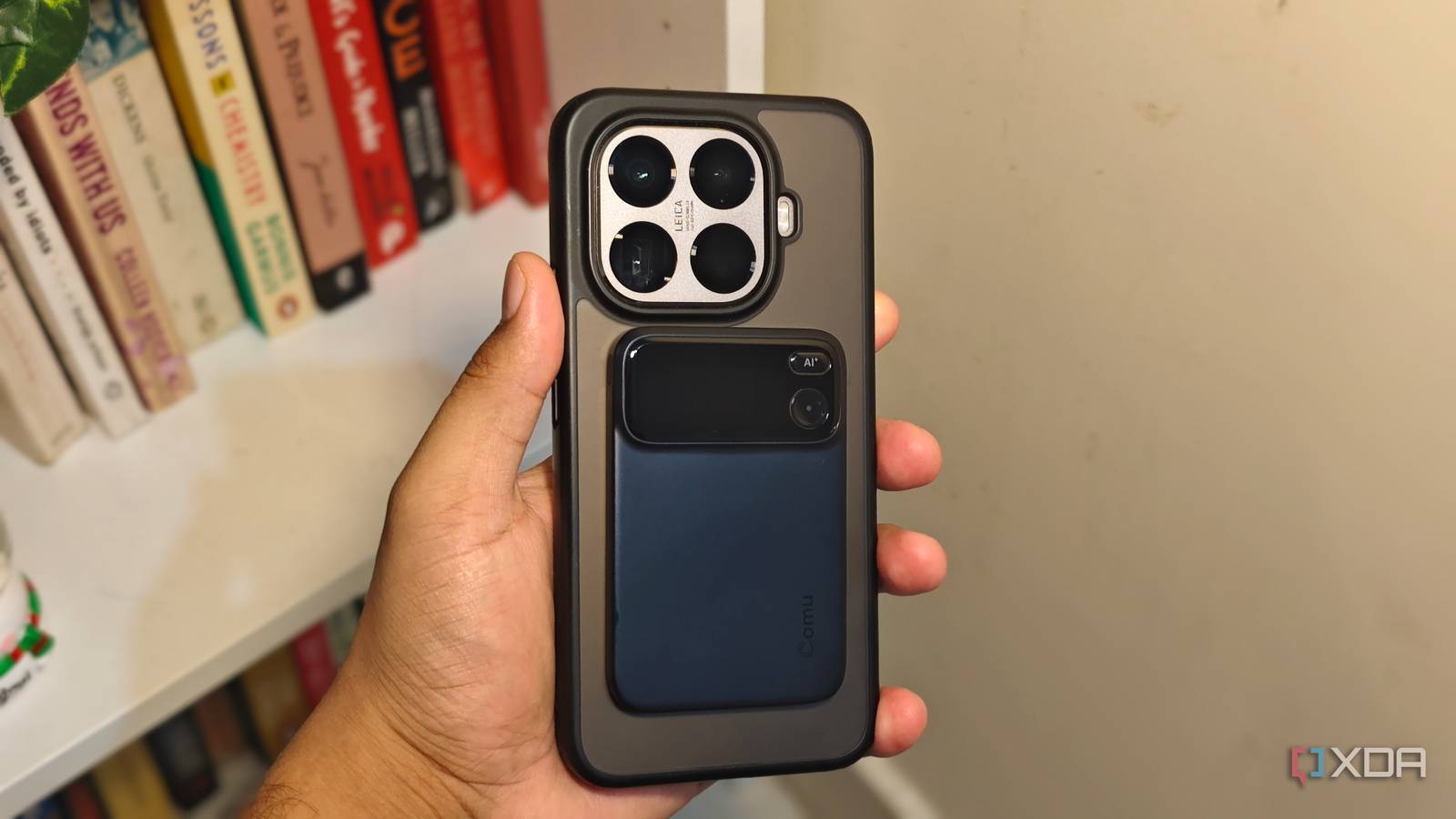
Published Aug 19, 2026, 2:01 PM EDT Anurag is an experienced journalist and author who’s been covering tech for the past 5 years, with a focus on Windows, Android, and Apple. He’s written for sites like Android Police, Neowin, Dexerto, and MakeTechEasier. Anurag’s always pumped about tech and loves getting his hands on the latest gadgets. When he's not procrastinating, you’ll probably find him catching the newest movies in theaters or scrolling through Twitter from his bed. I speak to a lot of people every day, and some of these conversations happen virtually while others take place in person. I’ve been trying to find a reliable recording solution that works well in both scenarios, but every option I’ve tried has introduced a different problem. I started with meeting note-takers like Otter and Fireflies, but their vague policies and data privacy issues made me hesitant to keep using them. My clients were not particularly comfortable with these tools either. I eventually started using Notion for virtual meetings, which does a good job of transcribing conversations and identifying action items. For in-person meetings, I recorded the conversation on my phone and then uploaded the audio to OpenAI’s Whisper for transcription. The results were good, but moving and processing every recording manually was tedious. I recently replaced my phone with a dedicated AI voice recorder. I bought it mainly to simplify that in-person workflow, but I soon found several other uses I hadn’t considered when I got it. Your phone is already doing a lot of work And has limited battery It’s actually very convenient to record meetings on your phone. You can use a dedicated app or simply record the conversation and upload it for transcription later. If I only attended meetings occasionally, I probably wouldn’t see a reason to buy another device. The problem is that I’m already using my phone for a lot of other things. Recording meetings for two, three, or sometimes four hours a day puts additional pressure on the battery. I don’t want to keep my phone plugged in all the time, and I don't want to worry about whether another app, notification, or phone call will interfere with the recording. Apple’s Voice Memos app, for example, stops recording if another app starts playing audio. It also means leaving my phone on the table, close to whoever is speaking, when I might need to use it for something else. Using a dedicated AI meeting recorder I am using the Comu Action Pro I started using the Comu Action Pro. It’s a recording card with one job: capture conversations without making me pull out my phone, open an app, and check whether the recording has actually started. This category became popular largely because devices such as Plaud can record phone calls, online meetings, and face-to-face conversations using the same piece of hardware. Call recording on phones has always been inconsistent because the laws differ across the US. Some states allow one-party consent, while around 11 states primarily require every participant to consent. Native features also vary by device and region. Apple now supports call recording on iPhones, for example, but it plays an audio notice to everyone on the call, and the feature remains limited in some regions and languages. A dedicated recorder provides a more consistent option, although you are still responsible for getting consent where required. The Comu Action Pro has a built-in magnetic mount, so I can attach it to the back of my phone and not worry about where I placed it. It’s a nifty feature because the recorder stays with the one device I already carry everywhere. In terms of hardware, you get all the bells and whistles you would expect from a device like this. It has six adaptive microphones and a pickup range of around seven meters, which is good enough regardless of where you’re sitting in the room. The battery life is also quite good. It lasts me about two weeks on a single charge. The company claims up to 70 hours of recording, so it could last nearly a month if you don’t record frequently. If you don’t want to reach for your phone and use the app for everything, the device also has two physical buttons. One controls recording, while the other lets you give the device commands for tasks you would otherwise do in the app, such as transcribing or summarizing a recording. The small OLED display also comes in handy for checking the recording status. The software made it more useful than I expected Software is the key here Like other AI voice recorders, this device comes with an app that automatically transfers and transcribes recordings from the device. This removes the most tedious part of my previous setup: recording an in-person meeting on my phone, locating the audio file, uploading it to Whisper, and waiting for a transcript. It's worth noting that I haven't found much use for this device for virtual meetings. Notion still does a better job at that. If I have to work for virtual meetings, I have to keep the meeting on speaker so that audio can be recorded. A built-in tool in an app like Notion can access the system audio and transcribe meetings without me having to put my laptop or my phone on speaker. English transcription has been excellent in my experience, including during conversations involving multiple speakers. However, it doesn’t do an equally good job when you mix two languages. As long as you’re speaking only English, you’re not going to have any problems. If you mix English with, say, Spanish or another language, it struggles to transcribe the conversation accurately. Comu claims support for 113 languages, although I obviously have not tested all of them. It also keeps the original audio beside the transcript, so I can return to the exact part of a conversation if the text looks wrong. Good software makes or breaks this category AI recorders need very good software to succeed because the hardware alone isn’t enough to justify buying another device. Your phone already has a capable microphone and everything else required to record meetings, calls, and voice notes. The advantage of a dedicated recorder has to come from how tightly the hardware and software work together. You should be able to press one button, record the conversation, and have the audio transferred, transcribed, summarized, and organized without moving files between different apps.
A $200 device replaced my phone's biggest job, and now I record meetings without killing the battery
Full Article
Original Source
Read the full article at Xda-developers →KhanList aggregates and links to publicly available news content. We do not host full articles from third-party sources. Always verify important information with original sources.